Can you share repo on git ? In my case even files videos are not visible as possible to run
I’m afraid it’s not open source at the moment. Are you on an older version of Android, perhaps? I added a fallback method you can try, just below the Favorites menu option. You can try using your pc or whatever to put a like mp3 file in something like:
(Internal storage\Android\data\com.ComradeOohAah.BuzzyBody\files)
to test it out. Supposedly, it wont need permissions to access files there.
Good luck! Hope it works for you!
I’ve recently released a BuzzyBody testing release for Proletariat Patrons, that can be found here
I’m hoping to have the next public release up on itch around October.  I’ve got a couple of things I need to tweak before I do that. Like right after I hit post 3 things popped into my head that I wanted to clean up still. lol. In the meantime, here’s the notes for the testing release.
BuzzyBody v0.3
Before we start: There are two files, the one you want is probably the ARMv7.apk. The scripting back end Unity makes me use for the ARM64.apk does not let me list the sd cards, so you’re stuck between using my fallback option or the builtin file structure. Your external sdcard will probably be unavailable to you. Only use the ARM64 apk if that’s the only version your phone will install.
Everybody got it? Awesome! Great!
Here’s what we’re supporting with the new update:
- FallBack File Location
- A new favorites backend
- IntifaceCentral/Buttplug Support for Funscripts and FFT
- Multiple Funscripts!
FallBack File Location
When you go to Media Player you will notice that below Favorites there is an option for a filepath with the description Application Folder. The file path listed does not require any security permissions. Android is making developers jump through more and more hoops with the file system. If for some reason you can’t get the file permissions working, open this file path on your computer, create a folder and then put all your movies and funscripts into it. Anything put into this filepath doesn’t require the janky workaround I’m forced to use for the rest of the filesystem. In theory it should work on any android that will load the apk.
A New Favorites Backend
You probably wouldn’t notice this except for the fact that your old favorites aren’t going to be available. Sorry about that, I was halfway into building the new version when I realized I had broken the old process beyond repair. I shouldn’t have to mess with that again.
Intiface Central / Buttplug support
You can connect to Intiface Central by tapping on
Media Player → Device Settings → Intiface Central Menu →
(And then if you need to set the IP) → Change Intiface Central IP and the port number probably 12345
(Once you’ve set your IP) → Connect to Intiface Central
Boom! tap View devices and you can enable and disable each device as well as edit the range of movement for the device. When you’re ready, hit that home button and then just use the Media Player and your local file system. I am not happy with the FFT implementation on linear devices so I will definitely be changing that up, but this a testing release for a reason.
Multiple Funscripts!
Trying to use a vibrate toy and linear toy at the same time? BuzzyBody searches for the appropriately named Funscript and automatically maps it to the correct toy! And if you don’t have one, you can try inverting the one you do have.
When you select a movie file (or mp3) it will search for a funscript file in the same directory with the name of the video or audio file but with the one of these file extensions:
- .funscript
- .surge.funscript - for linear toys like The Handy
- .vibe.funscript - for vibrating toys like Lovense
If all you have is a .funscript file it will use that for Linear and invert it for vibrating toys. I have had a single funscript file running my Handy and a LoveSpouse toy as an emulated Lovense toy through another Android BuzzyBody. lol, it’s versatile! Buggy, but versatile. And yeah, it’s a mess, I still need to do some work to make things a bit more smoother; According to qdot from Buttplug.io, The Handy really isn’t supposed to run commands over the network as fast as video requires, so it’s a bit iffy. I have even had The Handy reset on me. And the lovespouse toys are so cheap that emulating them over the network can cause them to lag a bit behind or fall into one of their default modes.
I’m only supporting surge and vibe at the moment because those are the toys I have access to. I’ll get one of those cool OSRs one of these days.
Outro
I think that’s it? I’ll try and release a PC version later this month and I need to start making some tutorial videos to help people better understand the different ways BB can connect to Intiface Central (as a client and an emulated lovense)
Much thanks to y’all! Really, I couldn’t do this with your support! I’m hoping to try my first BuzzyBodyVR test in the next week or so and I’ve already had some hilarious failures attempting my stereo video to point cloud experiments… Well, not failures. It worked! Just way too intensive for my little laptop, so it crashed and definitely wont run on a quest. lol. But I’ve got some ideas for optimizing it. So stay tuned!
In Solidarity,
Comrade OohAah
I’ll make a separate thread for when I make the first Itch release, but for now I’ll drop it here. I just posted the First Look of BuzzyBodyVR Quest APK for my Proletariat Patrons.
You can find the Patreon Post here
Here’s the release notes:
All the buzzy funscript media playing goodness of BuzzyBody android, slapped to your face!
Permissions
Allow app to access to audio and video files

Allow Precise Location (Required for Love Spouse)

Allow app to find and connect to nearby devices (Love Spouse)

Precise Bluetooth Permissions (Love Spouse)
Updates to BuzzyBody
Expanding on the Fallback location for File Loading, I've set it up so that when looking for Funscripts, BuzzyBody first looks in the Funscripts Folder in the Fallback Location regardless of the location of the video file. This doesn't require any security permissions. (\Android\data\com.ComradeOohAah.BuzzyBodyVR\files\Funscripts)

I've tweaked the LoveSpouse Support a bit more. Should crash quite a bit less. I am noticing that each individual device (phone headset, etc) has different limits of what they can be pushed to. Hopefully I've found a decent balance with this update. It will almost certainly get more tweaking in the future.
Changes from BuzzyBody Android
Added support for Meta Quest VR

Added support for 3D Landscape videos

Added support for 180/360 videos

Added VPT (Video Projection Type) Identifer based on filenames

Added VPT Button to cycle between the various projection types:

    Flat2D_HOR,

    Flat2D_VERT,

    Flat3D_SBS,

    Flat3D_OU,

    VR180_2D,

    VR180_3D_SBS,

    VR180_3D_OU,

    VR360_2D,

    VR360_3D_SBS,

    VR360_3D_OU

Text Area below Playback UI that typically showed the filename of playing media will now show info like VPT for a few seconds before defaulting back to the filename.

Switched up the UI to work with VR
Controls
Point controller at UI, press Trigger to select

During Playback, point away from UI and press Trigger to hide Playback UI. Press Trigger again to reveal Playback UI

During Playback pressing your Grip Switch will pause and unpause playback.

Use the VPT (Video Projection Type) Button to cycle between Projection Types. It will save the setting for each individual video
Notes
This is my first pass at it, there’s still plenty more to be done. No environments or theater yet. No hand tracking. I just wanted to get a feel for things while I let my brain percolate on Fresh Bulls Wanted in the background. I’ve tested it on a Quest 2 and Quest Pro with positive results.
LoveSpouse support is still a bit finicky because on top of the janky method the toys use to get their signal via BLE Advertisements, you now have the signal source being at the top of your face. I have not tried it with any of the toys that require insertion yet, but there’s almost certainly going to be some signal blockage. I’m thinking about creating another proxy/relay option for BuzzyBody Android mobile that will allow BuzzyBodyVR to directly link to BuzzyBody Android and relay signals from there. In the meantime, BuzzyBodyVR does support Intiface Central and I have been able to link BBVR to Intiface Central to BB to LoveSpouse Toys. So that is an option for the time being. Just remember to turn the LoveSpouse toy support off in BBVR or your toys will get confused and glitchy.
I’ve not quite worked out a roadmap, but I’ll hopefully get that sorted in the coming months. I’d like to put a version up on Itch before the end of the year, at least. Maybe add a single environment or theater first. Gonna lock in on Fresh Bulls Wanted for the next few weeks and let BuzzyBody stuff simmer in the background of my thoughts for a bit.
Much thanks to y’all for your support! Enjoy!
In Solidarity,
Comrade OohAah
1 Like
Right now I can’t see any of my files.
So, there could be a couple of reasons, depending on what version of Buzzybody and what version of Android you’re using. Unfortunately as Android has advanced they’ve locked down more and more of the file system so there’s limited ways of working with files outside of our applications’ individual file systems. And then to top it off Unity doesn’t offer a way of finding the sd-card under arm64 which is one of the versions released for v0.3.
But what it boils down to is, double check that you’ve given it file permissions it’s asked for and if you still can’t see your files, there should be a fallback option available. It will list the location. Plug your phone into your pc and put your files (video and funscripts) in there and you should have access to them. If you’re using the arm64 version of v0.3 from my patreon try using the arm7, unless you know it wont work for you.
I’m working on the next version of BuzzyBody as we speak, but this is an android/unity hurdle so for some people the fallback option is going to be the best I can do.
Good luck!
I’m catching up on a bunch of posting today and figured I’d drop a link to my patreon’s free monthly review as it’s rather BuzzyBody centric at the moment. You can find it here.
The highlights:
I’ve been experimenting with Depth Estimation of 180 videos for a (far in the) future version of BuzzyBodyVR Touch. This is screenshot from a couple months ago. In the latest version I can reach out and my hand is occluded by a mesh I’ve wrapped around her head. The video for both tests are in a devlog for my Virtual Vanguard and Proletarian Patrons. I’ve got too much work to do on BuzzyBody at the moment, but I can hear my very underused bHaptic TactGloves screaming for me to test them with this.

BuzzyBody native support for The Handy is coming along and I’m very stoked at how well the syncing is working. :happy-dance:
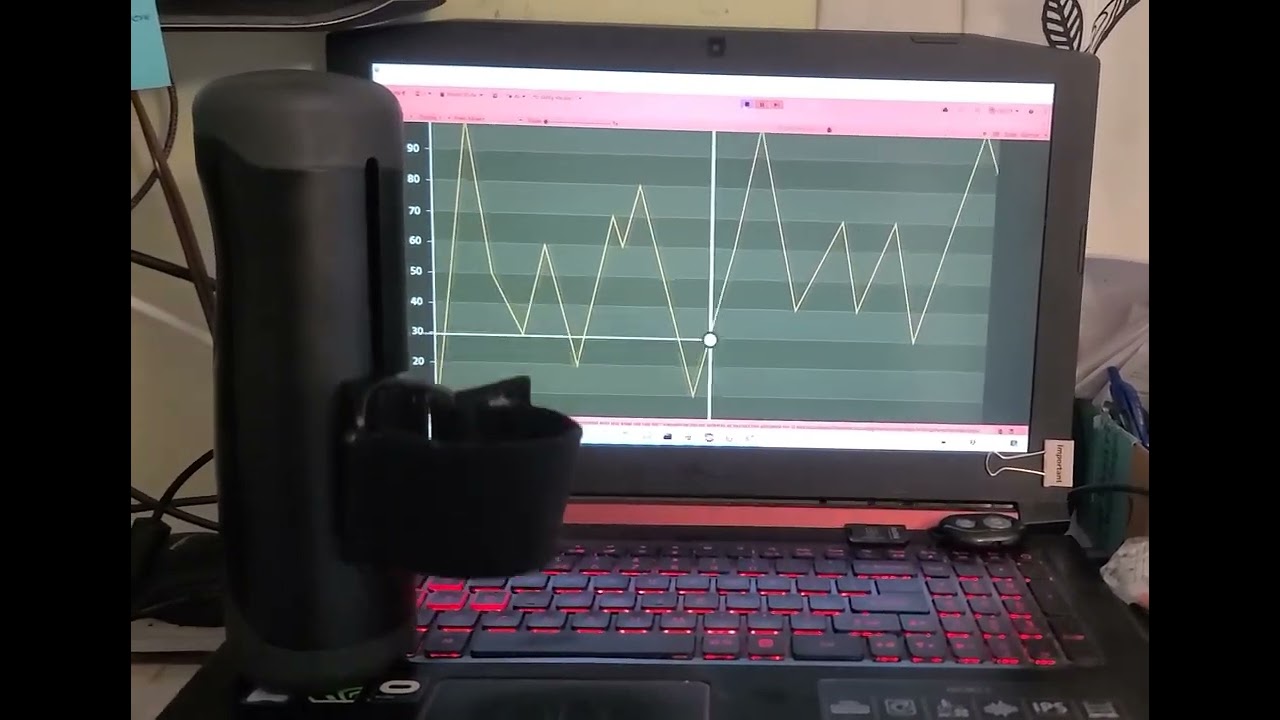
Nice, right? 
Hope everyone is doing well, I will hopefully have a testing release in the next month or so with a public itch release early this summer.
Much thanks to my patreons, and y’all, who have been so supportive!
In Solidarity,
Comrade OohAah
I’ve recently released a BuzzyBody testing release for Proletariat Patrons, that can be found here.
BuzzyBody Android Mobile v0.3.306/307.apk
Before Downloading: Be sure to read the STANDARD NOTE at the bottom.
Update Features:
- Updated LoveSpouse Bluetooth
- Native Handy Support
Updated LoveSpouse Bluetooth
A kind patron alerted me to an update that LoveSpouse made to their bluetooth devices so we’re now running the new Company ID. Best I can tell this is backwards compatible with old devices. If you run into issues, please let me know.
Native Handy Funscript Support
BuzzyBody can now upload funscripts to The Handy Servers and natively play them on the devices. I’m very happy with this. It’s messy and the next update will require some UI updates, but it does work. It syncs great! Looping works, but Seeking can be a bit chaotic I just wanted to get this in hand of Patron testers for the time being while I continue updating. I have not had the opportunity to test this on The Handy 2 or any of their vibration devices.
BuzzyBody TODO
As I said there’s still a bunch of UI that needs to be updated for The Handy native stuff, I want to continue tweaking Intiface Central Funscript playback, and I wanna see if I can update the LoveSpouse support to have a bit more refinement. I have tested the LoveSpouse to Intiface Central Lovense Emulation on a couple of apps and found it to work reasonably well. If anyone runs into a specific app where you have issues, please let me know. If it’s free or you can provide a demo key or something I’ll do my best to test it.
Also, not to brag, but having tested a couple of other apps’ Intiface Central Implementations, I’m pretty proud of Fresh Bulls Wanted’s implementation. IMHO it’s one of the best implementations out there and I’m working on ways to make it even better.
Once I get the UI sorted and whatnot I’m hoping to get a BuzzyBody itch release out in the near future, with a release for VirtualVanguard/Proletariat Patrons beforehand. I don’t want to give an exact date, because things happen and troubleshooting can set me back quite a bit, but it’s on the horizon.
Special Thanks
As always much thanks to my patrons, y’all make this possible. Stay tuned as BuzzyBodyVR and more FBW tests are coming soon, hopefully this summer.
In Solidarity,
Comrade OohAah
This is going to be a STANDARD NOTE going forward for BuzzyBody Android Mobile:
ARMv7/ARM64:
There are two files available, the preferred apk if your phone can run it is the ARMv7.apk.
The scripting back end Unity makes me use for the ARM64.apk does not let me list the sd cards, so you’re stuck between using my fallback option or the builtin file structure. Your external sdcard will probably be unavailable to you. Only use the ARM64 apk if that’s the only version your phone will install.
FallBack File Location
When you go to Media Player you will notice that below Favorites there is an option for a filepath with the description Application Folder. The file path listed does not require any security permissions. Android is making developers jump through more and more hoops with the file system. If for some reason you can’t get the file permissions working, open this file path on your computer, create a folder and then put all your movies and funscripts into it. Anything put into this filepath doesn’t require the janky security workaround I’m forced to use for the rest of the filesystem. In theory it should work on any android that will load the apk.
Itch.io link doesnt work anymore? Would have loved to try this app as i don’t have a pc.
It’s still there, looks like itch was having issues this morning. Note that Handy support hasn’t been released on the itch version yet. It’s just patreon only, at the moment. I’m hoping to get that onto itch next month.
1 Like