This one’s about progression and upkeep: your runs now get scored and kept,
pausing costs you, and the app can update itself.
Existing journeys, saves, and settings carry over untouched.
Highlights
Local scoreboard — a high-score history for each journey.
Pause penalty — your score drains while you’re paused.
In-app updater — check, download, and stage a new build from inside the app.
Local Scoreboard
Every run you finish — or abandon — is recorded per journey, ranked by score.
A HIGH SCORES panel appears beside a journey’s details in the selector,
listing your top runs with the outcome (✓ complete or ✗ round 4/9) and
the date.
Both completed and abandoned runs are tracked (quitting to the menu
mid-journey counts as an attempt — Save & Quit at a checkpoint does not).
Clear a journey’s history anytime from the panel. It’s also cleared
automatically when you rebuild/re-import or delete the journey.
Pause Penalty
Stepping away now has a cost.
While the game is actively paused — the pause button or the Options menu —
your score ticks down each second.
System pauses are free: boss intros, checkpoint banners, shops, forks, and
storyboards never penalize you.
The penalty only eats into the current round’s score and never drops below
zero — points you’ve already banked are safe.
In-App Updater
No more manually checking the forum for new builds.
The main menu checks for a newer release on launch and shows an “Update available” banner.
Click it to download the new build, verify it, and extract it into a fresh
folder next to your current install — the folder opens automatically. Close
the app, run the new version, and delete the old folder.
The updater never overwrites the running app, so there’s nothing to corrupt.
Don’t want it pinging for updates? Turn it off: Options → “Check for updates
on launch.”
Under the hood
Added an automated test suite (51 tests) and CI that runs on every change —
fewer regressions reaching you.
Internal cleanups to the fork-resolution, sensory-effect, and save code (no
behaviour change).
Fixes
The score could quietly tick up in the background behind a boss intro or
checkpoint banner — playback is now properly frozen until the round begins.
Not as exciting as the prior updates but this one is pretty important for the future. The most exciting part of this update is the Auto-Update feature. It does automatically check the internet for updates but you are able to opt-out if you’d like. This way you can be notified of an update outside of this forum. Pretty nifty and not as hard to implement as I had thought.
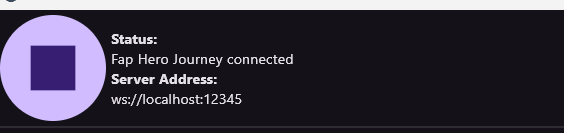
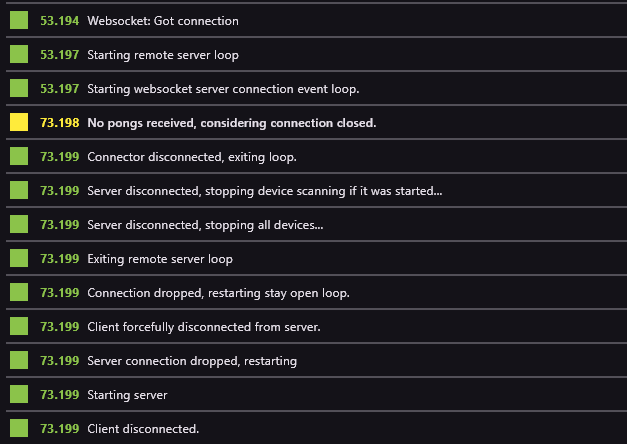
For whatever reason I can’t get the game to connect to intiface. When set to auto connect it will say connected until I actually try to scan for a device, then it disconnects. Afterwards if I try to connect it just endlessly tries and never does. All the while of this happening intiface never actually detects that it’s been connected to like it does for anything else. Kinda stumped on what to do.
In order of the log, first entry was the first press of the connect button. Which then lead to the game giving up ig, and from there I try to connect again ingame and it stays on “connecting…” and that’s what the log spit out.
Very interesting project! I made a fork to get familiar with the codebase a bit. Most of what I’ve done so far has been refactoring the title screen to work more in line with Godot design principles (compose scenes in the editor rather than hard-coding layout values and such; got Main.gd from 500 lines down to under 200).
I also changed two lines in FunscriptPlayer to lerp instead of hard-clamping the min and max range values, though it looks like you’ve already done this on the main branch as well.
If I were to note features I wanted the most, it’d probably be setting range limits on the other axes (I use an OSR2+).
Appreciate it! When you’re finished with the fork create a PR and I’ll review it. I did briefly review it yesterday (which is why you see the lerp + hard clamping in the current branch, oversight on my part!).
While I do have a developer background this is my first godot project of this size and I’m not well-read on godot design principles. Any advice is appreciated!
Hmm, I think something is off with “Test from here” button in bigger journeys. It skips some forks and goes to the step directly after fork join. For example if I have a fork with 3 or 4 paths, and want to test from some point inside one of the fork’s paths it ignores it and goes directly into the first step after fork paths joined. But it doesn’t happen each time. If I modify the fork end in any way I can start in the given fork’s path point. But after just opening the journey, it doesn’t work. A really bizarre bug…
Also, I have one suggestion to improve journeys generation. Instead of having paths like a tree that all forked path HAVE to join afterwards, having paths definitions as graph would be so much better. This would allow for way more flexibility in joining paths and remove unnecessary story/shop steps just to join different levels of forks. It would also simplify “skip” logic in long journeys.
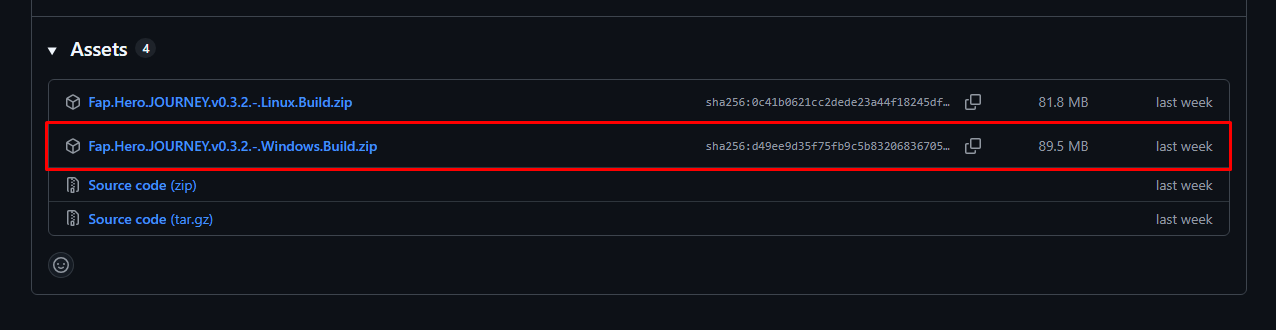
hi ty for help! i unzipped the file however when i try to run the two exe files none of them work :( theyre called “ffprobe.exe” and “ffmpeg.exe”, maybe i did something wrong?
Hey @saekoM,
I had the same problem as @ohhaidere87 today, so I decided to try to figure out what was causing the error, and I actually found the bug that was causing the issue.
Is there any way I can contact you on Discord or somewhere else to explain the problem and the solution to you?
 Highlights
 Local Scoreboard
 Pause Penalty
 In-App Updater
 Under the hood
 Fixes
Fixes