This one’s about progression and upkeep: your runs now get scored and kept,
pausing costs you, and the app can update itself.
Existing journeys, saves, and settings carry over untouched.
Highlights
Local scoreboard — a high-score history for each journey.
Pause penalty — your score drains while you’re paused.
In-app updater — check, download, and stage a new build from inside the app.
Local Scoreboard
Every run you finish — or abandon — is recorded per journey, ranked by score.
A HIGH SCORES panel appears beside a journey’s details in the selector,
listing your top runs with the outcome (✓ complete or ✗ round 4/9) and
the date.
Both completed and abandoned runs are tracked (quitting to the menu
mid-journey counts as an attempt — Save & Quit at a checkpoint does not).
Clear a journey’s history anytime from the panel. It’s also cleared
automatically when you rebuild/re-import or delete the journey.
Pause Penalty
Stepping away now has a cost.
While the game is actively paused — the pause button or the Options menu —
your score ticks down each second.
System pauses are free: boss intros, checkpoint banners, shops, forks, and
storyboards never penalize you.
The penalty only eats into the current round’s score and never drops below
zero — points you’ve already banked are safe.
In-App Updater
No more manually checking the forum for new builds.
The main menu checks for a newer release on launch and shows an “Update available” banner.
Click it to download the new build, verify it, and extract it into a fresh
folder next to your current install — the folder opens automatically. Close
the app, run the new version, and delete the old folder.
The updater never overwrites the running app, so there’s nothing to corrupt.
Don’t want it pinging for updates? Turn it off: Options → “Check for updates
on launch.”
Under the hood
Added an automated test suite (51 tests) and CI that runs on every change —
fewer regressions reaching you.
Internal cleanups to the fork-resolution, sensory-effect, and save code (no
behaviour change).
Fixes
The score could quietly tick up in the background behind a boss intro or
checkpoint banner — playback is now properly frozen until the round begins.
Not as exciting as the prior updates but this one is pretty important for the future. The most exciting part of this update is the Auto-Update feature. It does automatically check the internet for updates but you are able to opt-out if you’d like. This way you can be notified of an update outside of this forum. Pretty nifty and not as hard to implement as I had thought.
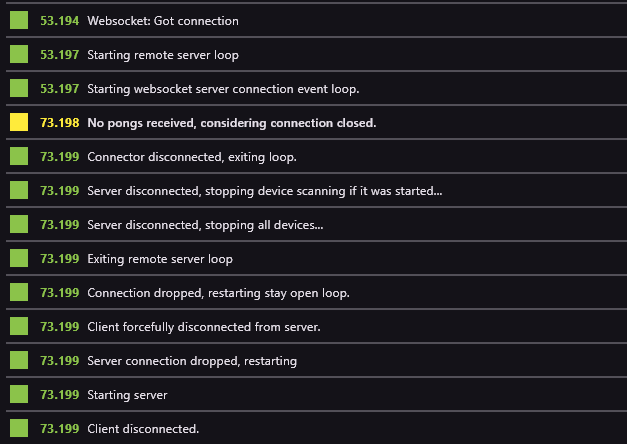
For whatever reason I can’t get the game to connect to intiface. When set to auto connect it will say connected until I actually try to scan for a device, then it disconnects. Afterwards if I try to connect it just endlessly tries and never does. All the while of this happening intiface never actually detects that it’s been connected to like it does for anything else. Kinda stumped on what to do.
In order of the log, first entry was the first press of the connect button. Which then lead to the game giving up ig, and from there I try to connect again ingame and it stays on “connecting…” and that’s what the log spit out.
Very interesting project! I made a fork to get familiar with the codebase a bit. Most of what I’ve done so far has been refactoring the title screen to work more in line with Godot design principles (compose scenes in the editor rather than hard-coding layout values and such; got Main.gd from 500 lines down to under 200).
I also changed two lines in FunscriptPlayer to lerp instead of hard-clamping the min and max range values, though it looks like you’ve already done this on the main branch as well.
If I were to note features I wanted the most, it’d probably be setting range limits on the other axes (I use an OSR2+).
Appreciate it! When you’re finished with the fork create a PR and I’ll review it. I did briefly review it yesterday (which is why you see the lerp + hard clamping in the current branch, oversight on my part!).
While I do have a developer background this is my first godot project of this size and I’m not well-read on godot design principles. Any advice is appreciated!
Hmm, I think something is off with “Test from here” button in bigger journeys. It skips some forks and goes to the step directly after fork join. For example if I have a fork with 3 or 4 paths, and want to test from some point inside one of the fork’s paths it ignores it and goes directly into the first step after fork paths joined. But it doesn’t happen each time. If I modify the fork end in any way I can start in the given fork’s path point. But after just opening the journey, it doesn’t work. A really bizarre bug…
Also, I have one suggestion to improve journeys generation. Instead of having paths like a tree that all forked path HAVE to join afterwards, having paths definitions as graph would be so much better. This would allow for way more flexibility in joining paths and remove unnecessary story/shop steps just to join different levels of forks. It would also simplify “skip” logic in long journeys.
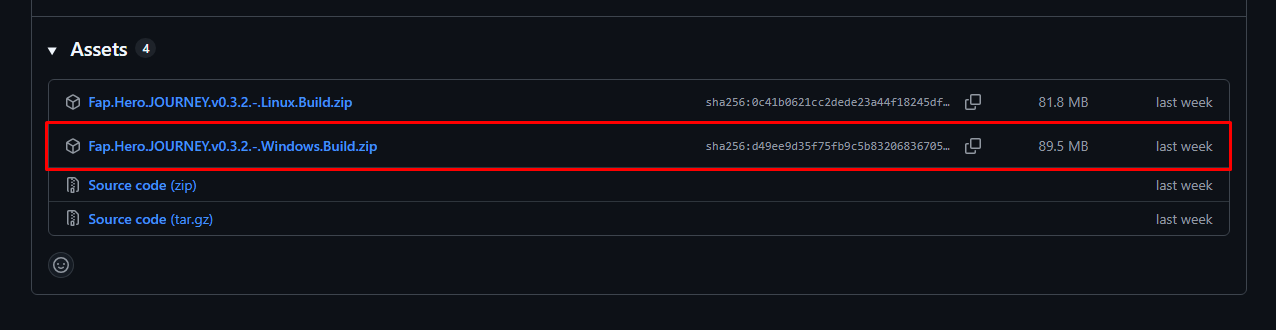
hi ty for help! i unzipped the file however when i try to run the two exe files none of them work :( theyre called “ffprobe.exe” and “ffmpeg.exe”, maybe i did something wrong?
Hey @saekoM,
I had the same problem as @ohhaidere87 today, so I decided to try to figure out what was causing the error, and I actually found the bug that was causing the issue.
Is there any way I can contact you on Discord or somewhere else to explain the problem and the solution to you?
The builder has been rebuilt around a free-form node graph. Instead of a tree where
every fork is forced to rejoin, you place nodes (rounds, shops, storyboards, forks)
and draw edges between them however you like.
What that unlocks:
Branches no longer have to rejoin. Forked paths can stay split all the way to the
end, converge back together wherever you choose, skip ahead, or end early —
no more filler rounds just to satisfy the structure.
“Islands” — sections reachable only through a specific choice — are now possible.
Your layout is saved. Node positions persist on disk, so a journey opens looking
exactly the way you left it.
Day-to-day editing got a full set of conveniences, too:
Draw connections by dragging from a node’s output handle to a target — or use
click-to-connect. Invalid targets (anything that would create a loop) highlight in red.
Multi-select with marquee drag and Ctrl/Shift-click, and move groups of nodes
together.
Undo / redo (Ctrl+Z / Ctrl+Y) across structural edits.
Copy / cut / paste / duplicate nodes (Ctrl+C / X / V / D), even across journeys.
Bulk import — drop a folder or a batch of videos onto the canvas and get a chained
column of rounds, each paired with its funscript and auto-filled from disk.
⊞ Arrange — one click tidily auto-lays-out the whole graph in layers (and Ctrl+Z
puts your manual layout back if you preferred it).
Live validation badges — a node flags a problem as you work (a round missing its
funscript, a moved/missing source file, an unreachable island, an under-filled fork);
hover the node to see what’s wrong. Soft — it never blocks editing.
Cleaner connection routing — edges now attach to whichever side of a node faces the
one they connect to (top, bottom, or a side), so the graph reads naturally however you
arrange it.
Quick-add with Ctrl+1–4 (round / shop / storyboard / fork), Delete to remove, an
in-app keyboard-shortcut overlay (), fit-to-view, and a wider zoom range.
Test From Here still launches gameplay straight into any node.
Existing journeys keep working: they load fine and are upgraded to the new format
automatically the next time you save them.
Journey Map (for players)
A new read-only map of the journey you’re playing, showing its path structure and a “you are here” marker.
Open it from the ◇ MAP button on the HUD, the M key, or a ◇ MAP button on
shop / storyboard / interactive-fork screens.
It accurately shows skips, convergences, and islands — the real flow of the journey.
Authors control it per journey: an “Allow Journey Map” toggle (on by default)
lets you hide the map if you’d rather keep the layout a surprise.
Smaller, faster saves (shared media)
Journeys now store each piece of media once. Reuse the same clip across multiple
rounds — say, a normal round on the main path and a cursed version down a fork — and it’s
stored a single time on disk and in the shared zip. A reused video also skips
re-transcoding, so saves are faster and journey files are smaller. It’s fully automatic:
just reuse the clip.
Share your journey layout
A new IMAGE button in the builder renders your entire journey graph to a shareable
image (PNG, or a high-quality JPEG for very large journeys) — handy for showing off a
build or asking for feedback.
Look & feel
Neon glow. An app-wide bloom pass so the bright palette actually glows.
Animated score & coins. The HUD now counts your score and coins up and down with a
green-gain / red-loss pulse, so changes (like the active-pause penalty draining) are
easy to see.
UI sounds. Clicks and key moments — advancing a storyboard, using an item, starting
or finishing a journey — now have sound, with an Options → Audio → UI Sounds toggle
and volume control.
Devices
Stroke Range now rescales instead of clamping. A narrower range keeps the shape of
each stroke (mapped into your range) instead of flattening the peaks, so strokes feel
right at any range. (The setting is now labelled “Stroke Range.”)
Multi-axis / vibration scripts are preserved correctly through saves (pitch / surge /
vibe channels keep their suffixes), so multi-axis devices (OSR2 / SR6) play as authored.
More reliable Intiface connection. Reworked the connect/handshake to avoid a hang
some users hit where Intiface logged “Got connection” but the device never finished
connecting, plus a clear 10-second timeout instead of a silent stall.
Fixes
Journey previews show their branching again. The journey detail panel had started
showing a flat list of rounds for journeys saved in the new builder; it now reconstructs
and displays the real fork → path structure, with correct, gap-free round numbering.
High-scores panel no longer occasionally stretches off-screen on the journey detail
screen.
For journey authors — upgrade notes
Your existing journeys load unchanged. The first time you save one in the new
builder, it’s upgraded to the new graph format.
After upgrading, the builder is graph-only — the old tree view is retired. Everything you
could do before you still can (plus the new free-form connections); check the
keyboard-shortcut overlay () for the quick keys.
To update you can either head out to the github releases or you can open up your old version of the app and update it from the title screen. Check it out!
Also, @ohhaidere87 and @sexmat, this update should fix your issues with Intiface. It looks like certain Websocket DLLs were getting trimmed from the release export which prevented your app from connecting without crashing. Thanks to @Undertaker86 for pointing that out.
Oh thanks! I did end up just reinstalling everything eventually and it worked for me and I forgot to mention it but glad there’s a real fix for it now!
Just gave this a shot and really enjoying it so far!
I did have one feature request however if possible? Stroke length clamp adjustment while in-game without needing to pause and go in to the menu.
I know there are powerups for this, but some scripts need a bit of manual tweaking on length to feel just right and using the physical buttons on the handy or having to pause is less ideal.
 Highlights
 Local Scoreboard
 Pause Penalty
 In-App Updater
 Under the hood
 Fixes
Fixes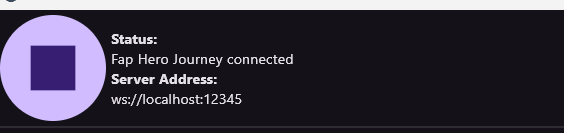

 New: graph-based Journey Builder
 validation badges — a node flags a problem as you work (a round missing its
 ), fit-to-view, and a wider zoom range.
 Test From Here still launches gameplay straight into any node.
 Journey Map (for players)
 Smaller, faster saves (shared media)
 Share your journey layout
 Devices