funny because after some trial and error and figuring out the settings I use fungen for handjobs, footjobs, titjob, etc. and do the rest with ofs
1 Like
Nice, figuring out the settings is the part I dont like.
would you mind sharing those settings? Would be highly appreciated!
Do you have a detailed user guide? The software is great, but I don’t know where to start using it. 
8 Likes
 FunGen Beta v0.6.0 - update incoming!
Took me quite long and still recovering from my head injury in last October, but I’ve been cooking hard lately on this one:
 Codebase overhaul - split the monolith into clean"er" modules (faster dev + releases).
 Modern GUI - sidebar nav, section cards, status strip, cleaner layout.
 Perf boost - O(1) funscript lookups, throttled renders, no more big-script stutters.
 **Multi-axis ** - map Stroke/Roll/Pitch/Twist+ to any timeline. Import/export per-axis .funscript or single multi-axis file.
 Toolbar redesign - T1/T2 removed → axis dropdown. Undo/redo/autotune act on the selected axis.
 Timeline context menu - TCode labels, unified Copy/Swap, cleaner plugin access.
 Supporters (Ko-fi one-time donators / module buyers, and monthly Ko-fi donators ‘Patreon’)
 Device Control v3.10.0 - Bridge optimized, less overhead, better seeking (Handy, OSR2/+, SR6).
 Streamer v3.4.0 - /fungen serves the viewer to Quest browser.
 Patreon Exclusive v1.0.1 (monthly Ko-fi) - folder monitoring batch processing, live capture, experimental tracker gating, and more coming soon!
 Flash sale for v0.6.0 till March 1st!
Device Control + Streamer bundle (limited-time discount): https://ko-fi.com/s/df5f645909
Main Ko-fi: https://ko-fi.com/k00gar
 Supporter perks are a thank-you, not a paywall - core FunGen stays free & open.
 Thank you!

11 Likes
Looks like where FunGen v1.0.0 is headed, settings are no longer needed (hopefully haha) 
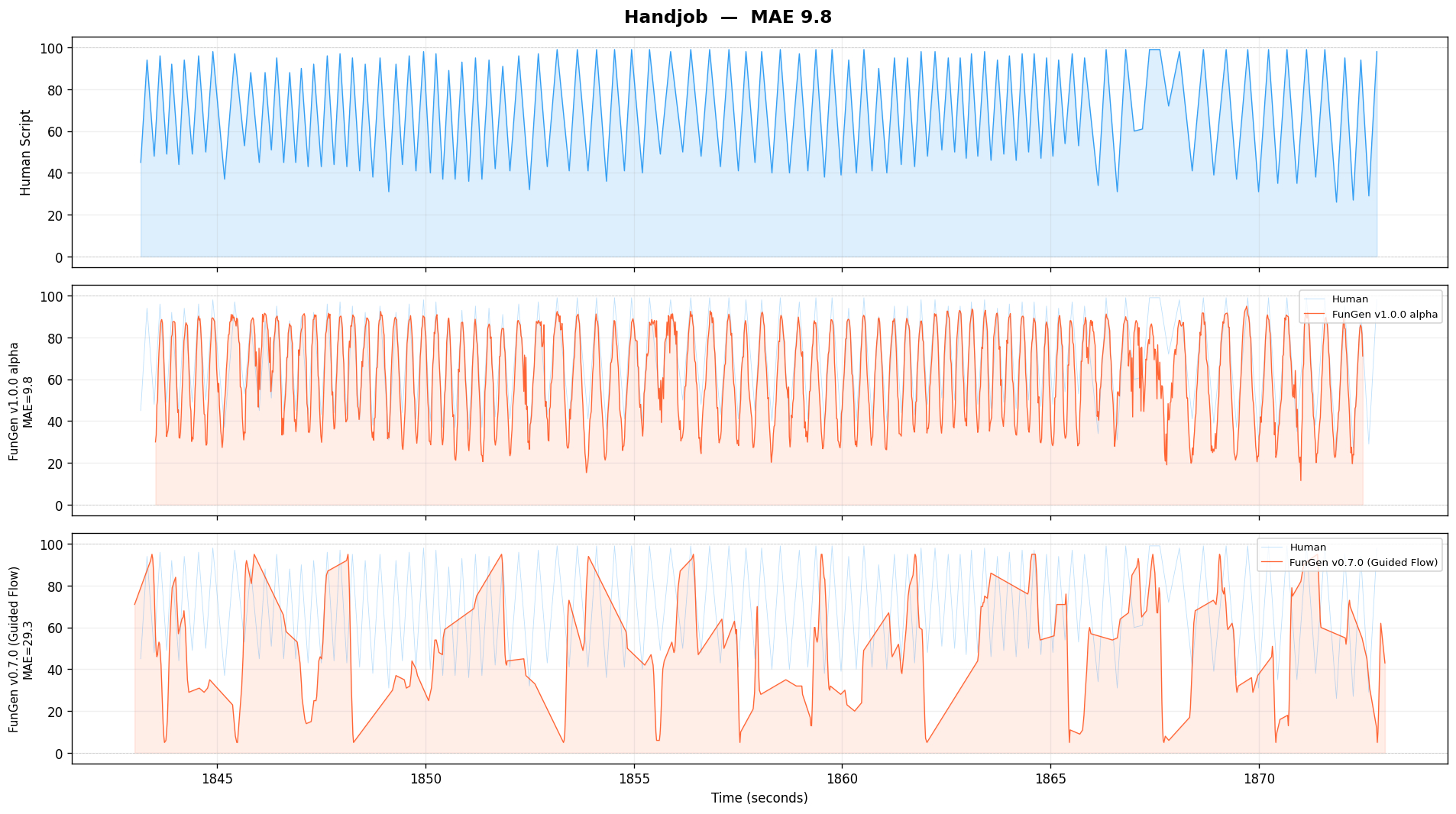
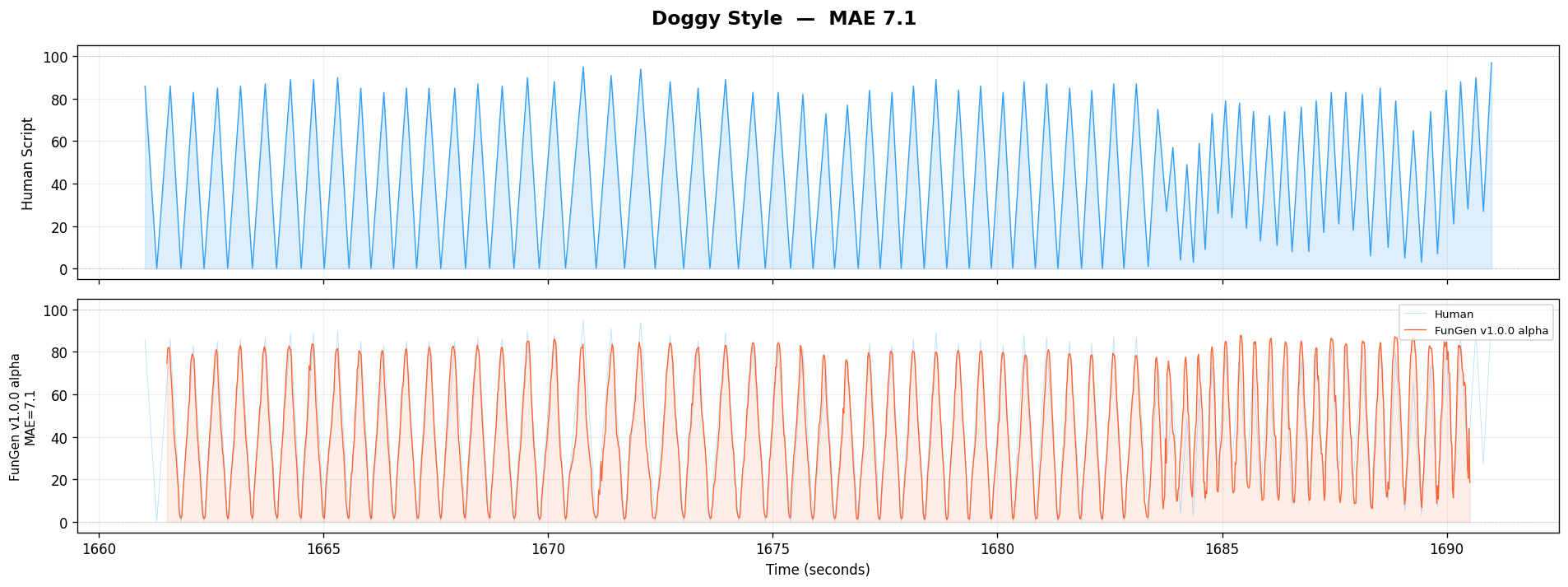
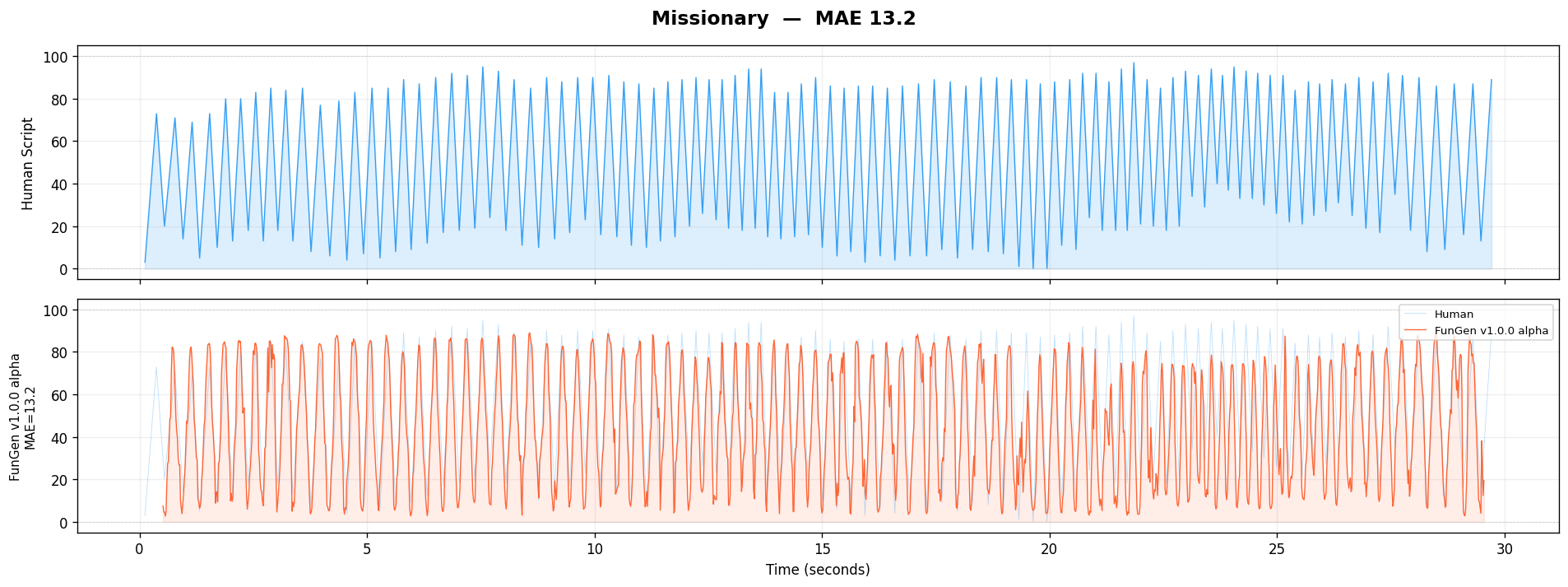
Been cooking nights and days on this  , not ready for release yet, but boy this looks better in many edge cases.
 Alpha preview for VR videos, in the making, raw signal, end point mean error 25ms at this stage:



13 Likes
I need that.
Looks very nice indeed. Though, will this also mean generic 2D support will improve down the line?
2 Likes
Ok, I have to admit, when I started FunGen, I was not really sure it could end up going anywhere but in a wall…
But, now… 


1 year and a half (and a few dents in the helmet) later, results on test VR clips :
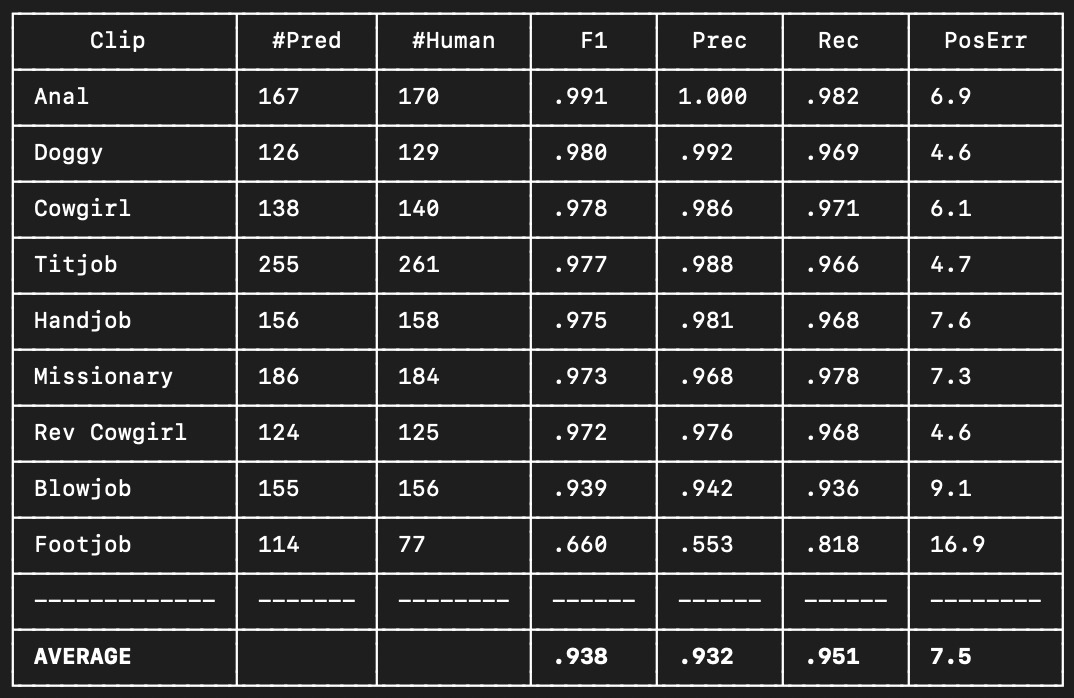

This is NOT the current release of FunGen.
This is an alpha preview of ongoing development.
Support the project here  (v0.7.5 of FunGen was released today by the way)
https://ko-fi.com/k00gar
Discord
Test VR clips results:
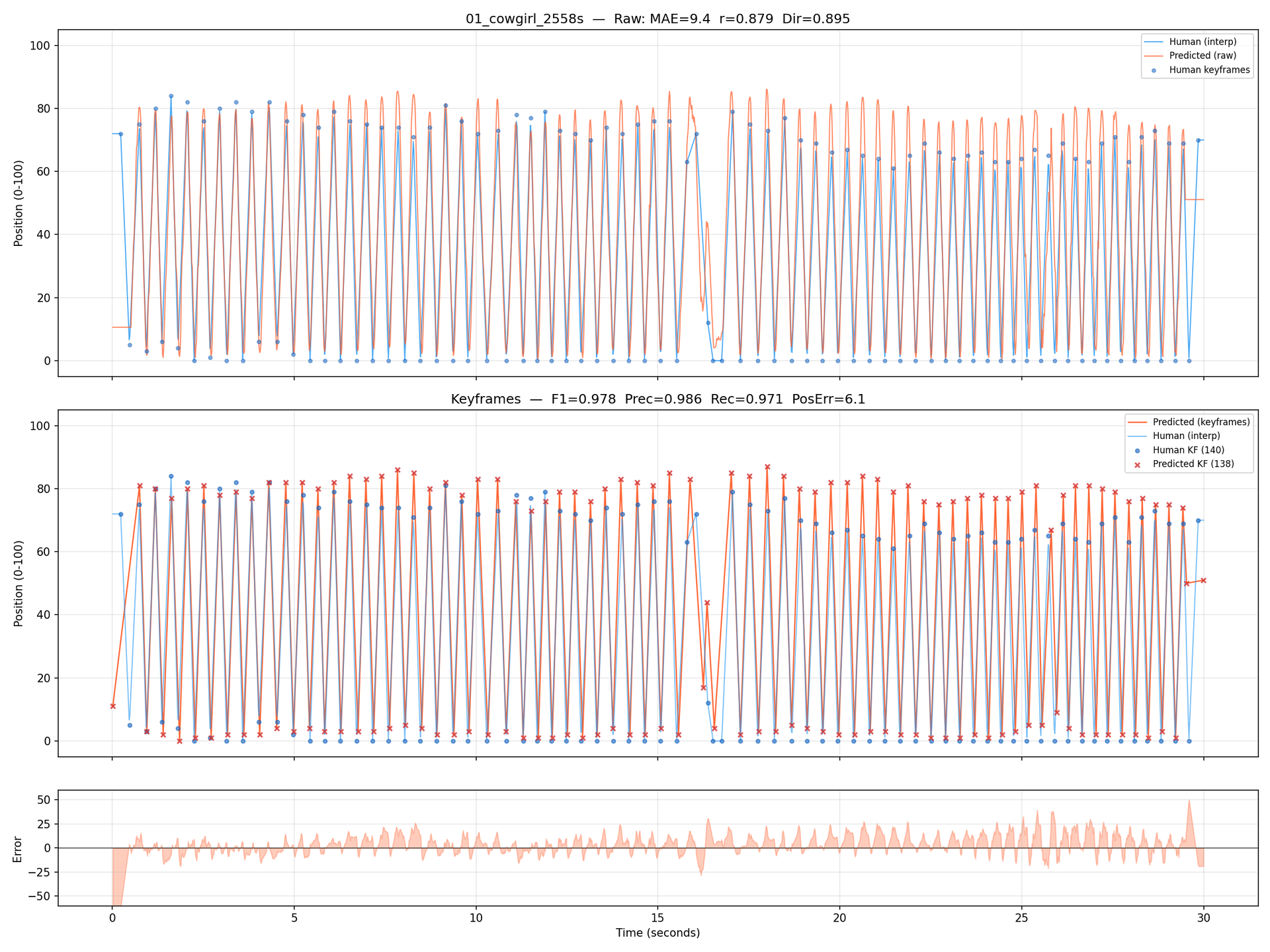
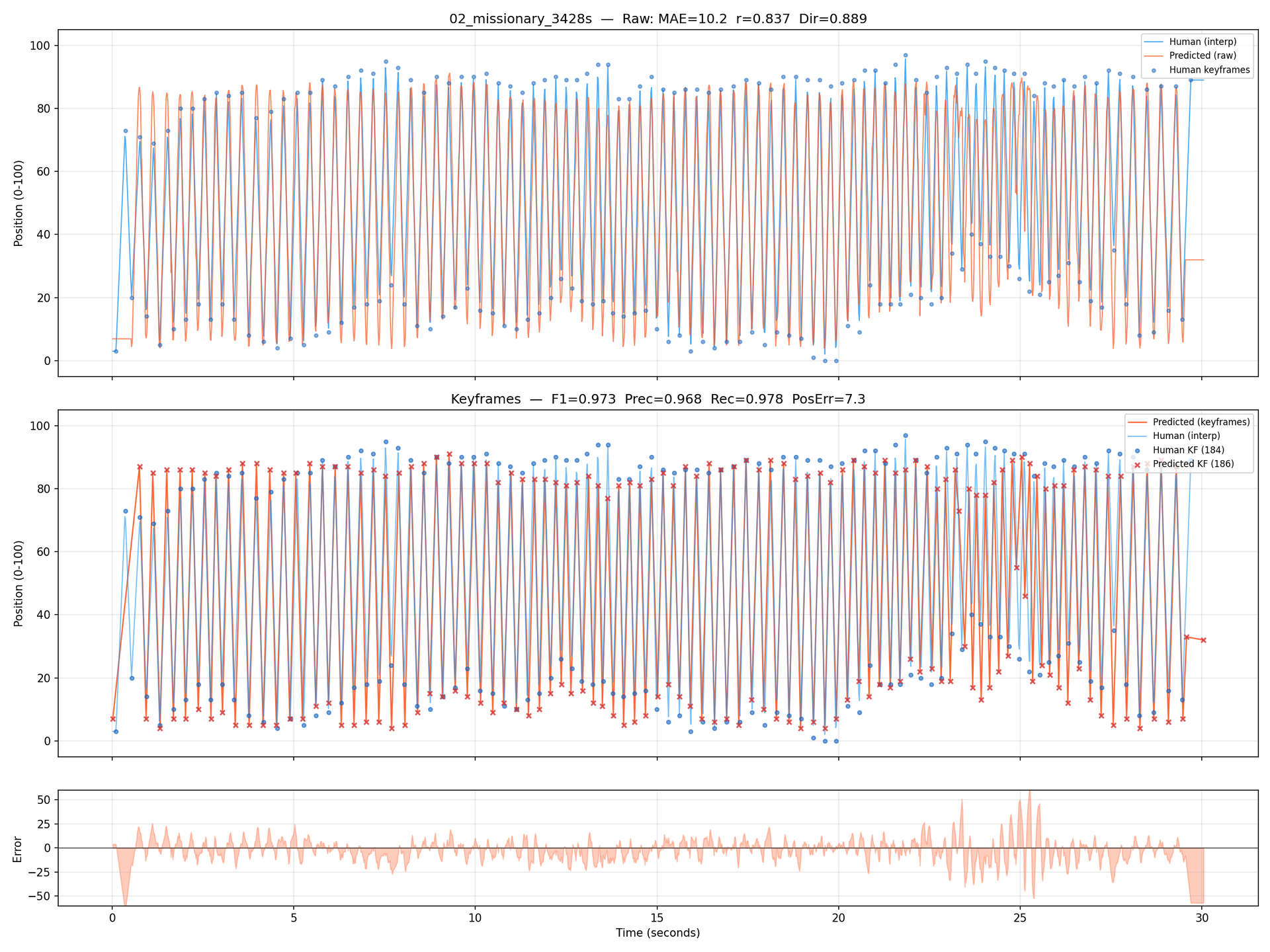

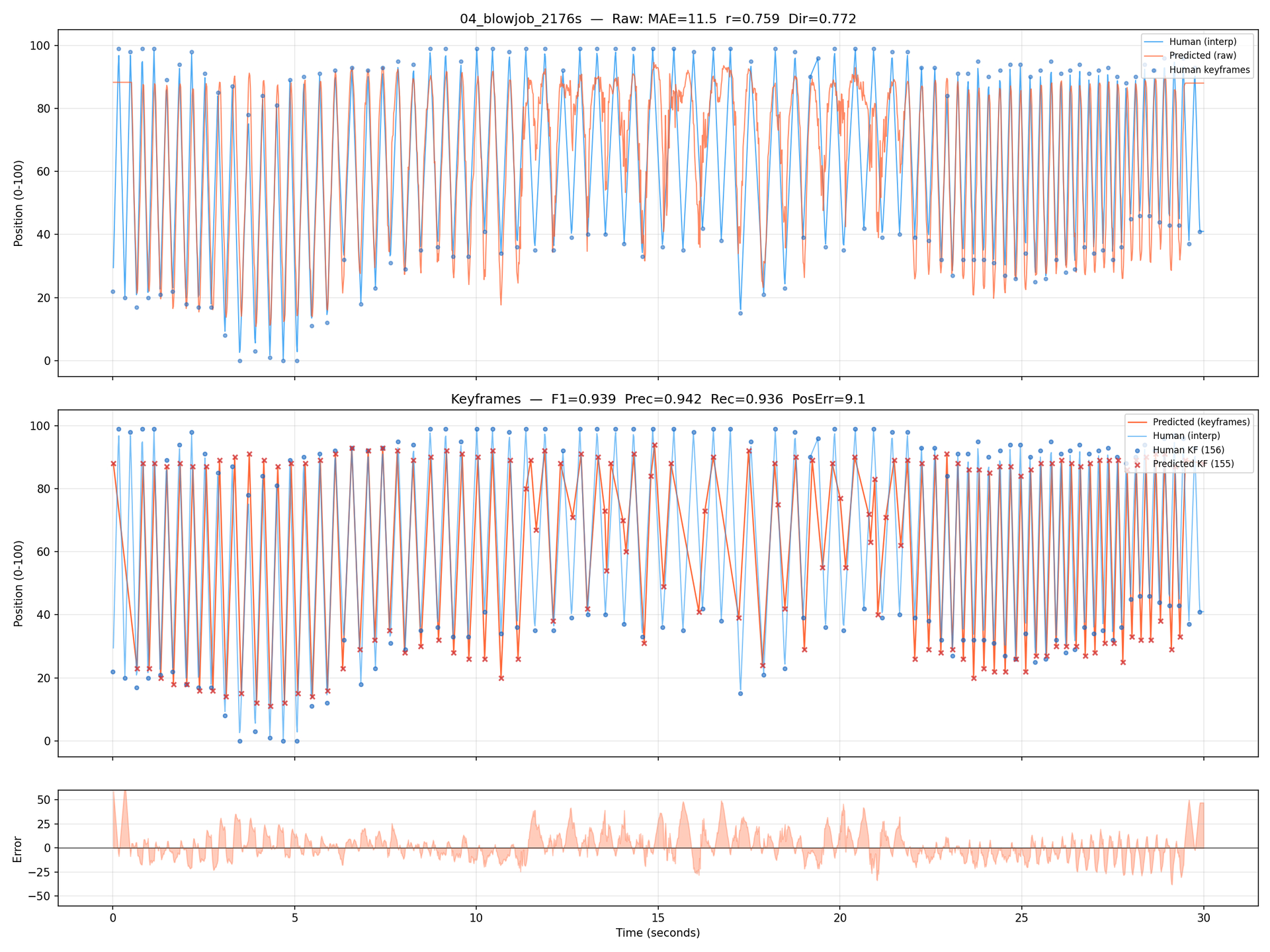
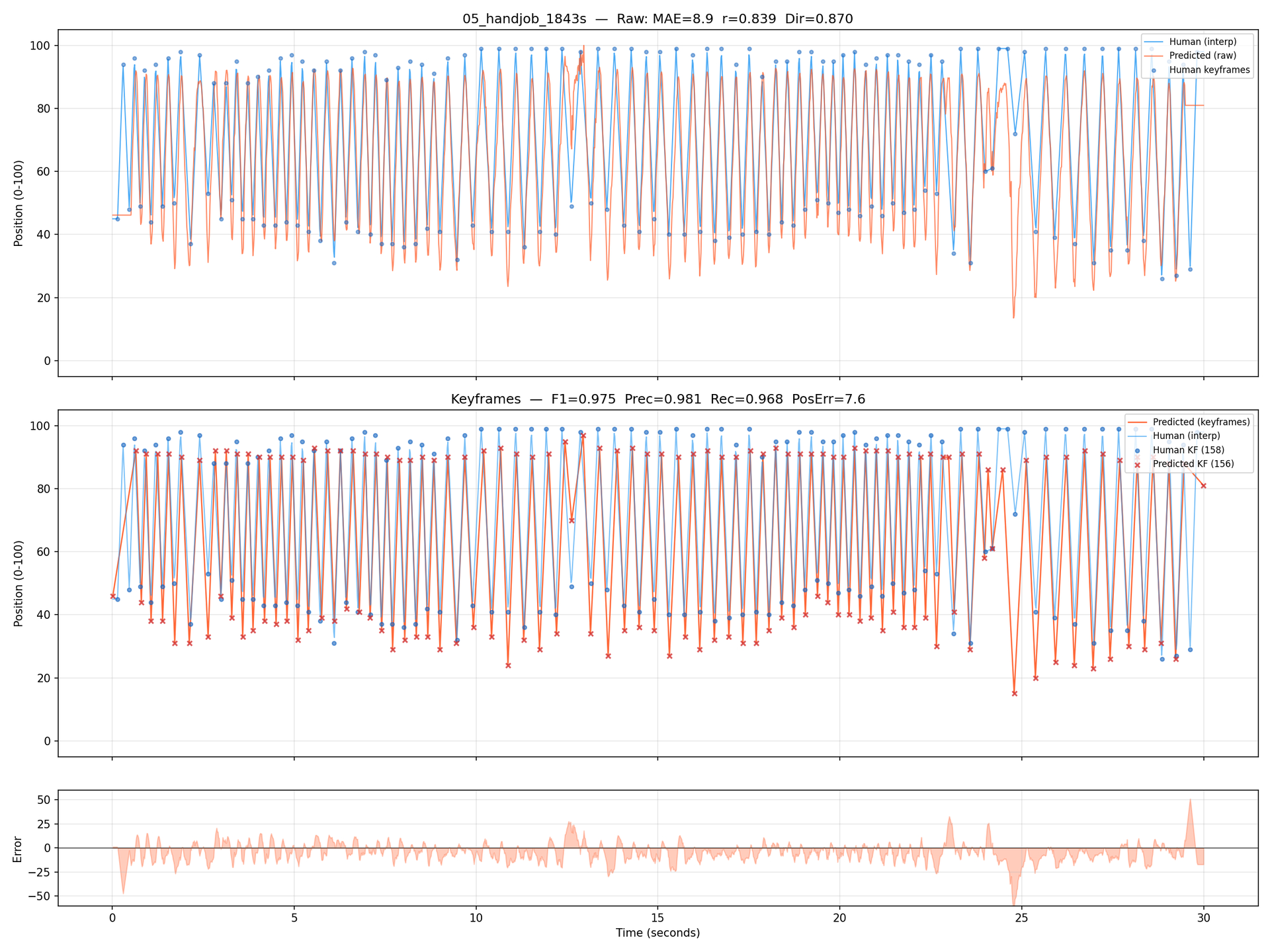
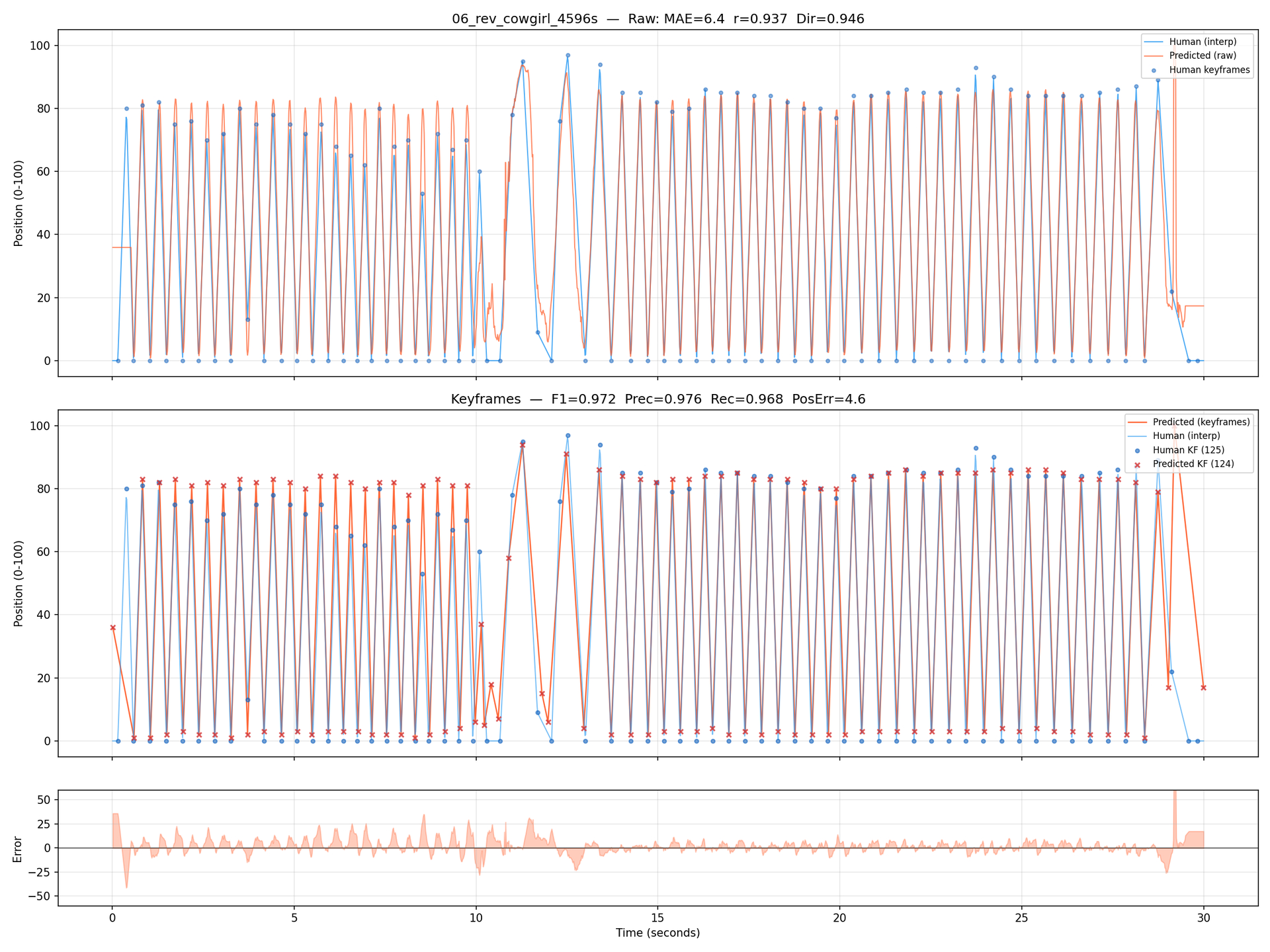
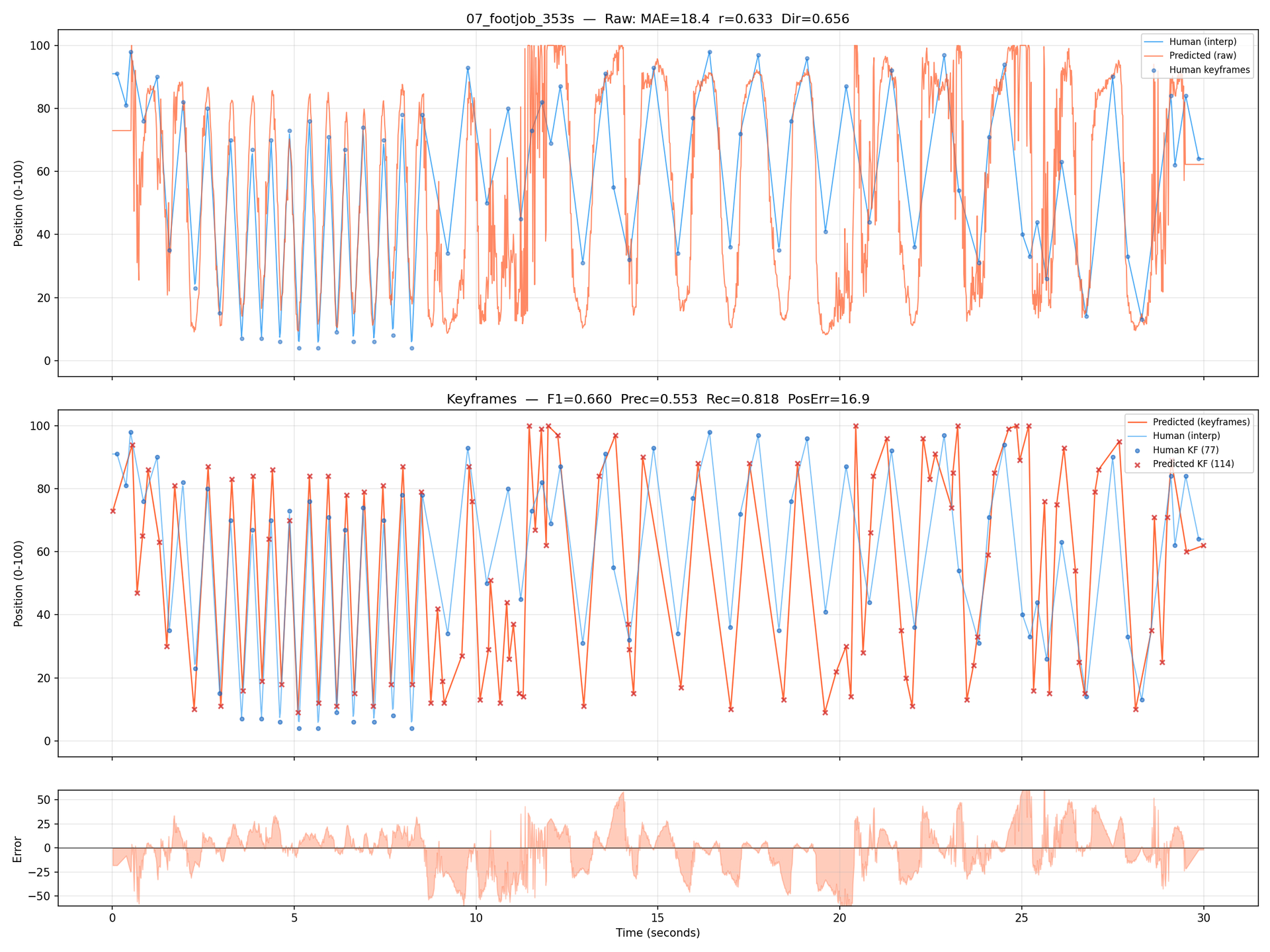

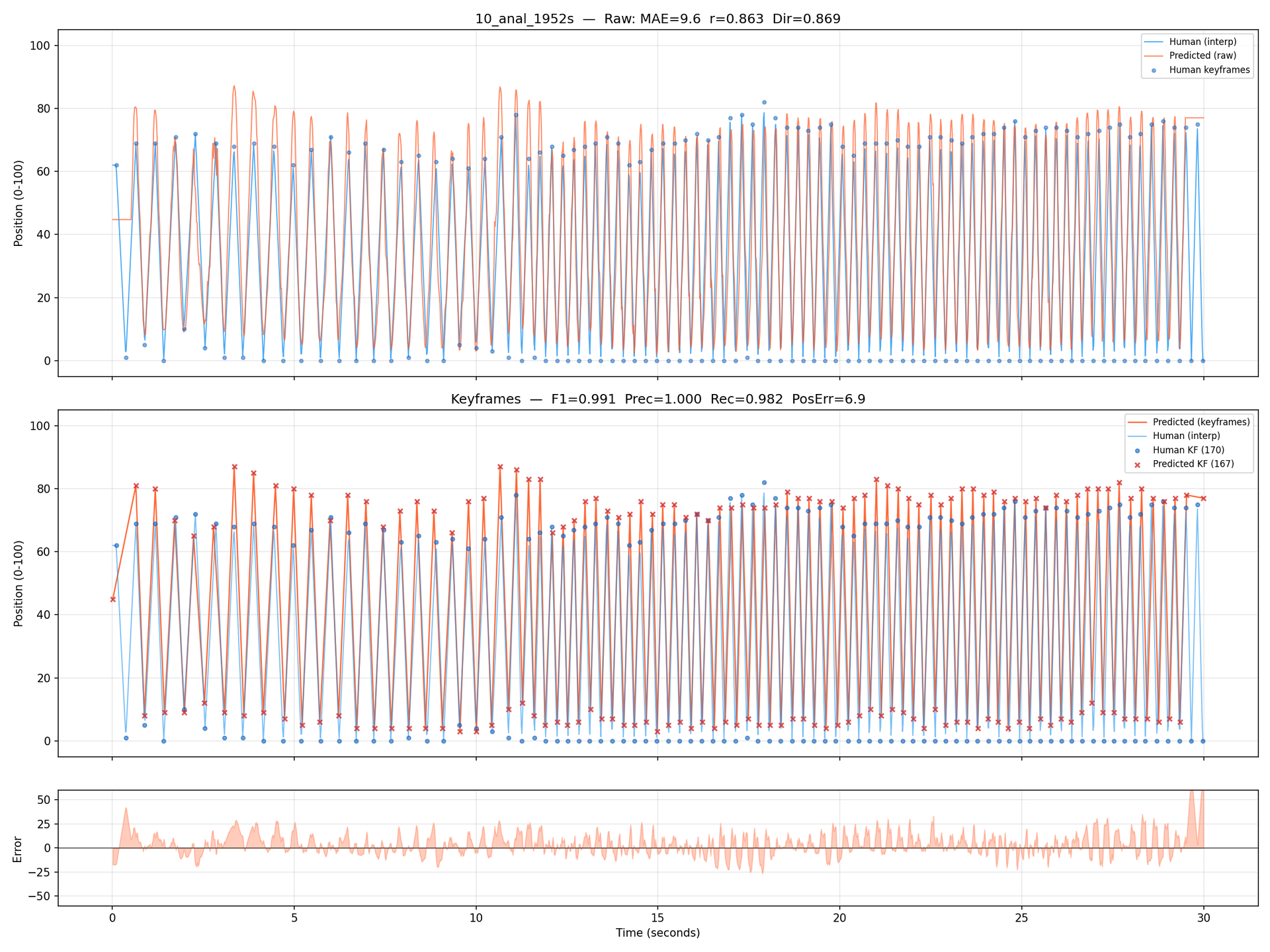
@Rriik : for now, it’s focused on VR, but down the line… who knows
9 Likes
Need to see zoomed more in the slight discrepancy could stil be 3 frames off which could mean unusable. Its all about the key frames to be pinpoint exact. Synced or not.
Dont forget selfcontained or one click install and starting capture without setting more than a thing or two but best would be none you just choose the best there is for best results. We deeply hate complicated installs and complicated settings for capture.
1 Like
It’s a 1 click install, so go try it and see the results for yourself. That way you can provide precise feedback and steer the project. The 0.8 release brought a pretty big overhaul in the UI removing a lot of clutter. It still is in heavy development, so that means sweeping changes when needed, but by trying you might get to influence what direction it sweeps to 
1 Like
I am going to give this a try with some POV and VR videos I can’t seem to make time to script. I’m looking forward to it. I understand the software is designed for POV, but can it give decent results with non POV content as well? Not intending to sound greedy here, just wanting to ask what to expect? One more question. It seems to default to oscillation detector. Is that the preferred method of tracking generally? Or should I use the VR and 2D POV hybrid (for actual POV and VR videos of course)?
Thank you for this tool, and for sharing it with us for free.
The Oscillation Detector works with every video, which is why it is included as a default option. The other trackers use more specialized YOLO computer vision models trained for VR/POV perspectives. I would encourage you to simply try them out and provide feedback. It’s also possible to modify or even create your own tracker, since it’s written in Python and open source, possibilities are unlimited.
1 Like
So from time to time I check in and see how FunGen gets along.
- Install process super easy now, just run install.bat just make sure there is no Anaconda/Miniconda installed already
- Autoupdates at each start
- Creating the script is really a one click process. You just load the video and start. I encourage FunGen to set the best settings to default for a good user experience right from the start
- The script is still not hitting the precise turning points, its 1-4 frames off. Heights are so so. It is still a full rescript until the turning points are accurate. I dont get those precise scripts shown above. You still have to move every single point. No precise turning points, not a script. He is working on a new model to achieve this.
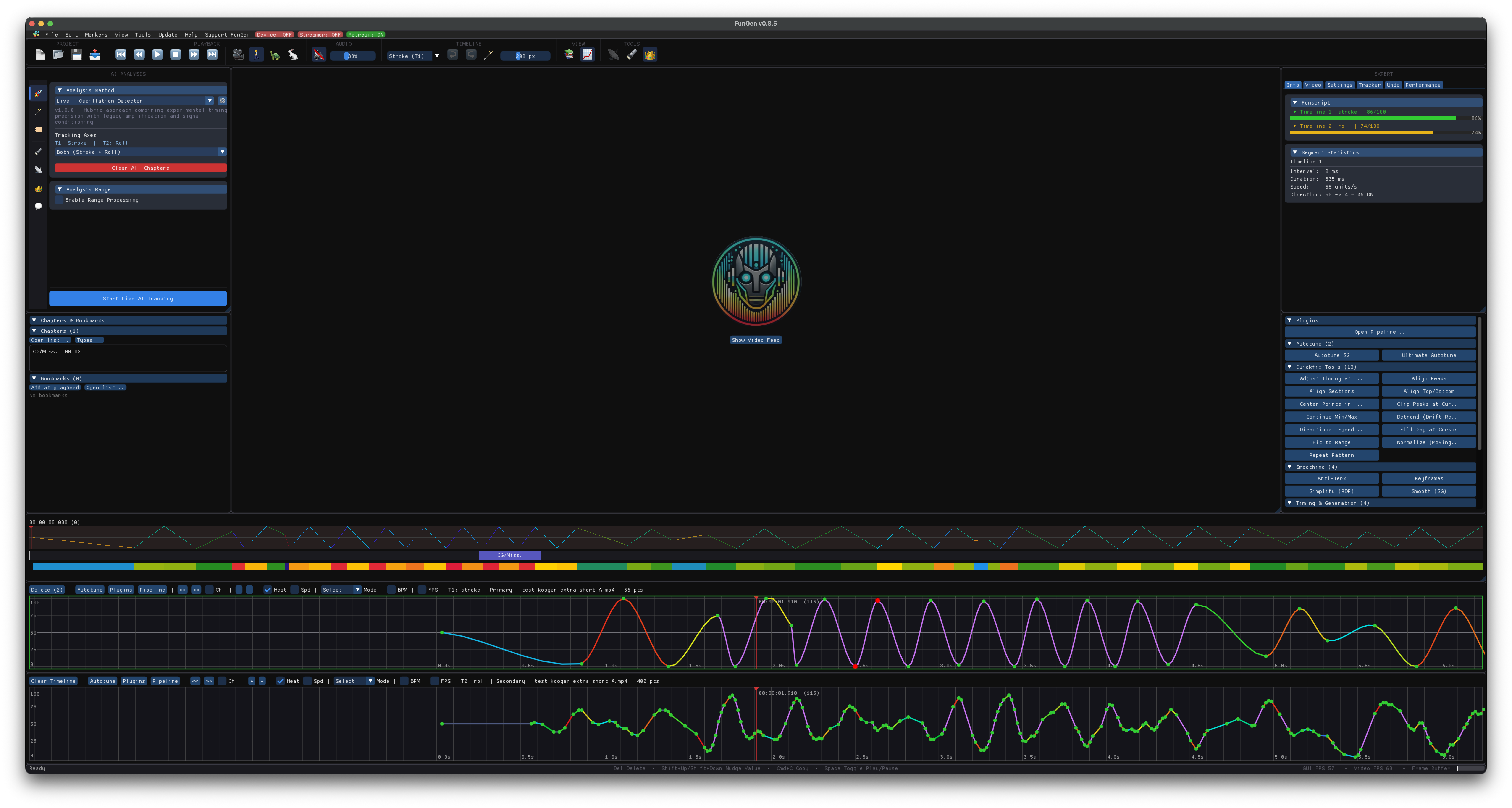
- the script editor is quite interesting, it is almost OFS but OFS still feels more fluid. The big cat listened to alot of quick requests. Quickfix macros are in burried deep, he will get them out of the cellar I hope. Those need quick access without nagging submenus.
There is an interesting feature called Magnet @walton (good night Johnboy, sorry had to) found. OFS does not have it I think. it pulls the closest point to the cursorline. Much faster than shift and arrow move of the point - UI came a long way since my last visit, great job on that. I mean still unsexy 486 icons but who cares. Not a beauty contest.
@k00gar What about a 50 Euro lifetime full licence purchase like Plex did? Would be like a bet you will be able to AI script the turning points precisely. I would be in. The moment you achieve to set the point to the turning frame this software will get really expensive you can ask 20 Euro a month after you did it.
4 Likes
Thanks for the summary. Might have to give it a try again as well to see the performance improvements. Surely with the next release that k00gar teased. Is this performance for a 60fps VR vid with different positions or something else?
There is a keybind called “Move to current position” in OFS that I use the hell out of ^^ I think that might be what you’re looking for.
Will check that out thanks
@randomus Yes its the magnet, quite nice to use, spares some time - the scripters enemy.
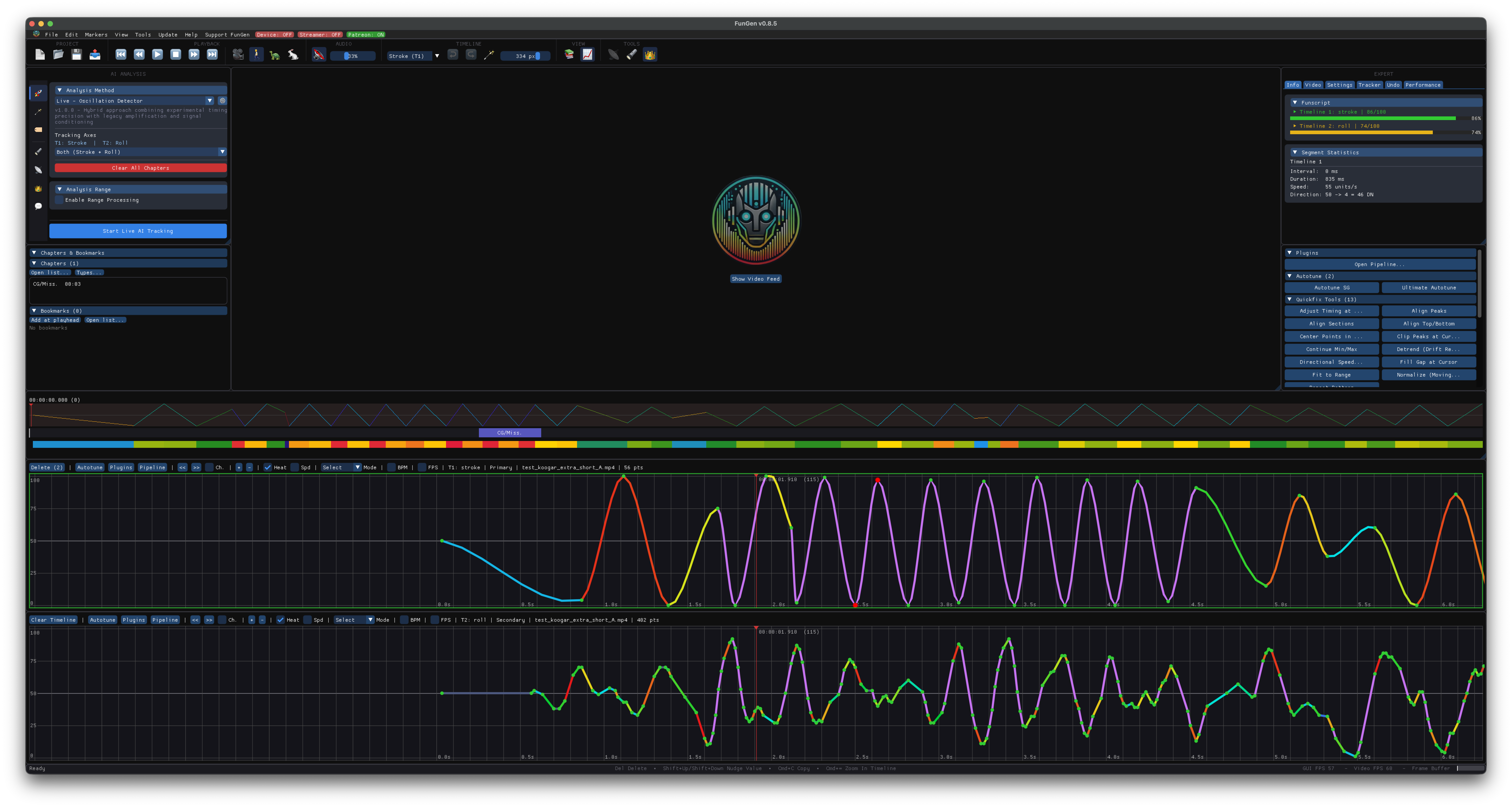
Ok, ok, will take the plugins out of the “cellar”
And you will also be able to make your timeline as big as you like it haha.
3 Likes
hey, just got the new update to 0.8.5 what happened to oscillation mode? it was helpful in some situations where the ai was not picking up the action. maybe im just missing something?
Click the  icon there :
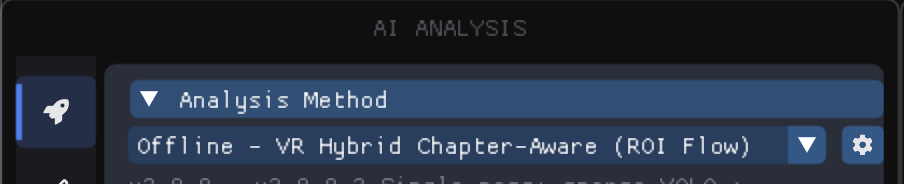
Then tick “Tools”
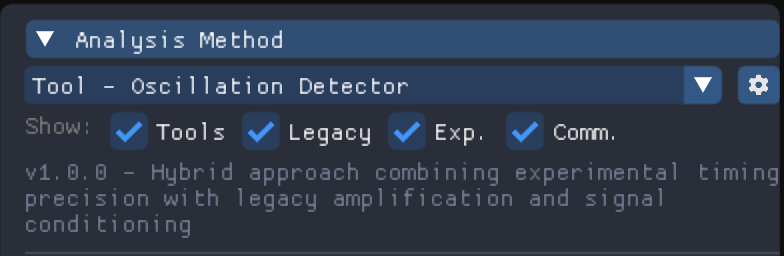
Only kept displayed by default the trackers that can actually be used from end to end on a video, moving the other ones to a Tools section, as they come handy in specific sections only for power users.
is this only for ai generated funscripts or can this be used like a successor to OFS?