No worries, I’ll explain a bit more. Apologies for the incoming massive text and if I missed out explaining something.
3 - Audio in parallel:
You got the jist of it. I would say this idea is the prerequisite to 4 & 5.
You’ll likely have to modify the way you save your playlists so there’s a distinction between what is an audio playlist and what is a video playlist. If users intentionally provide a video file in an audio playlist, then the video should be bypassed and let the audio play. Likewise, if this feature is enabled, the embedded audio in the video files in the video playlist should be bypassed/muted. On top of that, you can also have a “master playlist” that points to individual video and audio (and funscript?) playlists to randomize. The master playlist is one file the user chooses to load and then RVP randomly chooses everything from there.
I suppose at the end of each song the user would have to choose between maintaining the same lists for everything (meaning providing one playlist per video or audio and having the RVP work through those lists), jumping into multiple playlists or having that choice randomized.
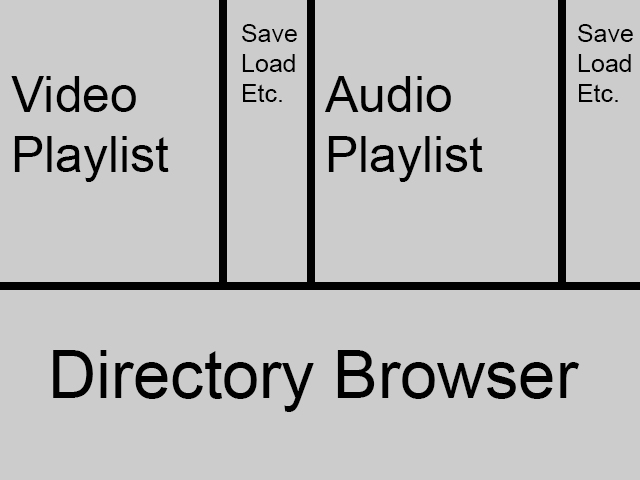
Interface wise, you may need to provide another window, menu or a sidebar that’s dedicated to the audio and the audio playlists. Or another way to go about this is having a “build” mode where the main window is divided to a video section and an audio section and possibly a master directory browsing window for users to select their files. The respective video/audio sections would display the currently loaded playlist so users can drag and drop files to the intended sections as well as delete, save, load, re-order lists etc. The funscript and master playlist should have their own window/page.
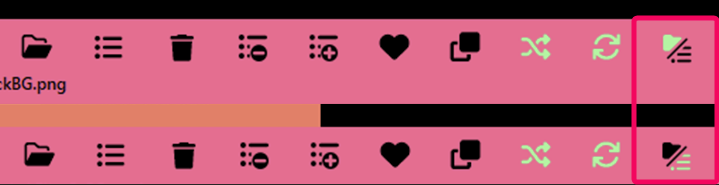
Here is a quick example of the build interface and hopefully is self explanatory:
4 - Funscript to bpm match:
Oh, unless if there’s a way to get the funscripts loaded (and selected), that part of this idea may be dead for now. Originally, I was thinking any matching bpm of a song to match the funscripts but thinking about it now, it would be better if there’s funscripts already premade with the matching song title and any other variations with the same song. This would no longer need the bpm to match the funscript but would greatly lessen the selection unless the user provides for them. Sure, an automated funscript generator could be used, but to me that is not part of the core RVP scope since that’s creation phase rather than a player phase.
So moving onto the bpm matching the audio, I don’t mean for this to constantly run and sync. I meant it on a more rudimentary level of getting the overall bpm of a song and adjust the automated video/image timer to match. I suppose we’ll need one timecode reference on the song to properly sync the automated timer. If there is no way of automating this, maybe the user can supplement this info manually? Would saving this info need another “playlist” or can this info be tagged along with the filename that is saved on the audio playlist? Maybe the audio playlist would need to be in csv format for users to easily edit these numbers in a spreadsheet app?
By no means this is going to be perfect match/sync especially with music with varying bpm.
Without this bpm number, I’m not sure how else the automated timer function would work. It would fallback to manually inputted info, which now thinking about it, maybe this info too would need to be saved somewhere.
5 - Random matching (per stage):
You got the jist of this too. I will omit the funscripts when explaining this idea further. Every stage will only have one music selected and that will determine the duration of the stage. The video portion, however, will keep randomizing/cycling through this stage’s playlist until the duration of the stage is reached. When the stage is over, you move on the next set regardless if it’s an intermission or another stage. Once all stages are complete, I suppose you have the user determine if they want to automatically repeat or just stop or maybe have a never ending “end” stage?
To further clarify, I’ll break down the menu pages for these stages that I currently am thinking of.
Simple mode (5a):
Initial menu page -
Number of stages: [number]
Random length of stages: [Min number] - [Max number] (leave blank to bypass?)
Intermissions: [Yes, No, Random] (Yes and Random enables another section to select playlists)
Automated timer: [Yes, No] (Yes is dependent upon bpm detector)
Enable Universal timer per stage: [Yes, No] (Answering both no to this and the automated timer would trigger a pop up to warn that all stages need metadata attached to the audio playlist or elsewhere to pull this number or have a default number used. If the default number is used, obviously the timer will not be synced to the music.)
Random sounds: [Yes, No] (Yes enables another section to choose the playlists and the timer)
The repeating pages per stages:
Stage playlist page -
Have a similar page to the build mode interface. All playlists chosen on this page affects this stage only. Loading master playlists would either add or replace the items on this page.
Page 2 (if needed) -
Universal timer for this stage: [Time] (or zero to bypass?)
Random sound interval: [Number] per [“Second”, “Minute(s)”]
Manual duration of intermission: [Time] (or zero to bypass and RVP will randomly select one video out of the provided playlist to play and once that video finishes, proceed to the next stage)
Range duration of intermission: [Min Time] - [Max Time] (or zero to bypass. Maybe need a automated check to either have this or the “Manual duration of intermission” has the only one active.)
Random sound page (if needed) -
Have a similar page to the build mode interface but for just an audio playlist.
Intermission page (if needed) -
Have a similar page to the build mode interface. Loading master playlists would either add or replace the items on this page. You could reuse the “stage playlist page” and just relabel this page accordingly.
— Then repeat from the stage playlist page until completion of all stages. —
Advanced mode (5b additions):
Add this to “Page 2” of the stage configuration pages -
Range of sections within stages: [Min number] - [Max number] (At first, I thought this would be automated, but now I think it should be user defined. Random select the range per stage and divide by the total length of selected song to get the length per section.)
Then for every section per stage have a similar page to the build mode interface.
The very last page of either simple or advance mode is saving all these settings so the user can load this later.
After fleshing this out, 5a is the bulk of the work and 5b you can consider a finetune. Of course this is no substitute for an actual edited pieces of things like faphero videos or pmv but you can think of this as a “poor man’s” solution or a “quick and dirty” solution. Thinking upon this further, 5a can have some general sfw uses. One example is a memoir with each stage as a chapter of one’s life.
Yes, is this complex and time consuming with possibly lots of coding so if you’re still on the fence about pursuing this, I would ask your userbase if this idea is appealing to them and would use it even if it may mean some up front work on their end to get this set up properly.
6 - Insert random sounds:
You got it. Although, I don’t know if there should be an option for priority volume. I mean, when these sounds play, the music volume lessens a bit and then restores to original volume once the sound is done playing.
7 - More interesting image viewing:
Glad to hear such functions exists. In terms of the zoom in and zoom out automated idea, I was thinking of the basic 10% from 100% to 110% zoom in, for example. Timing wise, dictated by the duration of a timer. Pans would be the same except it would need to be zoomed in to avoid the black borders in cases of landscape aspect images. I wouldn’t know what to do with vertical aspect images.
I appreciate your openness and considerations to improve RVP. Thanks again! 
I’ll add you on discord. I may sound like I know what I’m talking about, but I’m a novice to the coding world as well. I’ve barely played around with python and spent most of my time messing around in Arma 3 scripting. I have never ventured out into creating apps so kudos to you in that regard.
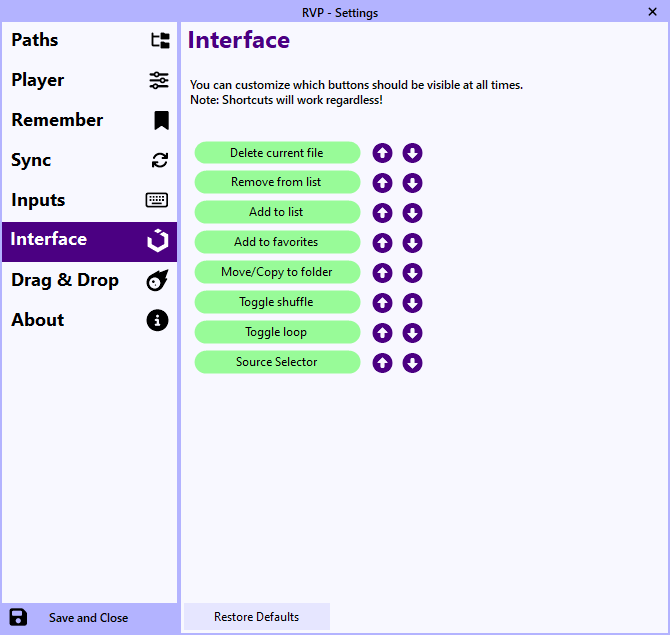
 I noticed I forgot to delete the config after testing the release version. You can simply delete it to restore.