StrokeGPT-ReVibed

StrokeGPT-ReVibed is now out and ready for testing!
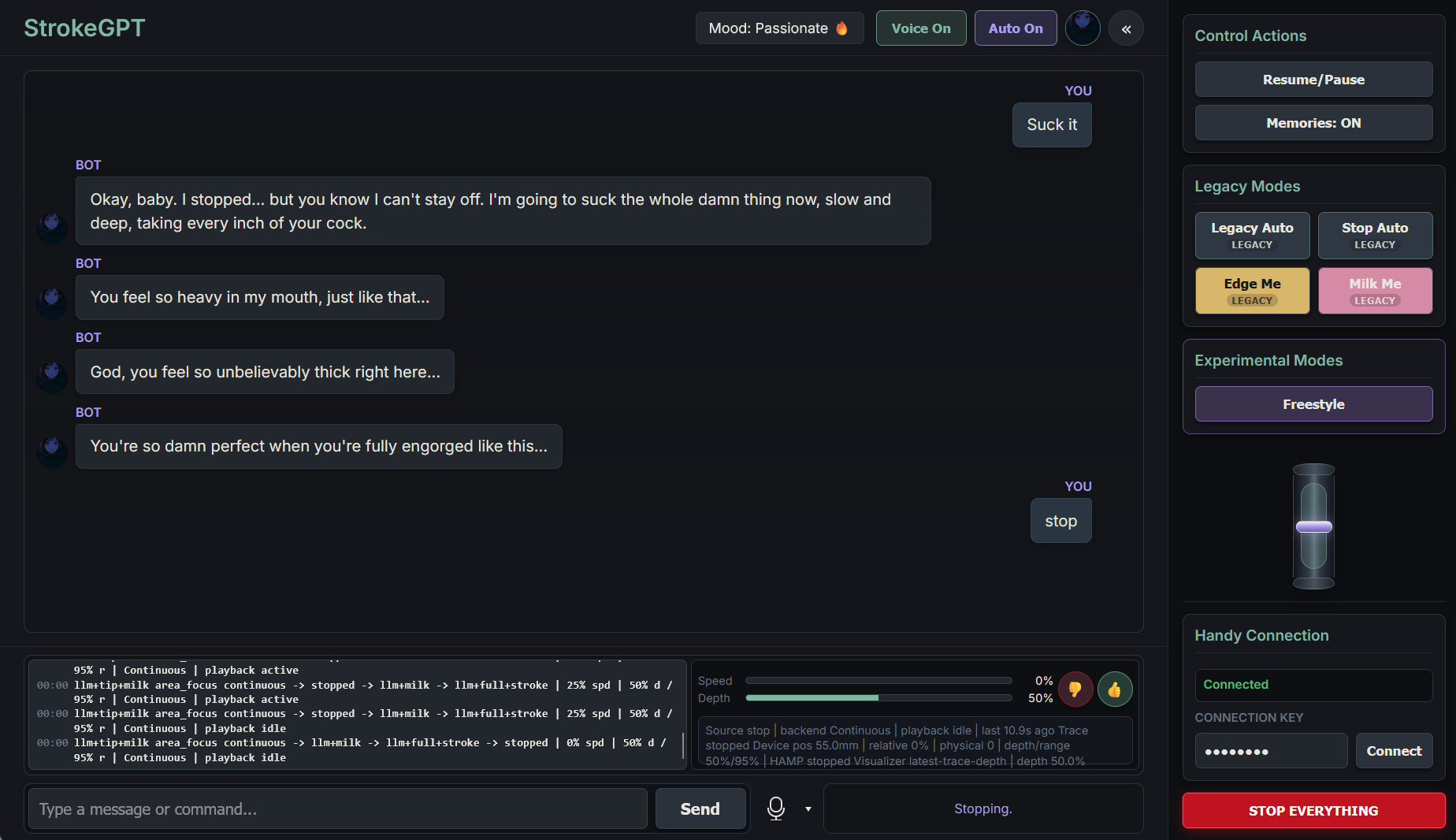
With the advent of actually usable agentic LLM coding, neglected areas of software like sex toy control look bright! This is my attempt to make a working version of the original StrokeGPT.

StrokeGPT is a handler for Ollama that allows an LLM to control a Handy with live feedback and natural language requests. In other words, it is a chatbot that fucks you.


If you would like to contribute, please contribute to the repo, donate Claude Max, donate to the crypto addresses at the bottom of the readme or buy from here. If you are even a little tech literate, DM me and I’d be glad to guide you through setting up Codex or Claude Code, etc to contribute yourself without knowing how to code.

Testing has only been done on an original Handy, I do not own a Handy 2. Other devices may be added if I get one or someone donates. DM if you want to donate a device for adding/testing. Let me know if there is interest in Linux testing, I can make sure that works. This app really could do well on MacOS with Metal, but I do not have access to a Mac.


Installation Instructions:

PLEASE give system specifications when reporting an issue (Operating System, CPU, GPU, RAM amount). If your system is not capable enough to run these LLMs locally, this application is never going to work.

Windows:

Open powershell and paste this, hit enter (may need to multiple times):

Set-ExecutionPolicy -Scope Process -ExecutionPolicy Bypass -Force; $bootstrap = Join-Path $env:TEMP "strokegpt-bootstrap.ps1"; Invoke-WebRequest -Uri "https://raw.githubusercontent.com/mapledaemon/StrokeGPT-ReVibed/master/scripts/bootstrap_windows.ps1" -OutFile $bootstrap; powershell.exe -NoProfile -ExecutionPolicy Bypass -File $bootstrap

It should install the app to your documents folder then you can run with the .bat file in the directory.

If you have an NVIDIA GPU, you should reply Y to all questions about CUDA dependency installation, etc. That is necessary for full functionality. Voice features will be slow on systems without a compatible NVIDIA GPU and the NVIDIA prerequisites having been installed.

To update the app, run the update_windows.ps1 file that’s in the scripts folder with powershell.


Other platforms:

See readme, use ChatGPT, Claude (paid tier is needed to be usable, $20/mo) to guide you if further help is needed, but still post here to say what you struggled with, I will try and simplify the process. Simple installation binaries are planned but only once development isn’t moving so quickly.


Notes:

The app now appears stable, and is usable hands-free.

The main areas that need improvement are the pattern library and finding the best prompt framework (LLM instructions), and the best local models.

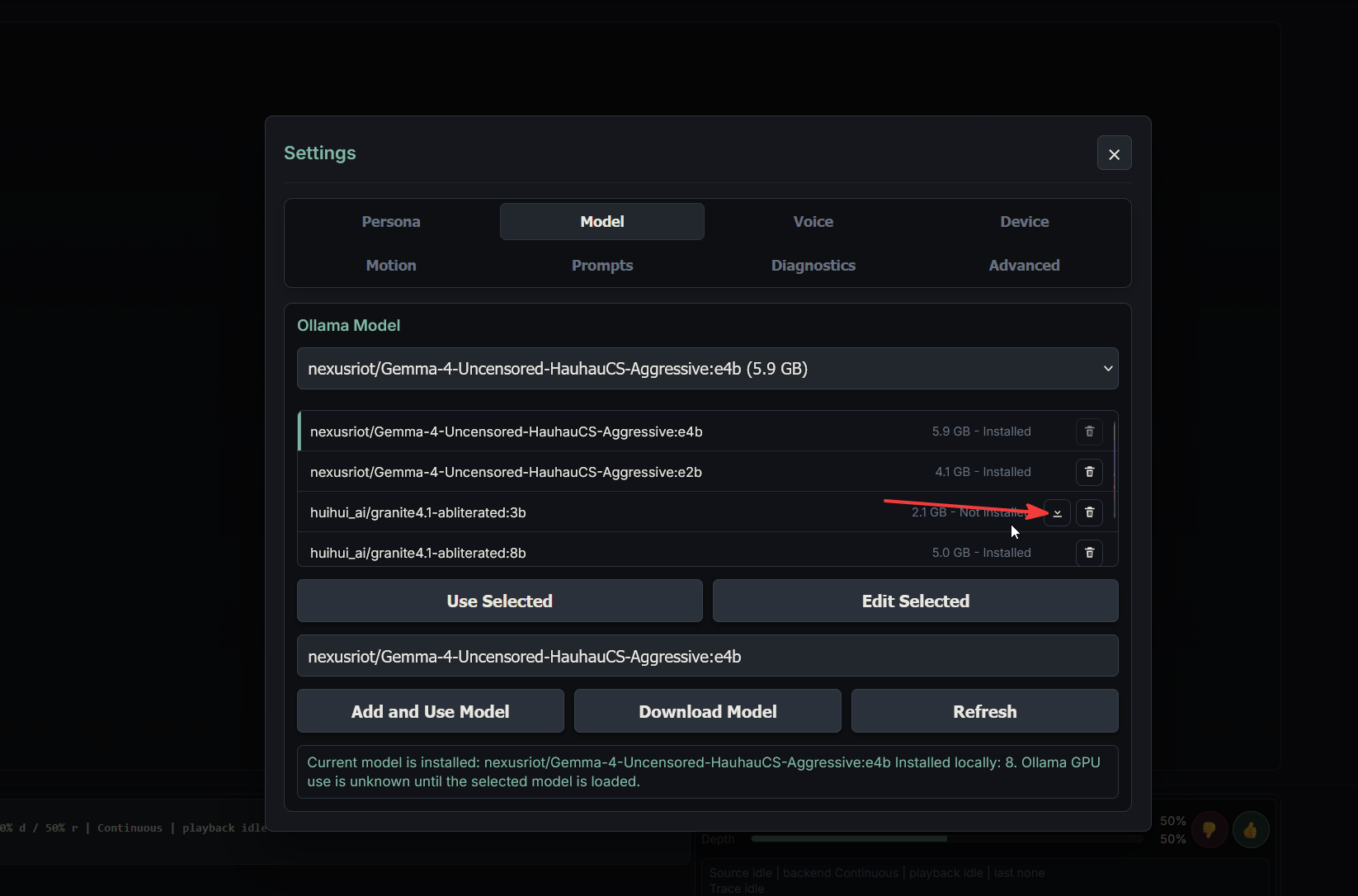
Currently nexusriot/ Gemma-4-Uncensored-HauhauCS-Aggressive is the default, but you can paste any model hosted on Ollama in settings and it will download it for you to test. I recommend models that are uncensored/abliterated, models that aren’t will likely stop when sexual content is involved. Sharing your experiences with different models would help immensely!

For the motion pattern library, you should be able to import your favorite funscripts and select a specific section to import. Import pattern is for importing patterns exported from StrokeGPT-ReVibed, go to motion training and select import funscript for funscript import. This has hardly been tested so please report any bugs or areas for improvement there!

The current default motion handler is “continuous position”. It has issues, try HAMP if you are having problems but the other ones are likely to be phased out eventually. Testing has only been done on Firmware v4, older versions may or may not work properly.

Last update:

6/6/2026
6 Likes

Sorry, try this:

Set-ExecutionPolicy -Scope Process -ExecutionPolicy Bypass -Force; $bootstrap = Join-Path $env:TEMP "strokegpt-bootstrap.ps1"; Invoke-WebRequest -Uri "https://raw.githubusercontent.com/mapledaemon/StrokeGPT-ReVibed/master/scripts/bootstrap_windows.ps1" -OutFile $bootstrap; powershell.exe -NoProfile -ExecutionPolicy Bypass -File $bootstrap

Is it only working for the handy as of right now? Or can it work with t-code devices?

1 Like

Also want to know, i installed it but i don’t succed to configure it with t-code yet…

2 Likes


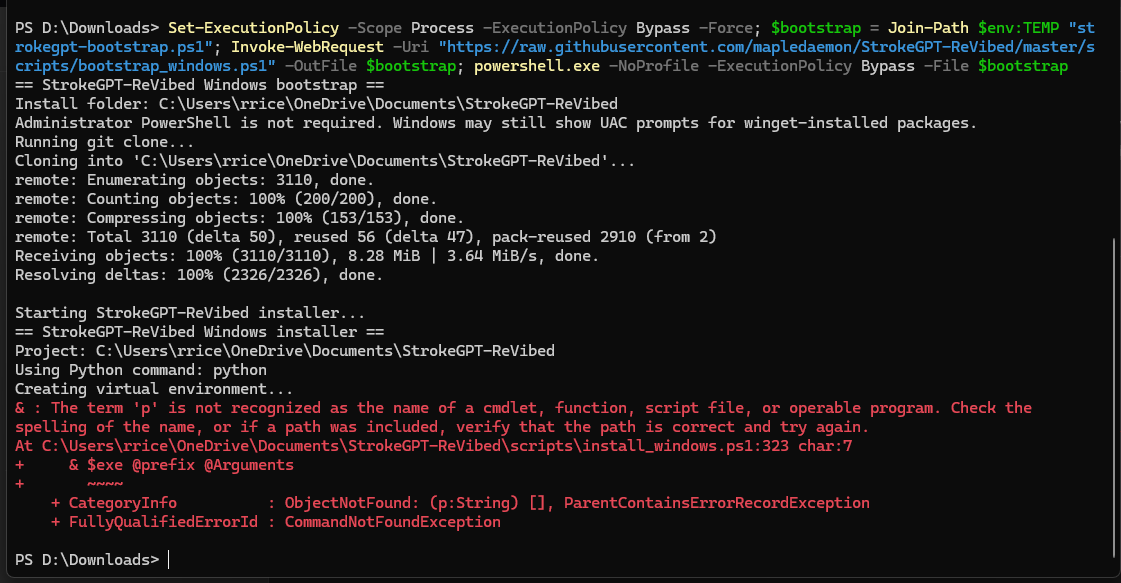
Was given this error.

Got it working it just wont respond to my messages. Is there anything i’m missing or could it be messed up?


Edit: it doesn’t work on opera but the logs take up the whole screen eventually

Re-run the installer commands, that has been patched. The installer script should check for all the dependencies that may not be there causing your issue.

Please reply with your system specifications, your issue may just be that Ollama is running too slowly. If you update the application, it should now have a copyable system specs/status section to copy here.

Try using the model in Ollama directly and see if it works. The smallest model you can select is the granite 3b model but you can manually load others.

Also, Check that Ollama has the model loaded with
ollama list

ollama ps

Or go into settings (profile image in the upper right), download the smallest model and then select it in the list above and hit “use selected”.

If your GPU is not on this list, then Ollama will run on CPU which is slow and may cause Ollama to timeout. You can enable Vulkan which allows broader GPU support by adding OLLAMA_VULKAN=1 to your user environment variables on Windows, let me know if you need help with that. This may not help depending on the GPU though.

2 Likes

I do not have any t-code devices to test with so currently only The Handy is supported.

There have been a bunch of fixes since the first post. Please update the application if you have already downloaded. See GitHub readme on how or just reinstall.

It should now have decent handling on mobile over your local network. Use HTTPS run script or instructions to use over the network.

Adding custom prompts should now be doable in GUI, and the new prompts should make the output a little less awkward and asexual.

1 Like

I know the character selection process needs work, it’s a bit of a holdover from the old app.

In the future there will be a wizard that asks for pronouns, gender identity, genitalia, etc for the bot. but at the moment it is basically just girlfriend/boyfriend (before it was just girlfriend) and the girlfriend has a vagina and the boyfriend has a penis.

This is not great but can be fixed by editing the prompt yourself in the menu if you have other needs, for now.

Implement buttplug.io, control your TheHandy as linear actutator, if it works this way, t-code - over buttplug.io - will work, too.

I might, I am aware of intiface but native control/tailoring the devices is going to work better. If someone wants to submit a pull request with that implemented, I’ll merge it if it works.

Added auto-speak. Before only motion/mode changes were called out automatically, now those are hidden and the model continues speaking (frequency range in motion settings).

This looks and works surprisingly well. Only issues so far that i have is that the handy-movements do feel “like stuttering” the moment the llm goes into some morphs/loops.
Examples:
"llm+anchor_loop continuous morph → llm+anchor_loop continuous → full " does result in perfect and fine movement through the full motion.
“lm+anchor_loop continuous morph → llm+anchor_loop continuous” will result in a stutter.

Nontheless, good work and thanks for the effort you put into it. :slight_smile:

1 Like

Thanks! Update the app and try it out again, the stuttering should be much improved but the logic works a bit differently now so let me know if it’s worse in any way.

The preset modes and freestyle are still really bad though, the app needs all the built-in patterns to be redone completely. That’s not something I’d be very good at so hopefully someone with funscript/pattern handling experience can help with that.

Fixed the reverse direction toggle, it wasn’t always applying.

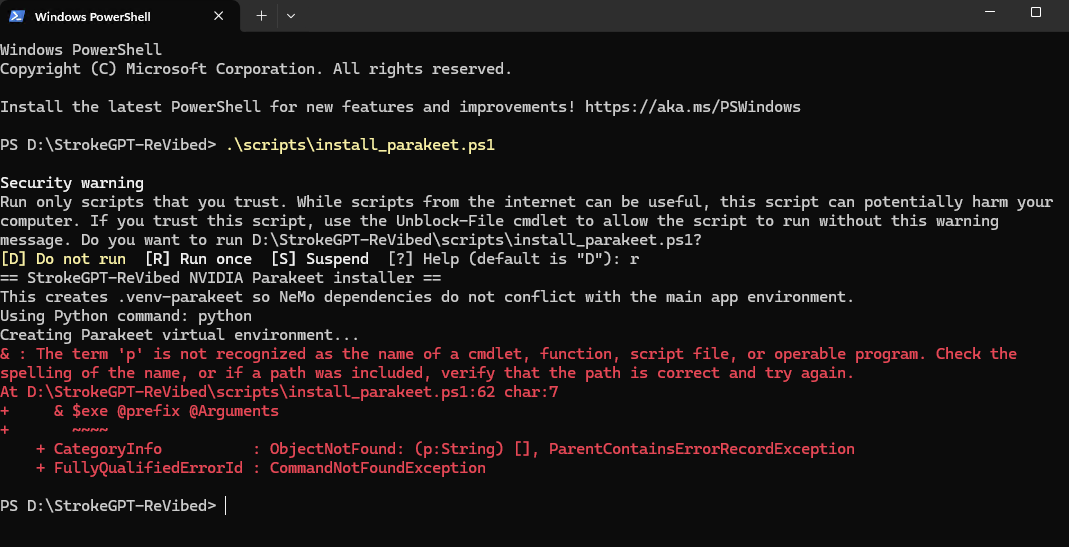
Hiya, I wanted to drop in to say that the app works great. I did run into an issue trying to install Parakeet using the .ps1 file in the scripts folder.

Any thoughts?

The Windows install script should handle installing parakeet (it prompts you) but I just pushed a fix for that. If you run the update script, it should update the parakeet script as well.

Thanks! It worked!

1 Like

The stuttering should be further reduced.

1 Like