The Edgy : Free browser-based edging controller for The Handy + Intiface (from the creator of Scripts Control)

Hi, sorry for the late reply… I atill having the same issue. It strugling and stuttering. EXCEPT in the orgasm button… This one runs smoothly.

Very strange things. I still have the problem, i tried from 2 computer and from my phone. And yesterday i got the Handy 2 and its the same ! I m lost.
I m using the key. And all my firmware are up to date.

It works perfectly well with Script player, Handyverse app and browser version, deovr… I only have this with the edgy. Its frustrating because it was so good before this bug.

1 Like

Love this app, bought the support pack too!

Feature/bug: I can’t seem to play .mkv files in the video player, only .mp4. Hopefully this gets fixed!

I wonder if there is some way to control it while the tab/window is in the background. I’d love to be able to use it while browsing/looking at pictures.

Thanks for the all the effort regardless!

I know it isn’t the target audience but support for vibrating toys would be fantastic.
I’ve been looking for a controller like this for my Lovense Edge 2 for ages now and nothing has ticked the boxes like this has.
Would be happy to support the project should this change.

Good morning, echoing this report.

For some reason there’s weird, ‘grindy’ behavior taking part on some motions. It appears to be related to motions that use a very fast downslope or a fast upslope when doing motions.

Sometimes, when using custom control mode, adjusting the % values of the speed top/bottom limiters appears to resolve the issue for a period of time, but switching to another pattern appears to reproduce the effect.

Hope this helps!

Hey Glavious. I fell off the world for a bit. Checked out your latest version today, while looking for a different interaction experience after being throughly frustrated by the script players out there for handy - just to find that you’ve added a script player! And it works so damned well that i don’t have any reason to go back to the official handy player!

My handy2 is doing this thing where it seems to randomly slip into Bluetooth mode, which it doesn’t support for stroking. The interface detects the connection was lost and refreshes, wiping out the settings for the video and script file, making it necessary to set these again, just to have it happen all over again after i finally get it working again. Tough to stay in the mood after all that. I found another player that works for android, but the handy doesn’t follow the graph that it displays on the screen. It seems to lag.

But yours just seems to work. I’m looking forward to seeing the documentation on it to figure out how the arousal overlay is supposed to work, as i couldn’t get it working. I think there might be a bug - something pops up behind the current window when i click on the little info circle.

It looks like you have considerably more documentation than when i last looked, so I’m looking forward to one day unraveling the different modes / envelopes.

The action buttons didn’t seem to do anything when i tried them, except for the power button. To answer your question on which buttons i was referring to, the up/down does different things with short/ long press, in the handy app. So i was hoping the arousal could be mapped to short, and the profile switch could be mapped to long left/right presses.

But the buttons mostly didn’t work at all, so you might have taken this out on purpose, so I’ll say no more on that.

I’m looking forward to seeing where you take this project!

Came across this today, amazing work again (Loved Scripts Control).

I love the concept, will there be an option to import my own scripts to use as variations?
The one thing that holds me back a bit form using it more is the face that turning the meter makes the device apruptly stop everytime. I know that this is probably hard to work around, but it really breaks the flow. For me personally.

Anyways, super excited to see where this will go.

Hey everyone - sorry for the slow response, had some urgent things to handle on other projects the past few weeks. Calming down now, getting back to The Edgy.

Thanks to everyone using the app, leaving feedback, and those who picked up a Ko-fi pack - it means a lot \o/


Vibration support is my current focus. The plan is to add a vibration channel so The Handy and a vibrator toy can run simultaneously as a first step, which would also cover vibration-only devices. That said, my Intiface tests have been showing inconsistent latency between app commands and my device reaction, so I need to figure out the right approach before shipping something that feels broken. Coming, just not rushing it.


I ran tests with SBS and over-under VR rendering. Not conclusive at all: as soon as the browser enters stereoscopic mode, the headset takes over all native input, so you lose full control of the app. A dedicated VR app would probably be the right approach, but that means Android builds, proper headset compatibility across devices… not a small undertaking. Parked for now.

On the research side, I’ ve started looking at audio-driven behaviors, using beat and energy from a video’s audio track to modulate the device in real time. Main target would be PMV and Cock Hero type content, where you want the device to loosely follow the rhythm without a full funscript.

Also looking at external input support. I was reached out on Reddit by someone running an ESP32 to replicate what the Edge-o-Matic does, at a fraction of the cost. That kind of DIY angle is what pushes me toward thinking generic rather than device-specific: a flexible input interface that can accept multiple sources rather than one-off integrations. Still in analysis phase on both fronts.


A few bug reports I want to address. On the stuttering issue with Handy 2 reported by a few people: I haven’t been able to reproduce it consistently, but the fact that it doesn’t happen with the orgasm button is a useful clue. If you’re affected, can you tell me if it started after a specific version?

On grindy/jerky movements with steep velocity slopes: noted, sounds like an acceleration clamping issue. Does it happen on specific presets or across the board?


On the feature side: button mapping for arousal and profile switching is something I want to revisit (there are already mapped on numpad and arrow key), but a custom mapping is something better. Text input for curve points instead of dragging is a good UX improvement, noted. Per-axis toggle for OSR2/SR6 is another challenge, making the app work with R (vibrato) channel will be the first step.

@jimmyk9 on the multiple videos idea, loading a playlist and having the app transition between videos based on the active behavior is actually interesting. There are real challenges around transitions and performance but I can see the concept: one video per behavior, swapping when the pattern changes. Did you get that idea from another app? Curious what the reference is.

@Stardust07 On the abrupt stop: there is already already transition handling when you move the arousal slider, it smooths the upcoming commands over the next few milliseconds. That said it relies on a stable and fast connection. How would you rate your connection when this happens? On using a funscript to build a behavior profile with its own variations: that’s actually an idea I’ve had in mind too. Good to know there’s interest, I’ll keep it on the radar.

@atxahzen is your device set to double connection mode? So you can easily switch from bluetooth connection to wifi modfe? If yes try to set it into wifi only mode to see if it fix your issue. The problem beyond that is that I didnt receive event for connection lost, so yes, you have to refresh the page… “something pops up behind the current window when i click on the little info circle”, I’ve tried all info circle and didnt see issue, can you tell me which one is it? You’re right about action buttons, they are broken right now they are supposed to control arousal level, I have to take a look on it.

Cock Hero mode is actually a great fit, it’s basically what I use the app for myself. Lovense Domi 2 and vibration-only devices in general will be covered once the vibration channel lands.

Sorry if I’ve missed someone :face_with_peeking_eye:, feel free to answer here

Heyhey Glavious.

To help reproduce the stuttering behavior, try going into custom mode and reducing the overall speed %s to about 150% or lower. The stuttering behavior seems to happen mostly during slower intervals that require a ‘fast slope despite slow speed requirement’. For example, when I experimented with ‘Top speed 150, bottom speed 90’, the issue appeared on some custom motions at that point.

If you go into handy2 native mode instead of custom mode, the issue goes away unless you adjust the sliders in custom movements to reproduce the same effect… so this makes me believe the issue is how the non-orgasm system interprets certain kinds of slower movements.

So basically anyone with a ‘slower than standard’ preset on the handy2 may be affected. This would include people who slow down their speed ratio in the handyonboarding app, as well as people who use ‘quiet mode’ in the advanced/experimental settings sections.

I hope this helps, bro~

1 Like

Audio driven behavior and external inputs are two things I’m excited to see. My main usage is CH/PMV as well.

To clarify, when i mentioned the page reload, i wasn’t referring to your app - i don’t think i needed to refresh the page for yours - just needed to reconnect - which is fine.

Unfortunately, no, it wasn’t in dual mode. Something triggers my handy out of wifi only into Bluetooth / dual mode.

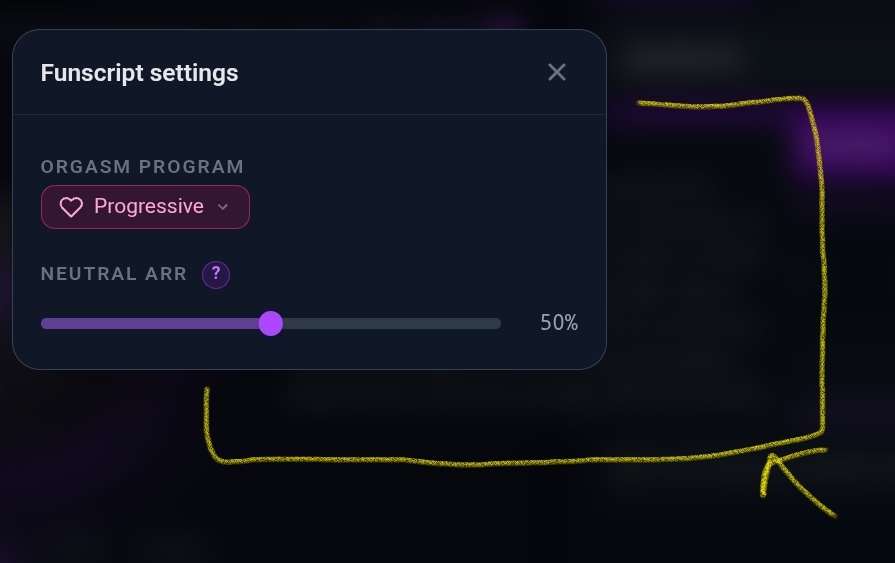
The info circle i was referring to was the one when i chose settings for the script player.

@Glavious I have both the handy v1 and an EOM. If you can find a way to make the eom work you’ll be my hero. I’d be more than willing to do some testing.

Well, I have to admit that it could be great to have an ‘almost’ completely hands-free configuration ^^ For now, I am struggling with a synchronization issue with the management of vibrators via Intiface, which is givin me inconsistent results for some reason. I hope to be your hero one day :saluting_face:

1 Like

New FUNSR1 owner here. Found this thread in response to some searches I made to try and edge better with stroking toys. I’m also a vibe coder and love working stuff like this. Currently working on a mirror of this as a local tool that can sync with MFP. Happy to share code when I get something usable, and/or give to the author of the existing tool if it helps. Fantastic idea here BTW, it’s a real art to be able to articulate a tool like this in code and see it implemented so well!

Let me know and I’m happy to help with feedback on vibrators too! They’re excellent edging tools. :)

Hey Glavious. Hope you are well.

Recently I wanted to use edgy with an audio file (no video). I found I wasn’t able to do so, so I’d like to request the feature.

Also, I finally got around to trying out the editor. I noticed these things, on android tablet:

  • when switching: edging → orgasm, the little info circles disappear. I find them very helpful for figuring out what each control does
  • I think I recall seeing somewhere what happened when you exceeded 100% total probability across all variations on a point on the X-axis (arousal) scale, but I don’t recall where I saw it. If memory serves, it means that the base curves are ignored. But this gets difficult to determine over all variations with more variations added. Is there a way to show a representation on each variation chart that would show the sum of all other variations on each point of the X axis?
  • I had trouble figuring out how to add built-in varitions to a new behavior, but ultimately noticed the link
  • After using the link, I inadvertently updated the built-in variation … I assume it updated it on my local copy only, and maybe it would be reset if I reloaded the site

I had a question about the base stroke. I’ve noticed that the strokes that feel the best are not linear – that is, they’re not straight up and down at a steady rate, but rather they do something like slow toward the top and slow again at the bottom (maybe not at the same rate). Is this something that can be applied to edgy’s base stroke? I’m having trouble figuring out how I would do that.

Have you made any progress syncing this with MFP? Very interested in trying that out.

1 Like

I am sorry if this has been answered, but I could not find it searching through this post. I do not see funscript options when loading videos, and my funscripts are not loading. I do have videos and scripts in the same folder.

Hey, a preview build is up to test two things I’ve been working on:

Multiple devices at once (Handy + a toy, two toys, etc.), each with its own settings, and vibrator support via Intiface / Buttplug. The connect button has moved into the header, by the way.

Preview link (separate from the stable site, your data may get reset): The Edgy Preview

A few honest notes since this took a lot of refactoring:

  • For now the vibrator track is derived from the intensity of the normal stroke track, not authored on its own. You can still connect a vibrator alone and it works fine.
  • You can’t edit a vibrator track in the editor yet, and you can’t load a funscript dedicated to the vibrator yet. Both are coming. The editor side will become the entry point for proper multi-channel control, which is also what unlocks finer control on devices with more than one input (OSR and friends).

What I most need right now is connection stability feedback with intiface. My WeVibe Verge drops the bluetooth connectiob constantly, which makes testing painful. I’ve already cut the command rate to avoid flooding the toy, so I suspect it’s more my device not working than the app (plus the bluetooth connection with the handy is working well). If you can, tell me:

  • Which toy + OS + Intiface version
  • Does it hold over a full session or drop? After how long?
  • Does the same toy stay stable in Intiface’s own flow / its native app?

@BemboyBaguette @SeraSeraSera @Flufkoo @jld1832 you all asked for this, would love your feedback.

Thanks for the detailed run,

  • Audio-only files are already in the current preview build ;)
  • On the “did I break a built-in variation” worry: no stress. The Edgy is serverless, everything lives locally in your browser. There are no accounts and nothing is pushed anywhere, so any change only ever touches your own device. On top of that, built-in variations are read-only: when you edit one, the app silently works on a copy and leaves the original preset intact. So you didn’t modify anything permanently.
  • Where you can edit globally is with custom variations: as long as a variation stays linked (the chain icon), editing it once updates it everywhere it’s used. If you’d rather tweak it for a single behavior, use Copy mode and it becomes independent. It’s documented under Help > Gestures > “Collection & Linking”, but I’ll make the built-in read-only part clearer there since it clearly isn’t obvious.

The rest is noted:

  • info circles disappearing in orgasm mode
  • visual for the summed variation probability across the arousal scale (good call for the >100% cases)
  • making “add a built-in variation to a new behavior” easier to discover
  • non-linear strokes that ease in/out at the top and bottom

Honestly your feedback keeps showing the same thing: the editor needs a proper mobile-friendly pass. It’s the most complex part of the app to adapt to small screens, so it’s going to take some dedicated works…

Hy there, as you can see for now I’m working on vibrator and multi device features. I’ve done some experiments with audio content, but nothing more than a beat based stroke.

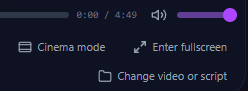
Hello, you can select/change the funscript file from the bottom right button
image.
You have to select both files (video and funscript) to load them.