Can you share the contents of your appsettings file? It might be something is configured improperly
@to4st Here’s the appsettings file for your reference.
appsettings.json (1.5 KB)
Everything looks fine. Are you sure your device is on COM3?
log4net.config.txt (1.1 KB)
You can place this file next to the exe, just remove the .txt extension. It should be just log4net.config. This should have the player print to a log file. Can you share that log file with me?
Yes, It’s COM3 (from what Arduino IDE show) for my device, or else it won’t show connecting status. Here’s the log file after I run the Player once.
FunscriptPlayer.log.txt (60 Bytes)
No errors, so it’s probably just waiting. Are you sure nothing else is connected to the device? There can only be one connection at a time.
What player do you use to connect to the device for videos? MFP? Does that work over COM3?
Nothing open up currently (MFP is close as well).
Yea, I use MFP and there is no issue with it tho.
MFP is showing COM3 also for my device.

Is Edi able to connect to your device?
Did you build the OSR2 yourself? Do you know what Arduino it’s using?
For Edi, I was figuring how to use it just now. But from what I see, my device is not showing on the right side of the list after I launched the Edi.exe.
I built the OSR2 myself following the instruction provided. I assume the Arduino you mentioned is referring to the board, my board is using Romeo BLE mini v2.
That makes sense. Another user who had used a Romeo also had issues.
I don’t think the latest Edi has the fixes yet, so it probably has the same issue.
Can you try this player and see if it acts any differently.
https://pixeldrain.com/u/s6mHt5by
1 Like
Thanks man. It finally works. Is this exe an older version or a fix for Romeo BLE Mini user? Maybe this could be included at top of this post so whoever encounter this issue may get the solution directly?
It’s been few days since I encountered this issue and no one mentioned about it. You’re my life savior.
Glad to hear it’s working now. It’s the same fix I did for Edi, but I don’t think it’s been released yet.
I’ll update the link at the top with this version once I’ve tested and confirmed it still works with the ESP32.
Love to see the syahata integration. Would love to see the whole game more 
3 Likes
Updated post with mod for Castle of Temptation’s demo. For easier access, I’ve included the demo files pre-installed with the mod.
The included demo is the one from the itch.io page. I think there’s a bug in the demo that prevents the H-scene with the manager from progressing the first time. The second interaction plays without issue.
I tested the full game with my mod as well, and the bug didn’t occur there. The DLsite demo might also work, but I haven’t checked yet.
6 Likes
Can we get a clean folder of the normal as well please? I’ve got the full game and wanted to test it on there but im unsure what files to pull that are strictly the mod and edi, to the full game. Also wondering what full game version you tested on. I have 1.0
Added a link where I removed the game files. Let me know if it doesn’t work.
I have version 1.1.2 from Itch.

Ill give it a look, i might need to redownload a newer game version. ty ty
Alright so heres the deal, tried all of it and couldnt get the full gave to work with it.
Full game version i have is 1.1 , im not sure abotu 1.1.2, couldnt find that anywhere.
Tried full game with both the clean and demo files, no dice. No reactions to the gameplay.
Tried with old EDI, tried with current EDI, tried with the fix EDI youd done a week ago for me. No dice.
Tried with changing file names and extensions like making .funscript to .vibrate.funscript. nothing
Tried the demo folder by itself and it works fine, btu the demo is the demo soooo, kinda bleh and almost no content in it so i went for the full game.
Sending you the EDI log, to note theres stuff in it from me manually playing scripts to see if its atleast able to , which it was, they just werent being triggered.
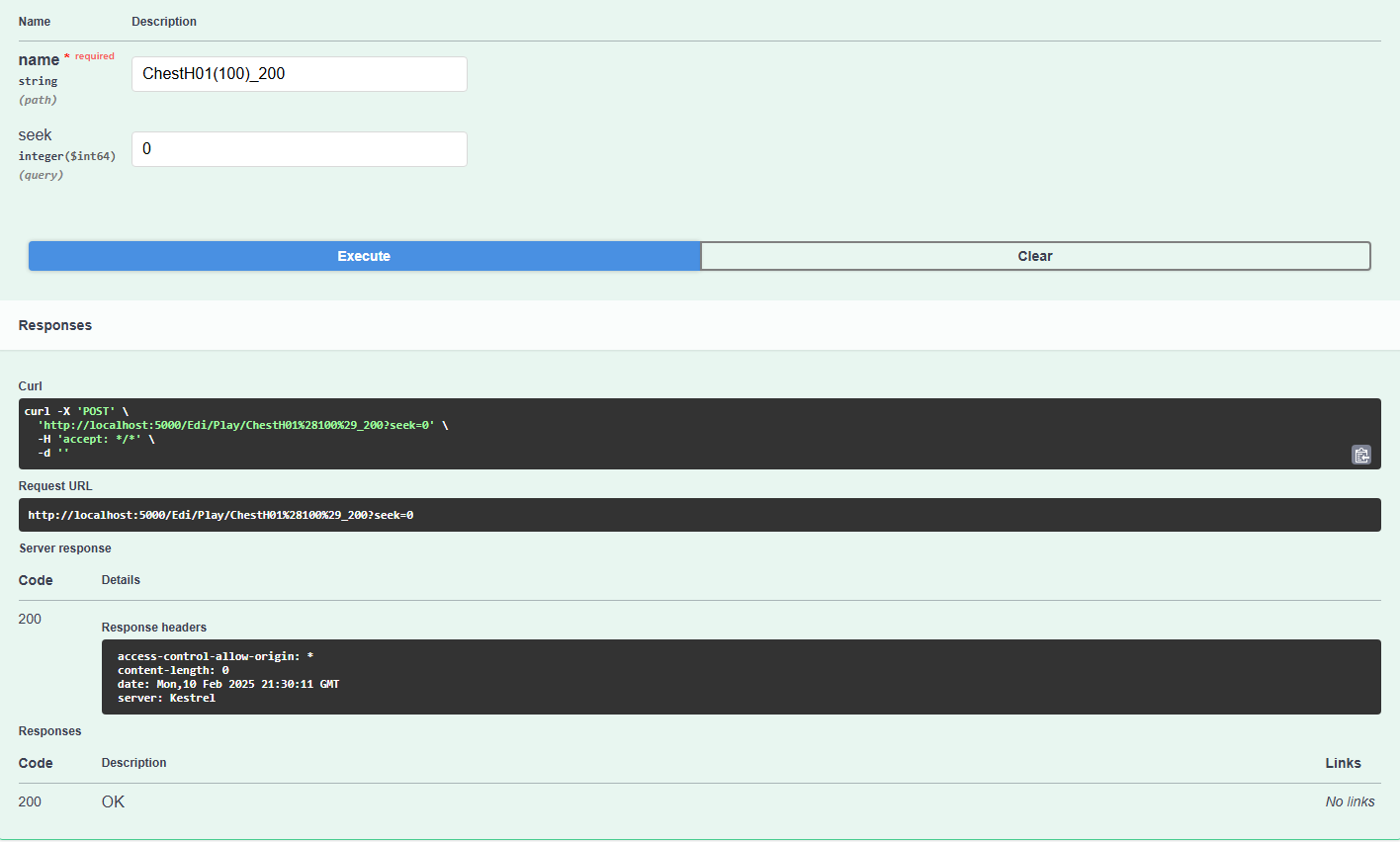
Hi, I would suggest you to check if Edi can receive REST requests when it stops responding. To do this open link localhost:5000/swagger/index.html and try to send POST request /Edi/Play/{name}. Set name parameter equal to any funscript file from the Gallery folder (without .funscript extension). If It works then you have problem with game mod, if not - problem with Edi application itself.
I think youre getting the issue mixed up based off the terms youre using. Let me know if this isnt the case.
The program doesn’t stop responding. It never begins responding to the mod files and game. It grabs the gallery files and they gallery files are manually playable in the gallery list
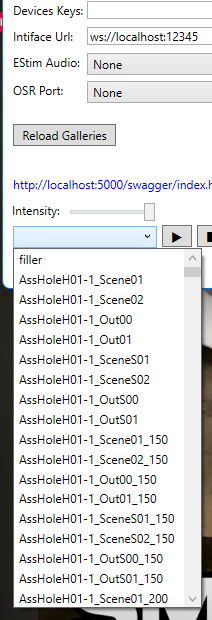
The files just arent seeming to be triggered by the game. The full folder that originally was posted by to4st with the demo included, works fine. But trying with the files from either of the mod folders on the v1.1 game has zero response.
Follwing your steps, EDI responds to multiple of the gallery options with its " Ignored Not Found {name}"
Playing a script manually in EDI and then using the EDI/Stop command does cause the app to stop the manual script.
Ive made sure im only moving mod files, im doing exactly as the readme instructs, and ive also tried starting the game once after installing bepinex, and then on another version installing bepinex, closing at the main menu, then re opening and trying again.
In your terms it seems to be a mod issue, though the mod works fine on the demo version folder, but moving those files to the full game v1.1 causes the mod to not work.
Does the BepinEx console open when launching the game?
Are there any log files in the BepInEx folder? If there are, could you send me those?
Also, I just want to point out that the only reason to really use the full game is to avoid the bug I mentioned before. The only content I’ve scripted so far is that which you can find in the demo. Basically just the first level.