ScarletMoon is a funscript editor and generator that aims to both speed up and simplifies the time consuming process of making funscripts with out taking out the “Hard Work”,
My goal is to create a softwhere that wont replace funscript makers just help them do more in les time.
ScarletMoon has been in development for a while now staring as a web based generator called TwilightForge that was then moved to python, its still made in python but has seen a huge overall upgrades from a fresh start over from the TwilightForge Editor and generator, that said its still in very early development and may have bugs or optimisation issues so please do keep that in mind
Current Features - not a full brake down
Bog stranded funscript editor
JOI and Manual JOI modes - normal JOI works be moving the detection area over the point of the video you want and being able to set a colour or more colours for it to check for when generating the funscript, the alt mode works the same but unlike normal where you set settings once and its all auto this alt mode on detection prompts you for how and where the point should be - these modes are good for making the “Hero” genre of funscripts
Sound generation with setting for what way it should interpret the sound as well with the option to use video audio or import a mp3 or wav
Draw mode this shows a rectangular graph that when generating tracks the mousse movement in the box
Motion Tracker and Cut-out modes, theses modes are like each other and work basically the same way the key difference is that the normal mode looks for pixels in an area while Cut-out checks the whole frame for a well Cut-out of the selected area, these modes track the area and determine how close the points get to each other to generate the funscript
Motion Sensor mode this mode checks the whole frame or just the selected area for any motion and generates based on that
primitive video Editor and exporter with A fully customisable “Hero” overlay with and adjustable settings to make “Hero” Styled Videos, JOI modes have a setting to use this overlay with out the need to export the video must be setup before hand in video editor tho
Interactive toy connection 2 modes generation mode use toy as script generates and play back use toys once scripts are generated to test them out
Important Note for tracker modes if a video is more then 2k it can reduce generation speed a fair bit I’m working on improving it but it still works
Current Future Path/Plan
optimisations and quality of life changes and new modes for more generation styles
Hay all this is just a little update on what iv been working on the last few days,
I have been working on quality of life changes like auto save and keybinds for faster work flows, I also spent some time working on improving tracking for really low or high resolution videos both animated and IRL with bad lighting / colours and brightness matching that gave tracking a hard time,
Hay just a quick update for the last few hours iv been working on improvements to the in built video encoder and tracking modes, the results where more then good, here’s a link to a video showing it in action https://www.xnxx.com/video-1hbjod7b/scarletmoon_tutorial
Super interesting. A tool like this would help streamline the process and make it easier to make more “accurate” motions. Would definitely get me into making scripts of my own for content I enjoy consuming.
Currently I just edit most of the scripts until its to my liking.
I’m happy to hear that as it is my currant goal , I did not show it but there’s a book mark system that allows users to adjust tracking for camera angle changes, I also just added a Player mode so users can now just use it as a player if they want
its OpenCV Based but there are a few “mode’s” that work differently with there own settings The Cut-out mode scans the frame or if Ghost box is enabled the area of the ghost box for a cut-out of the area point with a threshold that’s adjustable in case there’s no exact match, the normal tracking checks based on pixels in a similar way, there’s a few other detection / tracking modes as well
I should add all modes can be mixed and matched as you can start and stop generations then change mode to continue and there’s and auto stop mark that can be placed if needed to
Okay spent the last few hours implementing Cotracker, there’s now an opotion to use openCV or cotracker cotracker has gpu and cpu toggle for generation and presets for fast but less accurate to very slow and accurate and balanced cotrackers a heavy so computers with lower end specs should use OpenCV, Controls for the mode apply to the different tracking engines
nice, looking forward to trying it out! Just making sure, did you integrate CoTracker3 or an earlier version? I know they made several iterations of it with increasingly better results.
I don’t at the moment thanks for offering tho, do you now of any methods to improve cotracker performance as it is functional but slow iv added gpu acceleration that has improved it but if you know of any other approaches that would be help full
The downside of it is i guess there’s not too much documentation or examples available beyond what is already published on the original CoTracker repository. However i feel like it’s not going to be an easy model to run regardless (their own README says they strongly recommend running it on the GPU). The advantage is that it seems to be the absolute peak right now in terms of point tracking on videos, but you need the hardware to back it up. So IMO it’s perfectly fine if you have it as an option, together with other YOLO or basic openCV alternatives.
yeah i was just tinkering with it, it i have an option for cpu or gpu and i ran it on my 5060 ti balanced Set i added is okay but accurate set is ungodly slow, i also discovered a wired little bug im trying to sort out most script players seem to read my funscripts upside down tho i think i found the culprit
so far from my testing both Open and Co results from tracking are pretty similar, key difference being While open tends to be more of a curve, Co tends be more of an incline and its timing more dead centre but both options are fully viable
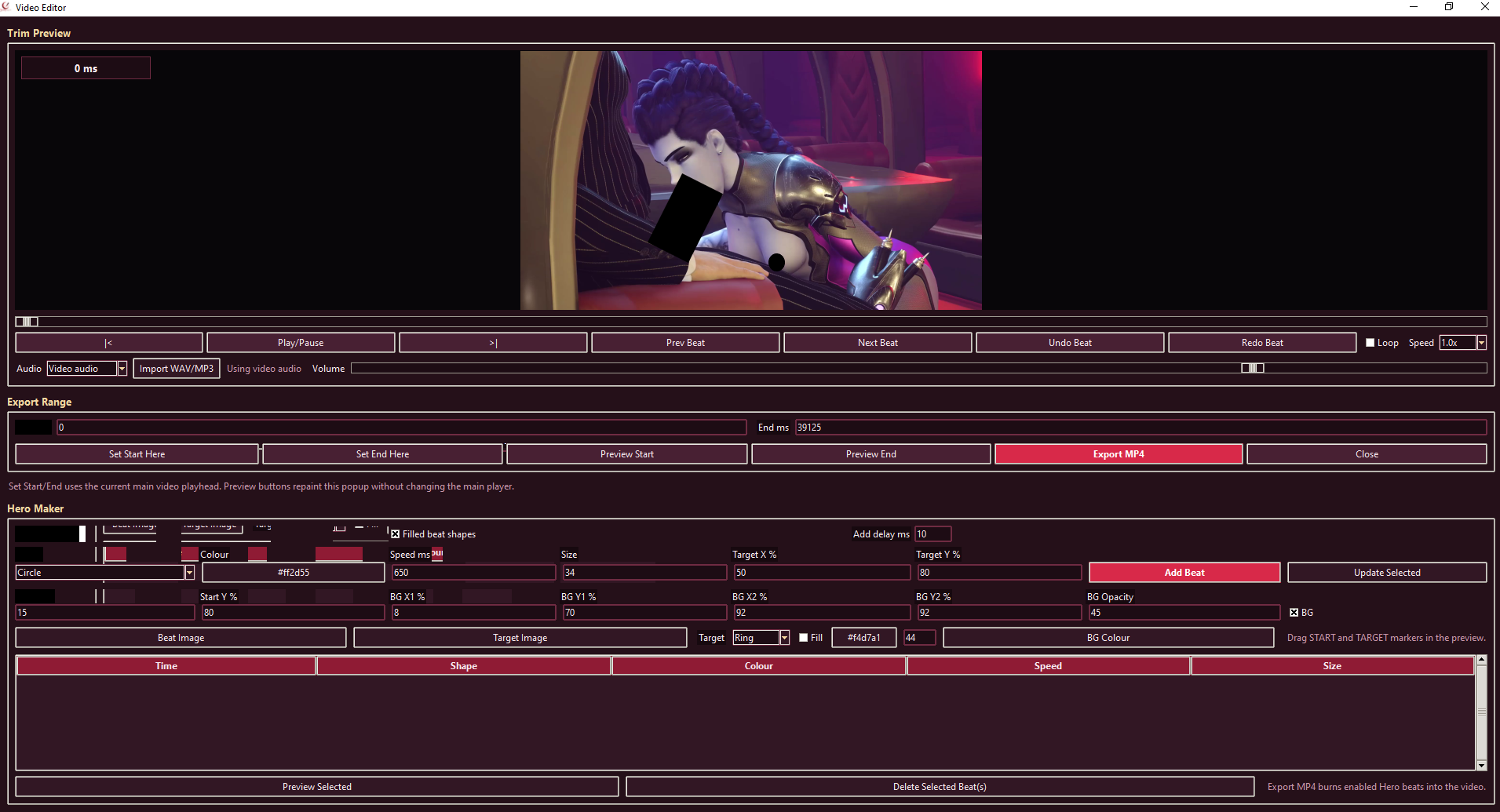
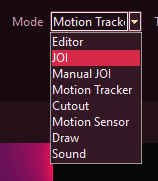
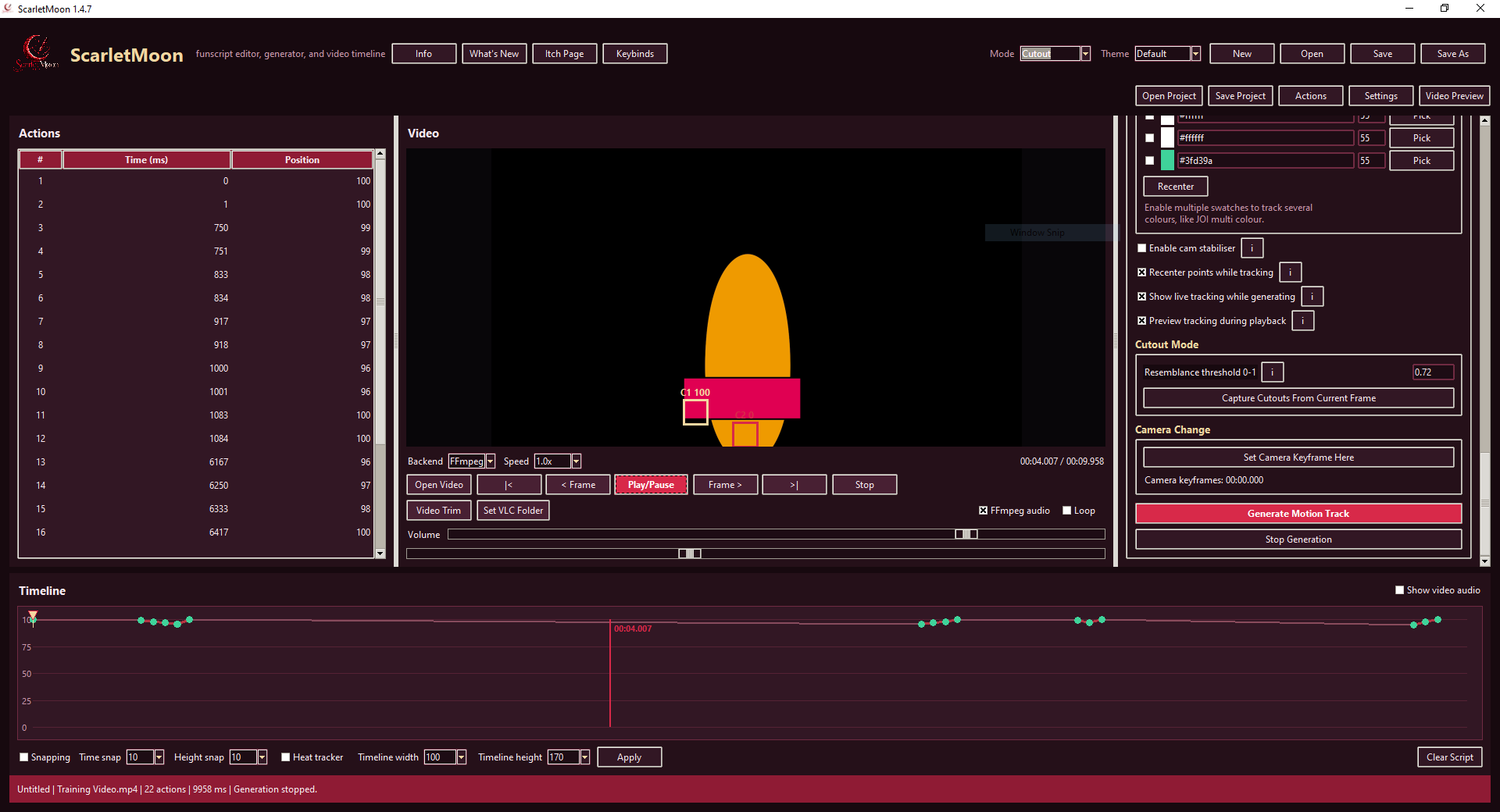
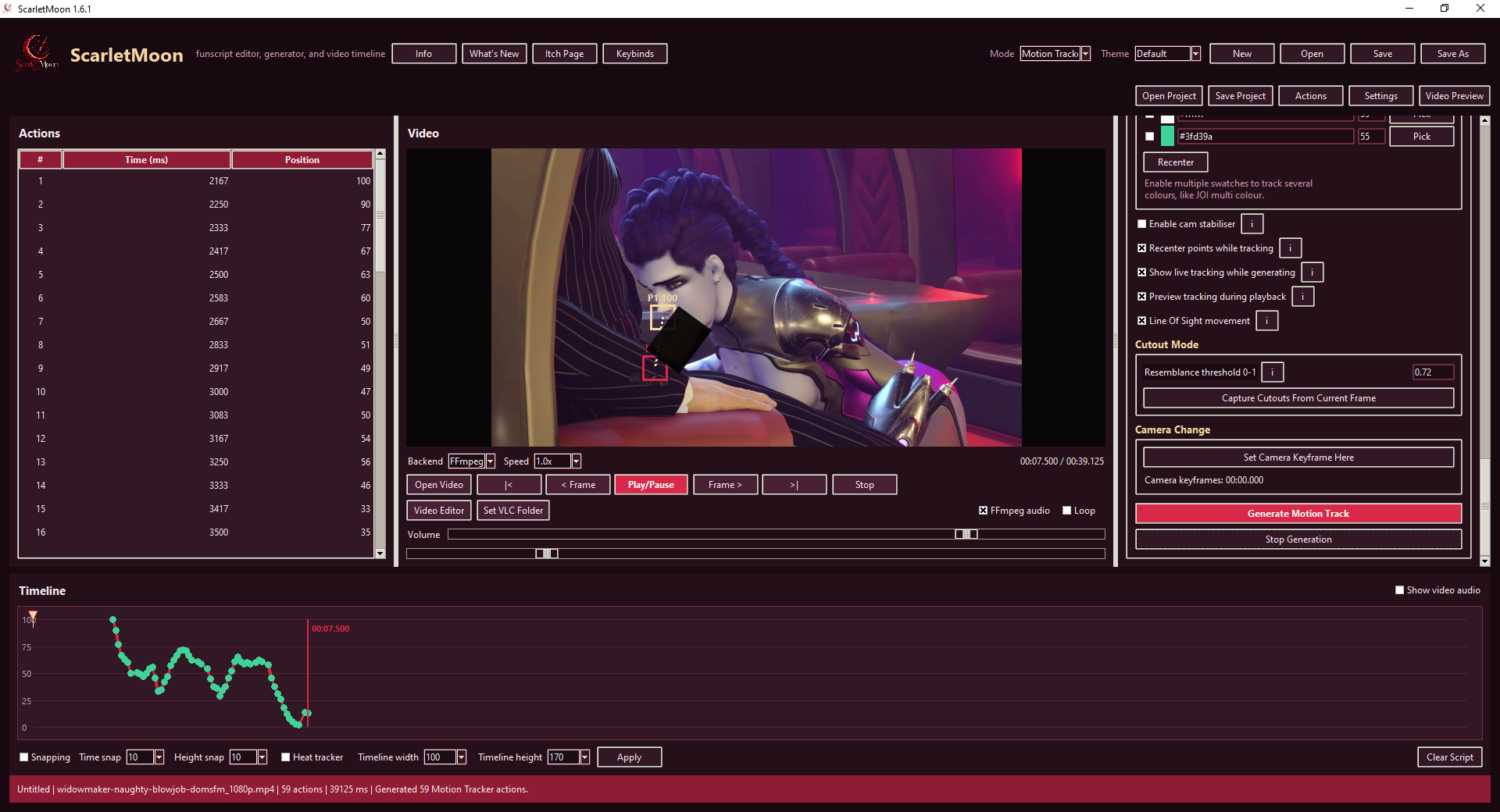
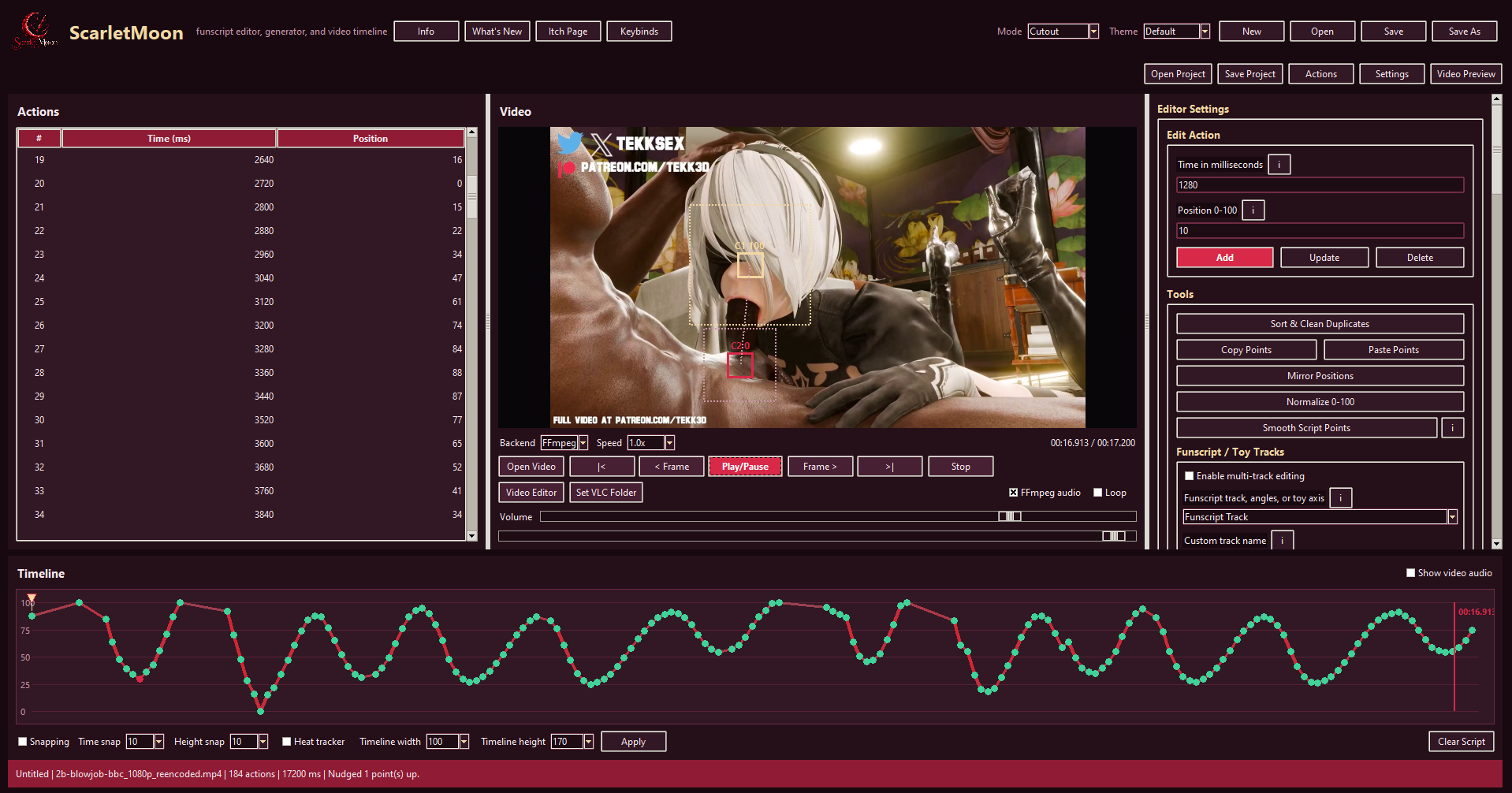
 , I did not show it but there’s a book mark system that allows users to adjust tracking for camera angle changes, I also just added a Player mode so users can now just use it as a player if they want