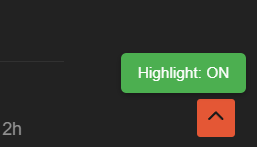
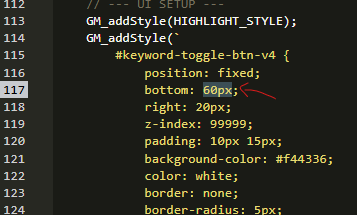
I generated this add-on using AI basically, and through a few iterations, it’s working out pretty well.
(I use dark mode)
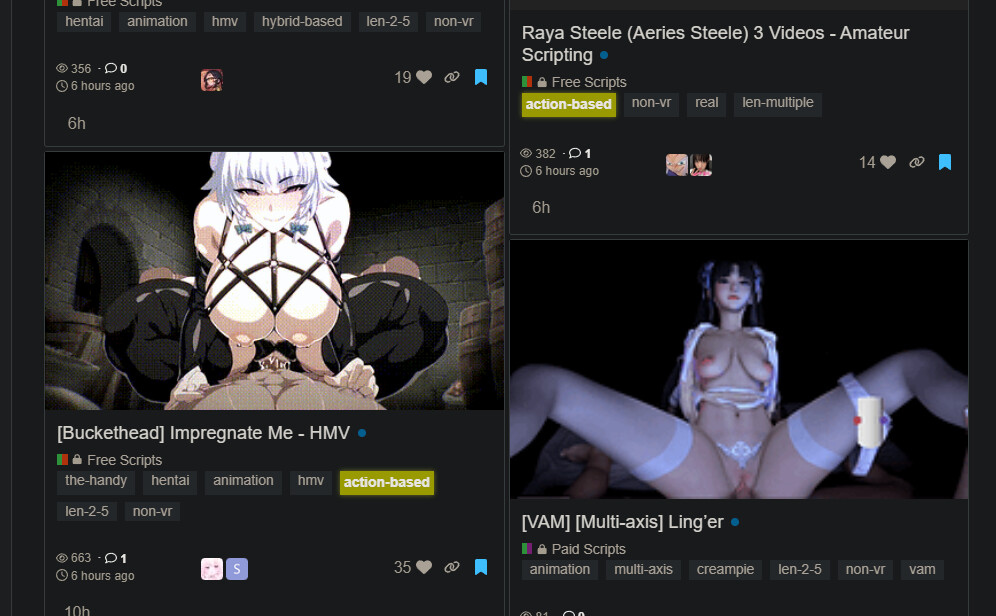
To add in more keywords to highlight, you can edit this part of the code towards the beginning:

So if you want more keywords, it would look like this. Just follow the format:
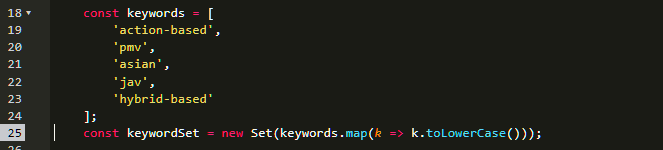
Notes:
This has been tested on Firefox and Chrome with Tampermonkey. It should work with Greasemonkey, but I have not tested that.
How to Install:
Step 1:
Get Tampermonkeyfor Firefox or Chrome.
Firefox: https://addons.mozilla.org/en-US/firefox/addon/tampermonkey/
Chrome: https://chromewebstore.google.com/detail/tampermonkey/dhdgffkkebhmkfjojejmpbldmpobfkfo?hl=en
Firefox for Android: https://addons.mozilla.org/en-US/android/addon/tampermonkey/
Step 2:
Go to your Extensions and click on Tampermonkey
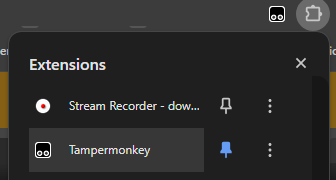
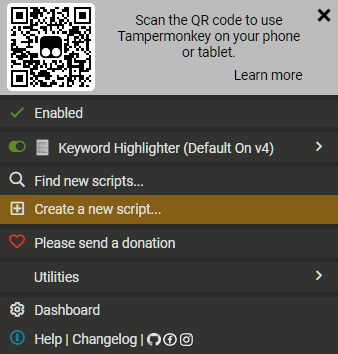
Step 3: Hit Create a new script:
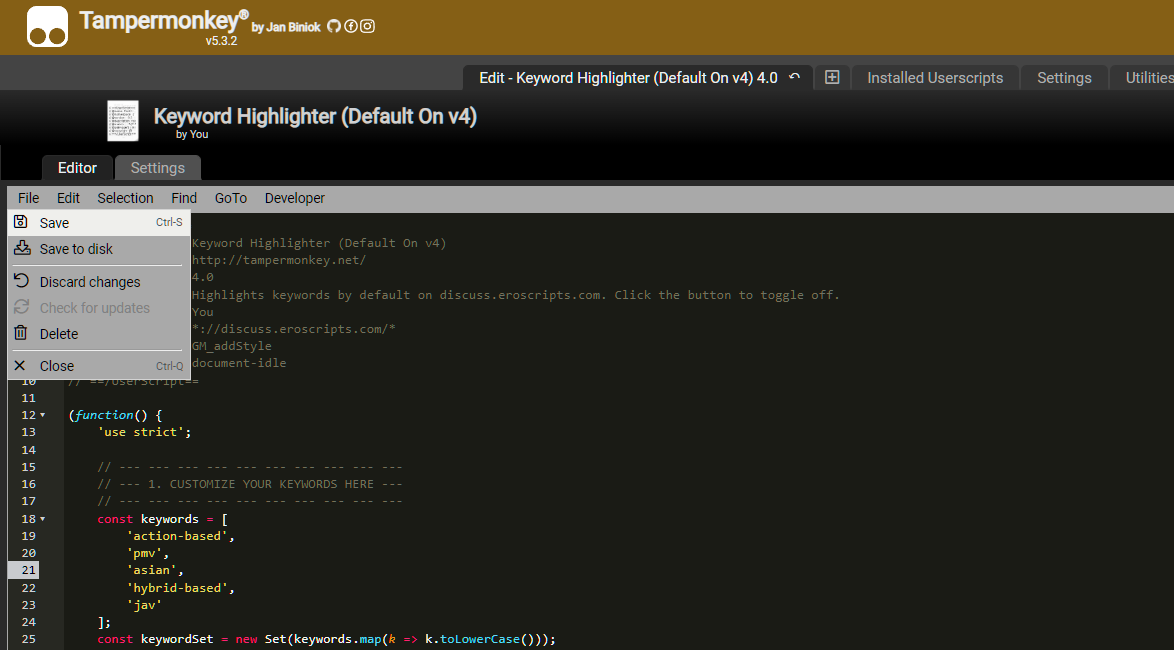
Step 4: Copy and paste in the code from below, and then hit save.
Step 5: Go to an eroscripts page such as the New Scripts page:
https://discuss.eroscripts.com/c/scripts/5/l/new
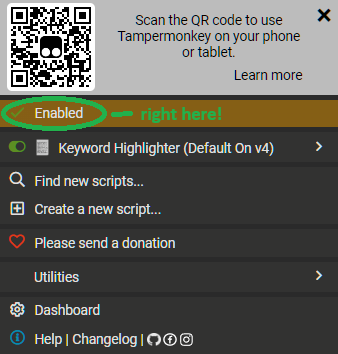
Step 6: Make sure that the extension is enabled for the website.
Click on Tampermonkey from your extensions list again and then hit Enabled:
Step 7: Refresh the page. Note that we have Highlight: ON at the bottom-right so that we can toggle the highlighting:
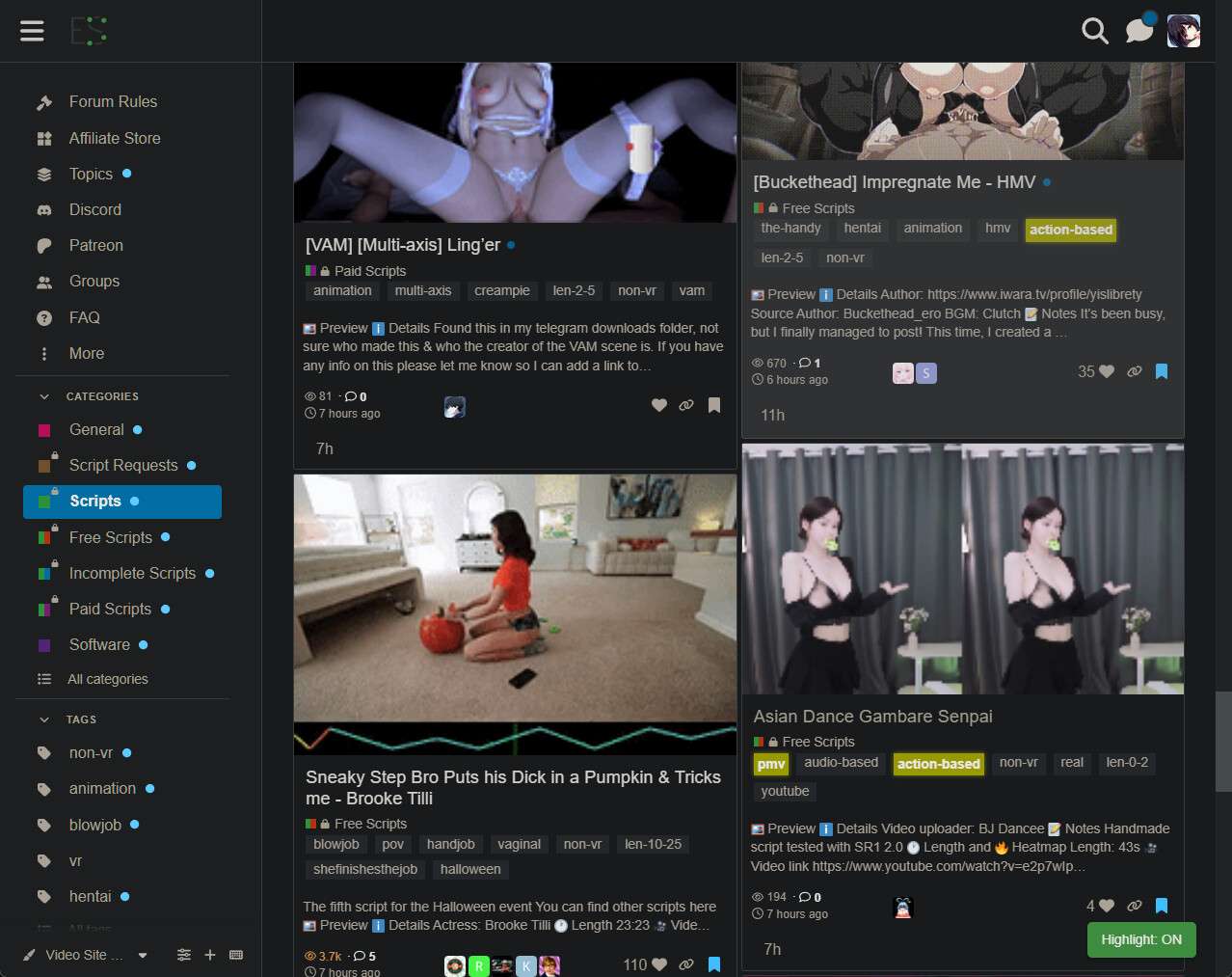
Here is the code so that you can add it to your Tampermonkey:
// ==UserScript==
// @name         Keyword Highlighter (Default On v4)
// @namespace    http://tampermonkey.net/
// @version      4.0
// @description  Highlights keywords by default on discuss.eroscripts.com. Click the button to toggle off.
// @author       You
// @match        *://discuss.eroscripts.com/*
// @grant        GM_addStyle
// @run-at       document-idle
// ==/UserScript==

(function() {
    'use strict';

    // --- --- --- --- --- --- --- --- --- ---
    // --- 1. CUSTOMIZE YOUR KEYWORDS HERE ---
    // --- --- --- --- --- --- --- --- --- ---
    const keywords = [
        'action-based',
        'pmv',
        'asian',
        'hybrid-based',
        'jav'
    ];
    const keywordSet = new Set(keywords.map(k => k.toLowerCase()));


    // --- --- --- --- --- --- --- --- --- --- --- --- ---
    // --- 2. DEFINE CSS SELECTORS FOR KEYWORD LOCATIONS ---
    // --- --- --- --- --- --- --- --- --- --- --- --- ---
    const selectors = [
        'a.discourse-tag',    // Tags on topic lists and topic pages
        '.topic-list .title', // Titles in the main topic lists
        'h1 .fancy-title'     // The main title on a topic's page
    ];
    const selectorString = selectors.join(', ');


    // --- --- --- --- --- --- --- --- --- ---
    // --- 3. CUSTOMIZE THE HIGHLIGHT STYLE ---
    // --- --- --- --- --- --- --- --- --- ---
    const HIGHLIGHT_CLASS = 'tm-keyword-highlight-v4';
    const HIGHLIGHT_STYLE = `
        .${HIGHLIGHT_CLASS} {
            background-color: yellow !important;
            color: black !important;
            font-weight: bold !important;
            border-radius: 3px;
            padding: 2px 4px !important;
            box-shadow: 0 0 5px rgba(255, 255, 0, 0.7);
            transition: background-color 0.3s ease;
        }
    `;

    // --- SCRIPT LOGIC (No need to edit below this line) ---

    let isHighlightingActive = false; // Starts false, will be toggled to true immediately
    let observer;

    function applyHighlights() {
        const elementsToScan = document.querySelectorAll(selectorString);
        elementsToScan.forEach(el => {
            if (el.classList.contains(HIGHLIGHT_CLASS)) return;
            const textContent = el.textContent.trim().toLowerCase();
            if (keywordSet.has(textContent)) {
                el.classList.add(HIGHLIGHT_CLASS);
            }
        });
    }

    function removeHighlights() {
        const highlightedElements = document.querySelectorAll(`.${HIGHLIGHT_CLASS}`);
        highlightedElements.forEach(el => el.classList.remove(HIGHLIGHT_CLASS));
    }

    function startObserver() {
        if (observer) return;
        observer = new MutationObserver(() => {
            if (isHighlightingActive) {
                applyHighlights();
            }
        });
        observer.observe(document.body, { childList: true, subtree: true });
    }

    function stopObserver() {
        if (observer) {
            observer.disconnect();
            observer = null;
        }
    }

    function toggleHighlight() {
        isHighlightingActive = !isHighlightingActive;
        if (isHighlightingActive) {
            toggleButton.textContent = 'Highlight: ON';
            toggleButton.style.backgroundColor = '#4CAF50'; // Green
            applyHighlights();
            startObserver();
        } else {
            toggleButton.textContent = 'Highlight: OFF';
            toggleButton.style.backgroundColor = '#f44336'; // Red
            stopObserver();
            removeHighlights();
        }
    }

    // --- UI SETUP ---
    GM_addStyle(HIGHLIGHT_STYLE);
    GM_addStyle(`
        #keyword-toggle-btn-v4 {
            position: fixed;
            bottom: 20px;
            right: 20px;
            z-index: 99999;
            padding: 10px 15px;
            background-color: #f44336;
            color: white;
            border: none;
            border-radius: 5px;
            cursor: pointer;
            font-size: 14px;
            box-shadow: 0 2px 5px rgba(0,0,0,0.3);
            transition: background-color 0.3s;
        }
        #keyword-toggle-btn-v4:hover { opacity: 0.9; }
    `);

    const toggleButton = document.createElement('button');
    toggleButton.id = 'keyword-toggle-btn-v4';
    toggleButton.textContent = 'Highlight: OFF'; // Starts as OFF for a split second
    document.body.appendChild(toggleButton);

    toggleButton.addEventListener('click', toggleHighlight);


    // --- --- --- --- --- --- --- --- --- --- ---
    // --- NEW: AUTOMATICALLY ENABLE ON LOAD ---
    // --- --- --- --- --- --- --- --- --- --- ---
    // We simply call the toggle function once right after the script loads.
    // This will switch the state from OFF to ON immediately.
    toggleHighlight();

})();