Just a short post providing the modifications I made to make many of AhrpuXR older games work with T-code devices because if it doesn’t exist yet, just make it exist 
Games which will now work with T-code Devices that previously did not:
HypnotizingBeautifulSistersWhoPissMeOff
Just Futanari
Dawn of Marionette
Image Delusion VR - SexVersion -
DizitalImageClub - NEO -
Just Futanari 2
Reincarnation In Another World Going To Rape All NPCs VR
SpatialErotica
Succubus Sisters and Countdown Sex VR
Married Woman Countdown ASMR Sex VR
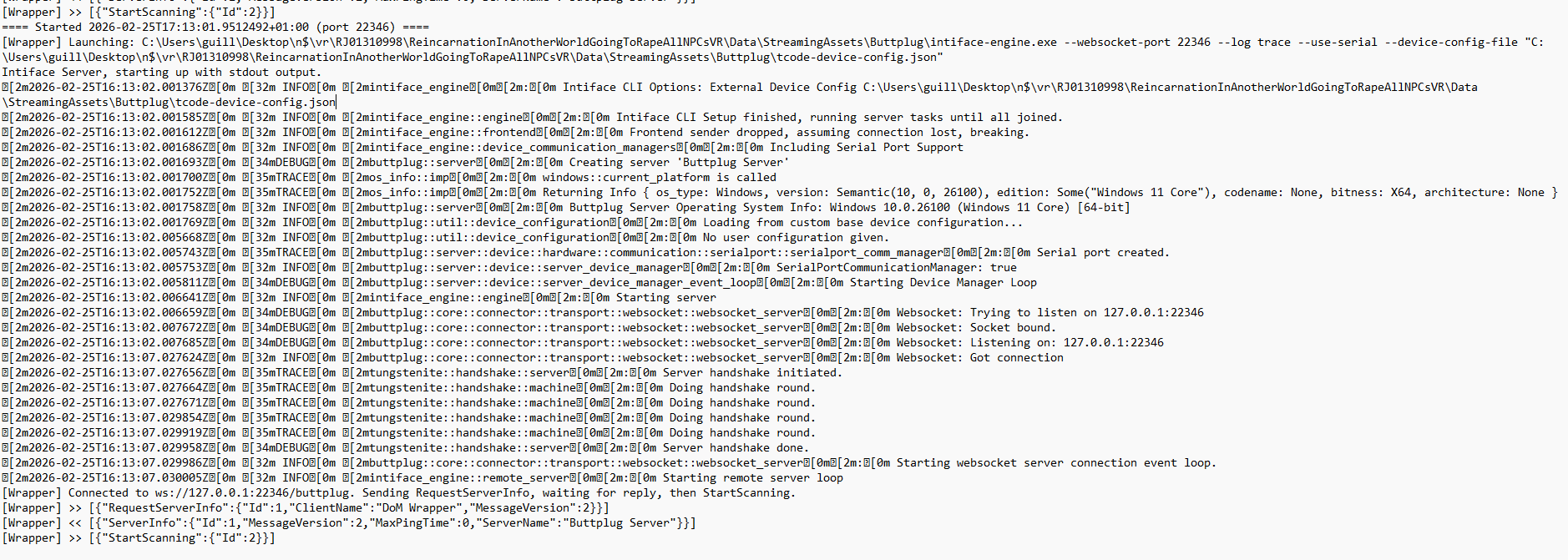
This modification updates the game’s Buttplug 2.0 integration by inserting a lightweight wrapper that transparently replaces the bundled Intiface executable with a newer Intiface Engine. The wrapper preserves the game’s original connection behaviour while redirecting it to the updated engine, allowing modern device support (such as TCode/OSR2) without requiring any changes to the game itself. The game continues to believe it is communicating with its original Intiface version, while the wrapper handles compatibility and device configuration behind the scenes.
How to Install:
-
Download the 3 files ¬
IntifaceCLI.exe
Intiface-engine.exe
tcode-device-config.json -
Locate the buttplug folder in the respective game. It is in the root folder of the game > Data > Streaming Assets > Buttplug
-
Replace all files in that folder with the 3 files you downloaded earlier.
Game Mod Files: 77.7 MB folder on MEGA
I made this mod a while ago and there are some quirks to keep in mind:
- As I was troubleshooting I made the engine create a ongoing log file. It can get quite big so after a while you can just delete that to remove space. It will load in the same Buttplug folder. A easy way around this is to do the following:
Open the game and then close the game, a log file should appear in the same folder
Deleteintiface-engine.log
Create an empty file namedintiface-engine.log
Right-click → Properties
Check Read-only
-
The engine loads a wrapper and Intiface instance which does not close when you close the game, therefore if you wish to restart the game, go into task manager and close all intiface instances. This will free up the localhost and enable the connection to your toy again.
-
You may need to alter the tcode-device-config.json file for your devices COM port. Just open in notepad change to your COM, alongside any range changes you wish.
Disclaimer: I am not a professional modder, a lot of what I did was with AI help (and a whole lot of troubleshooting) however hopefully these mods can help entertain more VR/games to include support for T-code! Anyways enjoy :D


OSR2+ & SR6+ · VESPERA Edition — built to order from the UK
View buyosr2sr6.com to order straight away, or send me a DM to get started (slightly cheaper on EroScripts as everything is P2P)

ORDER TODAY → buyosr2sr6.com
- Premium multi-axis OSR2+ builds — ultra-durable, quiet coreless servos, vibration dampening, silent cooling and future-proofed internals for a smooth, powerful experience.
- Expert craftsmanship & quality — meticulously built and printed on Bambu Lab P1S / P2S / A1 printers: modified STLs, reinforced parts and professional cable management for long-lasting, plug-and-play reliability.
- Customisable & built to order — fully custom colour options, free desk mount, spare parts included, fast worldwide shipping and discreet packaging — starting from just £215.
- From the community, for the community — built and modified by a member of it. Every unit is something I’m proud to send out: no rushes, no compromises.
In every box (minimum): spare bearing arms printed in your colours, a spare twist transfer gear, a 4.4 cm desk mount and a quick-start guide — plus whatever extras come out of the build process.
220+ units dispatched · on sale since 2023 · building since 2021. Modified STLs with reinforced geometry, printed at 0.2 mm on a Bambu Lab fleet, then assembled, wired, tested and tuned before it goes anywhere near a box.
Plain brown box — no branding and no product names on it. Royal Mail tracked and insured, worldwide, dispatched in about a week. Card, Apple Pay, Google Pay, Shop Pay and Klarna — instalments through Shop Pay or Klarna, on parts as well as machines. Prefer Wise or PayPal? Shoot me a DM here instead.
→ Build yours today! buyosr2sr6.com/order · Gallery · Accessories & spares · Shipping · FAQ
Questions: message me here, or vesperascripts@mail.com