UPDATE – April 17, 2026
The introductory launch price of $1.99 is ending. Full access will move to the regular one-time price of $4.99 effective May 1, 2026
All existing customers who already purchased at $1.99, will keep full lifetime access at no extra cost (Microsoft handles this automatically).
See the new reply below for complete details.
This was actually introduced in the VacuGlide 2 review topic here: VacuGlide 2 Review: Endgame Suction Machine That Desperately Needs EroScripts
VacuScripter is now in the Microsoft Store!
The free trial full access is 14 days.
You can still use VacuScripter indefinitely after the free trial ends!
After the 14 days, you can still use VacuScripter in free mode indefinitely…but the premium features will be disabled.
Current premium features are:
- Auto Suction
- Auto Pump
- Auto Random
- Second Script (for paired rumble and linear devices to use while VacuGlide 2 is using the main script)
- Random Stoke Generator
- Listen as Buttplug Client
Full access is a one time payment and that gets you access to premium features for the life of VacuScripter.
1.0.36.0
- Patch to fix HereSphere issue reported by Alex74 (HereSphere connects to VacuScripter but no VacuGlide 2 movement)
- Fix for HereSphere immediate disconnect when trying to connect
v1.0.35.0
- Update to add multiplier for OSR2 values
v1.0.34.0
- Update to eliminate VacuScripter becoming desync’d from the VacuGlide 2 when you pause the video/script
- Added Support for OSR2 (first attempt, will need refined through user testing)
1.0.33.0
- More adjustments to Auto Suction/Auto Pump function
- Update to VacuGlide 2 not starting reliably with Video/Script (VacuGlide 2 should now start more reliably)
- Fix for filenames when using XBVR and Hereshpere (reported by ingo7901)
v1.0.32.0
- Adjustment to Auto Suction/Auto Pump function
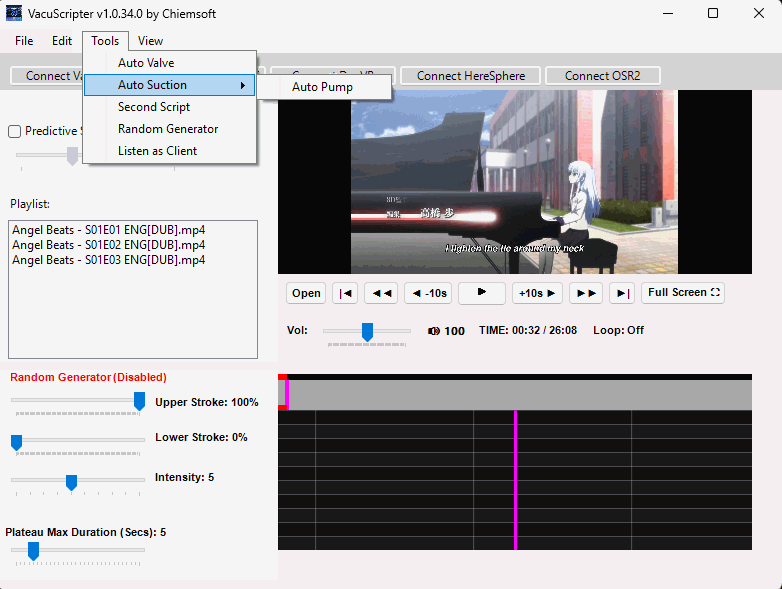
- Auto Valve (Random Suction/Pump) function is now a sub function of Auto Suction
- Fixed Graph point click accuracy
- Fixed VacuScripter sync to VacuGlide 2 (video/script should stay sync’d with VacuGlide 2 more accurately now)
- Fixed runaway VacuGlide 2 when trying to stop Video/Script (VacuGlide 2 should now stop more reliably)
- Fixed VacuGlide 2 not starting reliably with Video/Script (VacuGlide 2 should now start more reliably)
- Fix for Hereshpere issue (mentioned by ingo7901)
- Added VacuScripter specific log file (similar to the ButtPlugServer logfile)
- Added Help menu
- Added Open VacuScripter Folder, View VacuScripter Log File, and View BP Server Log File sub menu items
1.0.31.0
- Updated text in Tools Menu
1.0.30.0
- Added Compact mode that activates automatically for High DPI situations/environments
1.0.29.0
- Update to fix VacuScripter not launching properly
1.0.28.0
- Fixed VacuGlide sometimes not starting with script in DeoVR
- Fixed Playlist double click not working consistently
- Fixed odd form behavior when double-clicking selected video in playlist
- Play button will now play the selected video
- Fixed Playlist functionality (No Loop, loop current, loop playlist now work more consistently)
- Auto Suction is now only for creating suction at the start of playing a video/script
- Auto Pump feature added as a sub-feature of Auto Suction which then enables a pump mode
- VacuScripter no longer requires Intiface Central, completely standalone (you can pair buttplug/Intiface devices to VacuScripter)
- VacuScripter now connects to JOI Lustbound, theedgy.app, and faptap.net to control VacuGlide 2
- You can now double left-click the volume level icon to mute and unmute
- You can now double left-click the Loop: label to cycle through playlist loop functions in addition to the right-click menu on the playlist
- Adjustment to Random Generator function
(Plateau Max Duration is how long to hold the current speed and stroke length pattern in seconds before randomly changing the speed and stroke pattern
Intensity controls how intense the speed and stroke length patterns will be [stroke length affects linear devices, for VacuGlide 2 it will only use the speed value]
Upper stroke is the max stroke upper limit - at 100% it will be like a position point in a script at the very top
Lower stroke is the minimum stroke bottom limit - at 0 it will be like a position point at the very bottom of the graph
If you set lower stroke to 25% and Upper stroke to 75% then the linear device will only stroke up to 75% and down to 25%)
1.0.27.0
- Added other Intiface sites/apps. Should work with most Intiface apps/sites now that connect to the handy. I have not tested this with the Kiiroo Keon. I will add functionality for the Keon in the next update.(Tested with theedgy.app, machimo.app, and faptap.net)
- Auto Suction / Auto Valve adjustment
- Fixed hidden cursor bug
- Fixed play button not working after adding a video to playlist and selecting it
- Update to Random Generator function
1.0.26.0
- Added logic to only try to start Auto Suck timer if it isn’t already running.
- Adjustment to AutoValve logic
- Linear Devices now included in ‘Connect to Intiface’ VacuScripter mode.
- VacuGlide 2 connects to Intiface Central websites/games via VacuScripter (WITHOUT the need for the handy to be connected/paired to Intiface Central).
1.0.25.0
- Adjustment to text for high DPI scaling
- Adjustment to Intiface Central device not connected error message wording.
- Adjustment to Auto Suction duration
1.0.24.0
- Adjustment to AutoValve positive pressure duration
- Fixed null exception when clearing the playlist while video is playing and script is active
- Fixed video zoom issue on player launch
- Fixed ‘Open Video’ and Playlist interaction
- Added Previous/Next buttons to cycle through playlist items
- Added Auto Suction option in Tools Menu (any time a video starts or resumes causes VacuGlide 2 to create suction for 5 seconds [this still needs adjustment I believe])
1.0.23.0
- Update to keep awake function to ensure all instances of play/pause will work with the new functionality
- Added Dual script functionality (Intiface device only)
- Code fixes for HereSphere connectivity
- Auto Valve (Auto Suction code, still WIP) After testing, positive pressure ceiling needs adjusted, will be adjusted in v1.0.24.0
- Fixed null exception for HereSphere status label
- Adjustment to Random Stroke generator function
1.0.22.0
- Fix for full screen controls
- Added function to keep computer awake while using VacuScripter (prevents screensaver during playback)
- Fix for seek/jog issue
1.0.21.0
- Fix for video playlist/video loop issue
- Update to Volume control to remember volume level
- GUI updates
1.0.20.0
- Fix for Options not saving
- GUI updates and fixes
1.0.19.0
- Fix for VacuGlide connect button
1.0.18.0
- Yet another Update to High DPI scaling
1.0.17.0
- Update to High DPI scale fix
1.0.16.0
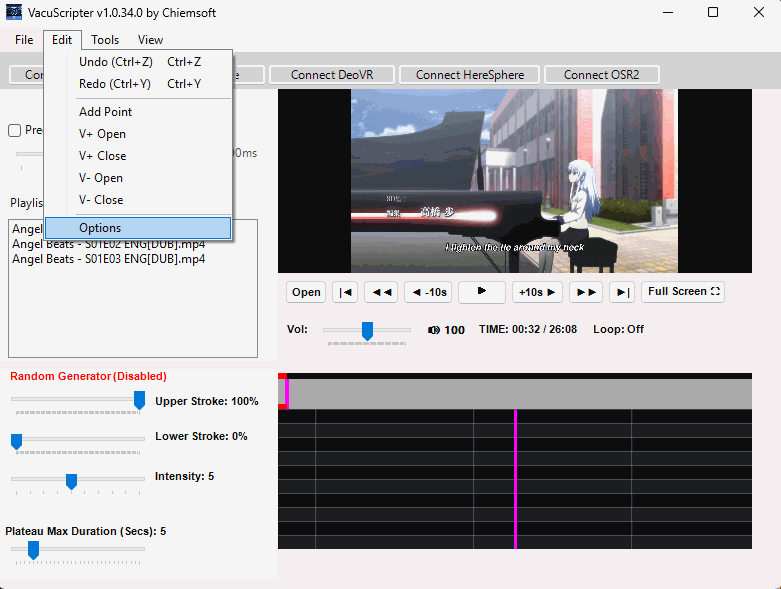
- Added Menu Strip with Options form for Device Token and IP/Port settings storage
1.0.15.0
- Fix for ‘Too Many Requests’ error 429 Response status code
- Added Predictive Sync to help reduce network lag in sync of commands
- Fix for DPI scaling
- Fixed missing Heresphere logic
1.0.14.0
- Fixed Fullscreen mode
1.0.13.0
- Update to Random Stroke Generator with VacuGlide 2
1.0.12.0
- Fixed Random Stroke Generator with VacuGlide 2
- Minor GUI changes
v1.0.11.0
- Fixed Shift+UP/Down stroke length adjustment keyboard shortcuts
- Implemented Random Stroke Generator (WIP) (Available during 14 day free trial and with paid full access $1.99)
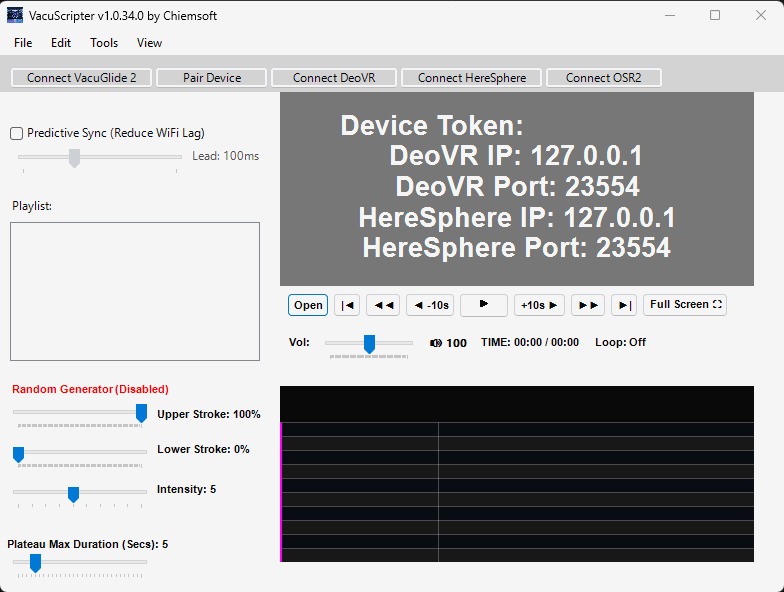
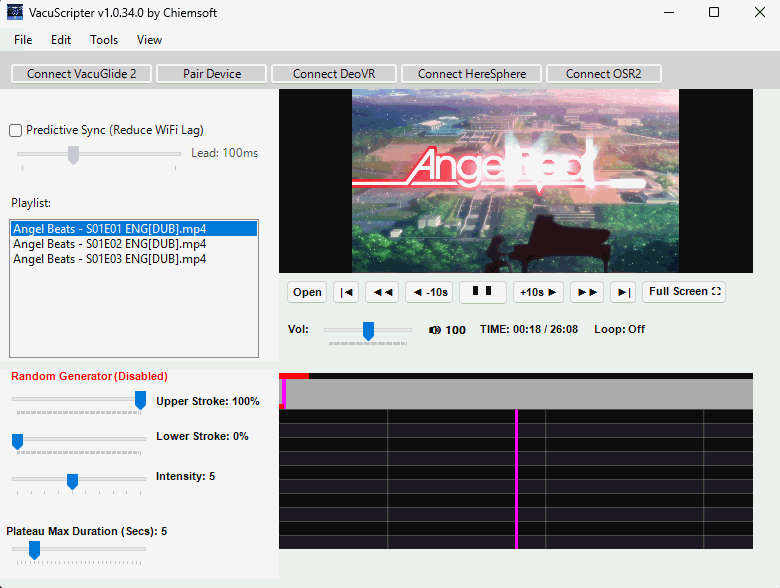
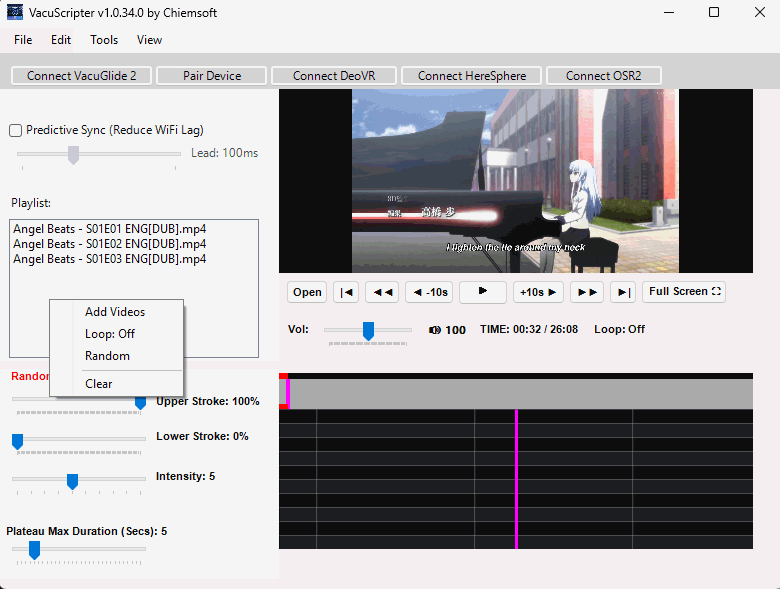
Below you see the right-click menu options for playlist. Here you can set ‘Loop’ options for the playlist.
Click 3 times: 1 - Loop: Playlist, 2 - Loop: Current, 3 - Loop: Off
NOTE: You can also Double-Click the ‘Loop’ label under the Next and Full Screen buttons to the right to cycle these options.
You can also Double-Click the little speaker icon to the right of the volume slider to quickly mute/unmute audio.
Listen Intiface IP and Port are depreciated settings now that you can pair buttplug/Intiface devices directly to VacuScripter.
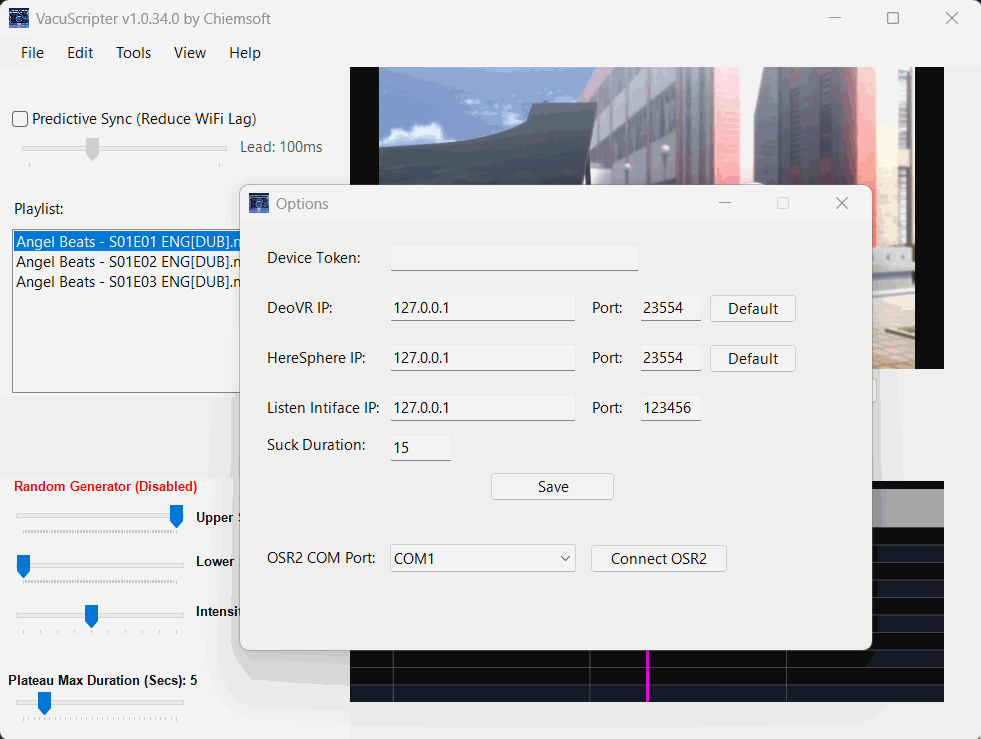
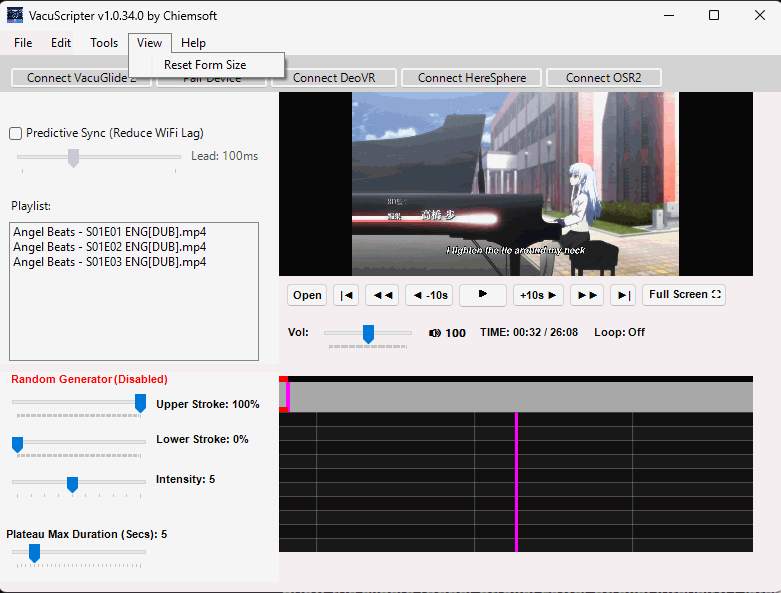

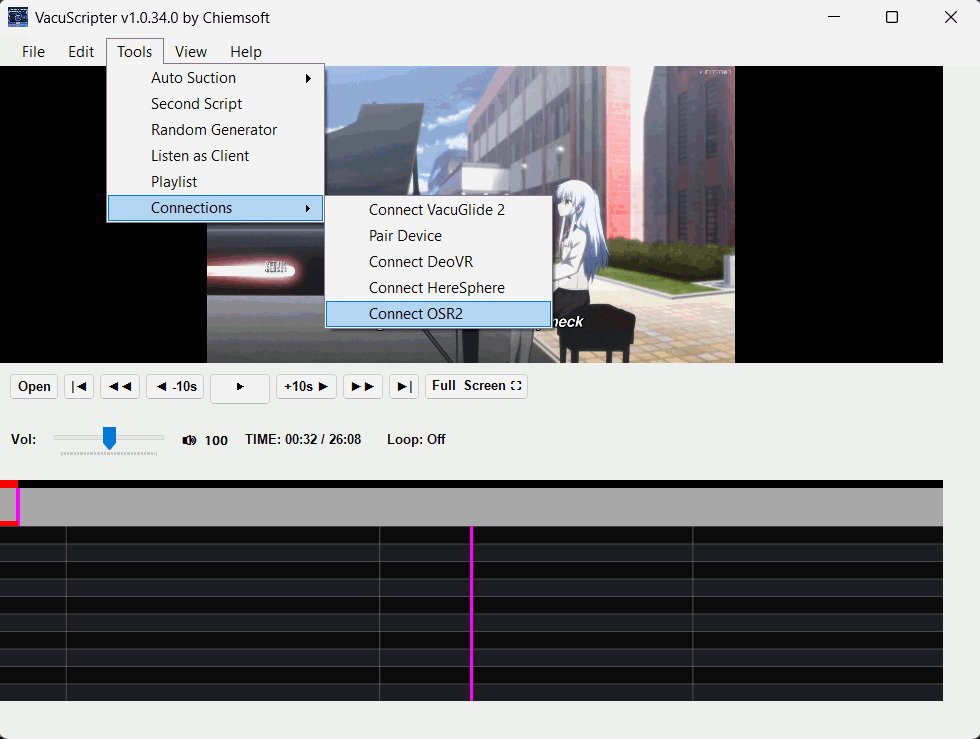
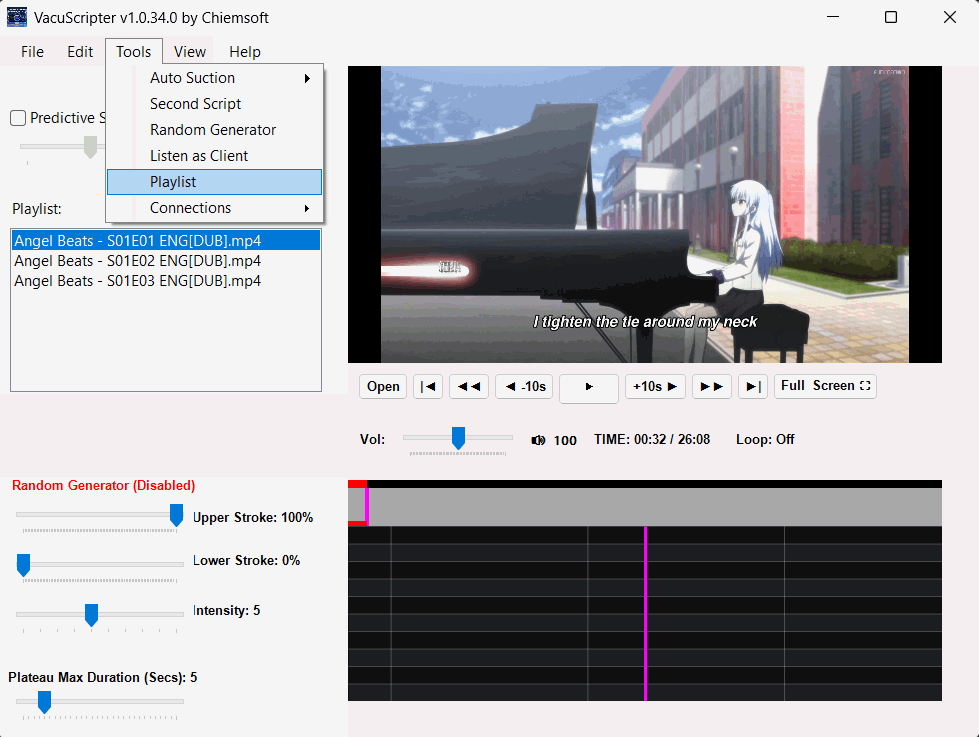
Below is what VacuScripter looks like when it detects any DPI scaling above 100%.
The playlist goes hidden and you can show/hide the playlist under the Tools menu (the option is only available when DPI is > 100% no matter the resolution).
The same thing happens to the Connection menu bar (Connect VacuGlide, Pair Device, Connect DeoVR, and Connect HereSphere).
Those options get moved under the ‘Tools’ menu and are only available under ‘Tools’ when DPI Scaling is > 100%.