I’d like to ask for some advice. I downloaded a video with multi-axis scripts from a website and imported the script into OFS for editing. However, only one axis is displayed in OFS. How can I view the scripts of the other axes?
Two possible ways.
- Renaming the files correctly before importing the video into OFS. I.e. ‘video_name.mp4’ has scripts like ‘video_name.funscript’, ‘video_name.roll.funscript’, ‘video_name.pitch.funscript’, ‘video_name.twist.funscript’, ‘video_name.surge.funscript’, etc. If you then pull the video into OFS, it will load all of them simultaneously.
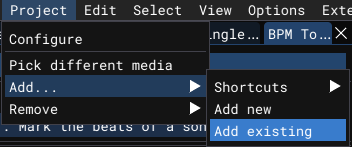
- Project → Add → Add existing
You can also Remove scripts this way, but be warned, that they are then lost, if you didn’t export it beforehand.
Thank you for your explanation. Since I have only recently started working with editing scripts, I’m a bit confused and thus have a few questions I’d like to ask. 1. Can a file with multiple-axis scripts combine all the axis’ scripts into one axis, meaning having only one script file? 2. Are there any videos for editing multi-axis scripts that I can learn from? I watched the tutorials on the website, but there was only a little content about multi-axis scripts. 3. Why doesn’t the 3D simulator associated with the software follow the actions of the video script? 4. In the case of question 1, how can I import all the axis’ scripts? Thank you for your answer.
The meaning of Question 3 is that the video is playing, but the 3D simulator is not moving.
To your questions:
- This site has implemented such a thing, where multiple axes are within one .funscript file. BUT: I’m not aware of any software yet that can edit them this way (certainly OFS can’t). Also not every player will be able to play it correctly. So your best bet is to name all your files, like I explained before. If you are talking about a stroker robot like OSR2 or SR6, the names are roll, pitch, twist, surge and sway.
- Yeah there isn’t much material on how to do 3D scripting. So it is even more of an art-form that has to be tried and learned. Usually I see people imitate the “hole” they see on the screen, but I personally think that it can be done more refined than that to better emulate the stimulation. Maybe someone can chime in here, if they know some resources. Also: I know that there are people using Bender instead of scripting every single axis. Haven’t tried it though.
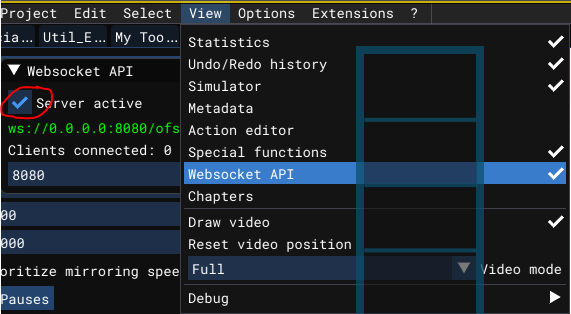
- The most probable cause is that you haven’t activated the “Websocket API” in OFS:
- → single files since there’s no editor software to interpret that format correctly.
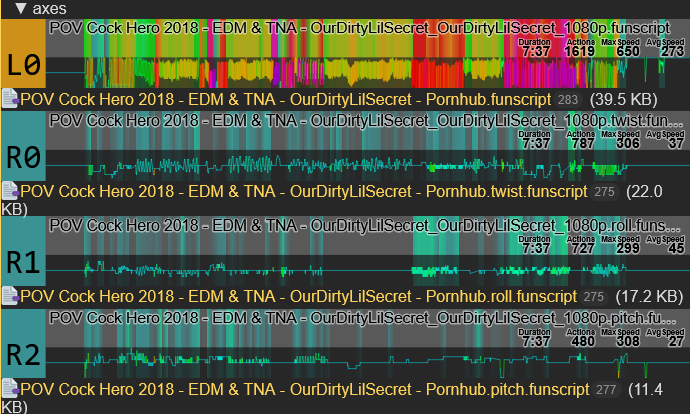
You’ve downloaded a “Single File Multi-Axis” script. OFS does not recognize it as multi-axis. You’ll need a tool that breaks it down into funscripts of individual axis, then load them together into OFS.

Thank you. I still have some questions. That is, 1. How can I separate a multi-axis single script into single-axis multiple scripts? Should I refer to Dimava, this great expert? 2. Videos with multi-axis scripts are played using multifunplayer.exe. Does the software automatically recognize multiple scripts or only one of them? Also, when playing the multi-axis script, does the mechanism run according to the multi-axis script? 3. How can I create an empty script file in OFS?
How can I separate a multi-axis single script into single-axis multiple scripts? Should I refer to Dimava, this great expert?
- The only ways I know of, is by either doing alot of copy&pasting in a text editor (like notepad++) or going to the site, you’ve downloaded it from and ask for separate files.
- Yes, MFP can play it, IF the file has a supported format.
- Instead of Project → Add → “Add existing” in the previous screenshot, choose “Add new” (so you can name the script as you wish) or “Shortcut” for predefined names.
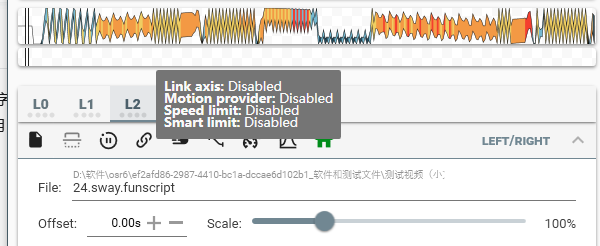
From what I can see, MFP did recognize “24.sway.funscript”. Link Axis, Motion provider, Speed limit and Smart Limit are all additional functions from MFP, not related to the script directly. (See the MFP thread)
To summarize:
- Link axis: Links the movement of this axis, to another axis
- Motion Provider: (Random) Motion Generator that can be configured to add movement, for example when there is no movement on this axis.
- Speed Limit: If the scripted speed exceeds a given limit, actions get shortened to limit the speed.
- Smart Limit: Limit the movement of this axis depending on the position of another axis. This is basically a safety function to avoid slipping out and hurting yourself.
Thank you very much. One last question: I randomly downloaded a multi-axis script, played it in OFS, but the 3D simulator wouldn’t move up and down, while the other axes worked fine, as shown in the image. To rule out operator error, I downloaded other single-axis and multi-axis video script files, and all of them worked normally. So, can I infer that the script which wouldn’t move up and down is faulty? Here is the address of that video script:https://discuss.eroscripts.com/t/nakk-iansan-multi-axis-loli/248775
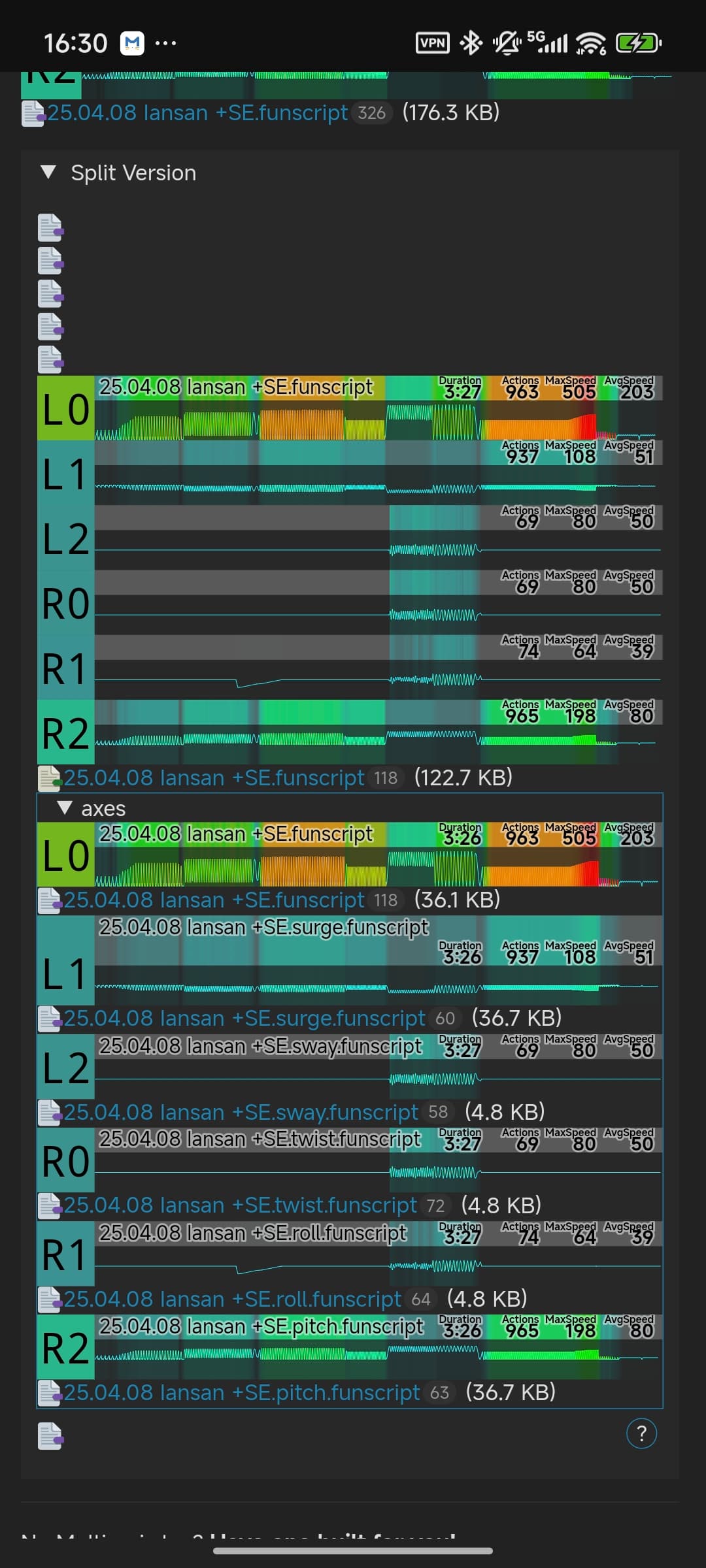
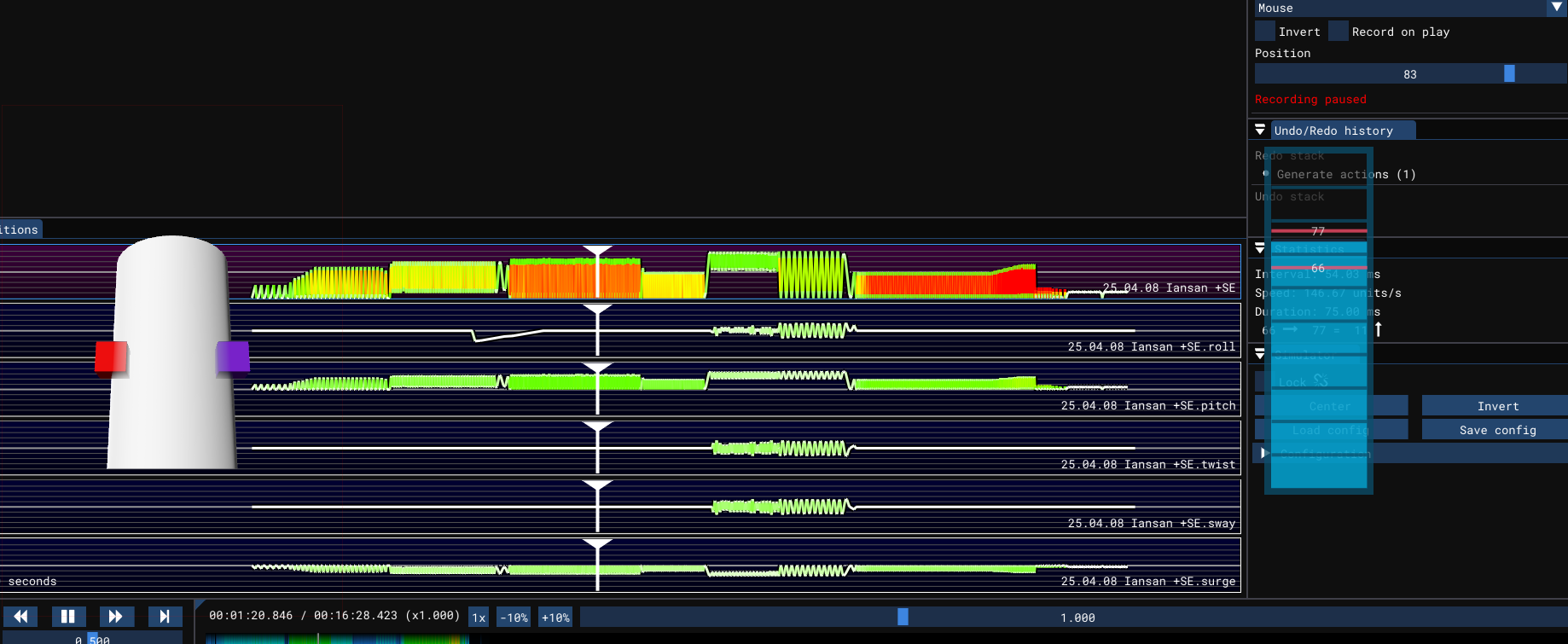
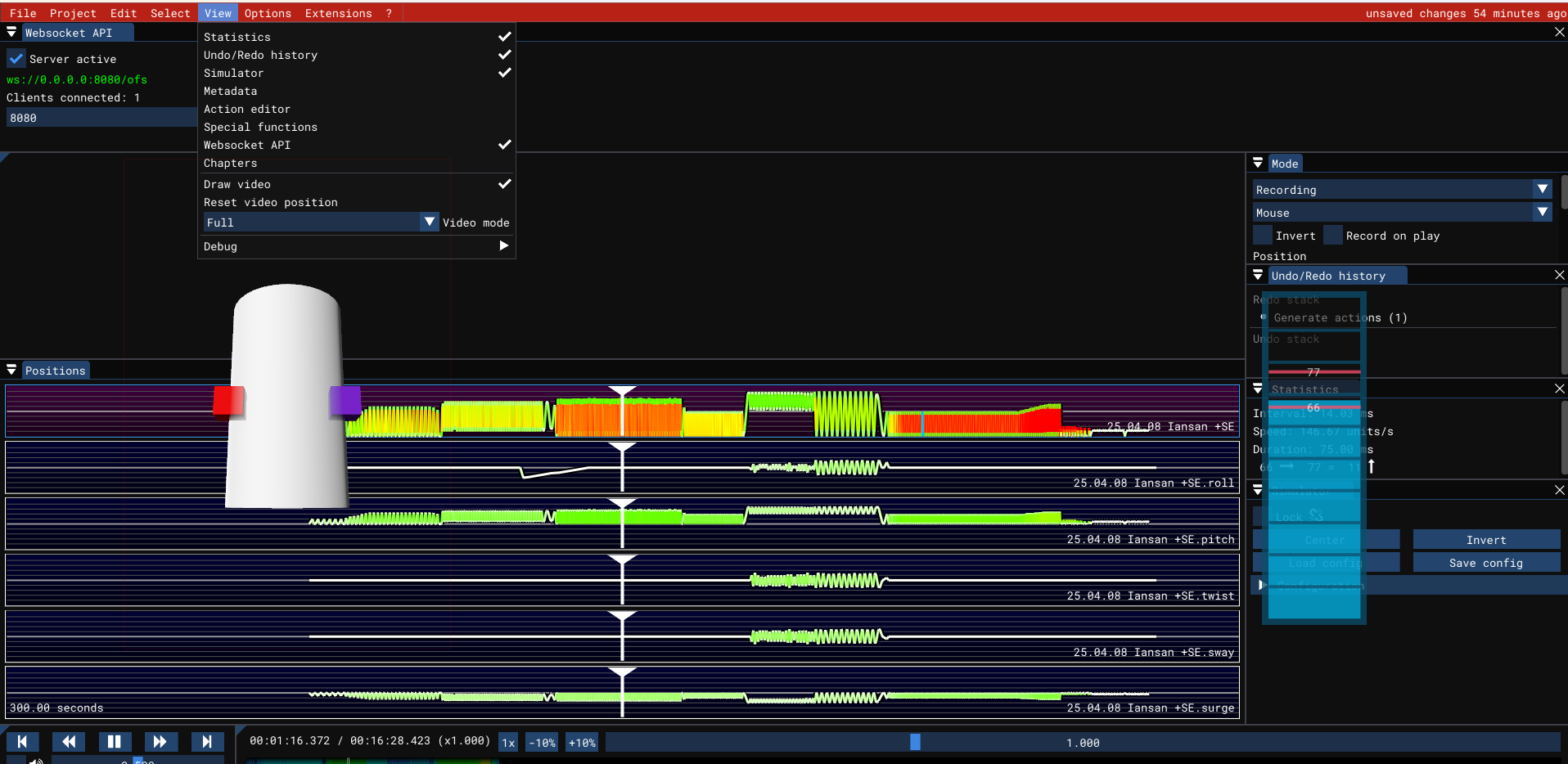
It’s an issue with the simulator.
Try changing the name of the script to remove any extra “.” in it. So remove “25.04.08”
Oh, I see. Thank you.