I come bearing free software. free as in freedom and free as in free of charge.
against my better judgement I’ve decided to revive OFS as ofs-ng.
I started this on a whim pretty much exactly one month ago. This is not a weekend project
It’s a complete rewrite of OFS using claude code. (it is what it is. just being upfront about it)
There’s no backwards compatibility to anything OFS. It’s a clean break. This means old Lua extensions are not compatible.
It’s running on the same stack. C++, OpenGL, SDL3, ImGui and mpv.
I can support windows and linux. no macos. sorry. if you want to support macos be my guest.
This tool is for funscript artisans.
It doesn’t generate anything for you out of the box.
Features (incomplete)
new multi-axis timeline stacked on the z-axis instead of vertically
C# plugin system
non-destructive editing through processing regions with a node graph editor
nodes can be created through C# plugins or C# scripts
built-in 3D simulator
built-in intra video transcoding flow (using ffmpeg)
custom themes
QOL
less bugs ???
There’s a StarterPlugin template project to create plugins. Plugins compile against a managed Ofs.Api.dll. They don’t need to be recompiled for every version of ofs-ng only if there’s breaking changes in the API.
There’s an API reference and you can look at the source code for the Ofs.Core plugin for more example code. C# API Reference
There’s a regular x86-64-v3 build for modern CPUs of the last 12 years or so and a compat build which should run anywhere.
There’s a pdb zip ignore it. It only is there to debug crash dumps or the release build.
Linux build expects ffmpeg+ffprobe and mpv to be installed on your system.
feedback needed. I don’t know if the 1.1/2.0 funscript export is implemented correctly.
Thank you to the OFS authors for all your hard work. I tried the new version, and for me, the addition of the three-view display in the 3D simulator is really helpful. Previously, I often had to copy surge and pitch over to sway and roll to check the angles, then copy them back after confirming everything was correct. With the three views, this process is much more intuitive.
However, overlaying the multi-axis timeline on the Z-axis feels confusing to me. Not only is it cumbersome to constantly switch back and forth while editing, but it also doesn’t look as clear and intuitive as having them separated. I’m not sure whether the new version simply doesn’t support separating them, or if I just couldn’t find the option. Since I don’t know much about software and haven’t studied the new version in depth, I can only share what I personally feel are the good and not-so-good parts.
author is me myself and I there’s no team working on this.
I was afraid of this criticism. I guess I can add an alternative visualization which lays the axes out stacked vertically. It’s just so space inefficient
I understand that you are the sole author. Maybe there was a misunderstanding due to AI translation. Stacking all the multi-track editing parts together is indeed quite inconvenient during production. I also asked some script authors around me, and everyone shares a similar opinion: since we frequently switch back and forth between different tracks for editing, having to switch one by one is really too troublesome. However, it does take up a lot of visual space, which is also a fact. So the script authors I know all have their own preferred layouts. Some put them on the left and right sides, while I personally like to put them at the bottom.
It would be great if, while having the new hybrid mode in the new version, we could still freely choose the layout like in the old version.
Please forgive me if the AI translation is a bit inaccurate in places
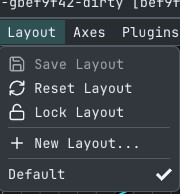
You need to create you’re own layout. The Default layout is read-only.
Lock Layout must be disabled so that the the little triangle in the top left appears.
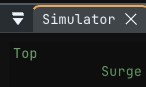
Clicking the triangle reveals the window titlebar with which you can drag and dock the window where you want.
Afterwards you save the layout.
This allows multiple layouts between which you can switch easily.
ugh can confirm something with display scaling. I always run 100% display scaling so I never noticed. When I increase it I get the same behavior. looking into it
That’s awesome, thank you! I’ll use the new version to create it. Also, I hope the plugins from the old version can still be used in the new version, as some of the features are still quite commonly used.
Tried it out a bit. Seems pretty good so far. Some minor things I have noticed that would be nice:
When exporting, it would be nice to default to the location of the file it was open from/the video. Probably should have a setting to choose between the video folder, a specified default folder, or the most recent export folder.
When exporting, I don’t like the .max.funscript name style. Would be nice to have an option to choose the default naming style.
I think it should set metadata.duration to the number of seconds in the video (as an int not float) instead of 0.
I think metadata should be moved to the front/top of the file so that it can be instantly read and edited when you open the file in notepad. As far as I know this fully compatible and non-breaking with existing software as I have seen it in files before and it is just a json anyways.
Might be nice to have an option to pop up the project/metadata page when a script is first opened like old OFS. Not a big deal once you find where the menu is, but it saves a bit of time if you like it.
I personally find it quite funny that even you, the creator of OFS, decided to rewrite OFS with AI tooling rather than continue working on (and bugfixing) the original codebase. Keeping the exact same language/dependency stack as well.
well it’s the definition of tech debt. barely any of the capabilities the original app had where planned to be there. I just kept adding features whenever ideas came up. naturally the code is a mess.
AI makes things a lot easier. the test suite alone has more code than the original OFS
I would need to do more testing but I think the linux version isn’t great. Like I said the frame by frame seek doesn’t work. I have to re-encode each video.
I do like the new UI and I want to play with it more but the frame-by-frame is a non-starter.
Also these dependencies are a mess. That really needs resolving.
I only did rudimentary testing on my cachyos installation can’t confirm or deny at this time.
I’d like to go the windows route and just bundle all dependencies in one AppImage.
Care to elaborate what about the dependencies is a mess? Like there’s a lot of ways I can interpret that.
The issue from my perspective is dotnet in terms of dependency hell.
There’s a bit of custom build logic that needs to be done to make things work properly
appimage would definitely help but that will probably cause issues with opengl/vulkan
If you’re curious this was what I had to do to make a nix flake and I did need some LLM assistance:
fixed the managed dependencies being previously loaded via a relative path. now it’s absolute
Added an AppImage it’s built on ubuntu 24.04 via CI and it works on my machine ™(which is CachyOS so who knows if it works on other distros )
removed the .max infix. if someone wants it they can name it manually in the save dialog
fixed the metadata duration setting for funscript exports
added an app setting for the export directory preference
metadata is now sorted to be in the front for funscript exports
metadata editor moved to it’s own window removed from the project settings window
the showing of the metadata editor is precisely configured wrong. It will show when opening an existing project instead of when creating a new project… so I will change that in a future release
@VladTheImplier I can not wrap my head around that frame stepping issue. and I remain kinda ignorant when it comes to NixOS
 want to support macos be my guest.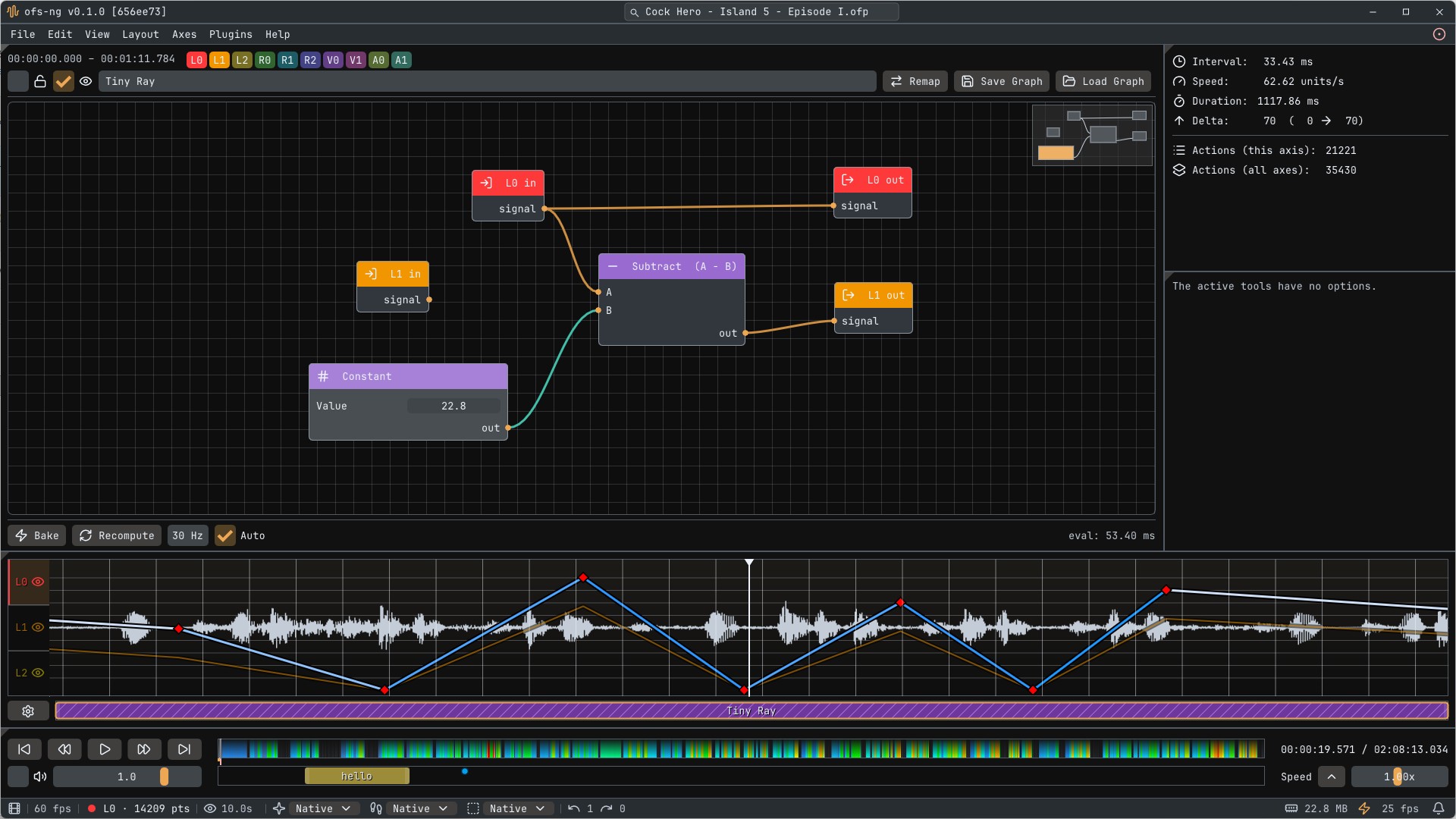





 )
)