Play videos in time with your Handy (or bluetooth / Intiface device), and make the scripts that drive them. Point it at a video, pick or generate a script, and the device follows what’s on screen. No Handy? It’s still a pretty solid video browser and playlist player.
Finding stuff to watch
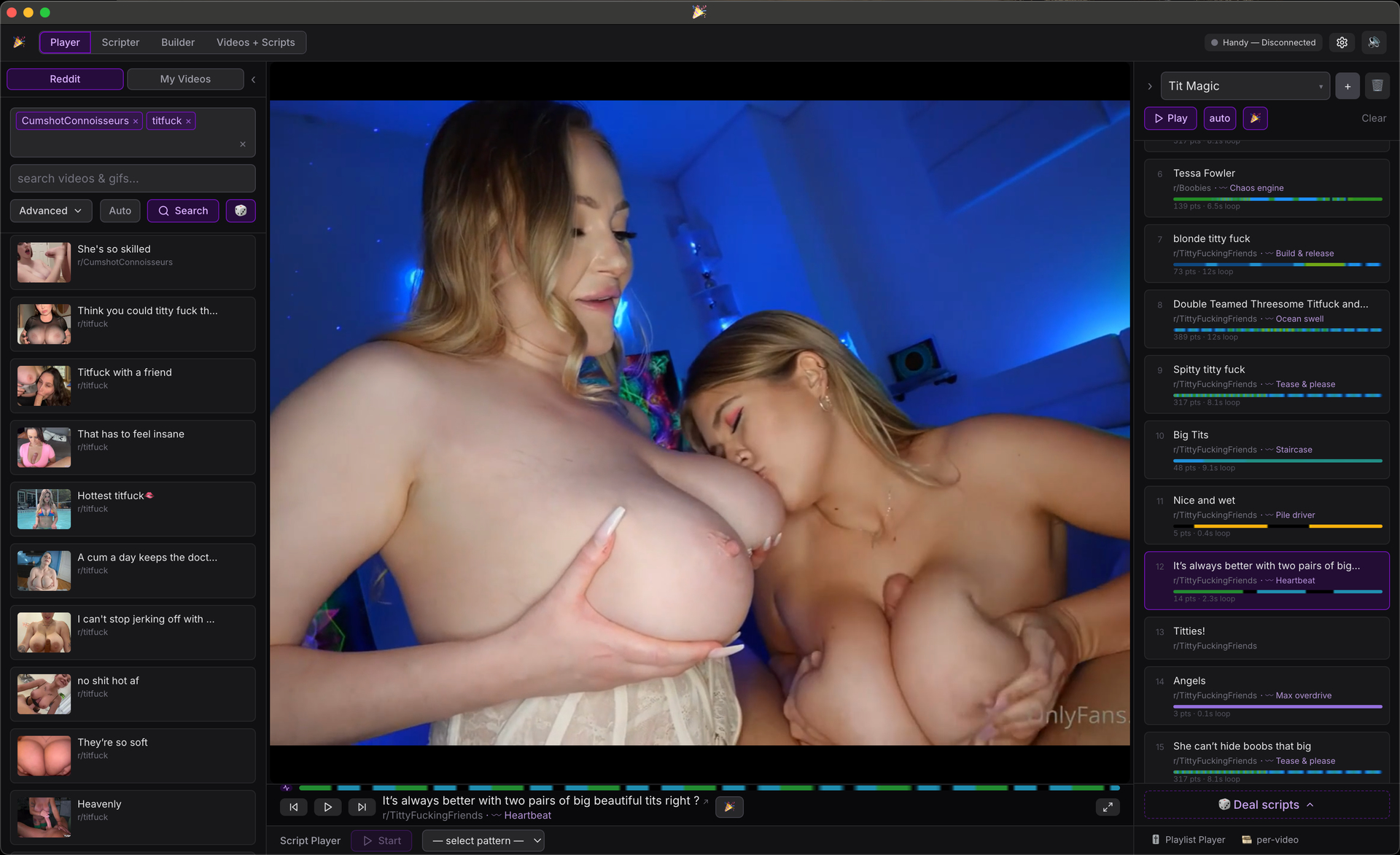
Search Reddit — one subreddit or a whole pile at once. It remembers your favorites, autocompletes as you type, and there’s a button that grabs a random few of your favorites and searches those. Reddit videos, RedGIFs, and Imgur all work.
Or just drop in your own videos and play those.
Watching
Theater mode for full screen, arrow keys to jump around, and search results keep flowing — they auto-advance and pull in more as you hit the end.
Scrub the timeline with a little frame preview, and there’s a heatmap under the playhead so you can see where the fast parts are. It’s tuned to your device’s top speed, and it loops a short script across a long video instead of stretching it.
Playlists
Build a list, drag stuff around, let it run:
Auto-advance through it, or just loop whatever’s playing.
Give each video its own script — or flip on master mode and let one script run the whole list.
Party mode loops a “special” video you pick.
Feeling lazy? Deal scripts tosses random patterns onto everything, or lays down a speed ramp that builds as the list goes.
It never just dead-stops at the end — it loops back around (or drops into party mode).
Hooking up the Handy
Bluetooth (through Intiface) or the Handy cloud over Wi-Fi.
It stays in sync with the video, and script length doesn’t matter — big ones play fine.
Set your device’s max speed, stroke range, and smoothing. It eases off on its own if things get too warm.
Randomizer
Don’t feel like picking a script? Set a speed and stroke range and let it improvise — random strokes inside your window, easing in at the start, with an optional all-out finish, re-rolling as it goes.
Making your own
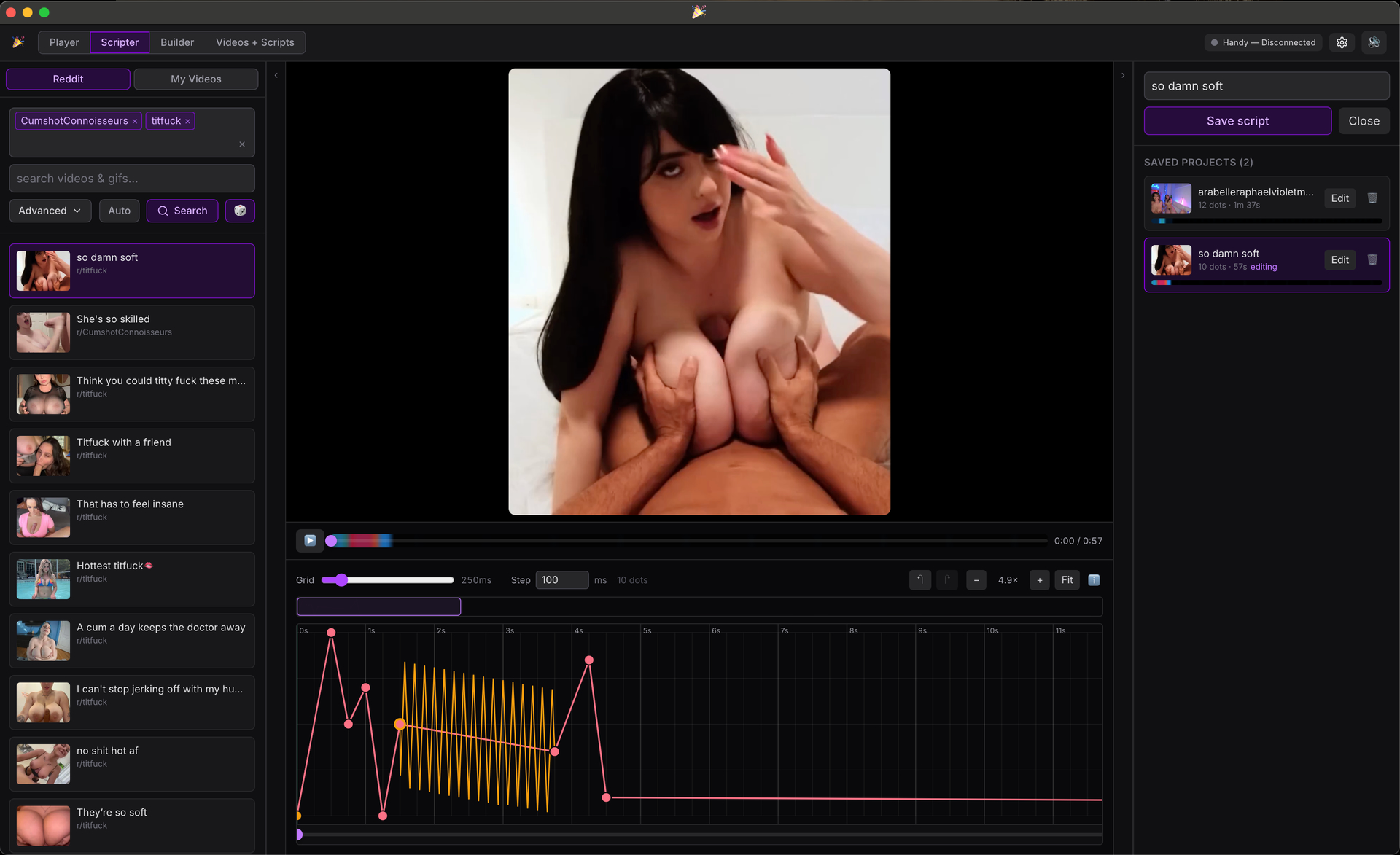
Scripter — draw a script right on the video, point by point, and feel it on the device live while you work.
Pattern makers — build looping patterns with graph, grid, draw, and wave tools. A bunch of ready-made ones come built in.
Library — keep your own videos and pin scripts to them so they load automatically.
Little things
Optional local cache so replays are instant.
Everything you set up sticks around — playlists, scripts, favorites, settings.
Note
This uses Handy’s new v3 API which requires a free handy account. If you don’t want to do that, just connect over bluetooth using Intiface, but trust me the v3 features make the quick free sign up worth it.
Quickly build playlists and add funscript patterns
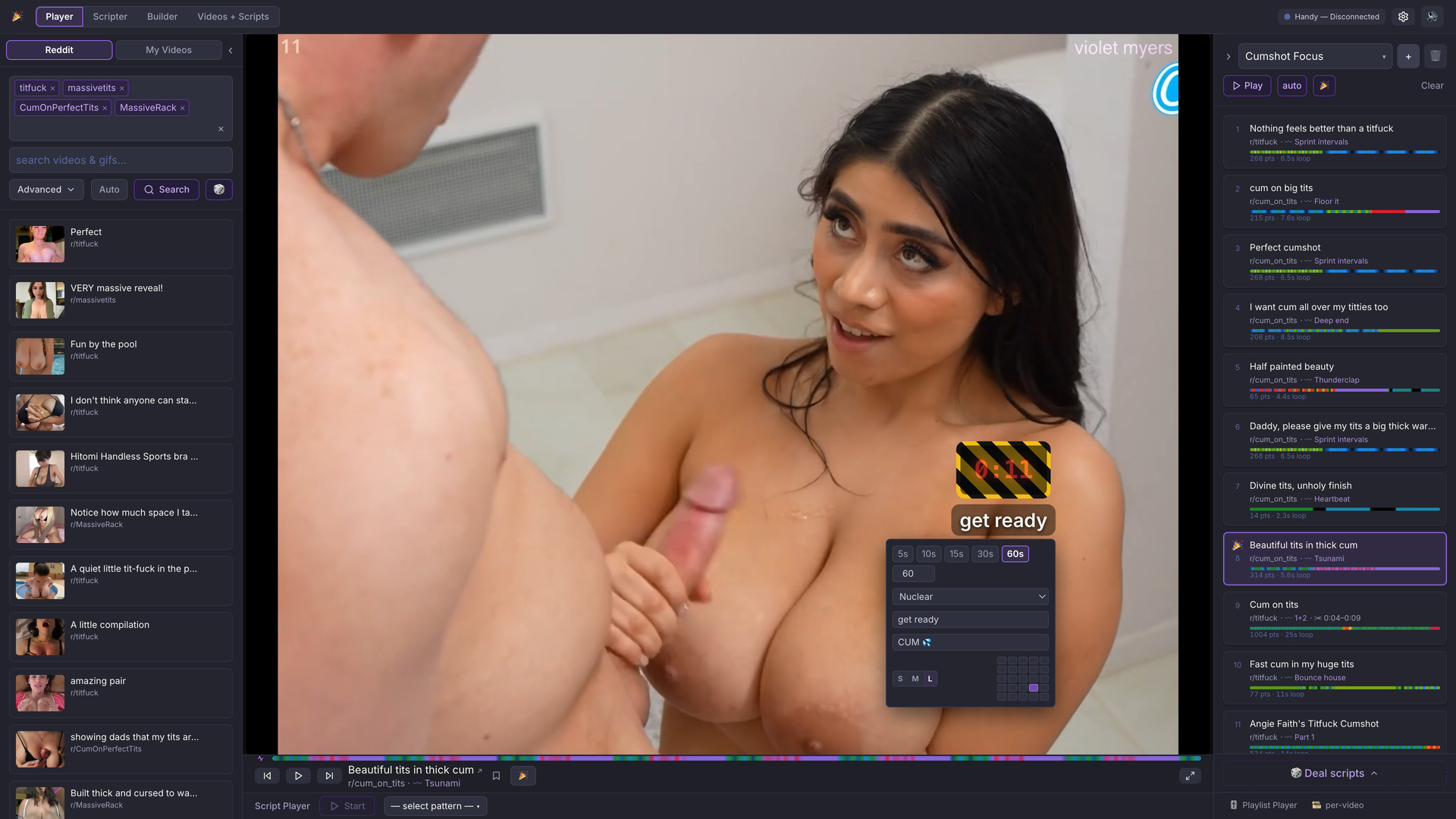
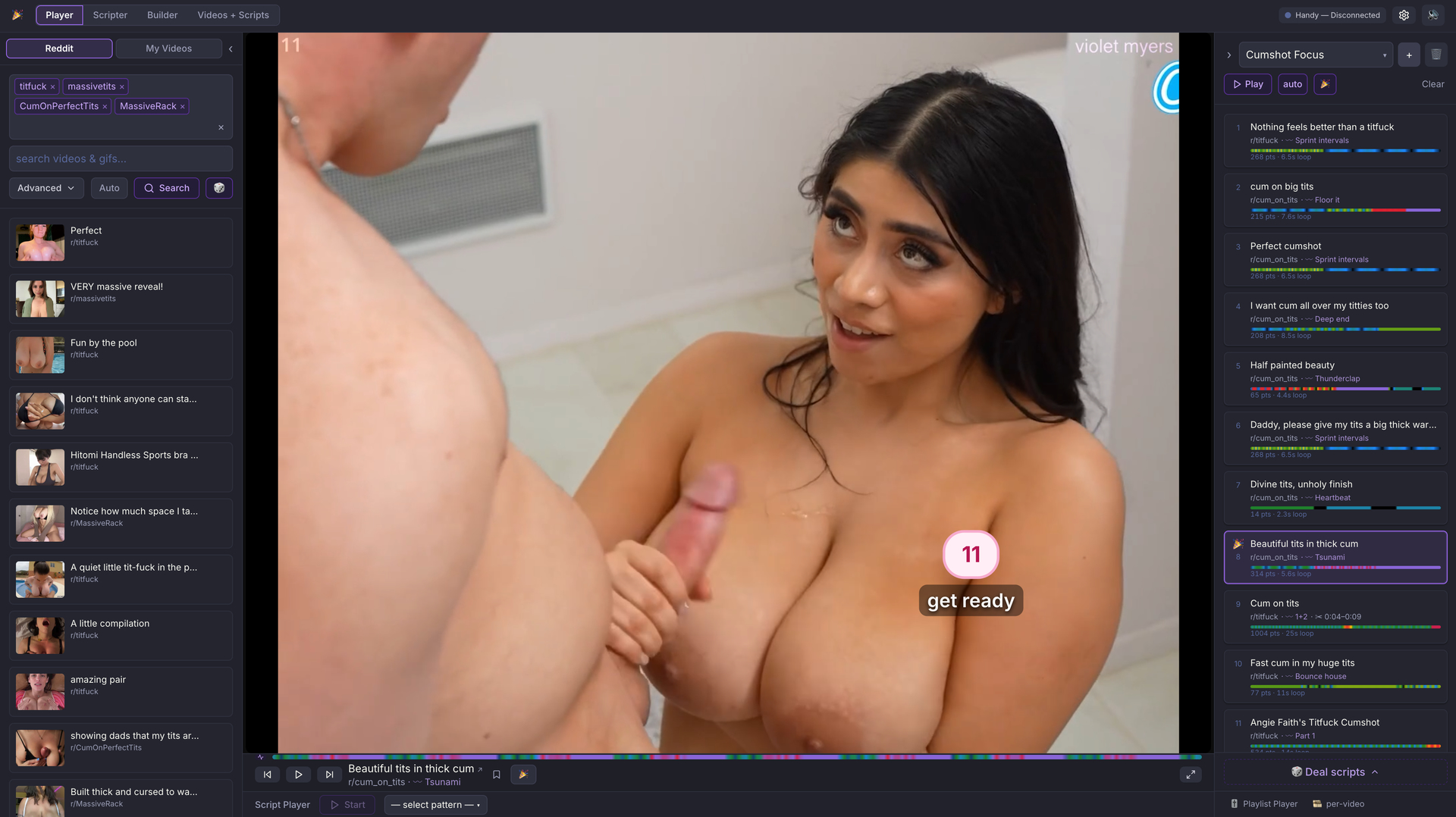
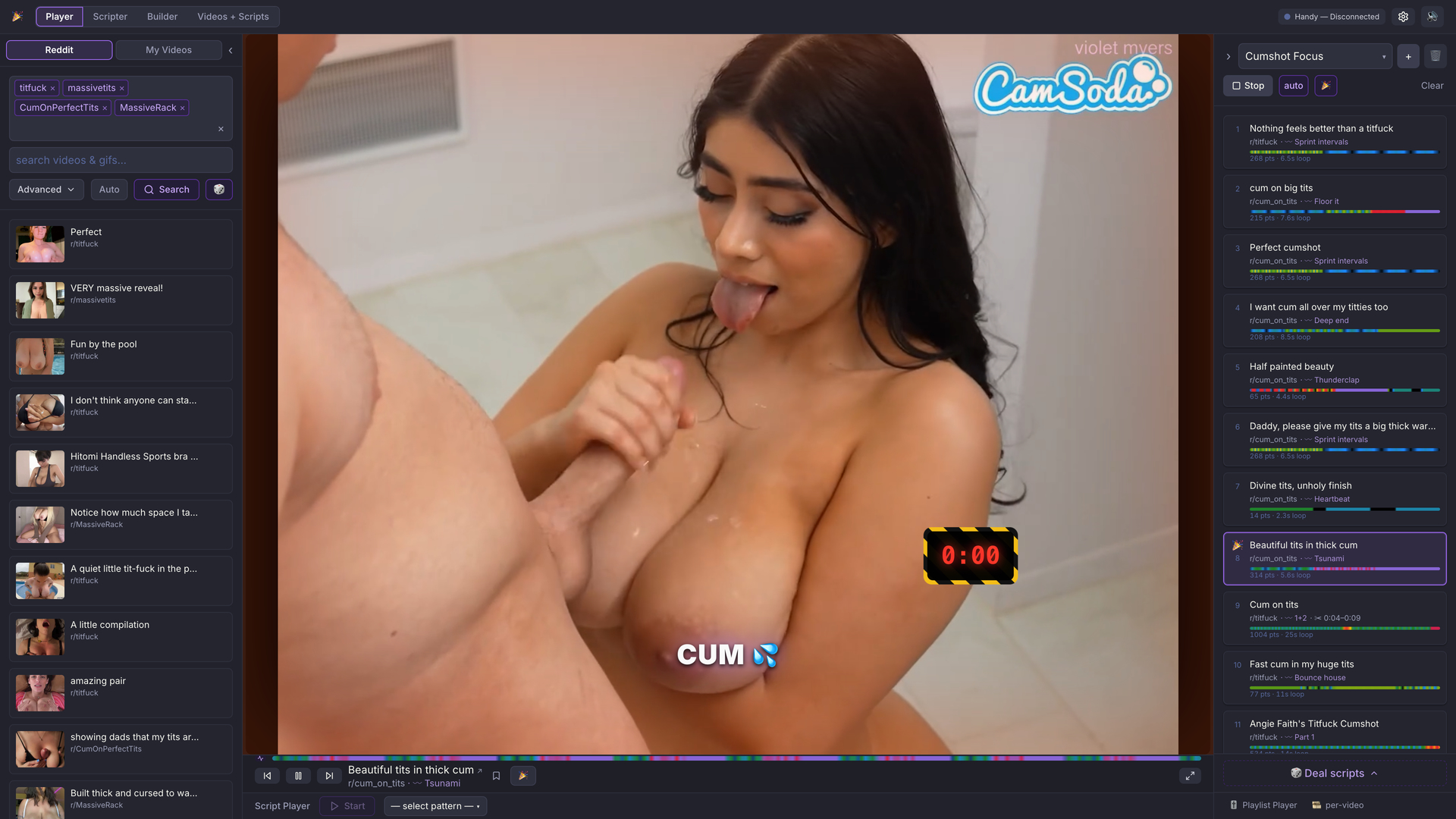
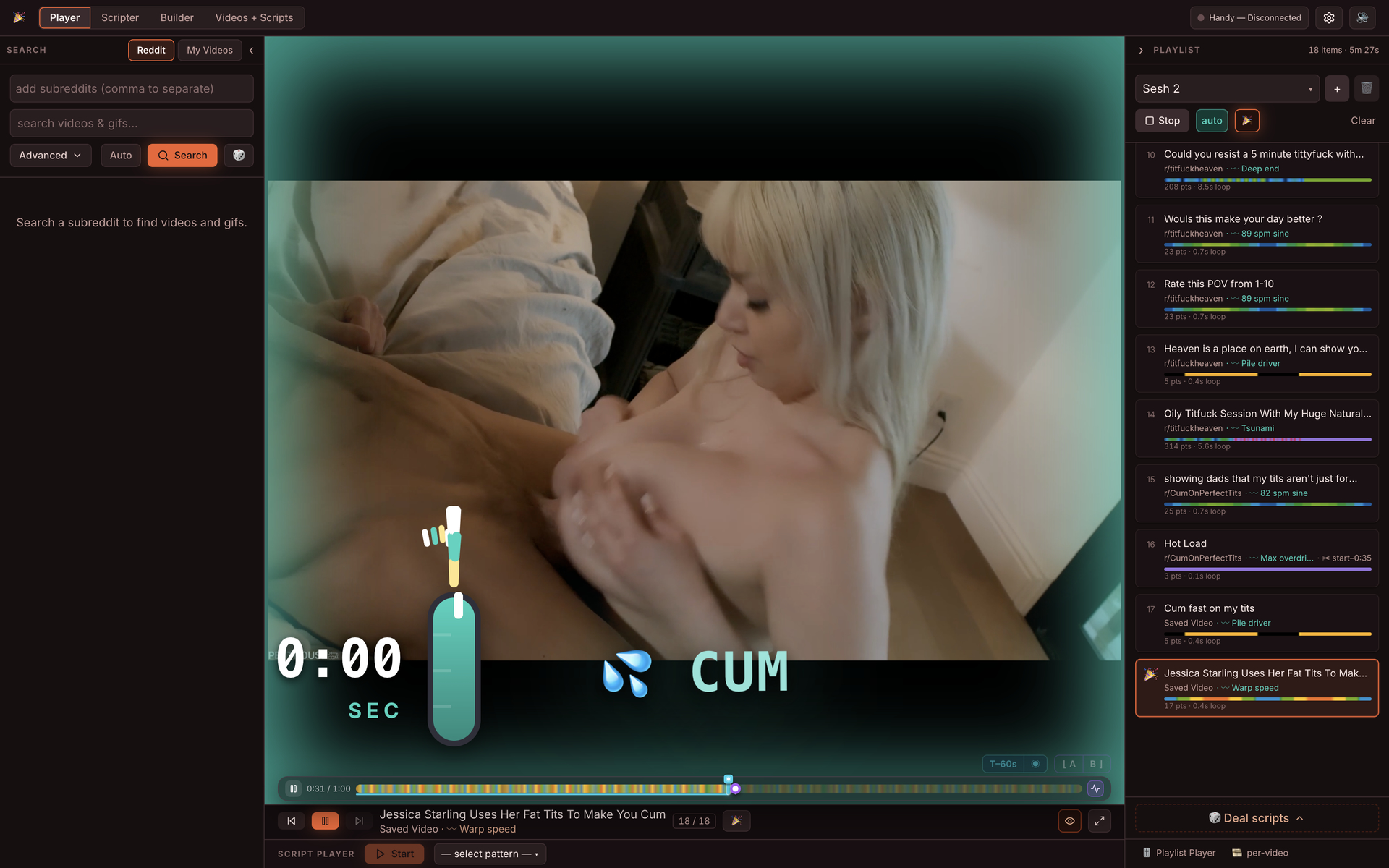
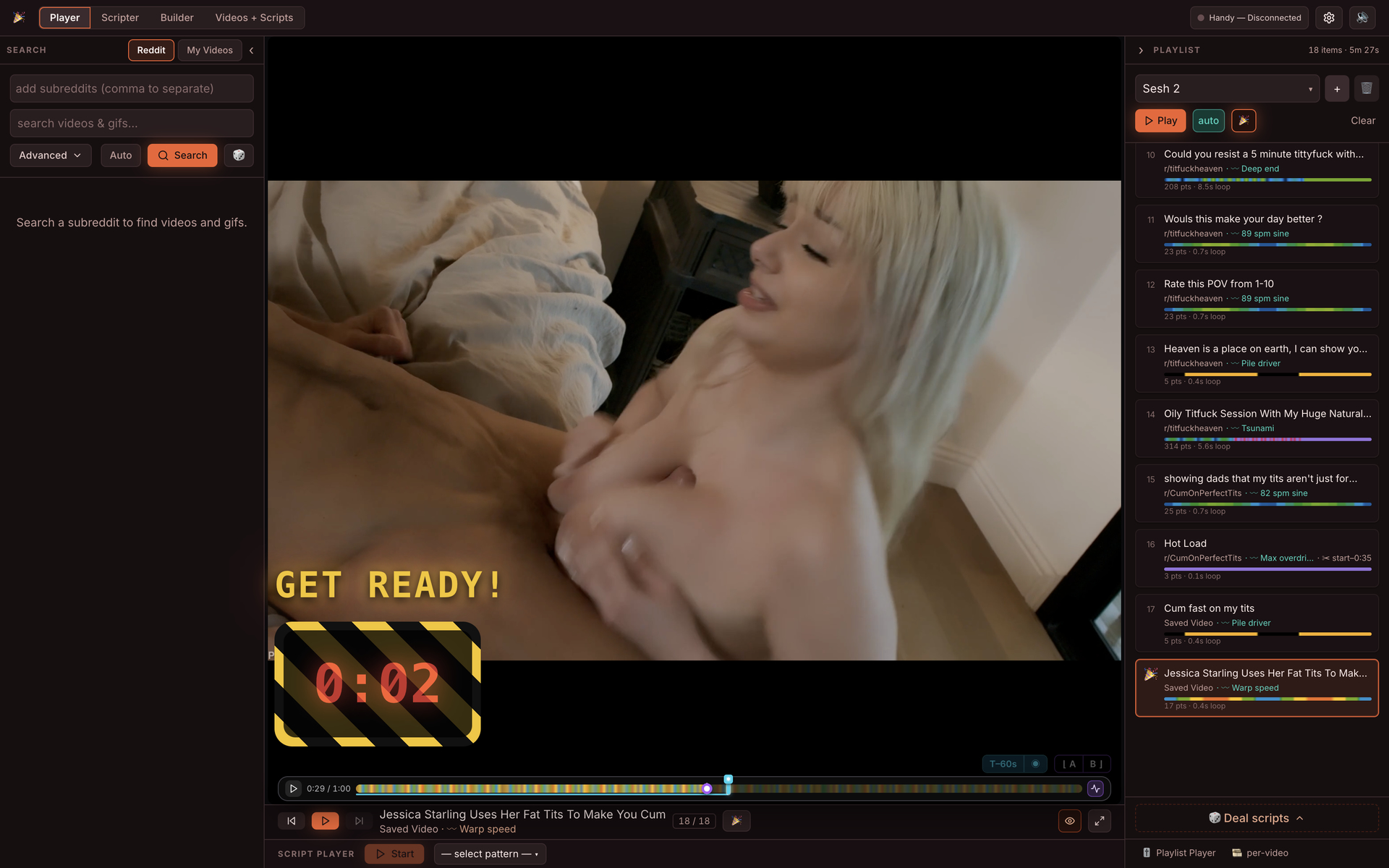
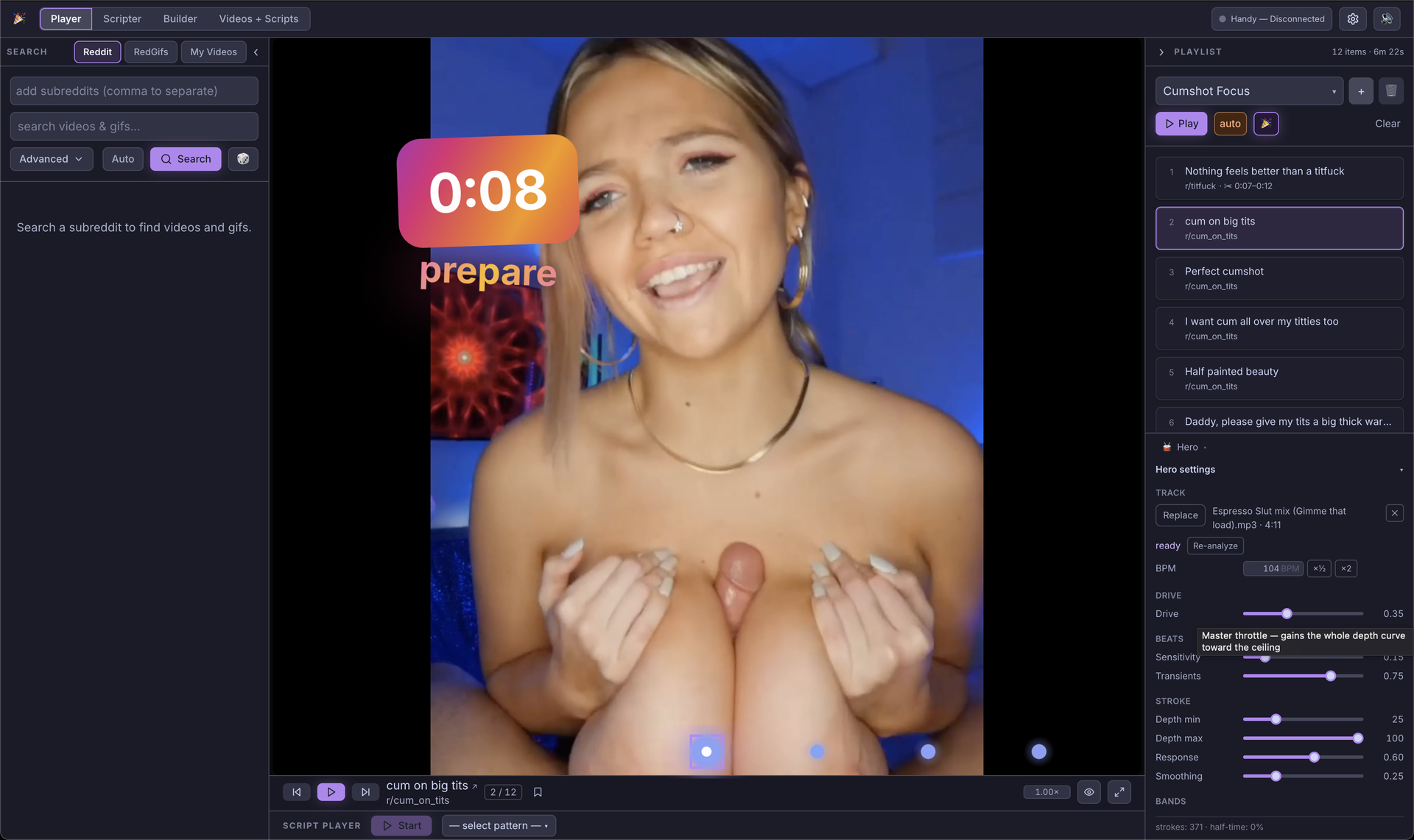
Today I added countdown timers with configurable positioning, theming, and text to Playlist videos. Make it an Edge timer or a real countdown. It works by turning it on in the video player and setting a Zero marker.
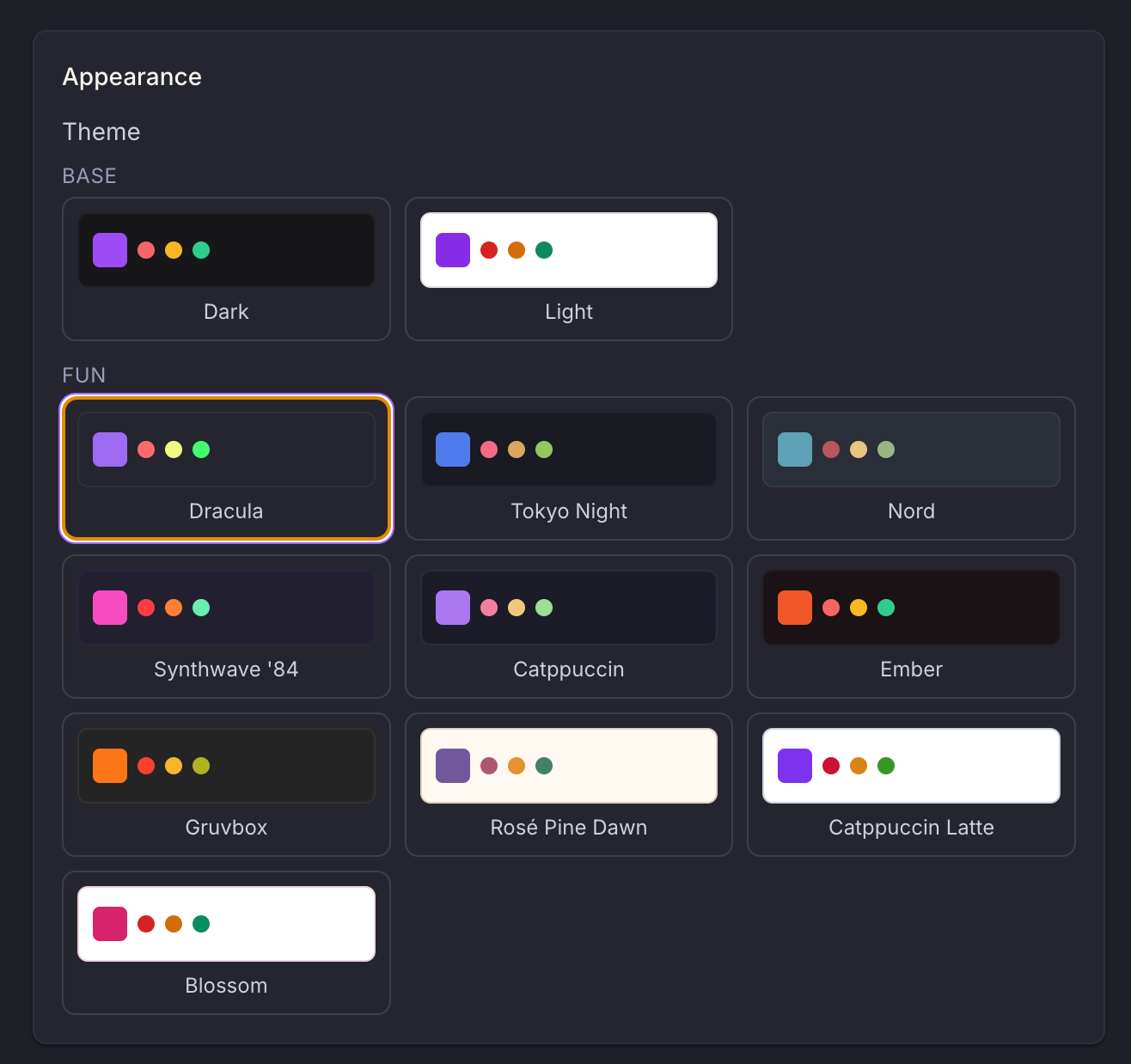
Absolutely massive UI and UX improvement just landed! I can’t even begin to describe all the changes but most importantly - the Playhead is way more advanced and easier to access all the countdown timer/loop marker features, and themes are now incredible.
Worked for a few days on these UI and UX improvements, and also found a few areas to gain some performance and reduce load times.
Countdown timers are way more configurable and fun.
I made a great playlist of reddit videos in under a few minutes that included edge timers, breathe holds, and a final countdown. You can too! Check it out!
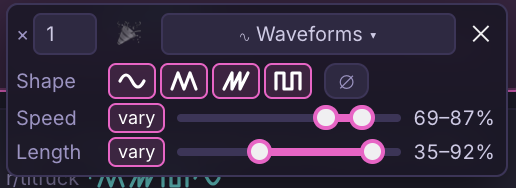
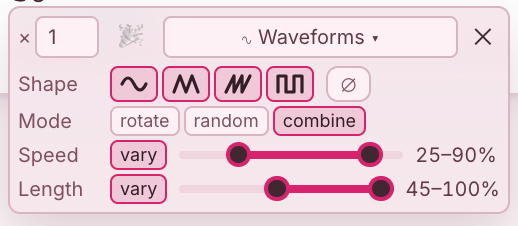
select up to 4 waveforms: sine, triangle, saw, square
when more than one waveform is selected, the generator will randomly pick one which to play for a random amount of strokes (2 - 8 strokes)
select a constant speed or a “vary” speed range (random speed between a min and max for 2-8 strokes)
select stroke range (start at min, end at max) or a “vary” stroke length (min/max stroke length as a percentage for 2-8 strokes)
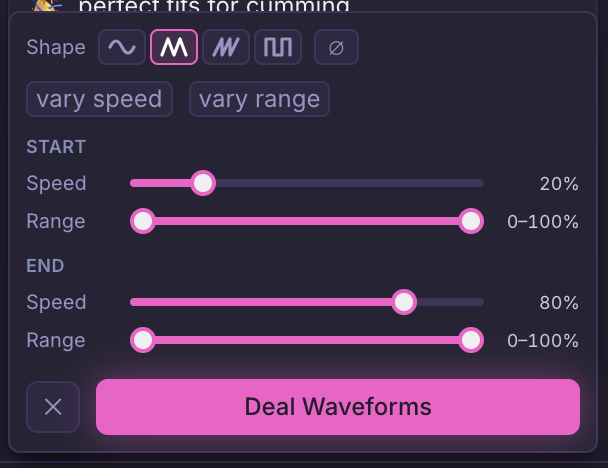
I also added a way to “deal” the waveform patterns to an entire playlist with one click, that gradually ramps up from “start” setting to “end” setting. So each video has a gradually more intense script attached to it. It is fantastic for creating a quick playlist that warms you up and FINISH STRONG.
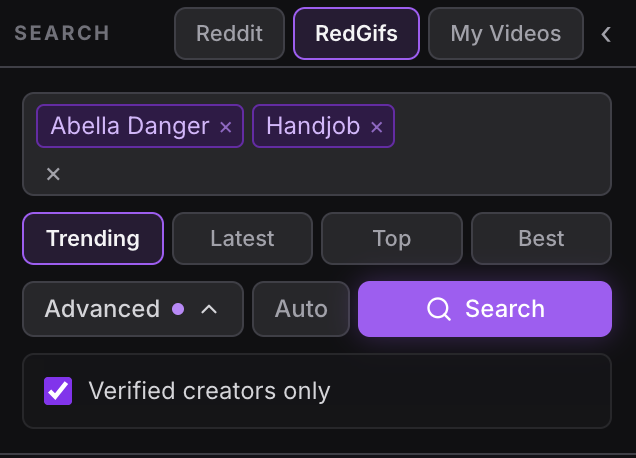
With a bit of trial and error, I added a “Redgifs” search tab.
So you can now search Redgif directly (most subreddit videos are from redgifs).
The videos from redgif rarely if ever seem to have a title though so they all fallback to displaying the username who posted it. Kinda sucks but you can hit the bookmark/save icon and rename them in the Video + Scripts tab (what I do for good ones).
rotate: play the shapes one after another in selection order
random: pick a random shape each run
combine: stitch all shapes into one composite wave
combine is fun, it takes the first half of the first wave cycle and stitches the next waveform’s 2nd half of cycle to it, and so on. You get each half cycle (up/down) of each waveform per pattern run. Add ‘vary’ speed and it gets wild, each half cycle is a different speed.
I love a good CH but sometimes the favorites get old. So I added “Hero” mode to playlists to instantly generate a CH based on a given audio track.
In Playlists, “Hero” mode lets you upload an audio track that will play with your playlist. The audio is analyzed to try to create a Cock Hero funscript for you, with beat bar UI.
I put some controls for tuning the audio levels and script output, but it is still experimental (lol the entire app is experimental really, it’s just me working on it and I can only test so much before my lube budget is reached)
You can still attach countdowns to videos in the playlist in Hero mode, so you can quickly create edge sections and finisher countdowns. Try it out!

 button that grabs a random few of your favorites and searches those. Reddit videos, RedGIFs, and Imgur all work.