ScriptPlayer+ v0.2.3 — Feedback Patch
v0.2.3 is now available.
This update is less about adding major new features like v0.2.2, and more about fixing the annoying issues people kept reporting through the community and feedback page.
A lot of this patch focuses on things like:
-
playlist refresh issues
-
autoplay failing
-
idle section auto-skip not working
-
FIT mode cropping videos
-
subtitle detection problems
-
general usability annoyances
So compared to the previous release, this one is much more of a “stability / usability cleanup” patch.
 Playlist Refresh Fixes
Fixed cases where the file list would not refresh correctly.
Previously:
-
deleted files could remain in the list
-
newly added files sometimes wouldn’t appear properly
-
refresh behavior could become inconsistent
The refresh logic has been cleaned up to behave more reliably.
 File additions/removals should now update much more consistently.
 Autoplay Fixes
Fixed several cases where videos would fail to autoplay after loading.
This mostly happened when:
-
no script was attached
-
device connection states changed
-
playback initialization timing got desynced
Playback flow handling has been adjusted to reduce these issues.
Videos should now continue playing more reliably after opening.
 Idle Section Auto-Skip Fixes
Fixed auto-skip not triggering correctly during sections with no movements.
Also improved handling for long empty sections near the end of scripts.
Less time staring at nothing during inactive sections.
 FIT Mode Improvements
Fixed an issue where FIT mode could crop the top portion of videos in windowed mode.
This was caused by incorrect calculations involving timeline/UI height.
Additional improvements:
-
remember previous FIT state
-
keep FIT settings when opening new videos
-
optional aspect-ratio based auto FIT
FIT behavior should feel noticeably better in this version.
 Timeline Visibility Fixes
Fixed cases where the default timeline visibility setting was ignored.
Previously, videos with scripts could force the timeline open regardless of user settings.
Timeline behavior should now respect configuration properly.
 Expanded Subtitle Detection
Subtitle matching is no longer limited mostly to .srt.
The following formats are now included in automatic matching:
-
.ass -
.ssa -
.smi -
.sami -
.txt
This improves subtitle file detection/matching only.
It does not mean full ASS effect rendering or complete SMI tag support at player level.
Non-SRT subtitles should now be detected much more reliably.
 Script Matching Improvements
Improved script matching for setups where script variants are stored inside media-named folders.
The script discovery range has been expanded to make matching more flexible.
Organized folder structures should work better now.
 Better Handy Upload Error Guidance
Improved guidance for:
Upload error: TypeError: Failed to fetch
In many cases this is caused by:
-
network issues
-
VPNs
-
firewalls
-
DNS problems
-
Handy server connectivity
rather than the app itself.
The error messaging now provides better explanations to help users troubleshoot more easily.
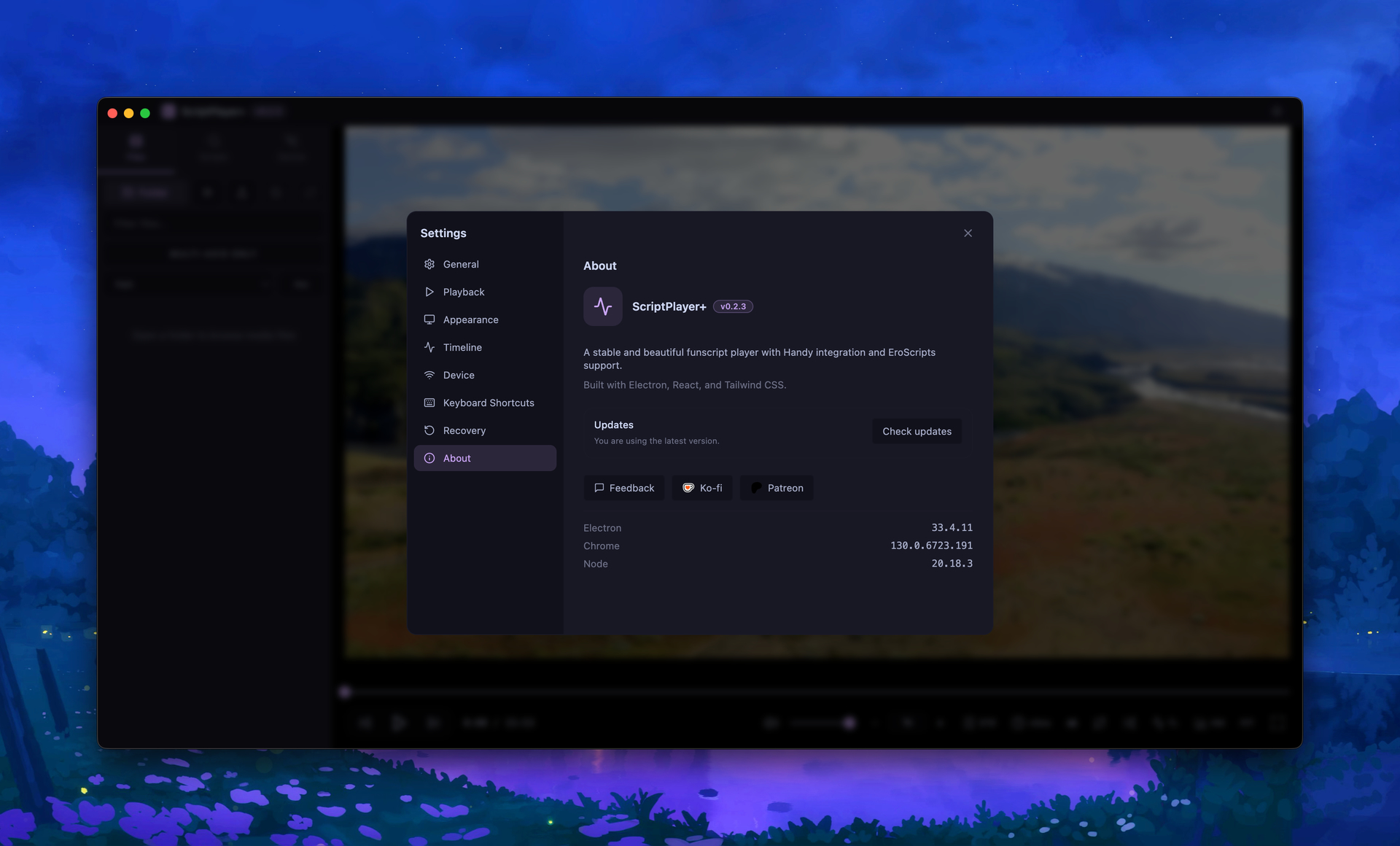
 Update Checker Added
Added built-in update checking inside the app.
-
checks GitHub Releases
-
manual check available in settings
You can now check for updates directly from the app.
 Default Window Size Adjustments
Adjusted the default window size to reduce UI clipping issues.
Previously some controls could become partially hidden, especially:
-
fullscreen button near FIT
-
status message area
First launch UI layout should feel less cramped now.
Other Changes
-
minor text/UI fixes
-
improved refresh timing
-
cleanup for various usability reports since v0.2.2
This release is mostly focused on polishing existing functionality rather than introducing major new systems.
A lot of the work here was simply making already-implemented features behave properly in real-world usage.
 Links
Links
GitHub
https://github.com/sioaeko/scriptplayer-plus
Release
https://github.com/sioaeko/scriptplayer-plus/releases/tag/v0.2.3
Feedback
https://sioaeko.github.io/scriptplayer-plus-feedback/index.html
