I have a few suggestions and hope for improvement:
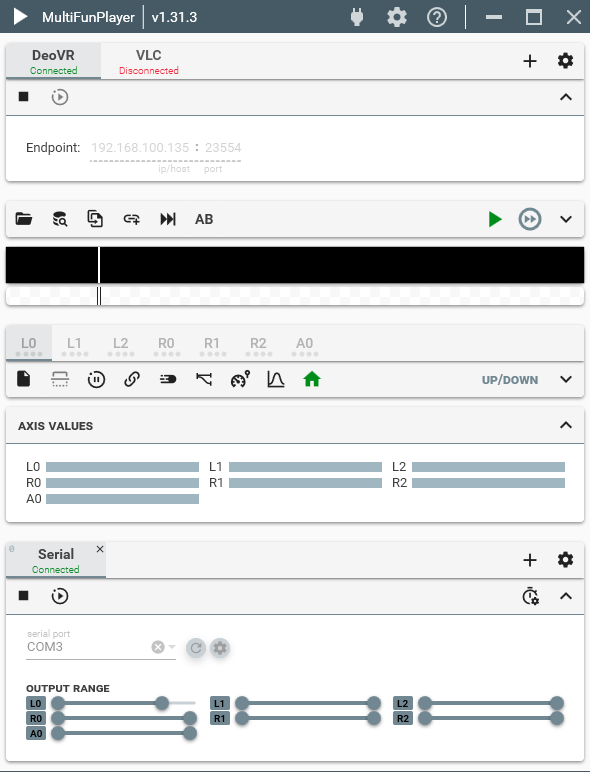
Firstly, can the window size be fixed for playing videos of different sizes? After each broadcast, when switching to the next video of a different size, even if the window is already maximized, it will become windowed, and sometimes the top will even extend beyond the screen;
Secondly, it is hoped that the display menu can be selected, for example, the menu can be listed on the left or right side of the player window, so that the next video sequence can be seen, or the sequence can be changed;
Finally, can you freely choose whether to display the video progress bar and heatmap at the bottom, so that when encountering a long blank period, you can jump on your own.
The video seems to be detected, you might be missing a script library since you are playing on a quest.
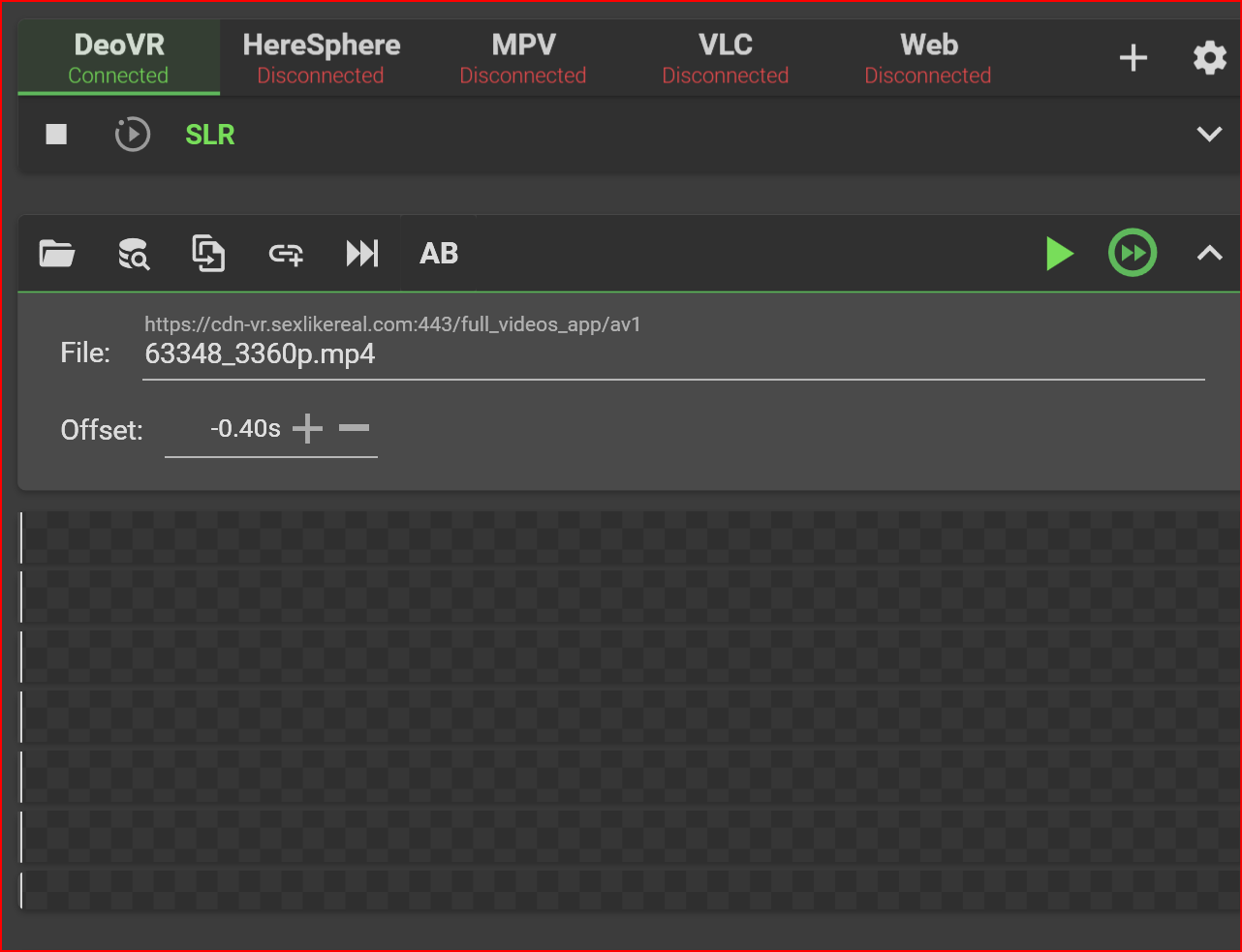
Can you expand the video section with the arrow button on the right side above heatmap and post a screenshot?
Its possible that the new DeoVR update broke some things but I’ve had uses confirm that SLR still works on lastest version.
Can you disconnect from DeoVR, change log level to “trace” via application settings at the top of the window, then connect to DeoVR/SLR and try playing a SLR video with a script, assuming the script did not load, change log level back to info and DM me the latest log file. Don’t post the logs here just message me directly.
Having the same issue here. Using a Quest 3 connecting via Virtual Desktop to my windows PC. Has been working for months now. Heresphere or MPC still works.
Seems like the screenshot did not upload so I cant tell whats wrong.
The logs you DM me are not full trace logs, can you resend the logs where you also connect to DeoVR and try playing a video?
You could also try temporarily disabling windows firewall and try again.
So from the logs it looks like MFP is just waiting for connection from DeoVR. Can you try disabling windows firewall?
Also it seems like the cached session was not used because it expired, SLR made some changes as this is new: “Maximum of two concurrent sessions per platform are permitted”.
I wonder if DeoVR and MFP are each resetting the session. Can you check your account at SLR, at the bottom there will be a list of sessions.
It might be a third session in the haptics connect app on a phone. I will check into that. I had my firewall disabled for testing, so that seems to not be the issue. I will try again later today.
Seems like @Spektrus solved his issue, so maybe try this:
It seemed to be an issue with the DEOVR app — even though Haptic Connect was enabled, it actually wasn’t.
I disabled it, closed the app, and it appeared connected again. I fully restarted the headset, repeated the process, and it did show as disconnected. At that point, I enabled Haptic Connect, and it worked perfectly.
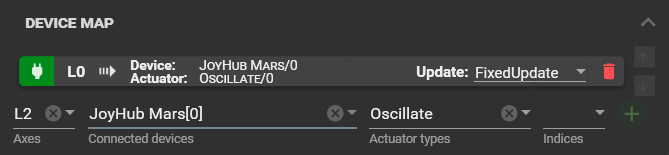
Hello, I have been trying to make my new toy work with funscripts, but it does not move with the files. The JoyHub Mars is connected properly to the MultiFunPlayer and Intiface and it can move when using the manual configuration. The funscript file loads and I think it is synced correctly with the video as they move properly together. I have been trying many things but I do not know what to try next.
Yea that should work, assuming that the L0 is moving when you expand the “axis values” section. You could try switching from FixedUpdate to PolledUpdate, this will only send script actions in case the device is overwhelmed with the amount of commands MFP is sending.
Also note that the oscillate actuator does not allow positional control, you will only be able to control the speed of automatic stroking motion.
Sure, tho MFP does not have the ability to mix different patterns, you can either have one pattern active (you can have different patterns per shortcut), or fully random motion.
Here is simple shortcut setup:
Enable pattern actions:
Disable pattern actions:
Yea I literally thought about the same thing when writing the previous response.
Instead of making screenshots I could post json/base64 for users to import from clipboard.
Will allow you to export/import whole shortcut, or export/import just the assigned actions.