TCode device emulator that is basically just a simple wrapper around osr-emu by soritesparadox packaged as standalone application.
Can be controlled by any existing software that sends TCode over UDP on port 7777.
It is very bare-bones, depending on user feedback and usage I might update it further.
Currently windows only but its possible to make builds for Linux/MacOS.
If you are interested you can also find my other OSR/VaM/TCode projects on my github profile.
If you like what I’m doing, please consider supporting me on my Patreon https://www.patreon.com/yoooi
Keybinds:
C - change background color (black, white, transparent)
B - change border color
M - change model (OSR2, SR6, SSR1)
T - toggle always on top
ESC - close application
Changelog
v0.2.0
Add separate background and border color shortcuts
First thought was that it’s an ideal OFS visualizer. Existing visualizers are pretty good, but there’s no way to mistake how the device will move if it’s being emulated like this. Pitch axis especially is much easier to understand with this.
I haven’t scripted using it that way yet, but it looks good when playing back scripts with OFS. I don’t think it will replace classic visualizers, but it will let you check certain things without setting up a device.
Two improvements I would want:
Border for transparent mode
Configurable port/path (or OFS toggle)
I had trouble moving the window in transparent mode, and kept moving the stroker within the window instead. Switching the background color every time I moved it gave me a bit of a headache trying to figure out the best spot to put it.
It’s possible to link from TEMU to MFP to OFS, but can you make the connection configurable so you can connect direct from TEMU to OFS? OFS communicates on the port of your choice, but at localhost:<port>/ofs.
And one last item that isn’t as important: a way to lock the window on top. I just use PowerToys for this, but it wouldn’t hurt to have natively for people who don’t use that.
I made it so you can’t move the window in transparent mode, since you cant tell where is the edge of the window. But with a border it would make sense.
OFS does not use UDP it uses websockets. It also does not send TCode, it sends funscripts, so this would have to implement full funscript playback, which is probably out of scope.
I think using it with script players lets you see how the script actually behaves.
Regarding linking with OFS, I seem to have found a solution - using MultiFunPlayer as a Funscript to TCode translator.
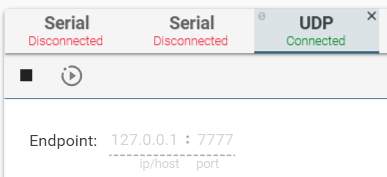
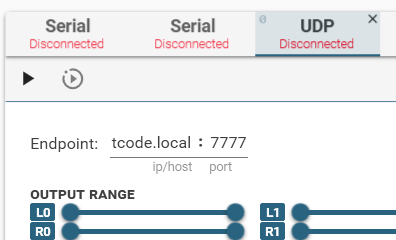
Configure MultiFunPlayer with OFS as a source (click OFS after clicking ‘+’ button in MFP) and output to be TEMU via a UDP port - add UDP output in MFP (by clicking the ‘+’ in MFP source), configure with endpoint as 127.0.0.1:7777.
For best results, I’ve configured OFS source with 100 ms interval and delay (in MFP).
is there a way to save the config in terms of window size, transparency, border, device type? like a command line or a config file?
Thanks for this wonderful tool
Thank you for putting this together.
I’ve been using the emulator quite a while now and had a few small suggestions:
• Displaying the keybinds somewhere in the UI. I know them well by now, but it would make things much easier for new users starting out.
• A position reset shortcut (e.g. [R]) to restore the default device position.
• Improving the window border visibility/size when enabled. I often found myself trying to move the window but missing the border and accidentally spinning the device instead.
• Supporting additional communication methods alongside UDP would also be great.
I was mainly thinking Serial (COM), since a lot of setups still use that for T-Code and it should make it possible to hook the emulator up via virtual COM ports. That could also help with testing stuff coming from Intiface.
I mostly use the emulator to showcase and test game integrations, so having more input methods would make it easier to simulate different real-world setups without needing actual hardware.
It should be either 127.0.0.1:7777 or localhost:7777. You have to use UDP output in MFP or VAM. If you are using a VPN then it might be blocking local connections. Or maybe you have an antivirus that is blocking it. Otherwise I don’t know how to help, it should work without problems on standard windows install.
Huh, yea I can’t drag it either. Very strange.
Not sure if there is a fix or I have to rebuild it.
I guess you can still position it by dragging the edges but obviously not ideal.