The Vault - Ultimate Local Media Manager (Offline AI Tagging, Collection Curating, & Device Support) A stash alternative

:framed_picture: Preview


Hey all,

I wanted to share an app i’ve been working on for the last few months. If you are like me, you probably have a massive media collection, wether that be videos, photos, gifs. This requires massive organization skills and at some point, the windows file system isnt intuitive enough or simply isnt visual enough.

Curating a large collection can also be very time consuming and usually the only reward is your own personal satisfaction that the files are neat and organized. If you’ve ever used Stash, this was a big inspiration when I started this project. Stash is a very useful app, however, I felt it was too heavily oriented towards mainstream porn/performers and videos, and the photo viewing experience was lacking for me.

Link to website :link:

Main Features

  • AI auto tagging of files with GPU support
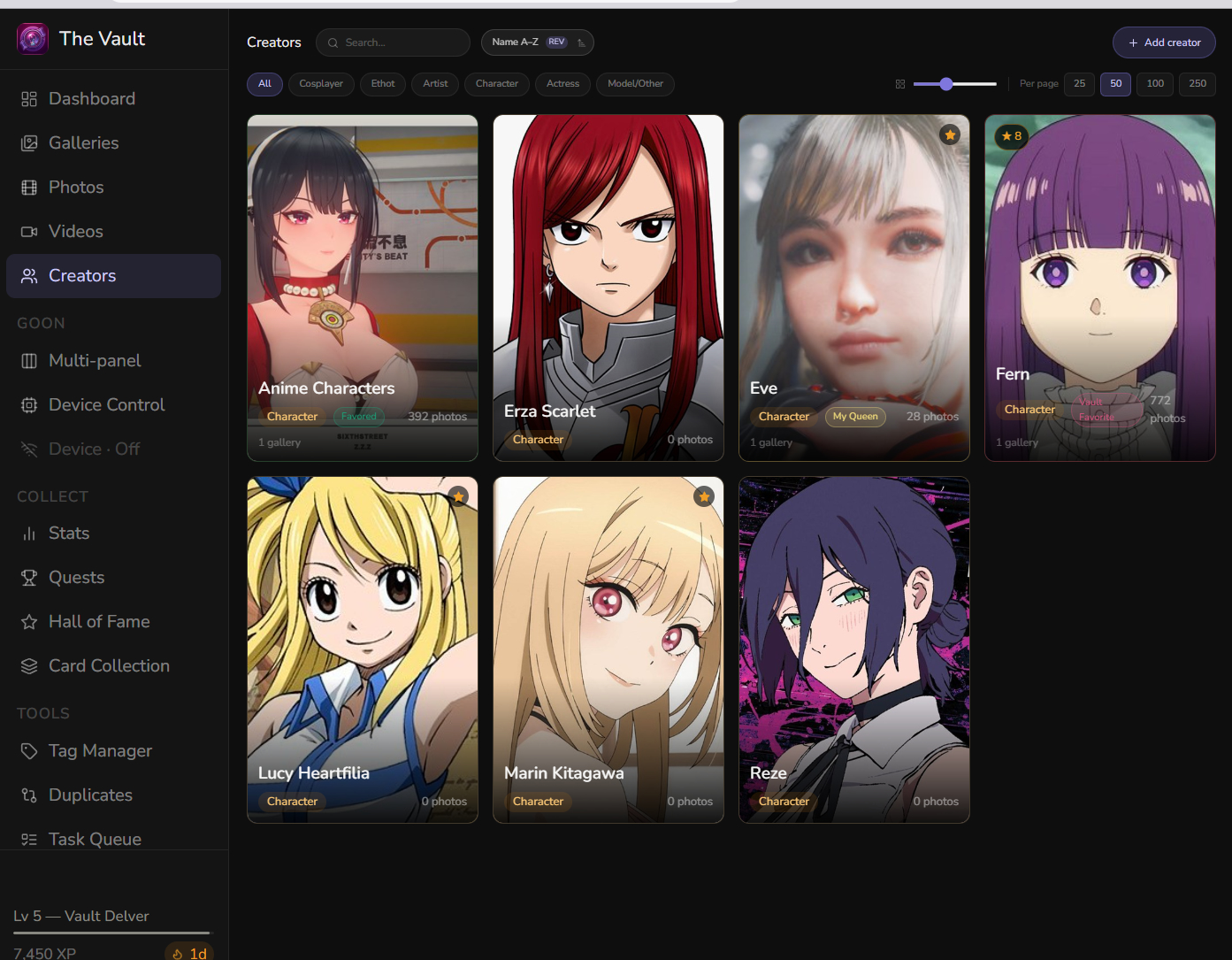
  • Multiple creator categories
  • A multi panel viewer with custom playlist support and shuffling
  • Intiface, Handy, Serial support
  • Funscript sync
  • Freestyle mode with dynamic patterns, a playlist of patterns
  • Custom user created patterns
  • Stats tracking (entirely local)
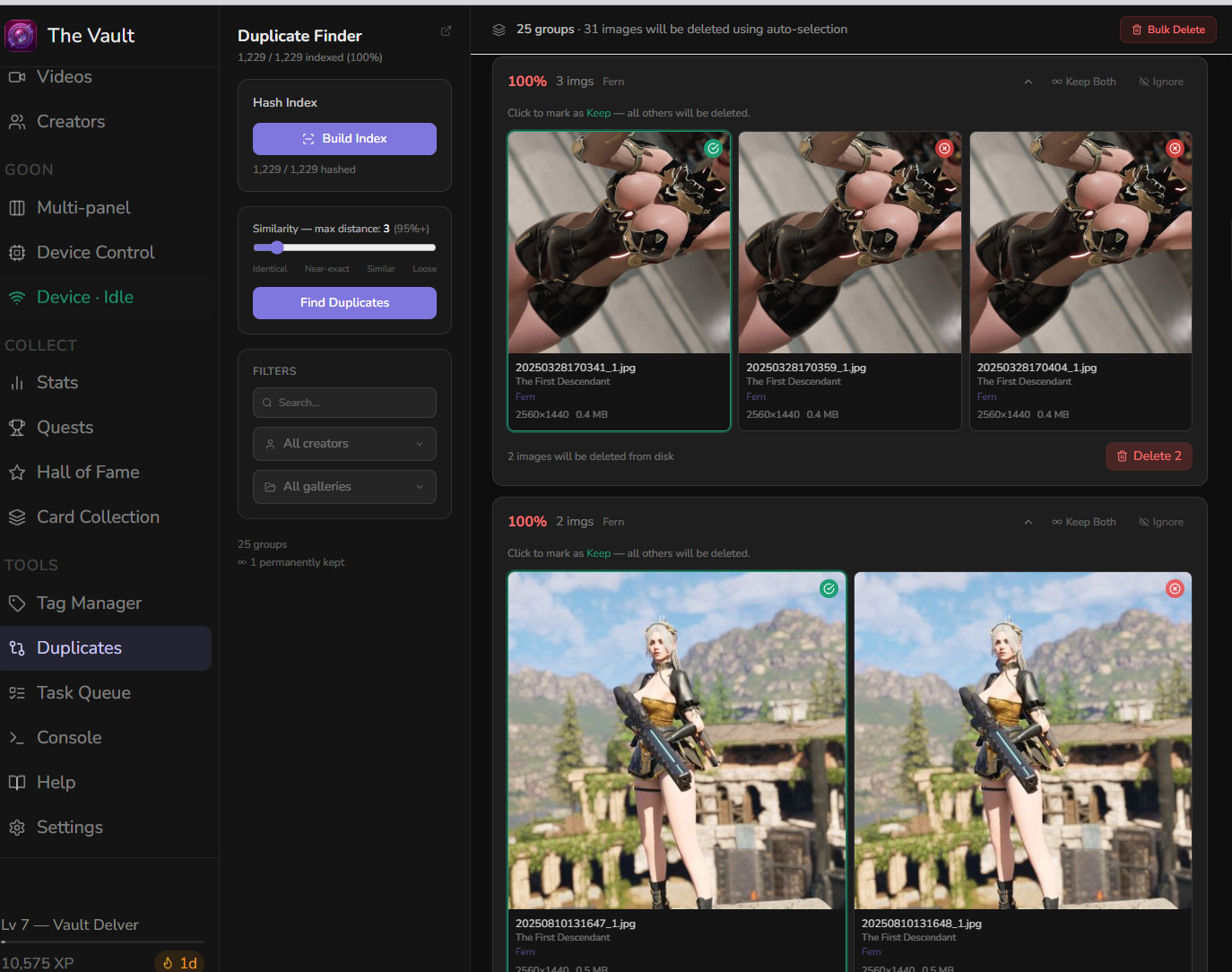
  • Duplicate checker
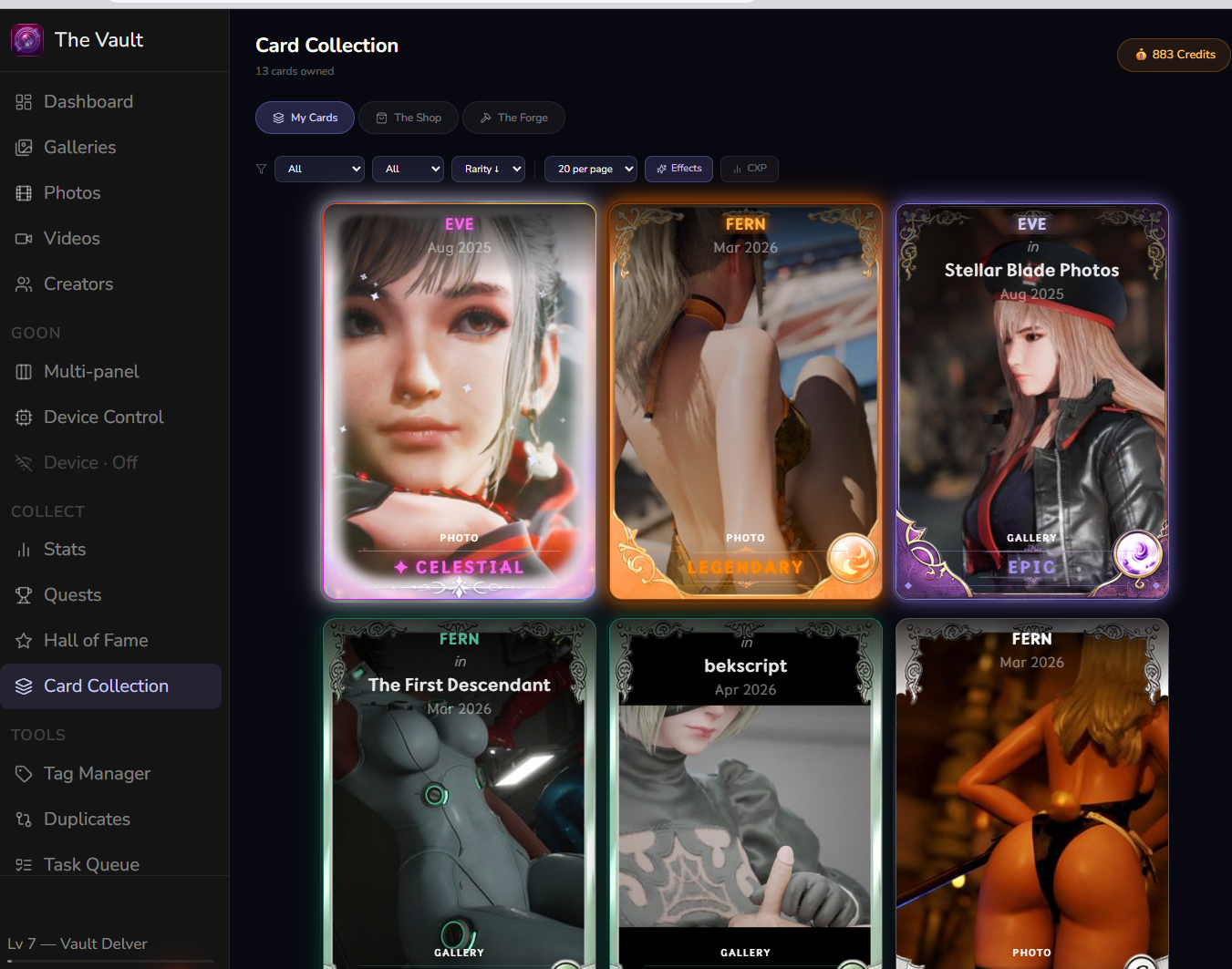
  • A Trading Card Game created entirely based on your personal colleciton
  • Multiple personalisation choices

I wanted to take this a step further. Collecting is a rewarding experience, I want to enhance this feeling and make an entire platform dedicated to help you curate, organize, sort and browse your collection while also giving you little rewards that make you look forward to the task, rather than dreading it, this comes in the form of an entirely custom made Trading Card Game, with beautiful art card, visual effects and rarity systems, dynamically generated using your personal collection, so every person’s TCG will be entirely unique to them and what they enjoy.
The vault is a very visual tool, with a modern UI, and highly customizable. Device connection is global, and you can control devices at any point while browsing throuh photos or videos, change to a funscript on the fly with just one click, control device speed, limits, use preset patterns or create your own, create a playlist of patterns that will loop on a set timer.

The vault is more than a gallery, its a dedicated platform for the hardcore collector and device user.
Future plans

  • Multi Axis Support
  • Custom UI themes
  • Improved card borders design (im not the best graphic artist, but artists are expensive)
  • Sound design (mabe)
  • Mobile UI
  • Funscript editing
  • Device based games
  • video auto tagging
  • Automatic/AI assisted thumbnail or character card generation
  • LLM support (Similar to strokegpt)

The vault is a free app. It is my way of giving back something to the community, however continued development of the app does require some funding. If you’d like to see these features developed, or just want to thank me for my work:

:hot_beverage: You can buy me a coffee: ko-fi.com/kindredev

:globe_with_meridians: GitHub Repository: GitHub - KindreDev/The-Vault-1.0: A digital library for all your hoarding needs · GitHub

:speech_balloon: Discord : The Vault (Join to vote or suggest on upcoming features, ask questions, submit bugs, etc.)

:front_facing_baby_chick: Follow me on X, I will also communicate updates there: https://x.com/KindredspDev

Please download it, test it out on your collection, and leave your honest feedback here or on Discord. I’m looking forward to make this app even better!

7 Likes

this is pretty rad. is there anyway for you to add Vacuglide 2 support? its been my go to device lately and it is not intiface or serial compatible. but i am excited to dig into this app.

1 Like

How is this stash alternative if this is windows-only?

I mostly meant it in the functionality it provides and the easier device support.

You can run the backend and frontend manually on linux.
I dont have a linux device so I didnt test this, but it should work. It only needs windows for the .exe version of the app.
Once i finish setting up the github repo you can download the source code and run from terminal

1 Like

I do want to support a wide variety of devices. I will take note of your suggestion!

2 Likes

Is the software supposed to open a cmd window everytime it adds a new video? With a alot of folders it’s kinds annoying…

oh yeah thats hugely annoying. I will fix it today probably! sorry!

Handy 2 seems to connect fine, but testing it in the settings or playing a video with a funscript doesnt seem to do anything.

Console issue was fixed! Just have to re download and re install

I only have a Serial device so i could have missed some things for sure. I will fix this one soon

Git repo added to main post. It also includes a more detailed guide/tutorial of the many features.

I tried it yesterday, at least before ffmpeg console fix

2 issues (one relatively easy, one harder) i found

  • You store thumbnails all in one folder, with a lot of items this falls on its belly (even windows explorer will fall on its belly if you have a folder with more than half a million files, don’t ask how i know) it is better to use something like this thumbs\a\b\abcdef....png that is 2-deep directory structure where first and second letter of hash is a folder
  • sqlite just falls flat with too many objects, i tried it (markedly on old slow hdd) and about 50k items run until i restart, then it doesnt even start (or it seems so after 5 min wait)

Hii thanks for testing it!

I wasnt aware of a limit for thumbnails, but splitting the directories sees smart for sure.

About the database… mmm my personal collection contains almost 300k items and so far im not having any lag or freezes.

I set up a folder in one of my SSDs to store the database and thumbnails tho, i recommend doing this. (While the actual files are still in my HDD)

If everything needs to be read from an HDD it could slow things down. If i misunderstood your issue let me know!

EDIT: i did check and this could be caused by the cache size being too low for HDDs. It woudlnt necesarily make it faster, but it would prevent the freezings if you absolutely cannot use SSD

TBH in my case the problem with db might be an artifact of this specific setup (this is mostly sacrificial storage with vm on weak pc that i use as “detonation zone” for software i don’t trust yet, and let’s be honest, executable with no code to look at (at that moment) from a random on the internet is not the safest piece of software)

I know from my personal projects that if for any reason you have a multi-threaded access to sqlite then sooner or later you will encounter database is locked error.

SQLite is not able to handle multi-threaded applications and as you serve the frontend via asgi (uvicorn) you are perfectly vulnerable to random multi-thread access. This is especially visible with slow storage used for database.

What I’d love to see is an option to use mysql for database, but that’s likely just me.
And seeing you use sqlalchemy, it seems to have an option to use mysql
MySQL and MariaDB — SQLAlchemy 2.1 Documentation
Depending on how you use the database it might be as simple as just allowing a different type of connection string + removing sqlite-specific stuff / moving it around so that you can configure it to use either sqlite or mysql, or it can be a full redesign…

I do get database locked if im scanning and trying to do something else. But after trying to figure out other ways i just decided it was ok. You only need to do a big scan once, this scan builds galleries, creats thumbnails and video previews, so i just let it run overnight.

After that the scan will ignore already added content and only process new stuff, so its near instant if you update it regularly.

About the code, the github repo is public, its in both the website, this post and the discord server :grin:
If you dont want to use the .exe you can just clone the repo and build from terminal. I went with .exe first as it just an easier, lower barrier of entry for users.

Hey I’ve been messing around with this and it looks like it has good potential. Just a few things that I was wondering that I might be doing wrong:

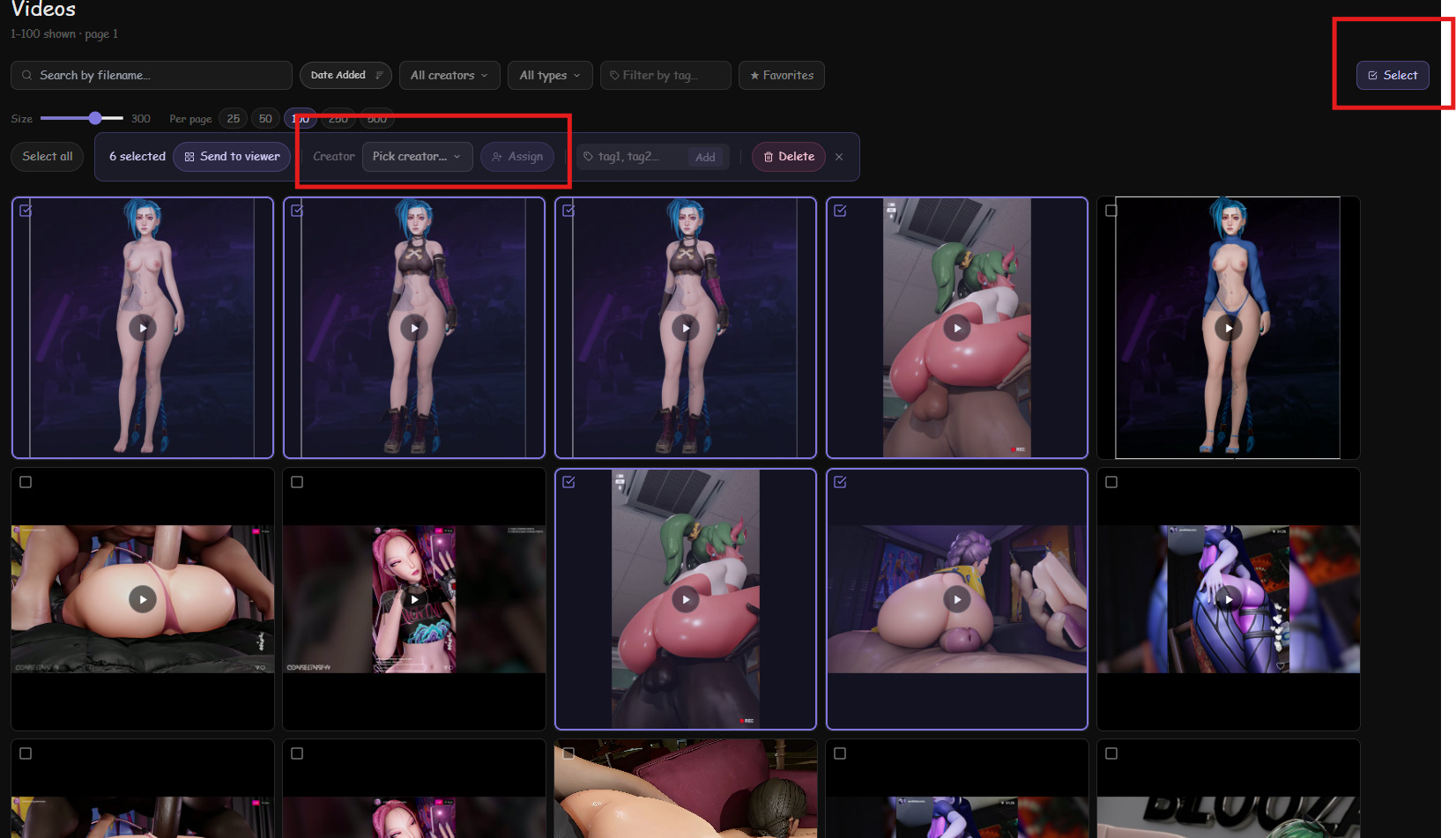
  1. Can you only assign a creator to a gallery and not a specific video?
  2. Can you auto tag the videos?
  3. I moved the storage location to a different drive from C (I moved it to the same drive where vault is stored) and it sometimes resets to the C location

I think its worth saying that I store most of my files in one folder so the gallery is messing me up. Is that just the way this works?

Hello! thank you for trying it out!

  1. Can you only assign a creator to a gallery and not a specific video?
    You can assign creators to any file. It doesnt need to be a gallery.


Inside each video there is also a button to add creators individually.

Im sorry if this isnt intuitive enough.
3. Can you auto tag the videos?
This is the current feature im working on, I didnt include initially as I was having issues with GPU detection, but now its working, im gonna let it scan my collection tonight, if that works, im pushing to git and updating the installer.
5. I moved the storage location to a different drive from C (I moved it to the same drive where vault is stored) and it sometimes resets to the C location
This was a bug i fixed in the latest version on github, but i have yet to update the website installer. If you are comfortable building from git then you can grab the latest version.

I appreciate your feedback!

Thanks for the help! I like the concept of the card system so I look forward to using it more :slight_smile:

Actually related to the creator tagging, I might be missing something because after trying both ways to assign a creator it still tags all the other videos in the same folder/gallery.

Ummm i understand.
So when i designed this what i had in mind, is that if a gallery contains content from multiple creators, i would just have the gallery have a tag for each creator. So there really is no way to have creators assigned to content inside a gallery but hve the parent gallery unassigned.

I would need to provide support in the db for individual file, creator ownership.

Because of the way my collection is set up, i never considered this posibility tbh. It is important so i will start working on this. I have another big update coming this week or this next weekend which may be the last or second to last big update (for a while, at least) before i have to work on other things, and I will include a fix for this. thanks for testing!

Edit: In the meantime, if you dont want to touch your local files, you can create an empty gallery and transfer some of the files to it. assign a creator, and then repeat. depending on how many files it could be annoying but its the only think i can think of! Transfering files between galleries doesnt touch the files in your disk.