Hi guys,
If you’ve spent time around SR6-style devices, you already know the real problem is usually not motion. The problem is everything around the motion.
A lot of builds can technically do 6-axis movement. Far fewer feel truly refined once you actually live with them: noise, vibration, heat, wiring, setup friction, maintenance, expansion, software support, and the constant feeling that you are still “finishing the product” yourself after buying it.
That is exactly the gap MiraBot S6 was built to solve.
MiraBot S6 is for users who want SR6-class depth and realism, but in a platform that feels far more complete, far less DIY-dependent, and much easier to enjoy long-term.
This thread focuses on the MiraBot S6 hardware platform, module ecosystem, and overall ownership experience.
 Why people choose MiraBot S6 instead of a typical SR6-style build
1. Because “6-axis” alone is not the hard part anymore
At this point, many machines can claim multi-axis motion.
What actually separates them is what happens after the first impression:
- Does it feel solid or rough?
- Does it stay pleasant to use over time?
- Does it run cleanly, or just loudly?
- Does it handle heat well?
- Is expansion simple, or does every upgrade become another project?
- Does it come with a real software ecosystem, or are you left stitching together tools yourself?
MiraBot S6 was built around those questions.
Not to reinvent SR6 motion — but to turn it into something more mature, more polished, and far more ownership-friendly.
2. It feels like a finished machine, not just a completed build
This is one of the biggest differences.
MiraBot S6 is not positioned as “a box of parts that has already been assembled.”
It is designed to feel like a more finished platform from day one.
Key strengths include:
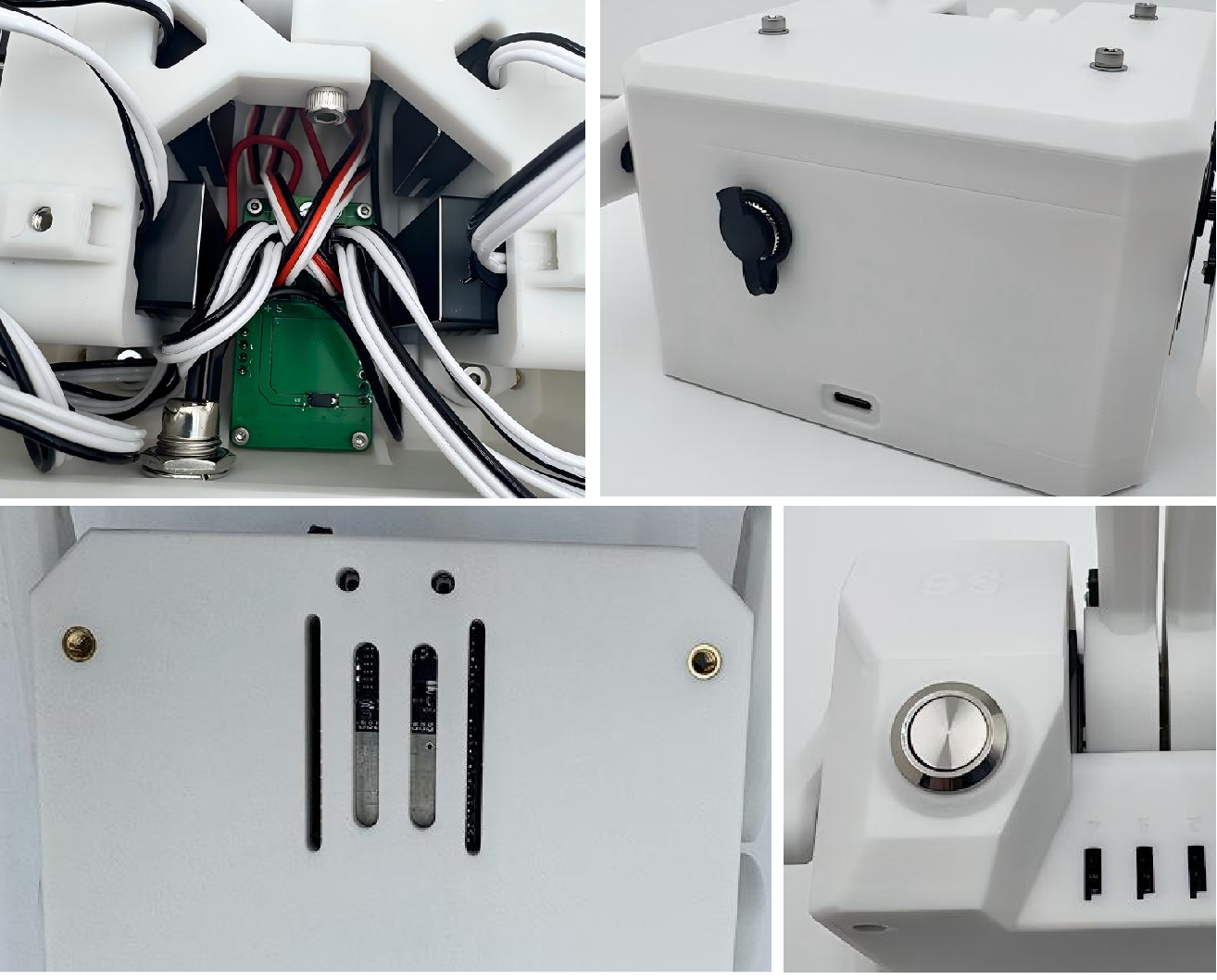
- reinforced structural design with more refined printed-part execution
- reduced vibration, friction noise, and frame resonance
- better fit, finish, and overall visual/detail quality
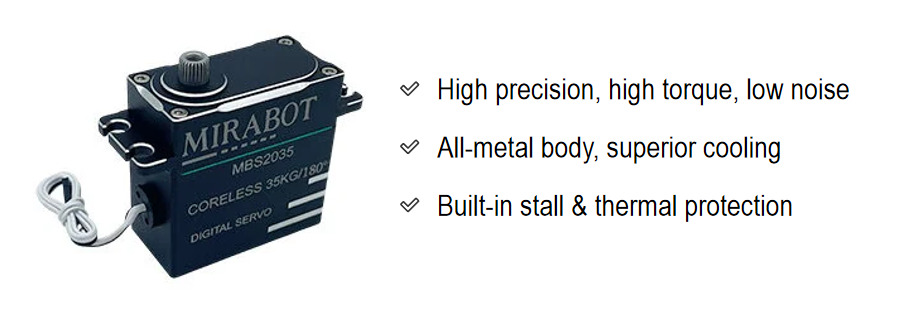
- premium-grade materials and components throughout, including full-metal coreless servos, matte PETG structural parts, and higher-quality switches, connectors, and cabling
In practice, this means the MiraBot S6 feels more serious, more consistent, and more confidence-inspiring than the rougher DIY-style experience many users are used to.


3. Quieter and cleaner in the ways that actually matter
MiraBot S6 is still a full 6-axis servo machine, so of course it is not silent.
But the difference is in how it sounds and how it feels.
Compared with the harsher, more mechanical character common to many DIY-oriented builds, the MiraBot S6 is noticeably more controlled, less chaotic, and simply easier to live with.
That comes from more than just servo choice.
It’s the combination of structural tuning, reduced resonance, cleaner assembly quality, and better overall refinement.
For many users, that alone is the difference between “cool for testing” and “something I actually want to keep using.”

4. Better thermal behavior = better long-session confidence
Thermal design is one of those things many people only start caring about after they’ve already had problems.
MiraBot S6 was built to take this seriously:
- open-frame cooling structure around the servos
- reduced heat buildup at surrounding contact areas
- full-metal servo housings
- built-in stall and thermal protection
- dedicated PCB-based power routing for cleaner and safer delivery
This is not just about preventing failure.
It’s about stability, consistency, and making the whole machine feel more trustworthy during real use.
I’ve also shared thermal test videos in the thread, because I think this is something users should be able to see rather than just read about.
5. The expansion path is real — and it keeps getting better
A lot of devices stop being interesting after the base hardware.
MiraBot S6 does not.
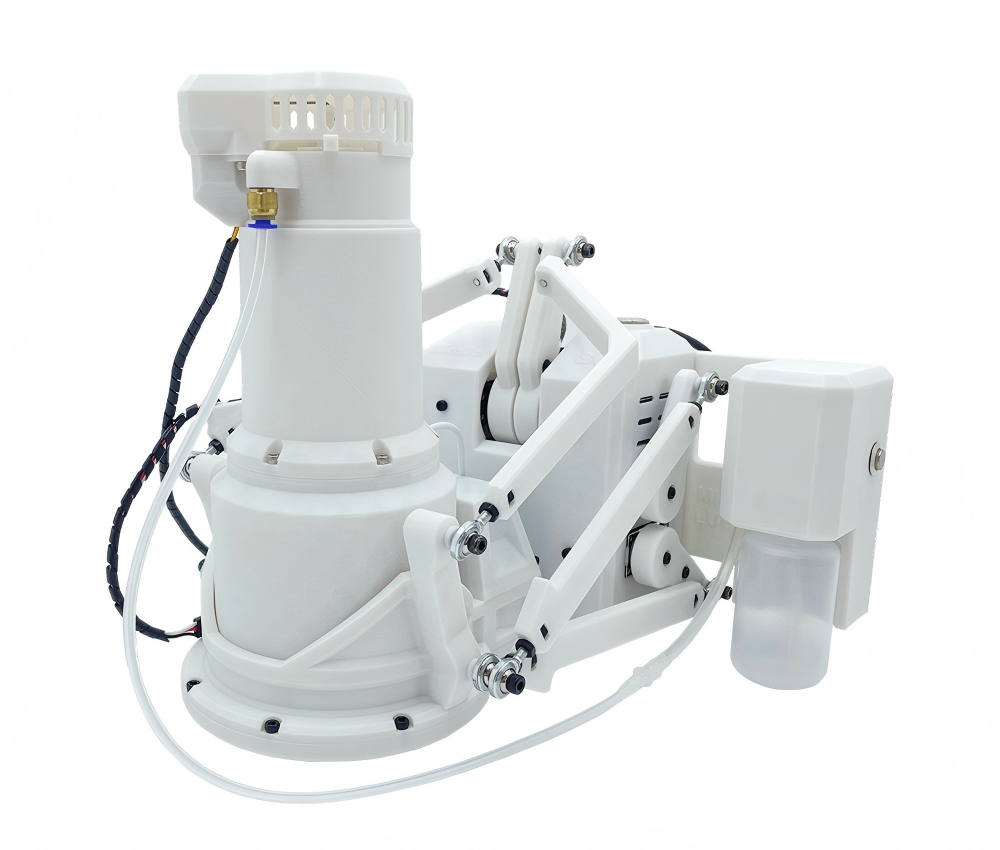
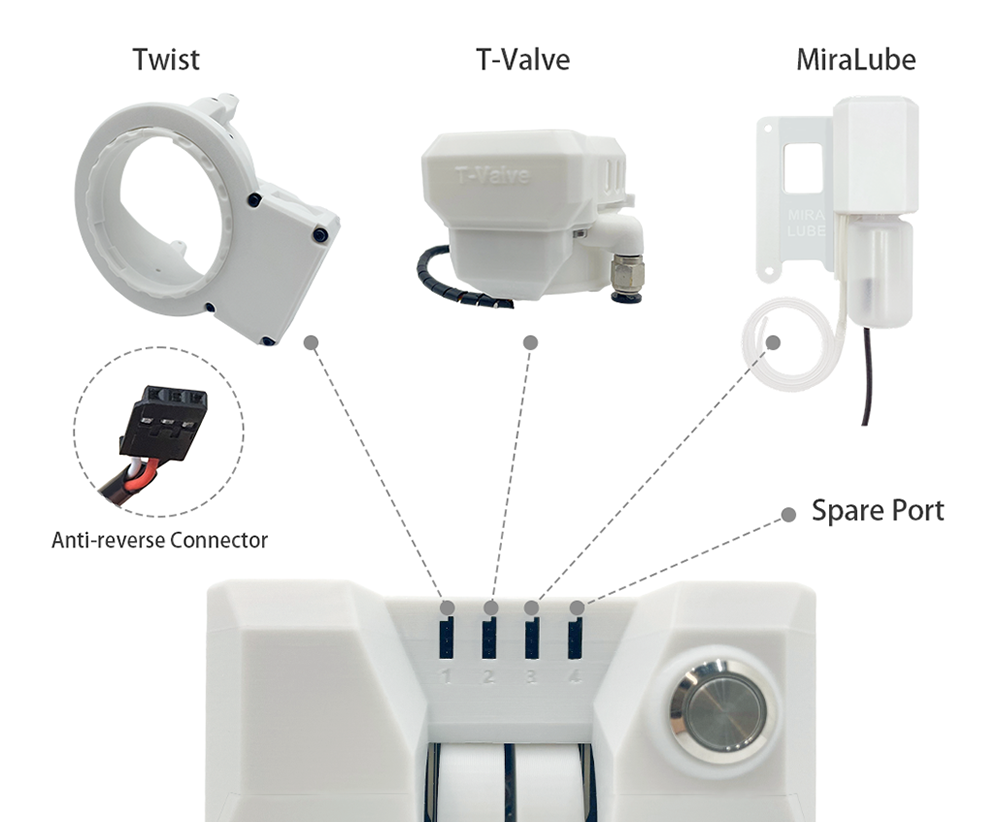
It is designed as a real platform with modular expansion, including:
- Twist
- T-Valve
- MiraLube
- receiver / accessory options
- future-ready expansion ports
And importantly, these upgrades are not meant to turn ownership into another DIY cycle.
The point is simple:
start with a strong base machine, then expand when you want more — without needing to rebuild the whole thing every time.
6. MiraLube is not just “a lube add-on”
This is one of the clearest examples of how the MiraBot S6 ecosystem has moved beyond typical SR6 expectations.
Most lube add-ons are treated as little more than an extra manual tool.
MiraLube is different because it is built into the actual workflow.
With MiraLube, users can:
- control lube delivery live inside MiraPlay AiO
- run a hands-free Auto Mode
- record lube actions into reusable
.lube.funscriptfiles - replay them later as part of a repeatable scripted workflow
- trigger instant maximum output using the physical boost button
That is a much more immersive and much more useful implementation than a simple on/off attachment. It turns lubrication into part of the session flow instead of a separate interruption.

For full details, please see the dedicated MiraLube thread
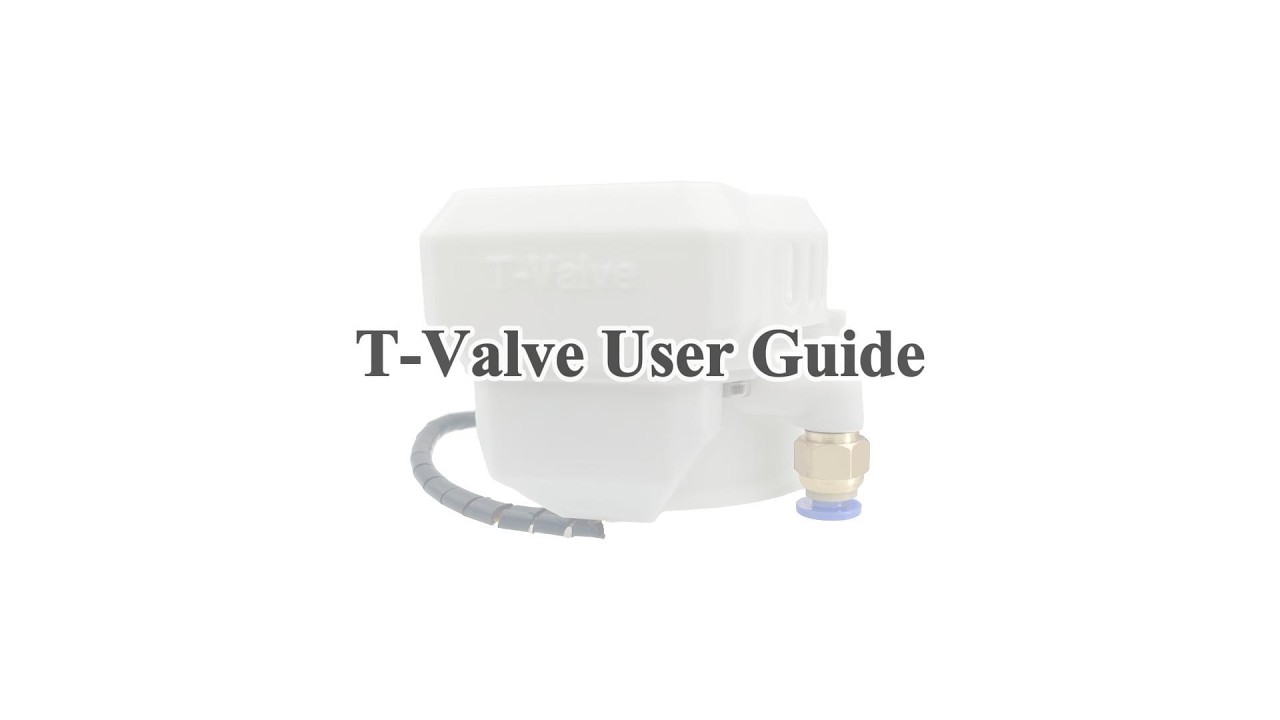
7. T-Valve turns air pressure into part of the motion workflow
The T-Valve is not just a simple open / close air valve add-on.
With the latest MiraPlay AiO updates, it has become a more flexible part of the MiraBot S6 control system.
With T-Valve, users can:
- use Auto Mode, where valve behavior is calculated from stroke position
- adjust the maximum closing level with a dedicated control bar
- switch to Manual Mode for direct real-time valve control
- record valve actions into reusable
.valve.funscriptfiles - replay valve scripts later together with motion playback
- choose Auto / Script / None in Video Sync Player and Online Play
This makes air pressure control feel more integrated into the session, instead of being a fixed or separate accessory.
For users who want more than basic stroke motion, T-Valve adds another layer of physical variation to the MiraBot S6 experience.
8. MiraBot is more than hardware — it is backed by a growing software ecosystem
The MiraBot S6 is not just a multi-axis machine. A big part of its value comes from the software ecosystem built around it.
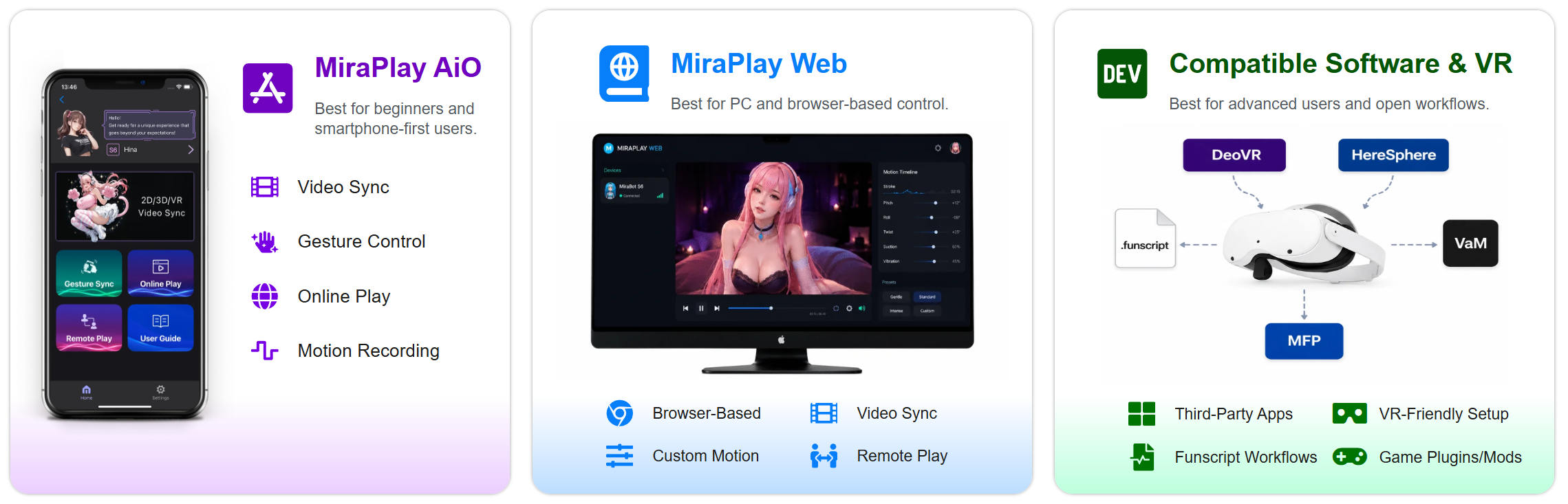
Today, that ecosystem is built around three main layers:
- MiraPlay AiO — the mobile app for daily control, video sync, VR playback, Gesture Sync, Motion Recording, Multi-axis Assist, and phone-based device interaction
- MiraPlay Web — the browser-based platform for local video playback, funscript playback, custom motions, YouTube sync, Remote Play, and PC / VR browser workflows
- MiraBot firmware — actively updated firmware that expands connection options and improves compatibility with different OSR / TCode-style workflows
For users, this means more ways to enjoy the same device.
You can control MiraBot from your phone, play local videos with scripts, use VR playback, work with browser-based workflows, or connect through different device modes depending on your firmware and setup.
Recent software and firmware updates have also added more flexible connection options, including Wi-Fi / UDP, WebSocket support, and smoother browser / VR workflows.
This is where MiraBot S6 becomes more than “just hardware.”
It is designed as a complete interactive motion system, combining finished multi-axis hardware with an actively developed software and firmware platform.
For more details, you can also check the dedicated threads for MiraPlay AiO and MiraPlay Web.
9. Easier to buy, easier to start, easier to keep
This part matters more than many sellers admit.
For new users, many SR6-style devices are intimidating.
For experienced users, they are often just tiring.
MiraBot S6 reduces that friction with:
- pre-assembled and tested hardware
- official firmware / software path
- Bluetooth LE or Wi-Fi options depending on the workflow you prefer
- detailed video user guides
- setup documentation
- official long-term support from our team for setup help, troubleshooting, replacement guidance, and pre/post-sales questions
In other words:
you spend less time fighting the platform, and more time actually using it.
That is a real advantage, especially for people who want the depth of SR6-class motion without adopting “constant maintenance hobbyist” as a second job.
 Who MiraBot S6 is really for
MiraBot S6 is a strong fit if you want:
- SR6-class multi-axis depth and realism
- better fit, finish, and visual detail
- quieter and more refined operation
- stronger thermal and electrical confidence
- a modular upgrade path that keeps growing
- a software ecosystem that adds real value
- easier long-term ownership than a raw DIY-style build
If your only goal is the lowest possible entry price, there are cheaper paths in the broader OSR world.
But if you care about what the machine actually feels like to own — not just what it can do on a spec list — that is where MiraBot S6 is meant to win.
It is built for users who are ready to move past “good enough for a kit” and into something that feels much closer to a real product.
 Bonus Gift Campaign Update
Our existing bonus gift campaign for the MiraBot S6 / Lite lineup is still active and will continue for now.
Eligible models still include the current bonus gifts with purchase.
We’ve also added a small VR Feedback Gift for users who share feedback or feature requests about MiraBot / MiraPlay. This VR gift is separate from the current bonus gift campaign and can be combined with it.
For the exact details, please check my reply below.
 Learn more
If you’re unsure whether MiraBot S6 or Lite is the better fit, or whether Bluetooth LE or Wi-Fi makes more sense for your setup, feel free to ask here and I’ll answer as clearly as I can.


