This review has been sponsored
  1. Intro & Disclaimer
Hello everybody, and welcome back to another device review! 
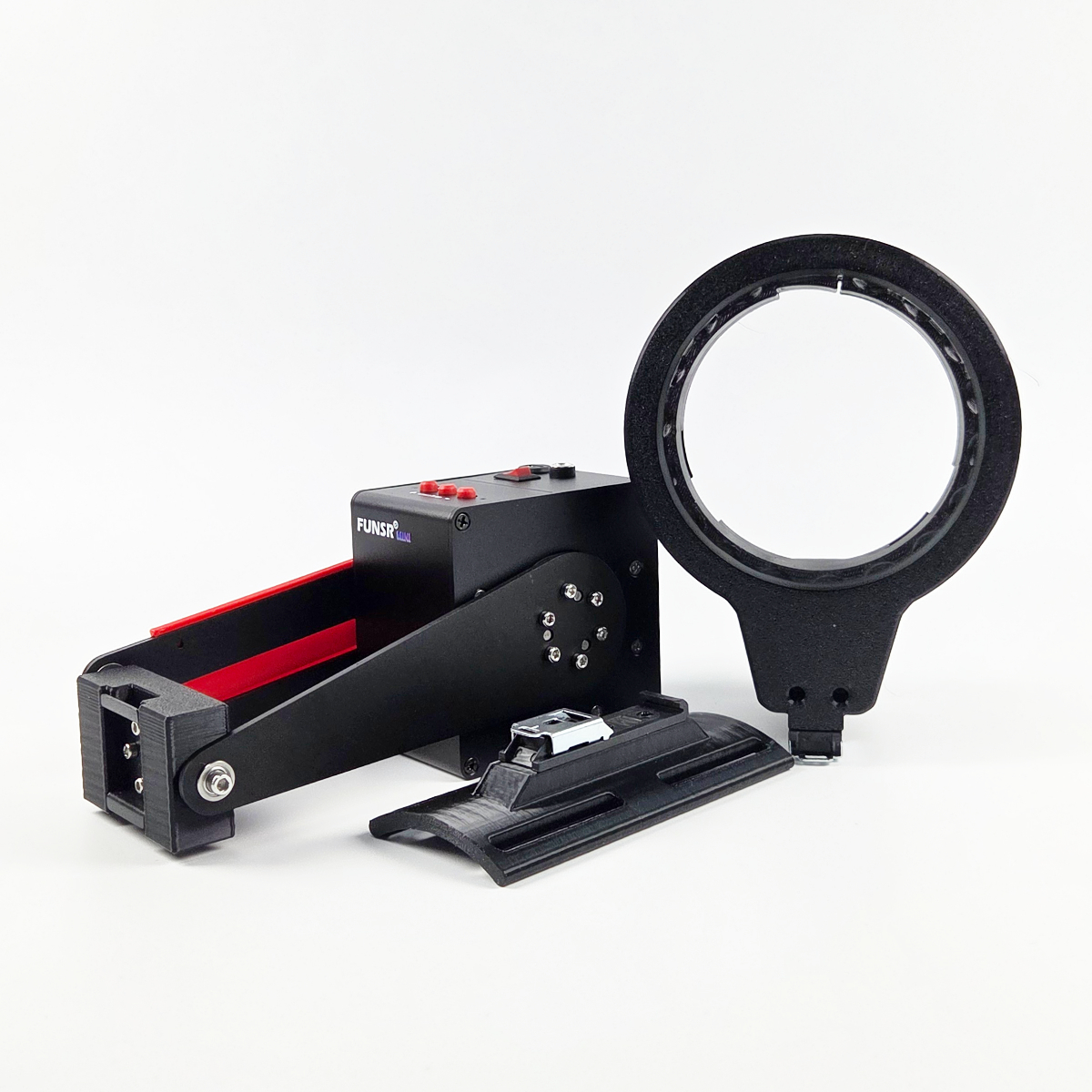
Today, I am very happy to take a closer look at the newest device from the FUNSR team: the FUNSR Mini.
Last time, we took a deep look — a very deep look — at the FUNSR PRO, and that device turned out to be an absolute beast. Full multi-axis movement, lots of power, lots of possibilities, and a very unique experience overall. So naturally, I was very curious to see how its smaller brother, the FUNSR Mini, would compare.
And as always with my device reviews, this will not be a quick first-impression post.
This is going to be a proper deep dive.
Estimated Reading Time:
This is a very long deep-dive review. Reading the full review will take around 45–60 minutes. If you only want the quick verdict, the TL;DR and Pros & Cons section will take around 10–15 minutes.
We check the device, the build, the setup, the software, the performance, the script compatibility, the practical use, the strengths, the weaknesses, the little details, and yes — every screw, every cable, every stroke.
All in the name of science, of course.
So you don’t have to 
Small note: This review turned out very long — so long that it hits the character limit on Discourse. Because of that, I had to split it into two posts. This first post contains the main review sections, while the second post continues with section 14 onward, including the ultimate comparison table, TL;DR, Pros & Cons, final rating, outro, and future updates.
Small device. Big curiosity. And yes, it gets powerful again.
Disclaimer & Transparency
In the spirit of full transparency, here are a few important things to know before we start.
The FUNSR Mini was provided to me by the FUNSR team around @renwoxing so I could test it and write a review about their newest device. I paid for the shipping myself.
There is also a discount code available:
Discount Code: Slibowitz
Benefit: $10 off your order
Support: Using the code supports my work at no extra cost to you.
Even though this is a sponsored review, all opinions are my own. My thoughts, experiences, criticism, and praise are honest, personal, and unfiltered.
ChatGPT helped me turn my notes and key points into a full structured review, but the opinions, testing experience, comparisons, and final conclusions are entirely my own.
This review reflects my personal experience. Every person is different, and sensations, preferences, comfort levels, anatomy, use cases, and expectations can vary. What works perfectly for me may not work the same way for someone else.
For this review, I tested the FUNSR Mini up to 10 times. During testing, I used different Onaholes, different scripts, and different software setups to get a broad and practical impression of what the device can do.
I will also compare the FUNSR Mini to the Handy 2 Pro and the FUNSR PRO, because I think those comparisons are especially useful when trying to understand where this device fits.
You can expect a long read, but as usual, there will be a TL;DR at the end. There will also be a Pros & Cons section and a comparison table between the Handy 2 Pro, FUNSR PRO, and FUNSR Mini.
Sponsored device. Honest review. No sugarcoating, no shortcuts.
Use code Slibowitz to get $10 off your FUNSR Mini order.

About the Ratings
Some categories in this review are rated on a 1–5 star scale.
 = Weak
= Below average
= Solid
= Very good
= Excellent
Not every category will have a rating. If a section is rated, it will be clearly marked at the beginning of that category.
This way, the review can stay balanced between structured scores and personal impressions. Some things are easy to rate directly, while others are better explained through practical experience and comparison.
Numbers where useful. Experience where it matters.
What Is the FUNSR Mini?
The FUNSR Mini is the newest stroker device from the FUNSR team around @renwoxing.
In its basic concept, it is relatively similar to devices like the Handy 2 or Handy 2 Pro. It is a compact stroker device designed for scripted and interactive use, but with the typical FUNSR twist — quite literally.
The FUNSR Mini comes in different versions, including a twist option and a non-twist option. Unlike the FUNSR PRO, the FUNSR Mini is not a full multi-axis device. So you should not expect the same level of movement variety as the PRO model.
However, the twist version of the FUNSR Mini does support an additional rotation axis, which already makes it more interesting than a pure up-and-down stroker.
The supported axes are:
- L0 – Up and down movement / linear stroke
- R0 – Twist movement / rotation
So in simple terms:
The FUNSR Mini is not the full multi-axis monster that the FUNSR PRO is, but it is also not just a basic stroker. It sits somewhere in between: smaller, more focused, less complex, but still with that extra layer of movement that can make a real difference depending on the script, sleeve, and setup.
Not full multi-axis, but definitely not boring either.
Software & Apps Used for This Review
For this review, I tested the FUNSR Mini with several different apps and software setups.
The software I used includes:
This allowed me to test the device across different use cases, including normal scripted playback, VR-related use, manual testing, random video/script setups, and script checking.
Because the FUNSR Mini supports more than just the standard linear stroke when using the twist version, software compatibility and axis handling are important parts of the experience. Especially compared to a more standard stroker, the additional twist movement can change how certain scripts feel and how much effort is required to get the best out of the device.
One device, multiple setups, many ways to test the little power cube.
Let’s Begin
So, without further ado, let’s explore the FUNSR Mini.
The smaller brother of the FUNSR PRO.
The little cube with a twist.
The compact machine that looks innocent enough at first glance.
But you know what is coming now.
Oh yes.
It is powerful again.
Of course it is.
The little power cube enters the arena.
 2. Device Specifications
Before we get into the hands-on experience, let’s take a look at the basic specifications of the FUNSR Mini.
Full official Device Specifications
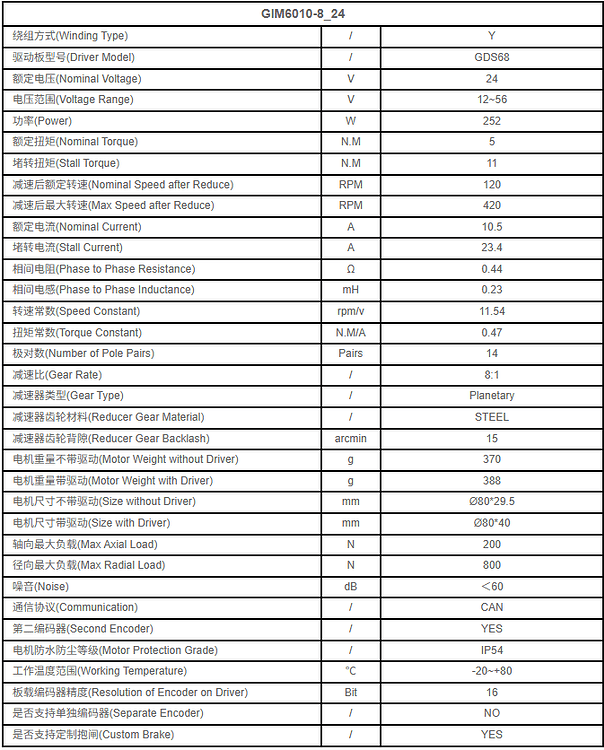
The FUNSR Mini is clearly designed to be smaller and more accessible than the FUNSR PRO, while still offering serious performance numbers for a compact stroker device.
Weight
The weight depends heavily on whether you use the device alone or together with the included bracket.
- FUNSR Mini without default bracket: 698g
- FUNSR Mini with default bracket: 1250g
The included bracket is a high-strength sturdy bracket, so the additional weight makes sense. It is not just a light plastic holder or a weak stand. It adds stability, structure, and makes the whole setup feel more secure during use.
Without the bracket, the main unit itself is actually fairly compact and manageable. With the bracket attached, the full setup becomes heavier, but also more stable and practical.
Compact device, sturdy base — small does not mean flimsy.
Performance Specifications
Here are the main performance specifications of the FUNSR Mini:
- Maximum Stroke: 17.92 cm
- Maximum Load: 1.5 kg
- Maximum Speed: 800 mm/s
- Noise Level: Around 50 dB
On paper, these are very interesting numbers.
A maximum stroke length of 17.92 cm is more than enough for most sleeves and use cases. It gives the FUNSR Mini a lot of range, especially compared to many older or more limited stroker devices.
The maximum load of 1.5 kg is also important. It means the device should be able to handle many common Onaholes without immediately struggling, although the actual performance will always depend on the sleeve weight, sleeve shape, lubrication, mounting position, script intensity, and how much resistance the sleeve creates during use.
The maximum speed of 800 mm/s is also very solid. Of course, raw speed is not everything. Smoothness, control, responsiveness, and how well the device follows scripts matter just as much. But at least on paper, the FUNSR Mini does not look weak at all.
The noise level is listed at around 50 dB, which places it in a relatively reasonable range for a mechanical stroker device. It is not silent, of course, but it is also not supposed to be a loud industrial machine sitting on your desk.
At least not officially. 
The numbers say “Mini.” The performance specs say “are you sure?”
Price
The FUNSR Mini is available in different configurations.
- FUNSR Mini – Main Unit + Bracket: $219.99
- FUNSR Mini – Main Unit + Bracket + Twist Module: $264.99
For comparison:
- Handy 2 Standard: Around 195€ / $219
- Handy 2 Pro: Around 334€ / $339
- FUNSR PRO with Twist Module / “Fleshlight Twist”: $505
- FUNSR PRO without Twist Module / “Open”: $456
This is where the FUNSR Mini becomes really interesting.
The standard FUNSR Mini package is priced very close to the Handy 2 Standard, while the version with the twist module is still clearly cheaper than the Handy 2 Pro.
Compared to the FUNSR PRO, the price difference is even bigger. The FUNSR PRO remains the king here in terms of movement complexity and full multi-axis support, but it also costs roughly around double the price of the FUNSR Mini.
That gives the FUNSR Mini a very clear position in the lineup.
It is not meant to fully replace the FUNSR PRO. It is not trying to be the biggest, most advanced, most complex option. Instead, it feels more like an entry-level FUNSR device with serious performance potential and a much more affordable price point.
Especially for people who are curious about FUNSR devices, scripted strokers, or twist functionality, but do not want to jump straight into the price range of the FUNSR PRO, the Mini could be a very attractive option.
More affordable than the Pro, more interesting than a basic stroker.
First Impression Based on Specs
Purely based on the specifications, the FUNSR Mini looks like a very strong entry-level device.
It offers a long stroke length, solid speed, a reasonable maximum load, a sturdy bracket, and optional twist functionality — all at a price that sits clearly below the Handy 2 Pro and far below the FUNSR PRO.
That is a good position to be in.
The FUNSR PRO still remains the flagship monster. No question. It has more movement options, more complexity, and a much bigger overall concept behind it.
But the FUNSR Mini does not need to beat the FUNSR PRO to make sense.
It just needs to be strong, reliable, compatible, practical, and fun — while offering enough performance to justify its place as a smaller, more affordable FUNSR device.
And from the specs alone, the little power cube already looks promising.
A smaller brother with surprisingly serious numbers.
 3. Packaging & Delivery
Not rated section
The FUNSR Mini arrived safely and without any damage.
The package itself was well secured with foam inside, and every part was wrapped properly. The device and the twist module were even extra protected with bubble wrap, which was nice to see. Thanks to that, everything arrived in proper condition, with no damaged parts, no loose pieces, and no unpleasant surprises during unpacking.
The box itself was neutral. Nothing on the outside hinted at what was inside.
No big branding.
No suspicious product description.
No giant label screaming:
“THAT IS SLIBOWITZ’ NEXT STROKER HE WILL TEST AND REVIEW, LOOK AT ME.”
Thankfully, we avoided that situation. 

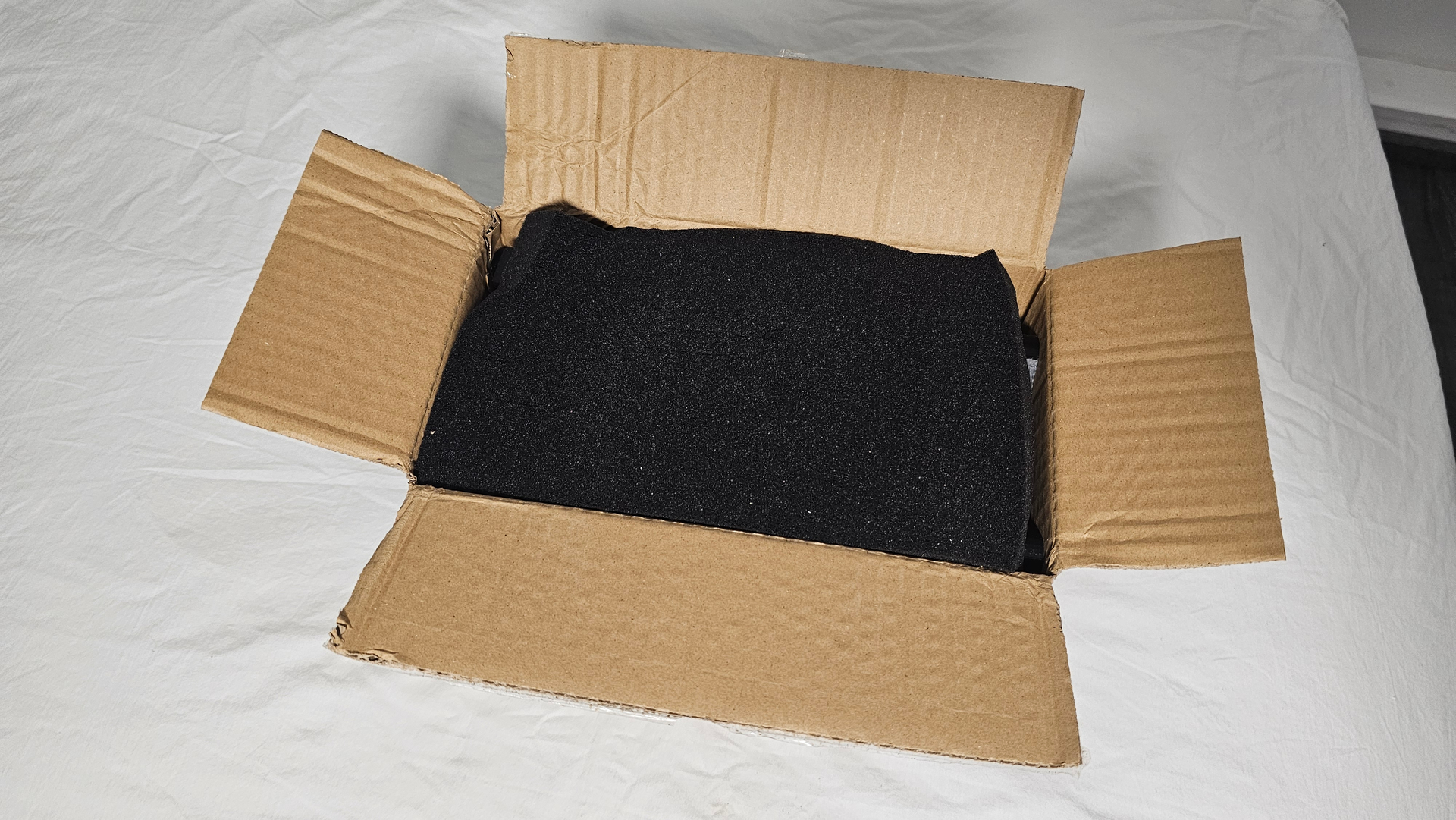

One thing to keep in mind is that the FUNSR team ships from China, so shipping can take a bit depending on where you live and how fast the delivery partners are. That is not unusual, but it is something to consider if you are ordering and expecting it quickly.
Neutral box, safe packaging, no awkward delivery drama.
What’s Inside the Box?
Inside the package, you get everything needed to set up and use the FUNSR Mini.

Included in the box:
- Main Unit
- Twist Module
- Twist Module Accessories
For use with non-Fleshlight toys, such as Onaholes - Semi-circular Receiver (Open Receiver)
- Cables, Screws and Other Accessories for Twist
- Standard Bracket
- Adapter for 100 × 100 VESA Mount
- USB Cable, Power Cable & Data Cable
Once again, FUNSR includes everything you need. You do not have to buy additional cables or essential accessories just to get started, which is always appreciated.
Nice.
There is also an extra cable for the twist module included, in case the original one ever breaks. So if you need a replacement later, you are already covered right out of the box.
The cable length is also very practical and similar to what you get with the FUNSR PRO:
- USB-C cable: Around 2 m / 78.7 inches
- Power supply cable: Around 2.5 m / 98.4 inches
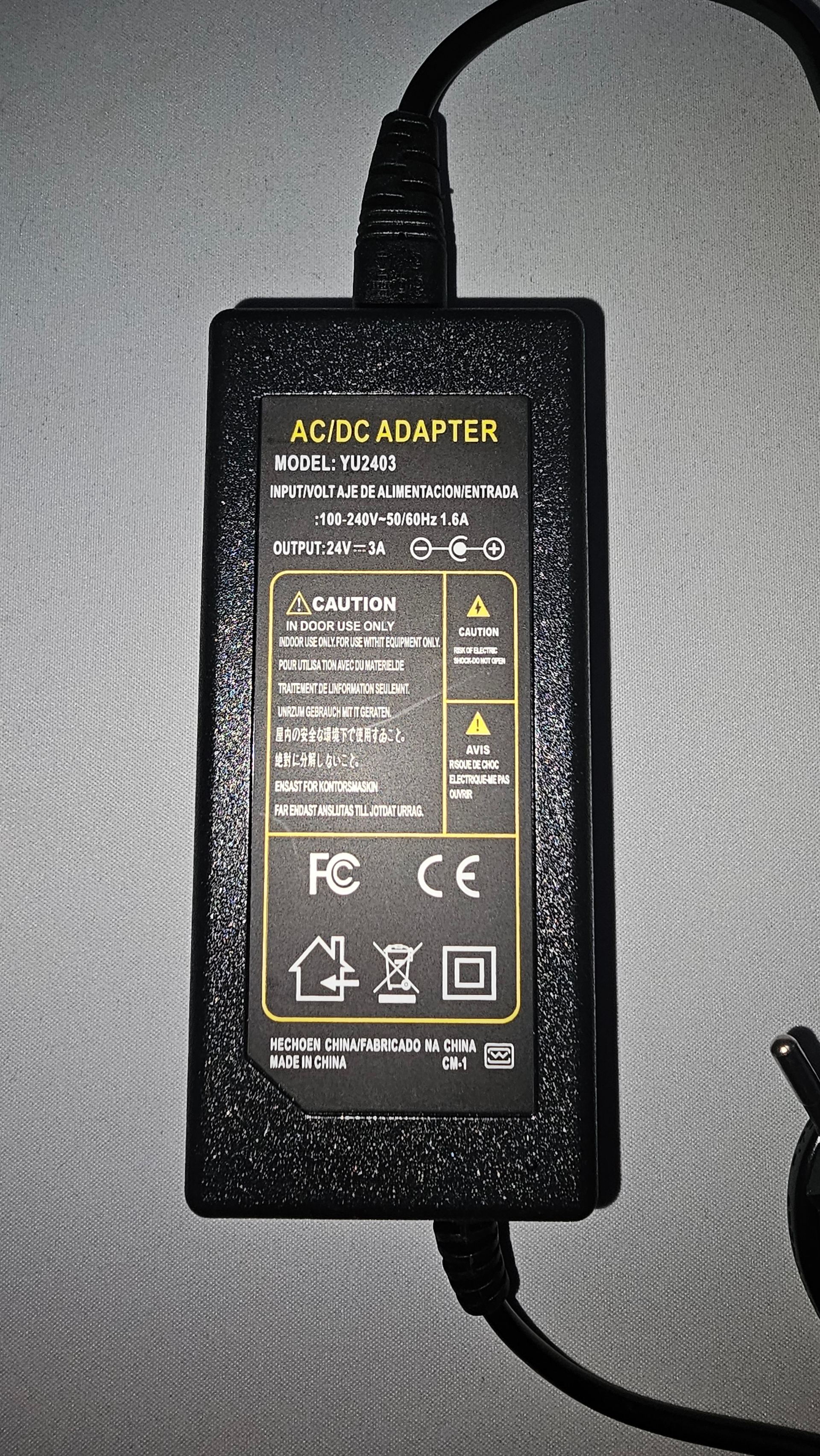
Thanks to that cable length, you have a lot of flexibility when setting up the device. You do not need to place the FUNSR Mini directly next to your PC, and you have enough room to adjust your setup depending on your desk, bed, chair, mount position, or cable routing.
Very nice.
Everything included, cables long enough, setup freedom unlocked.
Assembly
Assembly is very easy again.
Actually, I would say it is even easier than it was with the FUNSR PRO.
Most of the device is already pre-assembled, so you do not have to worry about building the main unit yourself. The only things you really have to assemble are the additional twist module parts for use with Onaholes and mounting the FUNSR Mini onto the included bracket.
That’s it.
Everything feels straightforward and self-explanatory. In my opinion, there is no real need for a manual here, because the setup is simple enough to understand by looking at the parts.
However, if you still prefer having a manual or want to double-check something, you can find it here:
Manual: FUNSR MINI Shipping List and User Documentation
The twist module itself simply clips onto the FUNSR Mini. There is no need to screw anything directly into the device for that part.
That is a nice improvement compared to the FUNSR PRO, where you had to screw the receiver onto the device itself. With the FUNSR Mini, that step is gone. The module clicks into place easily, sits very stable, and feels secure once attached.
The whole assembly took me around 10 minutes.
So overall, setup was simple, quick, and beginner-friendly.
Clip it, mount it, done — much easier than expected.
Included Mount
A mount is included again, and I am honestly always happy when companies include a proper mounting solution.
With devices like this, the mount is not just a small bonus accessory. It is an important part of the whole experience. A good device becomes much harder to use if you first have to figure out a stable mounting solution yourself.
Thankfully, the included mount is rock solid again.
It feels sturdy, stable, and well built. Once the FUNSR Mini is attached, I am confident that the mount can hold it properly in place during use.
And spoiler:
That is needed.
The FUNSR Mini may be smaller than the FUNSR PRO, but it still has enough power and movement that a weak or unstable mount would quickly become a problem. So having a strong bracket included right away is a big plus.
A strong little device needs a strong little throne.
Packaging & Delivery Summary
Overall, the packaging and delivery experience was very positive.
Everything arrived safely, the box was neutral, the internal protection was solid, and all parts were included. The device, twist module, cables, bracket, accessories, and replacement cable were all properly packed and ready to go.
Assembly was simple, quick, and easier than with the FUNSR PRO. The clip-on twist module is especially convenient, and the included bracket feels sturdy enough for the kind of power this device can deliver.
There is not much to complain about here.
The only thing to keep in mind is the shipping from China, which can take some time depending on location and delivery partners. But once the package arrives, the unboxing and setup experience is smooth, secure, and beginner-friendly.
Safely packed, easy to build, and ready for the real test.
 4. Looks, Build & First Impressions
Rated section
The FUNSR Mini really feels like the smaller brother of the FUNSR PRO.
And I mean that quite literally.
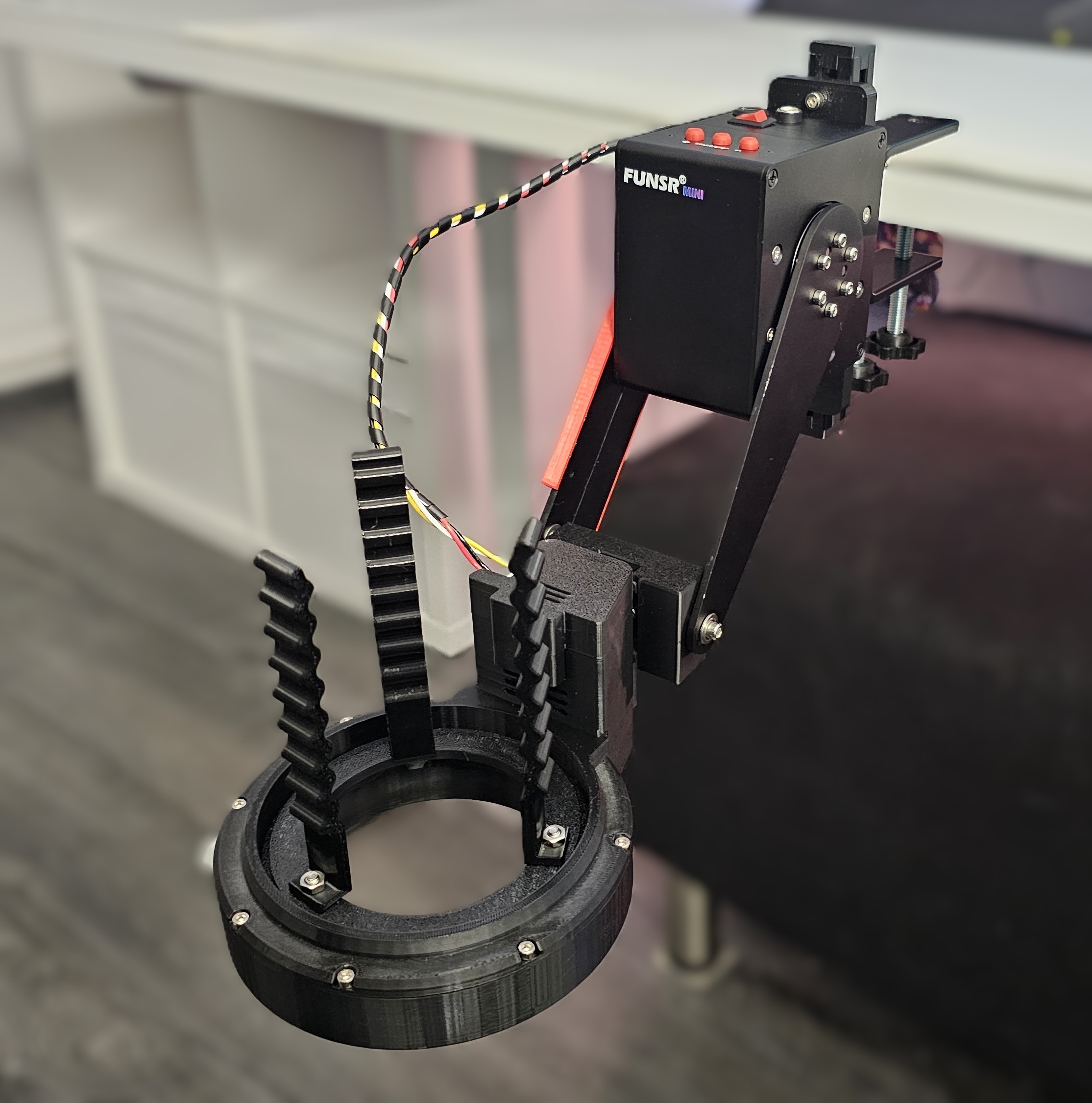
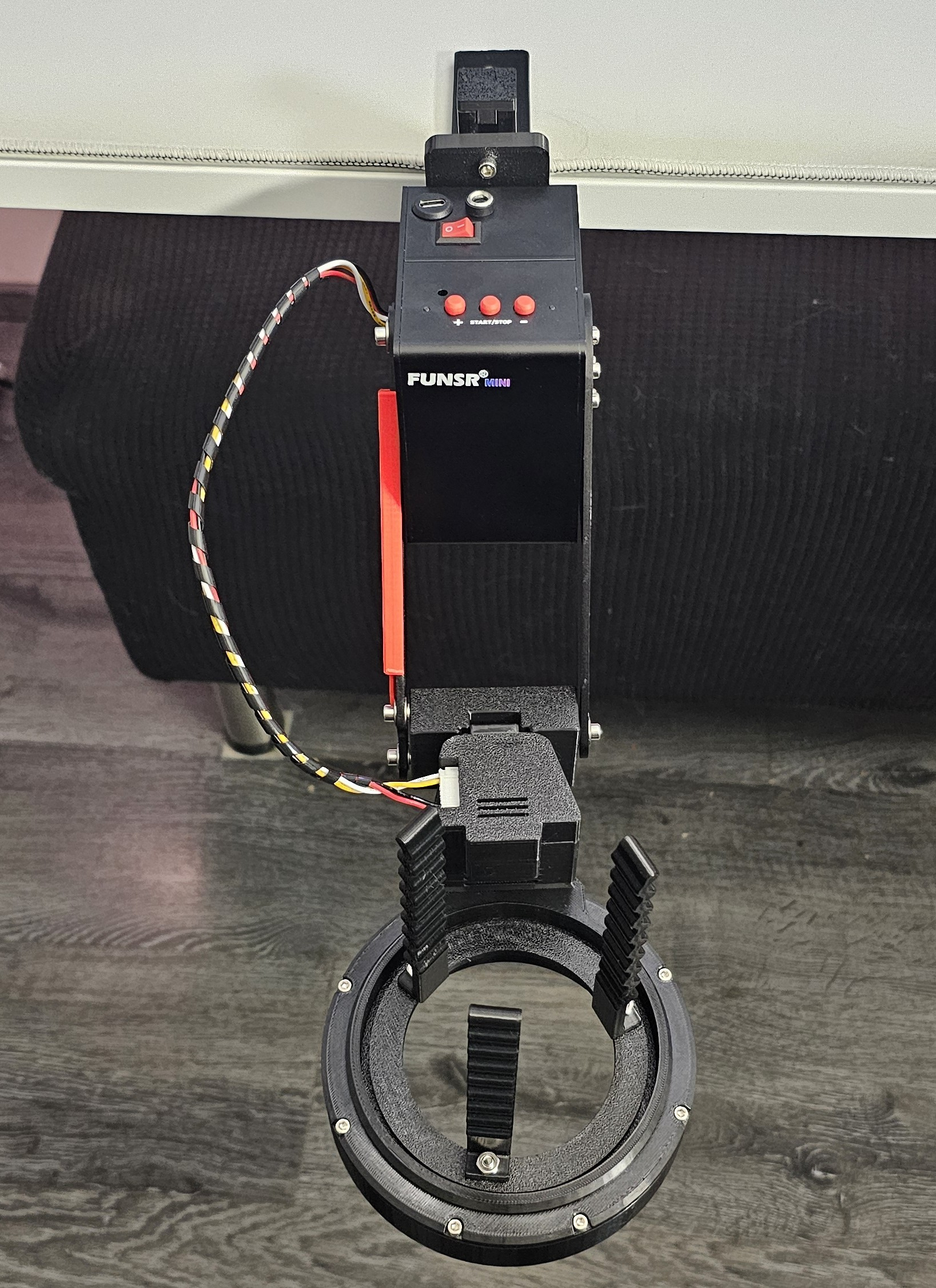
Compared to the FUNSR PRO, the FUNSR Mini is much smaller, much more compact, and a lot easier to handle. The device itself is almost cute in size. It is basically a little cube.
A little cube with an arm attached to it.
But do not let the size fool you.
This is still a very strong and powerful cube.
Tiny cube energy — but the dangerous kind.
Size & Weight
Here are the rough measurements of the FUNSR Mini:
- Length: ~9 cm / ~3.54 inches
- Width: ~6 cm / ~2.36 inches
- Height: ~9 cm / ~3.54 inches
- Arm length: ~17 cm / ~6.69 inches
- Total length without receiver and mount: ~20 cm / ~7.87 inches
- Total length with receiver and mount: ~46.5 cm / ~18.31 inches
- Weight: 698g / ~1.54 lbs
- Total weight with receiver and mount: ~1.6kg / ~3.53 lbs
As you can see from the numbers, the FUNSR Mini is much smaller than the FUNSR PRO.
That smaller form factor makes a real difference in daily handling. It is easier to move around, easier to place somewhere, easier to store, and overall less intimidating than the bigger FUNSR PRO setup.
The FUNSR PRO feels like a full machine.
The FUNSR Mini feels more like a compact power tool.
Still powerful, still serious, but much easier to manage.
Smaller body, easier storage, still plenty of machine left.
Build Quality & Materials
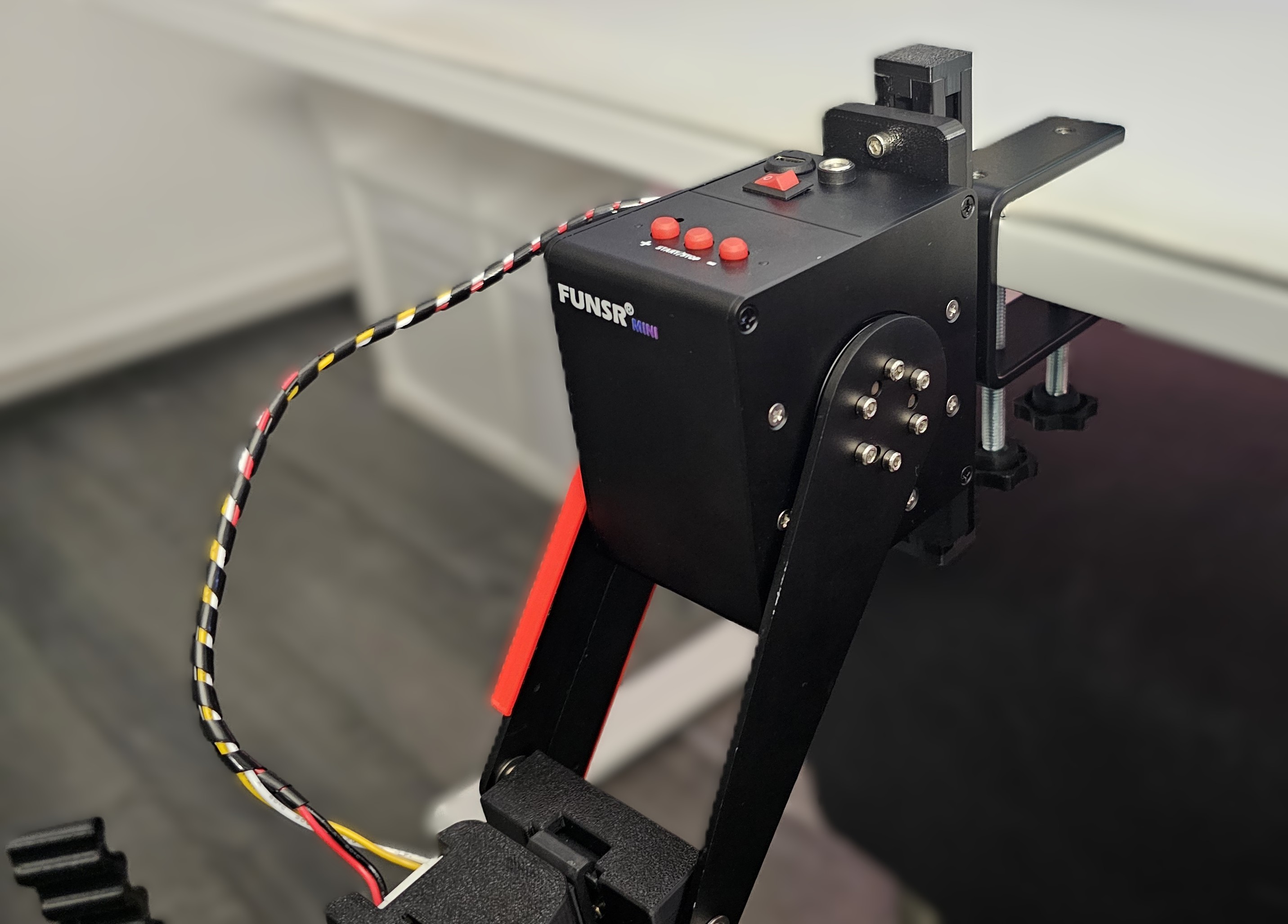
The build quality feels solid from start to finish.
FUNSR uses some 3D-printed parts, but they do not feel cheap. The parts are thick, rigid, and sturdy. Nothing feels thin, weak, or like it was quickly thrown together.
Everything is securely screwed together. There are no loose parts, no flimsy sections, and no areas where I looked at it and thought: “Yeah, this might become a problem soon.”
The device feels well built.
The modules feel well built.
The receiver feels stable.
The mount feels strong.
Overall, I do not see any reason to worry about the build quality or the materials used here. It may not have the polished consumer-product look of something like the Handy 2 Pro, but it feels practical, mechanical, sturdy, and reliable.
And honestly, that fits the FUNSR style quite well.
These devices always have a bit of that “built by engineers who actually use the thing” feeling, and I mean that in a positive way.
Not luxury-polished, but solid, functional, and confidently built.
Visible Cable & Twist Module Connection
The device itself has one visible cable on the outside.
This cable connects the main device to the twist module.
If you decide to get the non-twist version, you will not have this external cable. In that case, the only visible cables will be the normal connection cables, meaning USB and power.
On the twist version, the cable is well secured. It is protected with tape around it, and it is also long enough that it is not under stress during use. That is important, because a cable like this should never feel like it is being pulled, bent too tightly, or forced into an awkward position while the device is moving.
Thankfully, that is not the case here.
The twist module itself also feels very stable and solid. Everything is properly screwed together, nothing feels fragile, and the whole module sits securely once attached to the device.
This is especially important because the twist module is not just decorative. It actually moves, rotates, and has to deal with force during use. So it needs to feel stable — and it does.
One visible cable, properly secured, no panic spaghetti.
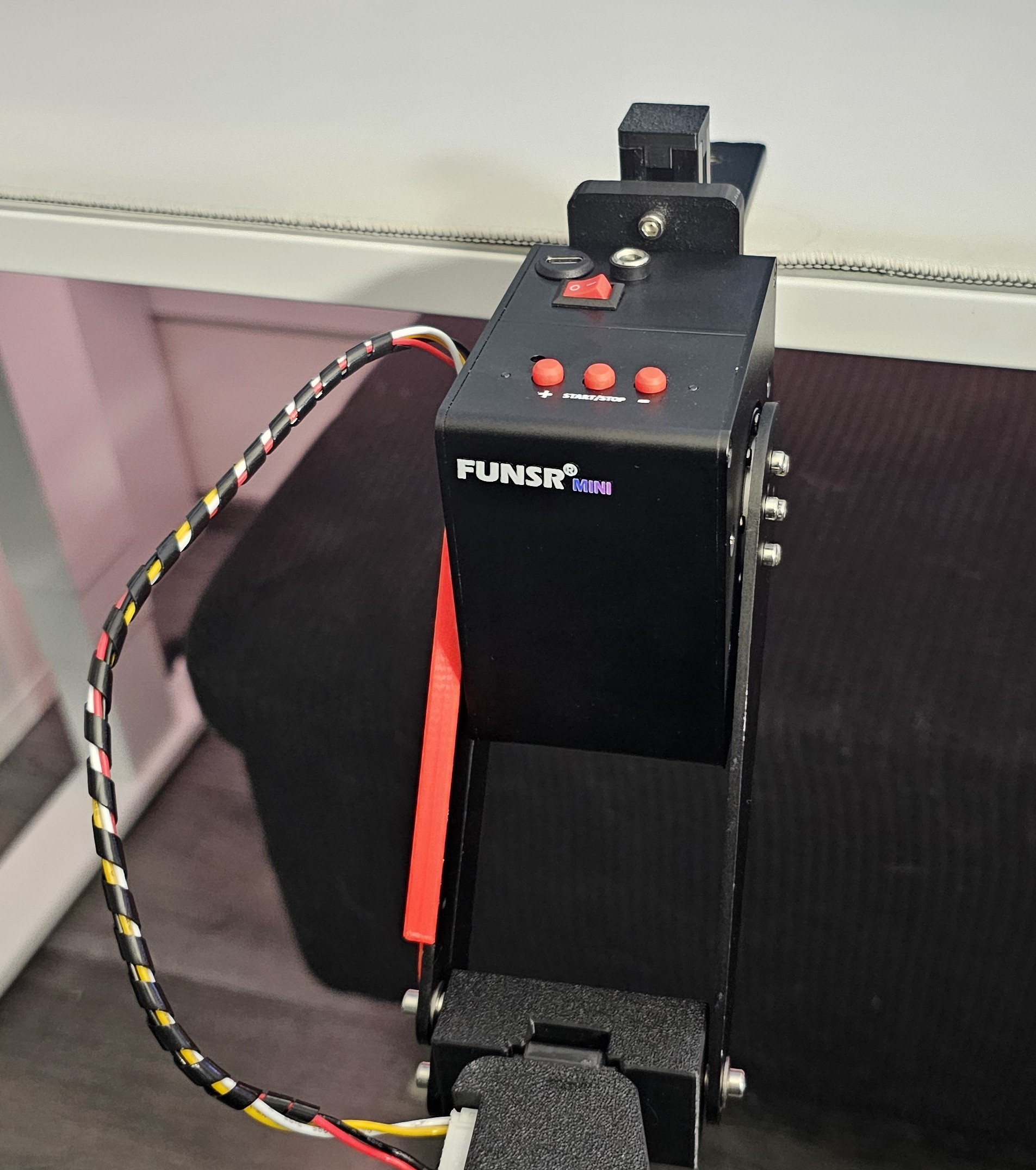
Safety Covers on the Arms
When looking at the arms of the FUNSR Mini, you will quickly notice two red covers around them.
These red covers are not just a design choice.
They are there for safety.
The red covers are designed to prevent pinching hazards during device operation. Because the device moves quickly and with force, you definitely do not want fingers, skin, cables, or anything else getting caught in the wrong place.
So please do not remove these covers.
They are important.
If the red covers are removed, the movement limits can be disabled. That can result in the device creating a large amount of heat, which may damage the motor.
So yes, they may look like simple red covers, but they have a real purpose.
Leave them where they are.
Respect the cube.
The cube has rules.
Red means safety — and also “please do not anger the motor.”
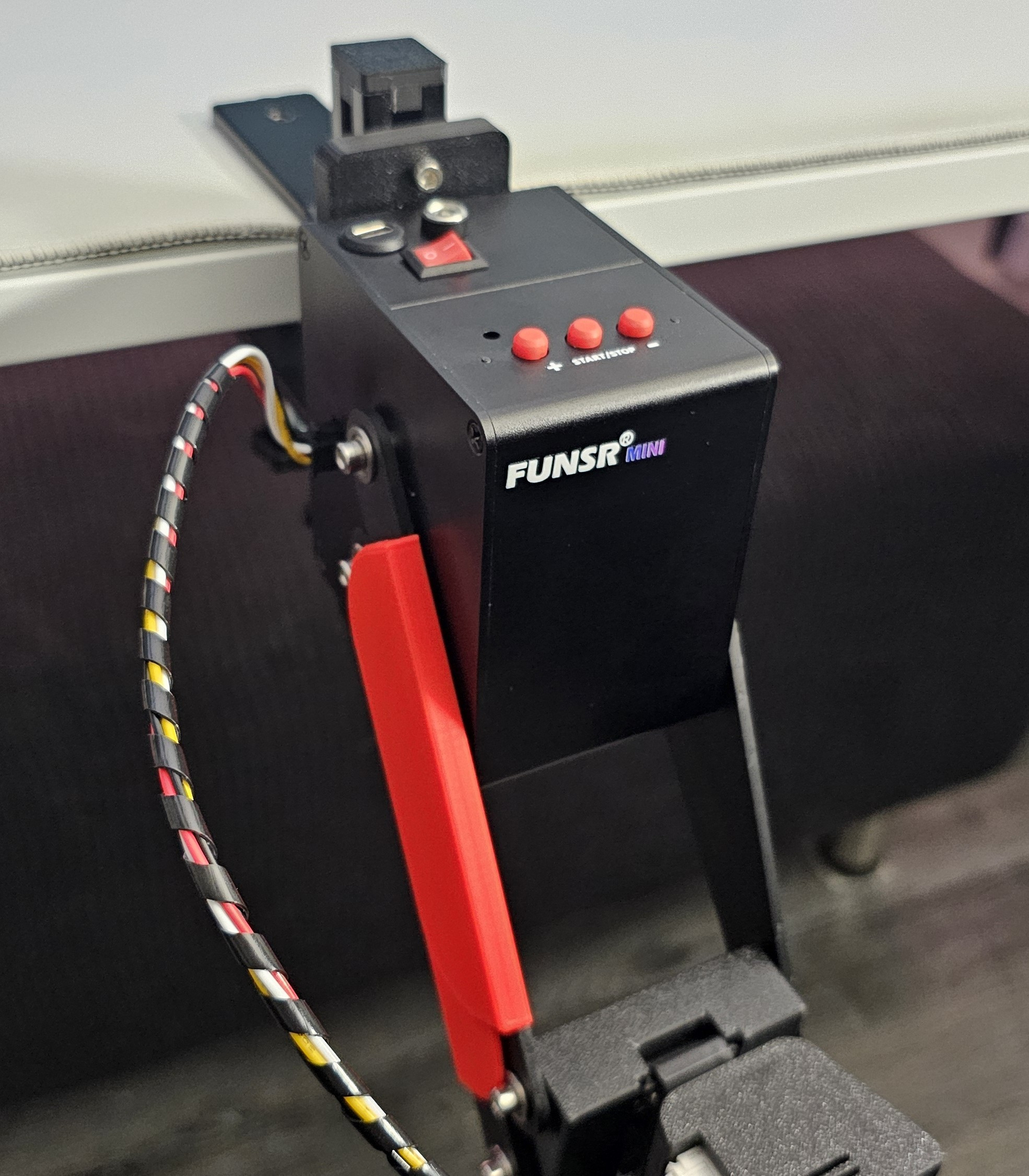
Cooling & Ventilation
One very visible difference between the FUNSR Mini and the FUNSR PRO is the cooling system.
The FUNSR PRO comes with active cooling and has a fan built into the device. That makes sense, because the PRO has more movement going on. It supports more axes, more complex motion, and therefore generates more heat during use.
The FUNSR Mini does not have a fan.
Instead, you can see ventilation holes on the device itself.
That also makes sense. The FUNSR Mini only supports the standard up-and-down stroke and, depending on the version, the twist movement. It does not have the same full multi-axis workload as the PRO, so it does not need the same active cooling approach.
Less movement complexity means less heat generation.
Less heat generation means no fan is needed.
And no fan also means one less source of noise, which is always nice.
No fan, just ventilation — the Mini keeps things simpler.
Looks, Build & First Impressions Summary
Overall, my first impression of the FUNSR Mini is very positive.
It is much smaller and more compact than the FUNSR PRO, which immediately makes it easier to handle, store, and set up. The device itself may look almost cute at first because of its cube-like shape and compact size, but the build makes it very clear that this is still a proper stroker device with serious power behind it.
The materials feel solid, the 3D-printed parts are thick and sturdy, everything is securely assembled, and the twist module feels stable once attached. The visible cable for the twist module is properly protected and has enough length to avoid stress during movement.
The included safety covers are also important and should absolutely stay in place, both for user safety and to protect the motor from damage.
Compared to the FUNSR PRO, the Mini is clearly simpler and less complex, especially when it comes to cooling and movement options. But that is not a bad thing. It makes the device more compact, easier to understand, easier to store, and probably more approachable for people who do not want to jump straight into the full FUNSR PRO experience.
For looks, build quality, and first impressions, I have no real complaints.
It feels small, strong, stable, and well thought out.
Score: 5 / 5
Small cube, strong build, excellent first impression.
 5. Setup
Rated section
Okay, let’s set everything up.
As already mentioned in the Packaging & Delivery section, the assembly of the FUNSR Mini is very easy.
Compared to the FUNSR PRO, the setup is noticeably simpler. With the FUNSR PRO, you had to connect the arms to the receiver manually and screw everything together. With the FUNSR Mini, that step is gone.
Instead, the FUNSR Mini uses a snap-in system where you simply attach the receiver to the device.
And that’s it.
No complicated assembly.
No confusing part placement.
No “where does this screw go?” moment.
Everything is very easy, fast, and straightforward.
Mounting the device is just as simple. You connect the FUNSR Mini to the included mount with four screws, tighten everything properly, and then screw the mount to your table.
Once that is done, you have yet another very stable mounted setup.
Very good.
Less screwing around, more snapping into place.
Device Connection
The basic connection works the same way as with the FUNSR PRO.
The FUNSR Mini needs:
- A constant power connection
- A USB connection to your PC
Both are mandatory.
There is no battery and no WiFi. This means the device needs to stay connected by cable during use.
Personally, I actually like this approach for a device like this. A wired USB connection is reliable, direct, and does not depend on WiFi, servers, connection quality, or random wireless issues.
You plug it in, connect it properly, and it works.
That may sound less fancy than wireless use, but for scripted devices, reliability matters a lot. If the device is supposed to follow a script accurately, I prefer a stable wired connection over a more convenient but potentially less reliable wireless setup.
No WiFi magic, no battery drama — just stable wired power.
Software Connection with MultiFunPlayer
For software connection, I used MultiFunPlayer again.
For me, MultiFunPlayer is still the best app for this kind of setup. It is reliable, easy to use, and works flawlessly once everything is configured correctly.
There is an official connection guide here:
Official FUNSR Mini / MultiFunPlayer Guide: Play with Funscript videos
The short version is:
- Connect all cables
- Open MultiFunPlayer
- Click “Add Output”
- Select Serial
- Choose the correct serial port
For example: COM8 or something similar - Click Connect
- Done
After that, the FUNSR Mini should be connected and ready to receive movement data.
For more detailed guides, questions, and troubleshooting, you can also check the official MultiFunPlayer thread:
Overall, the connection process is not difficult. If you already used the FUNSR PRO, this will feel very familiar. If you are new to this, it may take a few minutes to understand the basic workflow, but once you have done it once, it becomes very simple.
MultiFunPlayer remains the reliable control center.
Video Software Connection
As with the FUNSR PRO, Random Video Player is my go-to app for video playback.
It is a lovely tool, and I can highly recommend it.
Since my FUNSR PRO review, Random Video Player has received a lot of cool updates, so it is definitely worth checking out again if you have not used it in a while.
To connect MultiFunPlayer with Random Video Player, the basic process is:
- Open MultiFunPlayer
- Click “Toggle Media Source”
- Choose MPC-HC
- Open Random Video Player
- Click Connect
- Done
After that, both tools should be linked, and MultiFunPlayer should be able to follow the video playback properly.
For a deeper dive, questions, updates, and troubleshooting, you can check the official Random Video Player thread here:
For my own testing, this combination worked very well again. MultiFunPlayer handles the device side, Random Video Player handles the video side, and together they create a very reliable setup for scripted playback.
Random Video Player plus MultiFunPlayer — still a beautiful little combo.
Receiver Positioning
Like with the FUNSR PRO, proper receiver positioning is very important.
This is one of those small setup details that can make a big difference.
When powering on the FUNSR Mini, you should:
- Hold the receiver manually
- Bring it into the desired starting position
- Then turn the device on
- Let the device “snap” the receiver into place
If you do not do this correctly, the stroke direction can be wrong and the whole movement can feel a bit off.
And “a bit off” is not what you want with a device like this.
So before starting a session, take a moment to position the receiver properly. It only takes a few seconds, but it helps make sure the movement starts correctly and feels the way it should.
Once you know this, it becomes part of the normal setup routine.
Position first, power second — the cube likes proper manners.
Setup Comparison: Handy 2 Pro, FUNSR PRO & FUNSR Mini
When comparing the setup process, the Handy 2 / Handy 2 Pro is still the easiest and fastest option overall.
The Handy 2 Pro is basically ready right out of the box. You do not have to assemble the device itself, and there are no arms or receiver parts that need to be attached manually.
The only extra step might be if you want to mount it to the dedicated Handy desk mount. But even then, the basic device setup is very quick.
The Handy 2 Pro also does not need a constant USB cable connection to the PC during normal use, and you do not necessarily need an external app like MultiFunPlayer for basic use.
So when it comes to pure beginner-friendly setup, the Handy 2 Pro still wins.
The FUNSR PRO takes the most time to set up. You have to screw the arms to the receiver, mount the device, connect the cables, use additional third-party software, and make sure everything is positioned correctly.
The FUNSR Mini sits in between.
It is similar to the FUNSR PRO in terms of software, cables, mounting, and wired connection. But it is easier because you do not need to screw the arms to the receiver. The snap-in receiver system makes the physical assembly faster and more convenient.
So the setup ranking is roughly:
- Handy 2 / Handy 2 Pro: Easiest and fastest
- FUNSR Mini: Slightly more involved, but still very simple
- FUNSR PRO: Most involved because of the full multi-axis setup
But here is the important part:
For the FUNSR Mini, this is mostly a one-time setup.
You do it once, set everything up properly, mount it securely, connect your software, and after that it becomes much closer to plug-and-play.
Not as instant as the Handy, but much easier than the PRO.
Everyday Usage
For everyday usage, the FUNSR Mini feels very similar to the FUNSR PRO.
The initial setup takes a bit of time, but once everything is assembled and configured, daily use becomes simple.
You connect the power cable.
You connect the USB cable.
You open MultiFunPlayer.
You connect the serial port.
You start your video software.
And then you are ready to go.
Thanks to the USB connection, the device feels reliable and direct. There is no noticeable delay caused by wireless communication, and you are not dependent on WiFi stability or external servers.
That is a big plus.
Especially for scripted playback, reliability is extremely important. A device like this needs to react properly, follow the script cleanly, and stay connected without random issues.
The FUNSR Mini does that well.
It may need a little more setup than a fully plug-and-play consumer device, but once everything is prepared, the whole process is easy to repeat.
Set it up once, then enjoy stable wired reliability.
Setup Summary
Overall, the setup of the FUNSR Mini is very good.
It is easier than the FUNSR PRO, mainly because the receiver uses a simple snap-in system and does not need to be screwed to the arms manually. Mounting the device is also straightforward, and once it is attached to the included bracket, the whole setup feels very stable.
The software setup with MultiFunPlayer is familiar, reliable, and easy to repeat once you understand the basic steps. Random Video Player also works very well as a video playback solution, especially when linked through MultiFunPlayer.
The Handy 2 Pro is still easier and faster for absolute beginners, especially because it needs less external setup and fewer cables. But the FUNSR Mini gives you a very powerful wired setup in return.
And honestly, most of the setup effort is only needed once.
After that, it becomes a stable, reliable, and very usable device setup.
For me, that earns the FUNSR Mini a full score in this category.
Score: 5 / 5
A little setup work, a lot of stability — worth it.
 6. Usage, Performance & Reliability
Rated section
Now we are talking about performance.
And let’s be honest: this is probably one of the most important sections of the entire review.
Because the big questions are obvious:
Is the FUNSR Mini better than the Handy 2 / Handy 2 Pro?
How does it compare to the FUNSR PRO?
Is it really “Mini,” or is that name just trying to trick us?
Of course, we will talk about all of that.
This section covers the raw performance, stroke length, speed, torque, smoothness, twist function, heat, reliability, and how the FUNSR Mini feels in actual use.
And yes, spoiler:
The little power cube is not playing around.
This is where the cute little cube starts throwing punches.

Performance Numbers
This time, we actually have official performance numbers.
With the FUNSR PRO, there were no official numbers available, so my comparison there can only be based on personal impressions and hands-on experience. I cannot provide a direct number-to-number comparison for the PRO.
But for the FUNSR Mini, we do have clear specifications:
- Maximum Stroke Length: 17.92 cm
- Maximum Speed: 800 mm/s
And honestly?
That is very impressive.
A maximum stroke length of almost 18 cm is excellent for a compact device like this. It gives the FUNSR Mini a lot of range and makes it much more flexible with larger Onaholes, Fleshlights, and deeper movement patterns.
The maximum speed of 800 mm/s is also very strong. That is not just “pretty fast.” That is properly fast.
For comparison, the Handy 2 / Handy 2 Pro has the following official performance range:
- Handy 2 Standard Speed: 32–400 mm/s
- Handy 2 Pro Speed: 32–450 mm/s
- Handy 2 / Handy 2 Pro Stroke Length: 0–125 mm
- Handy 2 Pro Overclocked Speed: Up to 1000 mm/s
So yes, a highly overclocked Handy 2 Pro can technically reach a higher maximum speed than the FUNSR Mini. But in standard use, the FUNSR Mini is clearly stronger on paper.
Compared to the FUNSR PRO, I can only speak from feeling and experience. The FUNSR PRO feels a little stronger overall and has more movement options because of its full multi-axis system. The stroke length feels roughly similar to the Mini, and both are clearly above the Handy 2 / Handy 2 Pro in that area.
My rough ranking would be:
- FUNSR PRO — strongest overall
- FUNSR Mini — second strongest, very impressive for its size
- Handy 2 / Handy 2 Pro — excellent and reliable, but less powerful in standard use
The exception is a highly overclocked Handy 2 Pro, which can reach up to 1000 mm/s. But even then, pure speed is not the whole story. Power, torque, stroke consistency, load handling, and movement stability matter just as much.
And this is where the FUNSR Mini becomes very interesting.
The numbers are strong, but the feeling is even more convincing.
Motor System & Joint Motors
Now that we have the numbers out of the way, let’s talk about the motor system.
The FUNSR Mini uses the same kind of motor concept that the FUNSR PRO already uses. Instead of a classic belt-driven system, the FUNSR team uses joint motors.
In simple terms, joint motors combine the motor and gearbox into a compact, direct unit. The power is delivered directly at the joint, instead of being transferred through belts or a more complex mechanical system.
That brings several advantages:
- More direct power delivery
- Higher effective torque
- Better precision
- Less mechanical play
- Reduced vibration
- Less mechanical noise
- Fewer parts that can wear out over time
In theory, this means:
More power.
Better reliability.
Lower noise.
More precise movement.
And in practice, the FUNSR Mini really does feel strong and controlled.
It does not feel like a device that is barely managing its own movement. It feels confident. It reacts quickly, holds its movement well, and powers through scripts without feeling weak or unstable.
That is especially impressive because the device itself is so small.
The size says “Mini.”
The motor says “try me.”
Joint motors give the little cube its serious muscle.
Twist Function
The FUNSR Mini has an optional twist function.
And I am very happy they added it.
This is one of the biggest things that sets the FUNSR Mini apart from a more standard stroker like the Handy 2 / Handy 2 Pro.
The Handy 2 is a pure up-and-down stroker.
The FUNSR PRO is a full multi-axis device.
The FUNSR Mini sits in between.
It gives you the standard linear stroke, but with the added option of twist.
And honestly, from all additional axes, twist might be my favorite.
In my opinion, twist adds a lot to the sensation — maybe even more than roll and pitch in many situations. It is immediately noticeable, easy to understand, and feels like a very natural addition to the standard stroke movement.
Full multi-axis can be a bit intimidating, especially for new users. There are more axes, more options, more settings, more things to understand, and more ways to mess something up.
Twist is different.
It is much more accessible.
You understand it instantly.
You feel it instantly.
And it adds something meaningful without making the whole setup feel overwhelming.
That is why I think it was very smart for FUNSR to add twist to the Mini. Without it, the FUNSR Mini would still be a stronger stroker than the Handy 2, but it would be easier to describe it as “just” a stronger stroker.
With the twist module, it becomes something more:
A stronger stroker with an additional movement layer.
And that makes a big difference.
Twist turns the Mini from “strong stroker” into “oh, that is different.”
Twist in Practice
The twist function itself works flawlessly. It supports full 360 degree of twist.
During my testing, it felt smooth, stable, and very fun to use. It adds a noticeable extra layer to the experience and makes certain scripts or movement patterns feel more dynamic.
And if you have a video or script that does not include a dedicated twist script, that is not a problem.
MultiFunPlayer has an option to enable random movements for the twist axis, and I used that a lot during testing. It works really well and allows you to enjoy the twist function even when a script only has standard up-and-down movement.
That makes the twist module much more useful in practice, because you are not completely dependent on finding dedicated twist scripts.
Another big improvement compared to the FUNSR PRO is noise.
The FUNSR Mini twist module uses a new ball bearing structure that replaces the original 3D-printed components. This effectively reduces friction noise, and yes, it is noticeable.
The twist function is quieter and smoother compared to the FUNSR PRO.
That is a big and very welcome upgrade.
Well done.
Overall, the twist function is perfectly executed here. It is easy to use, fun, smooth, quieter than before, and a real addition to the device.
Not a gimmick.
A real feature.
Smooth twist, less noise, more fun — that is a proper upgrade.
Stroke Length & Smoothness
As we already saw from the numbers, the FUNSR Mini has a very long stroke length.
At 17.92 cm, it offers more range than the Handy 2 / Handy 2 Pro and feels roughly similar to the FUNSR PRO. Maybe even slightly longer in some situations.
That increased stroke length is a real advantage when using bigger Onaholes or Fleshlights. You simply get more usable movement range, which can make the device feel more immersive and more natural depending on the content and script.
But the FUNSR Mini is not just about raw stroke length.
The movement is also very smooth.
And yes, it captures small, detailed movements extremely well.
During my tests, I often used the FUNSR Mini through OpenFunScripter so I could inspect the movements more closely. This allowed me to see and feel how the device reacts to specific strokes, slower patterns, smaller movements, and transitions.
The result was very positive.
Small and slow detailed strokes were captured really well. The movement translated cleanly to the device, and the FUNSR Mini did not feel like it was only good at brute force or fast movement.
That is important.
A powerful device is nice.
A powerful device that can also move precisely is much better.
The FUNSR Mini handles slow movements, fast movements, and everything in between very well. Strokes are not randomly skipped, movement does not feel cut off, and transitions feel controlled.
So yes, it has raw power.
But it also has precision.
And that combination is exactly what you want from a good scripted stroker.
Fast when needed, precise when it matters.
Script Testing & Movement Examples
For this review, I tested the FUNSR Mini with different scripts, different speeds, different Onaholes, and different software setups.
I also recorded several examples to show how the device behaves at different movement intensities:
- First video: Slower and more detailed script
- Second video: Medium-speed script
- Third video: Fast and intense script, reaching up to 800 mm/s
These examples show the FUNSR Mini across a good range of movement types.
Slow detail.
Medium rhythm.
Fast intensity.
And the device handles all of them very well.
Unfortunately, I was not able to make a proper Handy 2 comparison video this time, because my Handy desk mount broke and I could not film the comparison properly.
A shame, because that would have been a very useful direct visual comparison.
But from practical hands-on testing, the FUNSR Mini clearly feels stronger and more capable than the Handy 2 / Handy 2 Pro in standard use.
From slow detail to full speed — the Mini keeps up.
Power & Torque
The FUNSR Mini is powerful.
Very powerful.
The maximum speed of 800 mm/s is no joke, and the device feels strong during use. For such a small cube, the amount of force it can deliver is honestly impressive.
Compared to the Handy 2 Pro, the FUNSR Mini feels stronger to me. I have my Handy 2 Pro overclocked to 800 mm/s as well, but even then, the Mini still feels more powerful and more forceful in actual use.
Compared to the FUNSR PRO, the Mini feels a little less powerful, but not by a huge amount.
The FUNSR PRO still has the stronger overall presence. It feels bigger, more complex, more intense, and more like a full machine. But the FUNSR Mini gets surprisingly close in terms of basic stroke power.
And yes, the Mini creates that nice “pounding” effect again that I already experienced with the FUNSR PRO.
Depending on the Onahole and its size, the device can really press the toy into your lap, which can be very immersive. Especially for riding content, this effect adds a lot.
The Handy 2 / Handy 2 Pro can create this effect as well, but the FUNSR Mini does it stronger.
To explain torque very simply:
Think of torque like leg strength when pedaling uphill.
More torque means the device does not easily stall or weaken under load. It can keep pushing even when there is resistance.
And the FUNSR Mini handles load very well.
During testing, I had no issues with:
- Larger Onaholes: Around 870g / 1.92 lbs
- Fleshlights: Around 800g / 1.76 lbs
The device handled that weight without struggling.
The big difference compared to the Handy 2 / Handy 2 Pro is that the FUNSR Mini does not feel like it reduces its stroke length under heavier load or higher speed.
The Handy 2 can sometimes struggle a bit with heavier Onaholes and may reduce the stroke length slightly under load.
The FUNSR Mini, like the FUNSR PRO, simply powers through.
Yes, impressive.
And fun.
Very fun.
You do not constantly have to think:
“Is this weight okay?”
“Will the device struggle?”
“Is this too much?”
With the FUNSR Mini, the answer is usually:
Yes, it is fine.
Or to say it even easier:
What is the max load of the FUNSR Mini?
Yes.
The Mini does not ask politely — it just powers through.
Heat & Temperature
Unlike the FUNSR PRO, the FUNSR Mini does not have active cooling.
There is no fan.
Instead, the device has ventilation holes and uses a different casing approach. The FUNSR team improved the shell and uses an aluminum alloy metal casing, which helps with long-term temperature control and more stable device operation.
This makes sense.
The FUNSR Mini has fewer movement axes than the FUNSR PRO. It only handles the linear up-and-down stroke and, depending on the version, twist. Because there is less movement complexity, less heat is generated overall, and active cooling is not needed in the same way.
The device itself does get warmer than the FUNSR PRO.
But to be fair, the FUNSR PRO barely got warm at all during my testing.
The FUNSR Mini does get warm, but not in a worrying way. It does not reach that “oh god, this is hot” level. It feels like normal heat development from a mechanical device doing mechanical device things.
I would describe it as normal operating temperature during performance.
Compared to the Handy 2 / Handy 2 Pro, the FUNSR Mini is fairly similar in this regard. If anything, the Handy 2 feels a little warmer after longer use, while the Mini did not feel quite as warm after the same usage duration.
So overall, heat is not a problem.
It gets warm.
It does not get scary.
Good enough for me.
Warm, not worrying — the cube keeps its cool well enough.
Reliability
During my testing, the FUNSR Mini was reliable.
I tested it up to 10 times with different Onaholes, different scripts, different software setups, different speeds, and different movement styles.
The device stayed connected, followed scripts properly, and did not randomly stop, skip, disconnect, or behave strangely during normal use.
The wired connection helps a lot here.
Because everything runs through USB and power, there is no dependency on WiFi, no server-side connection, and no wireless delay. Once the device is connected through MultiFunPlayer, it simply does what it is supposed to do.
That reliability is one of the biggest advantages of this kind of setup.
It may not be as immediately convenient as a wireless device, but once everything is connected, it feels stable and direct.
And for scripted use, that matters a lot.
Cables may not be sexy, but reliability absolutely is.
FUNSR Mini vs Handy 2 Pro vs FUNSR PRO
So, how does the FUNSR Mini compare?
The Handy 2 / Handy 2 Pro is still the more beginner-friendly and polished consumer device. It is easier to set up, easier to use right out of the box, and has a very convenient ecosystem. It also has great safety features and is still an excellent daily driver.
The FUNSR PRO is the full-performance monster. It has more power, more movement options, full multi-axis support, and a much more advanced overall concept. But it also requires more setup, more understanding, and more respect from the user.
The FUNSR Mini sits right between them.
It is much easier to understand and master than the FUNSR PRO, but it is still more technical than the Handy 2 Pro. It is beginner-friendly enough that new users can get into it without feeling completely overwhelmed, but some experience with MultiFunPlayer, scripts, and device setup definitely helps.
In terms of power, it is closer to the FUNSR PRO than I expected.
Not equal.
But close enough to be impressive.
The Handy 2 Pro remains the more comfortable and polished everyday option.
The FUNSR PRO remains the king of movement complexity.
The FUNSR Mini becomes the compact powerhouse in the middle.
And that is a very good place to be.
Not the easiest, not the wildest — but maybe the smartest middle ground.
The Car Comparison
Let’s bring back the car comparison.
The Handy 2 / Handy 2 Pro is like a VW.
Reliable.
Beginner-friendly.
Smart safety features.
A great daily driver.
It steps in to save you when needed.
The FUNSR PRO is like an old Porsche 911.
Much more power.
More performance.
No hand-holding.
Requires experience and respect.
Immensely rewarding once mastered.
So what is the FUNSR Mini?
For me, the FUNSR Mini is like a modern hot hatch.
Something like a Golf GTI, Hyundai i30 N, or Toyota GR Yaris.
Compact.
Practical.
More approachable than the old Porsche.
Much more exciting than the normal VW.
Still powerful enough to surprise you.
Still requires respect when pushed hard.
But easier to master than the full performance monster.
That comparison fits the FUNSR Mini very well.
It sits between the Handy 2 Pro and the FUNSR PRO. It is more beginner-friendly than the PRO, but still not as hand-holding and effortless as the Handy 2 Pro. Some experience helps, but it is not mandatory.
You can learn it faster than the FUNSR PRO.
But it still asks you to pay attention.
It is compact, strong, fun, and surprisingly capable.
A little performance machine that looks small until you actually use it.
Then it suddenly makes a lot of sense.
The FUNSR Mini is the hot hatch of scripted strokers — compact, fast, and way more fun than expected.
Usage, Performance & Reliability Summary
Overall, the FUNSR Mini is quite a beast.
Not as beastly as the FUNSR PRO, but still absolutely a beast.
It is stronger than the Handy 2 / Handy 2 Pro in standard use, and that shows clearly during testing. The stroke length is longer, the force feels stronger, heavier Onaholes are handled better, and the device keeps its movement more consistent under load.
Compared to the FUNSR PRO, the Mini feels a little less powerful and less complex, but not by as much as I expected. Considering how much smaller the FUNSR Mini is, that is genuinely impressive.
The twist function is excellent. It is smooth, fun, useful, accessible, and quieter than the FUNSR PRO twist module thanks to the improved ball bearing structure. It adds a lot to the experience and makes the Mini feel meaningfully different from a standard stroker.
The movement quality is also very strong. The device captures small detailed strokes well, handles slow and fast movement cleanly, transitions smoothly, and does not feel like it is only good at raw speed.
Heat is also handled well. The device gets warm, but not worryingly hot, and the aluminum alloy casing plus ventilation holes seem to do their job.
Reliability was also very good during my testing. The device stayed connected, followed scripts properly, handled different Onaholes, and did exactly what it was supposed to do.
In the end, the FUNSR Mini delivers much more performance than its size suggests.
It is compact.
It is strong.
It is precise.
It is reliable.
And it is very, very fun.
Score: 5 / 5
Mini in name, monster in practice.
 7. VR & Content Sync
Rated section
Now we move to content sync, which is one of the most important sections for any scripted device.
Because raw power is great.
Long stroke length is great.
Twist is great.
But if the device does not sync properly with your favorite content, all of that power does not matter nearly as much.
A good device needs to follow the content accurately. It needs to react reliably, stay connected, and translate the script into movement as cleanly as possible.
For the FUNSR Mini, I used mostly the same software setup I already used with the FUNSR PRO. So in many ways, this section will be very similar to what I already covered in that review.
But there is one important thing I need to mention first:
I was not able to test VR content directly with the FUNSR Mini.
My Pico 4 is currently broken and does not charge anymore. And since the Steam Frame has not been released yet — yes, I am still on hopium here — I was not able to properly test VR content during this review.
That said, the FUNSR Mini uses the same general software ecosystem as the FUNSR PRO, and the connection process should work the same way. So while I cannot give direct VR impressions this time, the technical setup should be very similar to the FUNSR PRO.
VR testing was blocked by headset betrayal, but the ecosystem remains familiar.
PC Connection Required
As mentioned in the Setup section, the FUNSR Mini needs both:
- A USB connection
- A constant power connection
That means you need a PC or laptop to use it properly.
There is no battery.
There is no WiFi.
There is no mobile app like with the Handy 2.
This is very important to know before buying the FUNSR Mini.
The Handy 2 / Handy 2 Pro can be used more independently and wirelessly, which is a big convenience advantage. With the FUNSR Mini, you are working with a more PC-based setup.
So if you are looking for a fully wireless device that can run through an app or website without cables to your PC, the FUNSR Mini is not that kind of device.
It is wired.
It is local.
It is PC-based.
That may sound less convenient at first, but it also comes with some very real advantages.
The Mini lives on your PC setup — cable kingdom included.
Wired Sync: Annoying, But Excellent
Yes, cables are annoying.
A fully wireless setup like the Handy 2 is really cool, and I absolutely understand why people love it. I enjoy that convenience a lot myself. Being able to use the Handy 2 without a USB cable running to your PC is a big advantage.
But wired connection also has strong benefits.
With the FUNSR Mini:
- You do not depend on external servers
- You do not depend on WiFi stability
- Everything runs locally
- Connection is direct and reliable
- Delay is basically nonexistent
- Movement sync feels immediate
And that last point is very important.
The FUNSR Mini feels properly synced. Movements feel direct, responsive, and 1:1 with the script. There is no obvious delay, no “almost synced but slightly off” feeling, and no connection uncertainty during use.
Everything moves as it should.
That is exactly what I want from a scripted device.
Of course, the downside is that you have to deal with cables and a slightly longer setup process. You need your PC or laptop, you need power, you need USB, and you need software.
But honestly?
That is a trade-off I am absolutely okay with.
For me, stable local sync is worth a lot.
Cables are annoying, but perfect sync is a beautiful thing.
Manual Mode
Unlike the FUNSR PRO, the FUNSR Mini has a manual mode built directly into the device.
You can see three buttons on the unit:
- Middle button: Turns the device on
- Left button: Increases speed
- Right button: Decreases speed
I am glad FUNSR added manual mode again.
I did not really mind that the FUNSR PRO did not have it, because that device is clearly built around scripted and multi-axis use. But as a quality-of-life feature, manual mode is always nice to have.
Sometimes you do not want to use a script.
Sometimes you just want to browse content, relax, and let the device run with a simple pattern. That is something I actually like to do with the Handy 2 from time to time, so seeing that option return on the FUNSR Mini is very welcome.
The manual mode uses set patterns, and you can adjust the speed directly on the device. The patterns are pretty good, easy to use, and fun enough for casual non-scripted sessions.
Of course, scripted use is still where the FUNSR Mini shines the most.
But manual mode gives it more flexibility.
And flexibility is always nice.
No script needed — sometimes the cube can just do its own thing.
MultiFunPlayer as the Main Hub
For the FUNSR Mini, MultiFunPlayer is the main hub that connects the device to your content.
MultiFunPlayer can connect to:
- Video players
- VR players
- Script tools
- OpenFunScripter
- Different output devices and axes
As mentioned earlier, I was not able to test VR directly this time, but the process should follow the same general setup as the FUNSR PRO.
With MultiFunPlayer, you can connect to tools like Heresphere or SLR. If you want to connect to SLR through MultiFunPlayer, you need the Patreon version of MFP.
And honestly, I think it is worth getting.
It only costs around $4, gives you extra features, and supports @Yoooi, who built an amazing and essential app for this whole ecosystem.
For Heresphere setup, you can check the guide here:
Heresphere Connection Guide
For me, MultiFunPlayer is still the best way to run FUNSR devices. It is powerful, flexible, reliable, and gives you the control you need for devices with more than just a simple standard stroke axis.
Especially with the FUNSR Mini twist version, having proper axis control is important.
MultiFunPlayer remains the brain behind the machine.
Random Video Player
For normal video playback, Random Video Player is again my player of choice.
It is developed by @Peanutccino and is an excellent tool.
I already liked it a lot during my FUNSR PRO review, and since then it has received many cool and useful updates. It is still being actively worked on, which is always great to see.
Random Video Player is stable, easy to connect with MultiFunPlayer, and offers many features that make content playback much more enjoyable.
One of my favorite ways to use it is still:
Random section + shuffle mode
That combination is just a very fun way to enjoy content without needing to manually select everything yourself. It adds variety, makes sessions feel less predictable, and works very well with scripted content.
For the FUNSR Mini, Random Video Player worked very well again.
MultiFunPlayer handles the device.
Random Video Player handles the content.
Together, they make a very strong setup.
Random Video Player keeps the chaos organized — beautifully.
ScriptPlayer & Intiface
With the FUNSR Mini, I did not try to connect it to ScriptPlayer through Intiface.
The reason is simple:
The combination of MultiFunPlayer + Random Video Player already works so well that I did not see a real reason to change the setup.
ScriptPlayer is still great. It is my go-to software for connecting the Handy 2 / Handy 2 Pro, and I still like it a lot for that use case.
But with FUNSR devices, which already need MultiFunPlayer anyway, switching over to ScriptPlayer does not feel necessary for me personally.
That said, the FUNSR Mini can be connected through Intiface and then used with ScriptPlayer. I already did something similar with the FUNSR1 in the past, and that worked well.
So the option is there.
I just did not need it for this review because my current setup already works exactly the way I want it to.
ScriptPlayer is still great, but MFP already does the job beautifully here.
OpenFunScripter Connectivity
The FUNSR Mini also connects to OpenFunScripter, which is very useful — especially if you are a script creator.
With OFS, you can directly test your scripts in action and see how the device behaves. This is useful for normal linear scripts, but it becomes even more interesting if you are working with the twist axis.
Being able to see, feel, and adjust the movement while working on a script is a big advantage.
You can check if everything works as intended.
You can tweak movement points.
You can test small details.
You can see how the device reacts to specific strokes.
And as mentioned in the Usage, Performance & Reliability section, the FUNSR Mini captures small details very well.
I like using OFS to check the device capabilities more closely. It allows me to inspect how the device moves at certain points, how it handles smaller strokes, how it transitions between movement speeds, and how accurately it follows the script.
For creators, this is very valuable.
It turns the FUNSR Mini from just a playback device into a very useful testing tool as well.
For script creators, OFS turns the Mini into a live testing machine.
FUNSR Mini vs FUNSR PRO vs Handy 2
When it comes to connectivity, the FUNSR Mini and FUNSR PRO are very similar.
Both use the same general ecosystem.
Both connect through MultiFunPlayer.
Both can work with tools like Random Video Player, Heresphere, SLR, and OpenFunScripter.
Both are PC-based and wired.
The main difference is that the FUNSR Mini has a built-in manual mode, while the FUNSR PRO does not.
That gives the Mini a small but nice quality-of-life advantage.
The Handy 2 / Handy 2 Pro works differently.
It does not really need third-party software for basic use, because you can play scripts and videos through the Handy website. However, the website player is a bit too basic for my taste, so I still prefer using a proper player like ScriptPlayer for a better experience.
The Handy 2 also relies on WiFi, but does not need any USB connection to your PC during use. The connection is usually very stable, and the software ecosystem around the Handy is very broad.
It also works without scripts in manual mode and has the official Handy app for offline use.
So the difference is quite clear:
The Handy 2 Pro is more convenient and wireless.
The FUNSR Mini is more local, wired, direct, and flexible through MultiFunPlayer.
The FUNSR PRO uses the same ecosystem as the Mini, but without manual mode and with full multi-axis complexity.
None of these approaches are wrong.
They simply serve different types of users.
Wireless convenience vs wired control — both have their place.
VR & Content Sync Summary
Overall, content sync with the FUNSR Mini is excellent.
Even though I could not directly test VR content because of my broken Pico 4, the FUNSR Mini uses the same general software ecosystem as the FUNSR PRO. So if you already know how to connect the PRO through MultiFunPlayer, the Mini will feel very familiar.
The device requires a PC or laptop, USB connection, and constant power. That makes it less convenient than a wireless device like the Handy 2 / Handy 2 Pro, but it also gives you a very reliable local setup.
No servers.
No WiFi dependency.
No noticeable delay.
Very clean sync.
MultiFunPlayer remains the main hub and works very well with the FUNSR Mini. Random Video Player is again my preferred playback tool and continues to be excellent. ScriptPlayer through Intiface should also be possible, but I did not use that setup for this review because MultiFunPlayer and Random Video Player already worked perfectly for me.
OpenFunScripter connectivity is also a big plus, especially for script creators. Being able to test scripts directly and inspect how the device reacts to small strokes, twist movement, and detailed patterns is extremely useful.
The added manual mode is another very nice quality-of-life feature. It makes the FUNSR Mini more flexible than the FUNSR PRO in casual non-scripted situations.
So yes, the FUNSR Mini is not as instantly convenient as the Handy 2 Pro.
But once everything is connected, the sync is reliable, direct, and excellent.
For scripted use, that is exactly what I want.
Score: 5 / 5
Wired, local, reliable — the Mini syncs exactly how it should.
 8. Sleeve, Onahole and Fleshlight Compatibility
Rated section
Now we take a look at another very important section:
Compatibility with sleeves, Onaholes, and Fleshlights.
Because a device can be powerful, reliable, and well-built — but if it does not work properly with the products you actually want to use, then the whole experience becomes much less useful.
Luckily, compatibility with the FUNSR Mini is very similar to what we already had with the FUNSR PRO.
Which means, in short:
- Sleeves: Yes, but with some limitations
- Onaholes: Yes — big yes
- Fleshlights: Yes
Let’s look at all three options.
The Mini may be small, but its compatibility list is surprisingly generous.
Onahole Compatibility
I am probably a bit biased when it comes to Onaholes.
They are my favorite option for interactive devices, and they are by far my most used products with this type of setup. For me, Onaholes often offer the best balance between variety, texture, size, weight, and overall experience.
And the good news is:
Onaholes work perfectly with the FUNSR Mini.
Just like with the FUNSR PRO, you can use Onaholes with either the twist receiver or the open receiver, depending on the product size, shape, and how securely it can be strapped in.
The twist module again uses three plastic stabilization pieces that are screwed onto the module. These help keep the Onahole in a stable position. The module then latches into the twist unit and locks everything down securely.
Once properly strapped, mid-sized and even larger Onaholes stay in place very well.
No slipping.
No unsafe wobbling.
No feeling that the device is about to throw something across the room.
Which is always appreciated.
Onaholes and the Mini are a very strong match.
Onahole Fit & Size
Most normally shaped Onaholes fit very well.
A good example is Nezuko, because it has a fairly typical oval Onahole shape. Products like that are easy to place, easy to strap, and sit securely during use.
However, some very large Onaholes may not fit properly into the twist module.
For example, Seductive Maid did not fit properly for me. It is a very big Onahole, and even though it is soft, it is not soft enough to fit securely into the twist module.
On the other hand, Swimsuit Girl does fit. It is around a similar size, but much softer and therefore more flexible, which makes it easier to secure properly.
So size alone is not the only factor.
Softness, shape, flexibility, and how well the product can be strapped down matter a lot.
Here are the Onaholes I tested:
- Rika Likes Anal: Works
- Swimsuit Girl: Works
- Seductive Maid: Does not work properly in the twist module, too big and not soft enough
- Seductive Maid in the open receiver: Works
- Gokusai Uterus: Works
- Nezuko: Works
- Otokonoko: Works
First Nezuko, then Rika, then Swimsuit girl. Then Seductive Maid and Nezuko in open receiver.

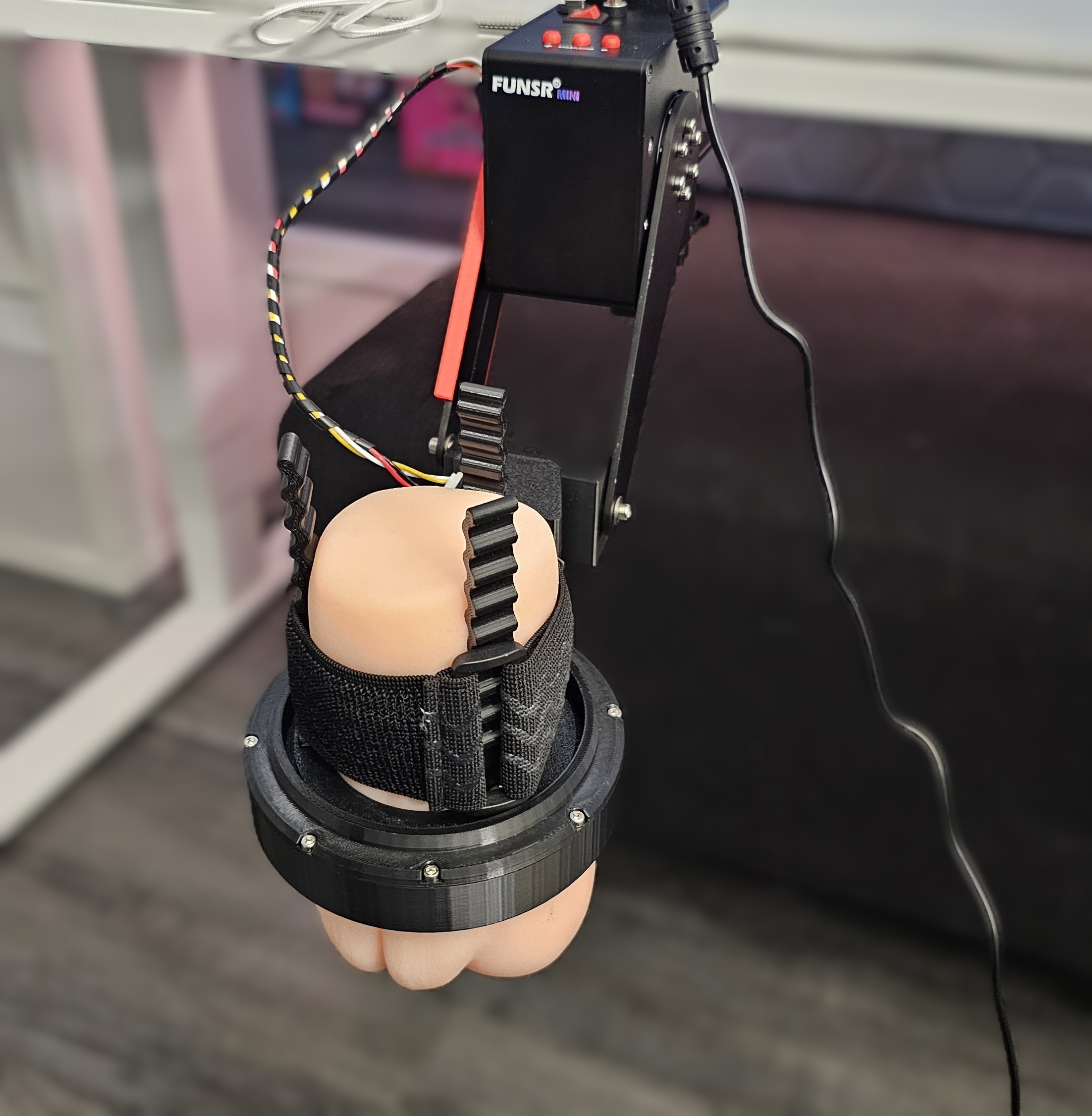
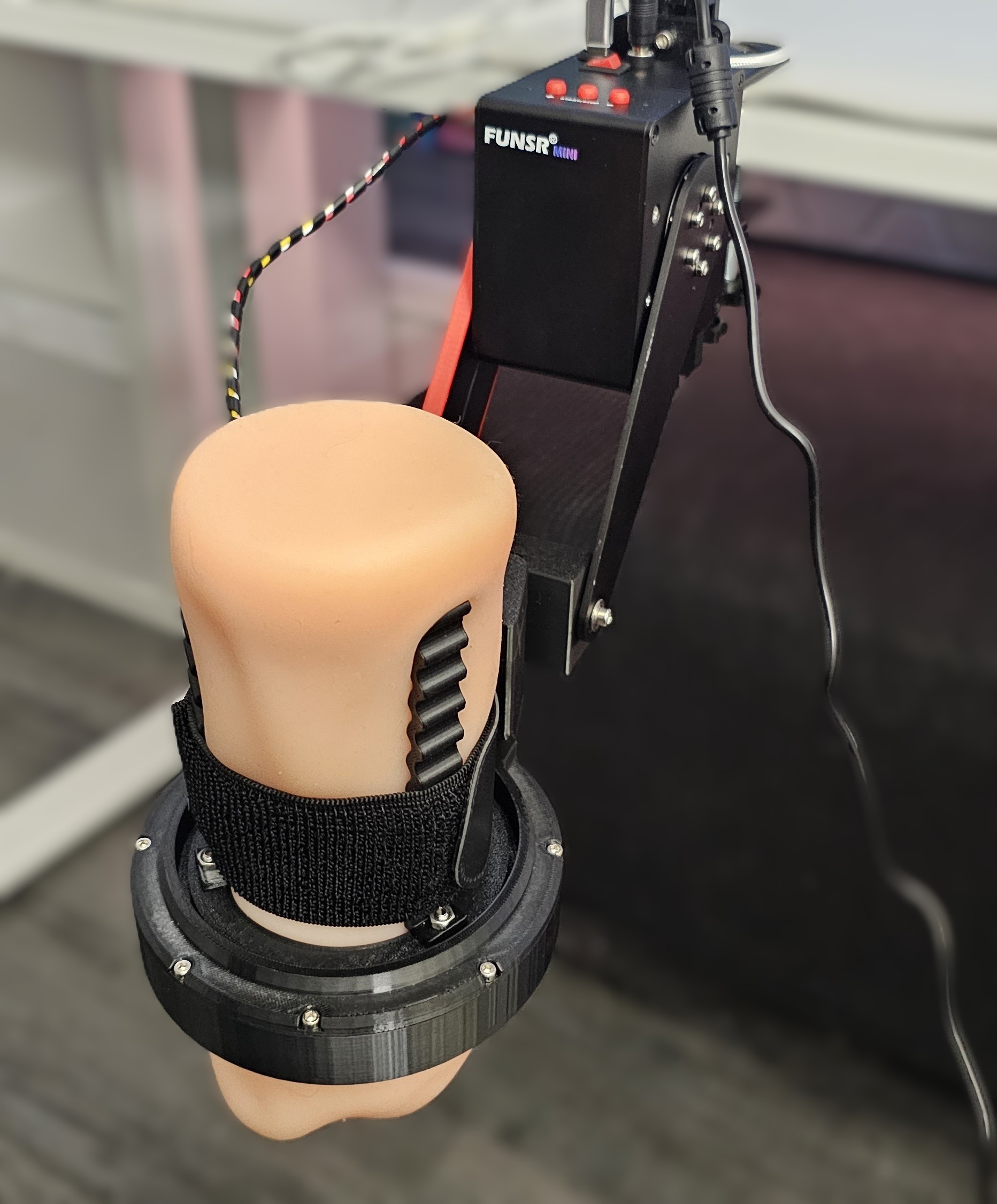
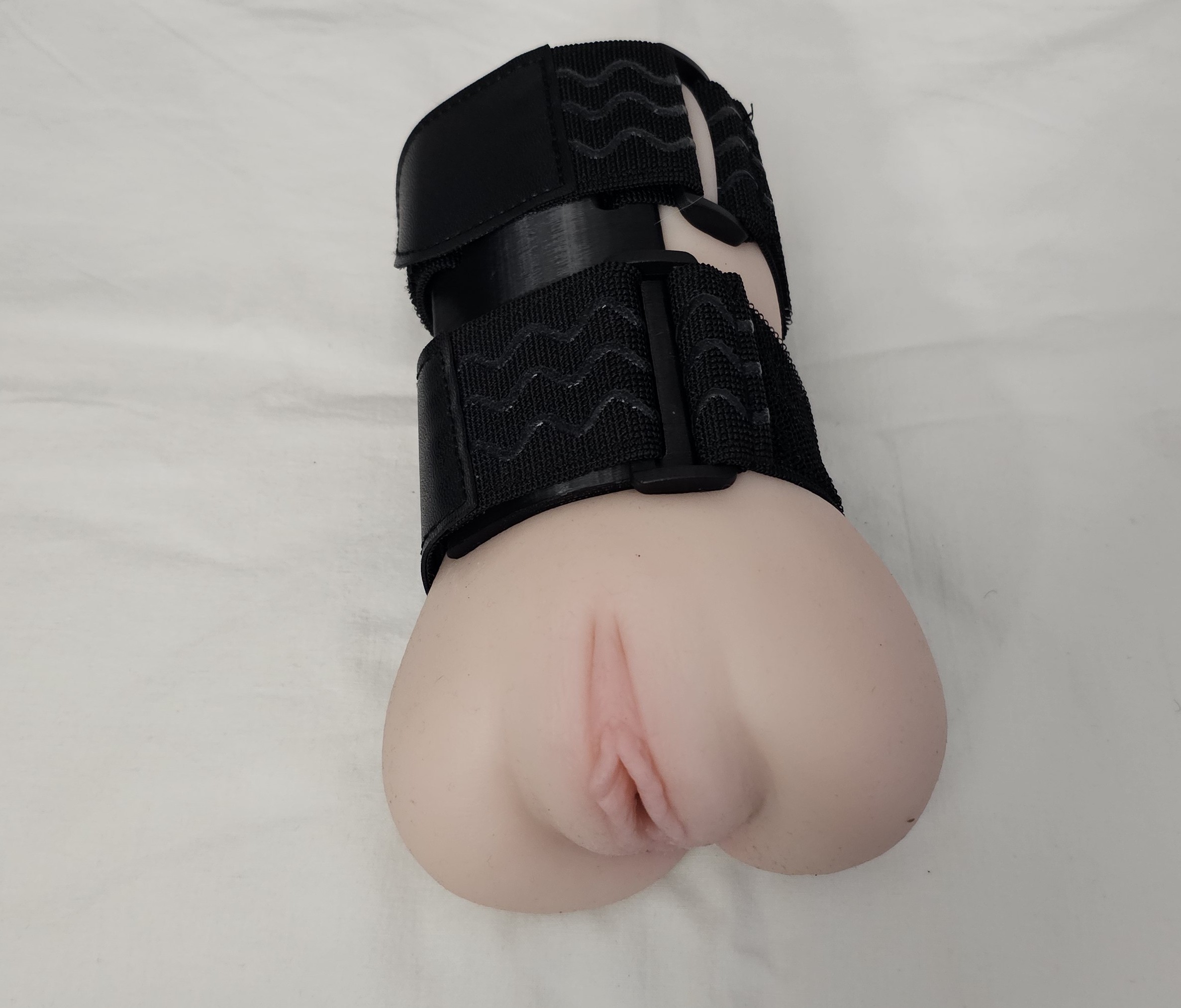

As you can see, the FUNSR Mini supports a very wide range of Onaholes again.
For the twist module, I would recommend mostly mid-sized Onaholes, because they tend to sit more securely and are easier to strap properly.
For the open receiver, you can use pretty much all normal Onaholes, including bigger ones that may not fit into the twist module.
Mid-sized Onaholes shine with twist, bigger ones feel safer in the open receiver.
Strapping & Stability
You have the option to use two straps, but I often found that one strap was already enough.
The straps are long, measuring around 30 cm / 11.8 inches, which gives you enough flexibility for different product sizes.
Once everything is properly strapped down, the Onaholes stay stable even at higher speeds.
Nothing slipped during my testing.
Nothing felt unsafe.
Nothing moved in a way that made me worried.
That said, proper strapping is important.
The FUNSR Mini is a powerful device. It may be smaller than the FUNSR PRO, but it still has enough force that you should take mounting and strapping seriously.
Make sure the Onahole is centered.
Make sure the strap is tight enough.
Make sure the receiver is positioned correctly.
Make sure the product does not wobble before starting.
Especially at higher speeds, this matters.
The Mini is fun.
But the Mini also has muscles.
Strap it properly — the cube does not believe in half-measures.
Onahole Experience
Usage with Onaholes is, as expected, phenomenal.
It works flawlessly.
The FUNSR Mini has no issue with the weight of the Onaholes I tested. It powers through without struggling, and the movement stays stable even with larger products.
The additional twist function also adds a lot to the experience.
This is where the Mini becomes much more than just a stronger stroker. The twist gives the movement an extra layer and makes the whole experience feel more dynamic and more interesting.
Especially with Onaholes, the twist function is very fun to use.
It adds variety.
It adds sensation.
It adds personality to the movement.
And because the Mini handles the weight so well, you do not constantly have to worry about whether a certain Onahole is too much for the device.
The Mini just looks at the weight and says:
“Cute.”
Onahole usage score: 5 / 5
Onaholes are where the FUNSR Mini feels completely at home.
Fleshlight Compatibility
For Fleshlight testing, I used the only Fleshlight I currently have:
Vina Sky Fleshlight
To use Fleshlights with the FUNSR Mini, you need the version with the twist module. Without the twist module, you cannot use Fleshlights in the same way.
Also important:
Only original Fleshlight cases are compatible.
Off-brand cases are not compatible.
Fleshlights work basically the same way they did with the FUNSR PRO.
You place the Fleshlight into the twist module, latch it in, and you can feel when it is properly placed and secured.
Once locked in, the Fleshlight sits very stable.
No wobble.
No loose feeling.
No instability.

The weight is also not an issue at all. The FUNSR Mini handles it smoothly and without struggling.
Overall, Fleshlight use is very good. The setup is secure, the movement feels smooth, and the device has more than enough power to handle the weight.
Fleshlight usage score: 5 / 5
Original Fleshlight case, twist module, locked in — simple and secure.
Sleeve Compatibility
Sleeves were, in my opinion and from my experience, not really usable with the FUNSR PRO.
They were too thin and too short for safe use with the full multi-axis movement. The risk of slipping out was simply too high, especially with more complex motion.
With the FUNSR Mini, things look different.
Because the Mini does not have full multi-axis movement, slip-out risk is much lower. It only moves up and down, plus twist if you use the twist version. That makes sleeves more realistic to use.
However, you still need to pay close attention to stroke length.
Sleeves are usually shorter than Onaholes, so you should reduce the stroke length in MultiFunPlayer before testing them.
My recommendation:
Start low.
Test carefully.
Increase the stroke length slowly.
Stop once it feels right and safe.
Do not start with a full long stroke right away, especially with shorter sleeves.
With the right stroke length, sleeves do work with the FUNSR Mini.
Sleeves work, but stroke length control is your best friend here.
Best Receiver for Sleeves
I do not recommend using normal Handy-style sleeves with the twist module.
If you use larger, thicker, longer non-Handy sleeves that are closer to Onaholes in size, then you may be able to strap them into the twist module properly.
But normal Handy sleeves do not sit well in the twist module.
For those, the standard open receiver is the much better and safer option.
In the open receiver, the sleeve sits tight and secure, and the overall setup feels much safer.
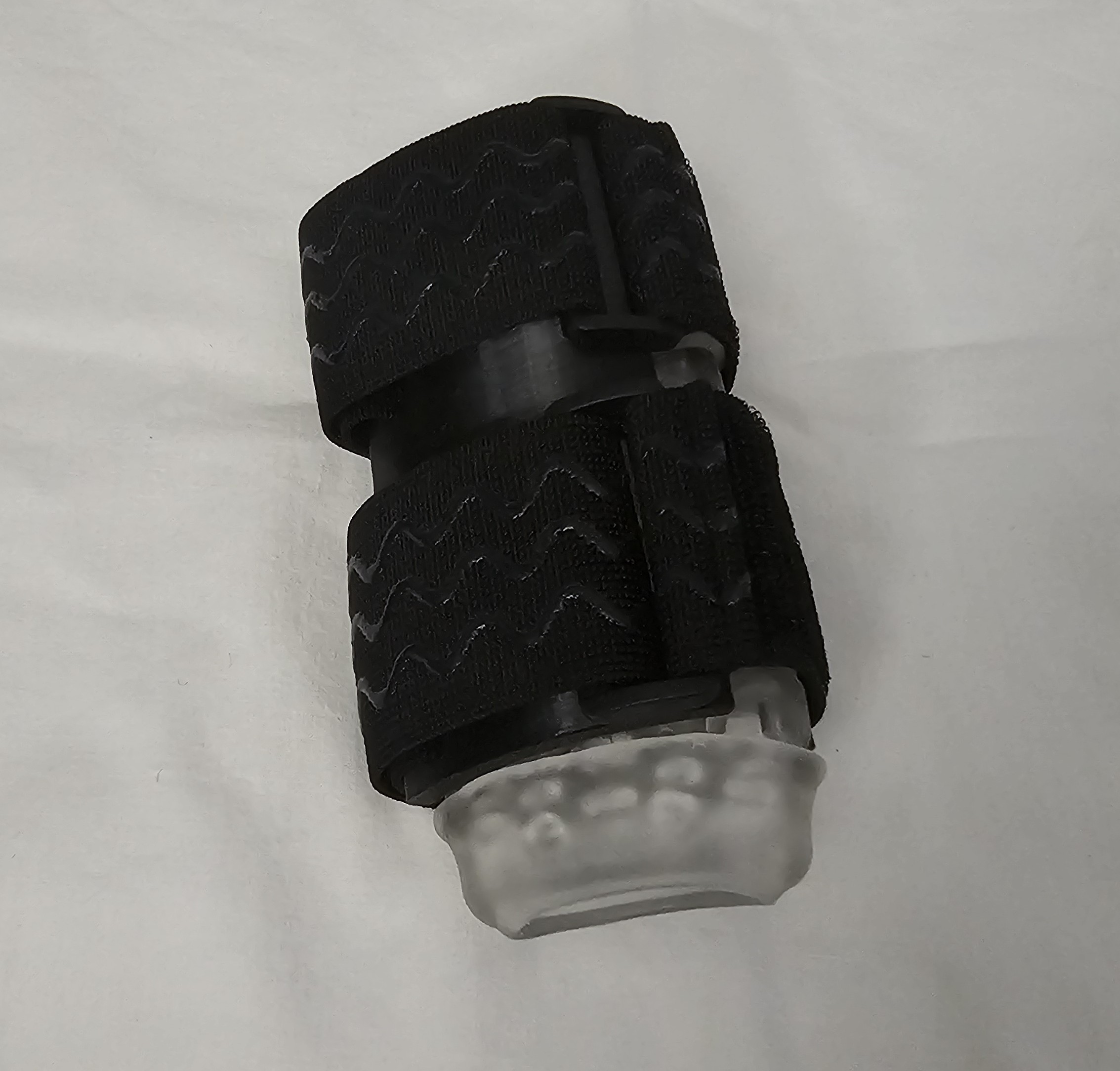
So yes, sleeves are usable with the FUNSR Mini.
But if you plan to use Handy sleeves or other shorter standard sleeves, I would strongly recommend using the open receiver and carefully adjusting the stroke length in software.
This is not difficult, but it is something you need to be aware of.
Sleeve usage score: 4 / 5
Sleeves are possible now — just use the right receiver and respect the stroke length.
Odd Shapes & Safety
One important thing to keep in mind:
Odd-shaped Onaholes may not fit properly.
Products with unusual shapes can be difficult to strap securely. If the product cannot sit straight, cannot be tightened properly, or moves too much during testing, I would not recommend using it.
For example, something like Slut Angel would be a safety concern. The shape does not allow for proper secure strapping, which means it should not be used with this kind of mounted mechanical setup.
This is not a weakness of the FUNSR Mini specifically. It is simply the reality of using powerful devices with products that were not always designed for mechanical mounting.
Normal oval-shaped Onaholes are usually fine.
Odd-shaped products need more caution.
If it does not sit securely, do not force it.
If it cannot be strapped safely, it does not belong in the machine.
Compatibility Summary
Overall, compatibility with the FUNSR Mini is excellent.
Onaholes work extremely well and are clearly one of the best ways to use the device. Most normally shaped Onaholes fit without issues, especially products with a typical oval shape like Nezuko. Mid-sized Onaholes work especially well with the twist module, while larger Onaholes may be better suited for the open receiver.
Fleshlights also work very well, as long as you use the twist module and an original Fleshlight case. Once locked in, the fit is stable, secure, and smooth.
Sleeves are more usable with the FUNSR Mini than they were with the FUNSR PRO. Because the Mini does not have full multi-axis movement, the risk is lower. However, I still recommend using the open receiver for normal Handy-style sleeves and reducing the stroke length carefully in MultiFunPlayer.
The main thing to watch out for is shape.
Normal Onaholes? Very good.
Fleshlights? Very good.
Sleeves? Good, with the right setup.
Odd-shaped products? Be careful.
For Onaholes especially, the FUNSR Mini is fantastic.
The device handles weight well, keeps movement stable, and the additional twist function adds a lot to the experience.
Score: 5 / 5
Onaholes, Fleshlights, sleeves — the Mini handles a lot, as long as you mount smart.
 9. Noise Levels
Rated section
Now let’s talk about noise levels.
The FUNSR Mini is about as quiet as the FUNSR PRO, which is very impressive considering how much power this little device has.
Once again, the joint motors seem to make a clear difference here. Compared to more traditional servo motor setups, the FUNSR Mini sounds smoother, lower, and less harsh. It is still a mechanical device, of course, so you will hear it during use, especially at higher speeds.
But overall, the noise level is very good.
Let’s jump right into the numbers.
Small cube, strong motor, surprisingly polite volume.
Important Note About My Measurements
Like with all my noise measurements, please keep in mind:
I measured the noise with a phone app.
That means these values are not 100% scientifically accurate. They should not be treated as laboratory-grade measurements.
However, they still give a good practical indicator and are useful for comparison, especially because I measure devices in a similar way across my reviews.
The official noise claim for the FUNSR Mini is around 50 dB, and based on my testing, that seems like a good general indicator.
Most of the time, the FUNSR Mini sits somewhere around that area, depending on speed, movement style, whether twist is active, and which sleeve, Onahole, or Fleshlight is attached.
Not laboratory science, but useful real-world numbers.
Noise Without Twist
First, I tested the FUNSR Mini without the twist function active.
| Scenario | Noise Level |
|---|---|
| Slow speed, ~75–150 units/s | ~30–42 dB |
| Medium speed, ~300 units/s | ~40–50 dB |
| Very fast speed, ~400–500 units/s | ~50–60 dB |
| Full speed, ~800 units/s | ~50–60 dB |
Without twist, the stroking action is really quiet.
At slower speeds, the FUNSR Mini can be very quiet. With slower and gentler scripts, the sound level is low enough that I would not worry too much about it, depending on your room, walls, door, and overall environment.
Of course, no device is truly silent. But with slow scripts, the FUNSR Mini stays surprisingly discreet.
So in that case, there is a good chance you do not need to come up with a strange excuse for why weird mechanical sounds are coming from your room.
Always a bonus.
Without twist, the Mini can be impressively quiet.
Noise With Twist
Next, I tested the FUNSR Mini with the twist function active.
| Scenario | Noise Level |
|---|---|
| Slow speed, ~75–150 units/s | ~40–45 dB |
| Medium speed, ~300 units/s | ~40–55 dB |
| Very fast speed, ~400–500 units/s | ~50–60 dB |
| Full speed, ~800 units/s | ~50–60 dB |
As expected, the twist axis adds a little bit of extra noise.
That is completely normal. More movement means more mechanical activity, and more mechanical activity usually means more sound.
However, even with twist active, the FUNSR Mini did not go above around 60 dB in my testing. The absolute maximum spikes I recorded were around that level, and those spikes only happened occasionally.
Most of the time, the device stayed closer to the official 50 dB range.
The twist module is also clearly quieter than the twist axis on the FUNSR PRO. That is a noticeable improvement and probably one of the benefits of the updated ball bearing structure used in the Mini’s twist module.
The result is smoother, less friction-heavy, and less noisy.
Very well done.
Twist adds sound, but much less than expected.
Comparison: FUNSR PRO
For comparison, here are the noise measurements from my FUNSR PRO review.
| Scenario | Noise Level |
|---|---|
| Idle, no script, cooler/fan running | ~36 dB |
| Slow sections, 100–300 u/s, all axes, with Onahole | ~40–50 dB |
| Very fast sections, 500–600 u/s, single axis, with Onahole | ~50–53 dB |
| Very fast sections, 500–600 u/s, all axes, with Onahole | ~50–55 dB |
| Extremely fast sections, 600–1000 u/s, all axes, with Onahole | ~50–58 dB |
As you can see, the FUNSR Mini sits very close to the FUNSR PRO in terms of noise.
That is impressive, because the FUNSR PRO has active cooling and full multi-axis movement, while the FUNSR Mini is smaller, simpler, and does not have a fan.
The general sound profile is also similar.
Both FUNSR devices have a lower and smoother mechanical sound compared to the Handy 2 / Handy 2 Pro. It is not silent, but it sounds less sharp and less aggressive to my ears.
The Mini sounds very close to the PRO — just without the fan.
Comparison: Handy 2 Pro
Here are the comparison numbers from my Handy 2 Pro review.
Fast sections
| Scenario | Noise Level |
|---|---|
| Fast section, ~370 u/s | ~55–60 dB |
| Very fast section, ~540 u/s | ~56–60 dB |
Overclock mode
| Scenario | Noise Level |
|---|---|
| 600 max speed, no sleeve / Onahole | ~60–65 dB |
| 600 max speed, Gen 2 sleeve | ~60–64 dB |
| 600 max speed, medium Onahole, Gokusai Uterus | ~58–62 dB |
| 800 max speed, Gen 2 sleeve | ~60–65 dB |
The Handy 2 Pro is already a fairly quiet device, especially considering how easy and convenient it is to use.
But based on my measurements and personal impression, both the FUNSR Mini and FUNSR PRO sit at a slightly lower noise level than the Handy 2 Pro, while also being more powerful.
This is not a night-and-day difference.
The Handy 2 Pro is not suddenly loud in comparison.
But the difference is noticeable, especially when you listen to the type of sound each device makes. The Handy 2 Pro has a slightly sharper mechanical sound, while the FUNSR Mini sounds lower, smoother, and less harsh.
That smoother sound profile makes the FUNSR Mini feel quieter in practice, even when the measured numbers are not massively different.
Not dramatically quieter than the Handy, but smoother and less harsh.
Real-World Noise Impression
In real use, the FUNSR Mini stays pretty quiet.
At slower speeds, it can be very quiet. If you are using a slower, more gentle script without twist, the device is honestly impressively discreet.
At medium speeds, it becomes more noticeable, but still very reasonable.
At high speeds, especially around 800 units/s, you will hear it. That is expected. A device moving that fast with that much power will never be silent.
But even then, the FUNSR Mini does not sound like it is screaming for help.
The sound is controlled, mechanical, and relatively smooth.
The twist axis does add more noise, but thanks to the improved twist structure, it is much quieter than I expected. Compared to the FUNSR PRO twist module, this is a clear upgrade.
Overall, I would say the official around 50 dB claim is a fair general indicator. In my testing, most normal use stayed around that range, with occasional spikes up to around 60 dB during faster or more intense movement.
Quiet during slow use, controlled during fast use, never annoyingly loud.
Subjective Noise Reminder
As always, noise is subjective.
Your experience may be different depending on:
- Your room size
- Your desk or mounting surface
- Whether the device is mounted tightly
- Which sleeve, Onahole, or Fleshlight you use
- Whether twist is active
- How fast the script is
- How sensitive you are to mechanical noise
- How thick your walls and doors are
So while I can give my measurements and impressions, your own setup may produce slightly different results.
That is also why I added videos to the review, so you can judge the noise for yourself.
Numbers are useful.
But hearing the device directly is even better.
Noise numbers help, but your ears get the final vote.
Noise Levels Summary
Overall, the FUNSR Mini performs extremely well in terms of noise.
It is about as quiet as the FUNSR PRO and slightly quieter than the Handy 2 Pro in my testing. The difference is not massive, but it is noticeable, especially because the FUNSR Mini has a smoother and lower sound profile.
Without twist, the stroking action can be very quiet, especially at slower speeds. With twist active, the noise increases a little, but it still stays controlled and does not go beyond around 60 dB in my measurements.
The improved twist module is a big plus here. Compared to the FUNSR PRO, the twist movement sounds smoother and quieter, which makes the Mini feel more refined in that area.
Considering the power, stroke length, torque, and overall performance of the device, the noise level is honestly impressive.
It is not silent.
But it is very reasonable.
And for a compact device this powerful, that is a very good result.
Score: 5 / 5
Powerful, smooth, and quieter than it has any right to be.
 10. Cleaning, Aftercare & Maintenance
Rated section
Next on the list is cleaning, aftercare, and maintenance.
And luckily, this section is very similar to the FUNSR PRO.
Which means:
It is simple.
Very simple, actually.
The FUNSR Mini itself does not require much cleaning or maintenance, as long as you use it properly and keep the setup reasonably clean. Most of the actual cleaning work will always come from the sleeve, Onahole, or Fleshlight you use with the device — not from the device itself.
Still, there are a few things worth mentioning.
Low maintenance, easy care, more time for actual use.
Storage
Let’s quickly talk about storage first.
The FUNSR Mini is much smaller than the FUNSR PRO, but it still needs some space when stored.
Even if you move the arms as close to the device as possible, the total length is still around 40 cm / 15.75 inches.
That is not massive, but it is also not something you just casually throw into a tiny drawer.
Interestingly, while the FUNSR PRO is much bigger overall, it can feel a bit more compact for storage because of its arm design. The FUNSR Mini is smaller as a device, but it does not fold down quite as neatly, so it still needs a box with enough length.
I store the FUNSR Mini the same way I store my FUNSR PRO:
In an IKEA box that fits into the Kallax system.
That works perfectly for me.
There is enough space for the device itself, plus the accessories, additional cables, the non-twist receiver, screws, and everything else that belongs to the setup.
This is my preferred way to store devices like this. Everything stays in one place, nothing gets lost, and when I want to use the device again, the whole setup is fast and efficient.
No cable hunting.
No missing accessory panic.
No “where did I put that receiver?” moment.
Very nice.
A Kallax box, one device, all accessories — clean and efficient.
Cleaning the Device
Cleaning the device itself is very simple.
In normal use, the FUNSR Mini should not really get dirty at all.
The main unit does not directly come into contact with lube or the product being used, so there is usually no need to clean the device body after every session.
The part you may need to check is the receiver or twist module.
Depending on the Onahole, Fleshlight, amount of lube, and positioning, it is possible that a little lube could get near the lower section of the receiver, close to where the entrance of the Onahole sits.
This did not happen to me during testing, but it is something I would still keep an eye on.
If it does happen, cleaning should not be an issue. The surface is easy to wipe down, and there are no complicated areas that make basic cleaning difficult.
Just make sure to clean gently and avoid pushing any liquid into the device itself.
The device stays clean, but the receiver deserves a quick check.
Long-Term Maintenance
For long-term maintenance, I do not see any major concerns.
Everything feels very well built. The parts are properly assembled, the screws sit securely, and nothing feels loose or fragile.
During my testing, I did not notice anything that needed re-tightening, adjusting, or special care.
That said, an Allen wrench is included, so if something ever needs minor adjustment or tightening later, you are covered.
That is always good to have.
Mechanical devices move, vibrate, and deal with force. So even if nothing needs attention right now, having the right tool included is a nice small detail.
But overall, the FUNSR Mini does not feel like a device that constantly needs maintenance.
Set it up properly.
Use it properly.
Store it properly.
Check it occasionally.
That should be enough.
Well built, securely assembled, and not needy at all.
General Care
For general care, I would simply recommend keeping the device clean and dust-free.
Wipe away dust from time to time, especially if the device sits unused for a while.
Though honestly, you will probably like the FUNSR Mini enough that dust will not even get a real chance to appear.
The cube wants attention.
And the cube will probably get attention.
One important thing: make sure nothing blocks the ventilation holes on the device.
The FUNSR Mini does not have active cooling like the FUNSR PRO, so the ventilation holes are important for passive airflow and temperature control. Do not cover them, do not store the device in a way that pushes dirt into them, and avoid letting anything enter the device casing.
Basic care is enough here.
No special routine needed.
Keep the vents clear and the cube happy.
Cleaning, Aftercare & Maintenance Summary
Overall, cleaning and maintenance are very easy with the FUNSR Mini.
The device itself does not really get dirty during normal use, and most of the cleaning work will come from the sleeve, Onahole, or Fleshlight you attach to it. The only part I would keep an eye on is the receiver or twist module, especially around the area where lube could potentially escape from the product.
Storage needs a little space, because even though the Mini is much smaller than the FUNSR PRO, it still has a total length of around 40 cm / 15.75 inches when stored with the arms positioned close to the device. A larger storage box, like an IKEA Kallax-compatible box, works very well and keeps the device and all accessories together.
Long-term maintenance also looks simple. The build is solid, everything is properly screwed together, and I did not notice anything that needed adjustment during testing. If anything ever does need tightening, an Allen wrench is included.
The only general care advice is to keep the device clean, avoid dust buildup, and make sure the ventilation holes stay clear.
That’s it.
Easy to clean.
Easy to store.
Easy to maintain.
Exactly how it should be.
Score: 5 / 5
Clean setup, simple care, no maintenance drama.
 11. Safety
Rated section
With this much power and stroke length, safety becomes very important.
Safety matters with every interactive device, of course. But the more powerful the device is, the more important it becomes to understand what you are doing, how the device behaves, and how to set everything up properly.
The big difference between the FUNSR Mini and the FUNSR PRO is that the Mini does not have full multi-axis movement.
That makes safety much easier to manage.
With the FUNSR PRO, you have more movement directions, more axes, and more complex motion overall. With the FUNSR Mini, you mainly deal with the standard up-and-down stroke and, if you have the twist version, the twist axis.
That makes the Mini easier to understand, easier to control, and easier to use safely.
However, like the FUNSR PRO, the FUNSR Mini does not really hold your hand.
It puts the responsibility in your hands.
And that is not a bad thing.
You just need to set it up properly, adjust the software correctly, pay attention during use, and respect the power of the device.
Safe to use, but powerful enough to deserve your attention.
Comparison with the Handy 2 / Handy 2 Pro
The Handy 2 / Handy 2 Pro is different when it comes to safety.
The Handy has several built-in safety features. It can automatically stop if it detects too much resistance, and it can reduce stroke length if something blocks the movement. For example, with a very tight Onahole, the Handy may shorten the stroke slightly because the device detects the resistance and adjusts.
There are also several safety settings in the official Handy app.
With the FUNSR Mini, you can basically forget all of that.
The Mini does not behave like the Handy.
It does not constantly step in to protect you from every situation. It does not automatically soften the experience just because an Onahole is tight or pushes back against the movement.
The FUNSR Mini, like the FUNSR PRO, powers through.
For example, Otokonoko is a pretty tight Onahole. With the Handy 2 Pro, especially in mounted use, I notice that the device can shorten the stroke a bit because the Onahole creates resistance and a kind of push-back effect during movement.
The FUNSR Mini does not care.
It just powers through.
Which option you prefer depends on your personal preference and experience level.
The Handy 2 approach is more beginner-friendly and protective.
The FUNSR Mini approach is more direct and powerful.
Personally, as an advanced user, I prefer the FUNSR Mini powering through. I can estimate whether everything works properly and feels safe enough for me during use. I also like not having to think:
“Is this Onahole too tight?”
“Will the device reduce the stroke length?”
“Will the movement feel different because of resistance?”
With the FUNSR Mini, the device simply does what it is told to do.
That is great.
But it also means you need to pay attention.
The Handy protects you more. The Mini trusts you more.
Safety Settings in MultiFunPlayer
A lot of your safety control happens inside MultiFunPlayer.
The most important setting is the maximum stroke range for the L0 stroke axis.
The FUNSR Mini has a long stroke range, and I personally love that. But depending on your anatomy, your setup, the toy you use, and your positioning, the full stroke range may be too much.
So make sure to check the settings before use.
If you are unsure, set the stroke range lower at first.
For example:
Start at around 80%.
Test carefully.
Then gently increase the range during use if everything feels right.
MultiFunPlayer allows you to adjust this on the fly, which is very useful. You do not need to stop everything completely just to make small safety adjustments.
The auto-home function is also important. It brings the axis back to a neutral stroke position automatically if there is a longer pause. That helps keep the device in a controlled and predictable state.
There is also a speed limit option you can enable.
I personally did not need to use that setting, but it is good to have. If you want to reduce the maximum speed or test the device more carefully, you can easily adjust the speed limit there.
My advice:
Play around with these settings before going into a full session.
Understand what they do.
Find what feels safe and comfortable for you.
The good thing is that these settings are easy to access and easy to adjust.
Stroke range and speed limits are your main safety tools.
Physical Setup Matters
Software settings are important, but your physical setup matters just as much.
One of the biggest factors is the height of your desk.
If you have a height-adjustable desk, that will definitely help. You can raise or lower the device position until everything lines up properly and feels comfortable.
If your desk is not height-adjustable, adjust the height of your chair instead.
And if your chair is also not adjustable…
Then I don’t know.
Maybe negotiate with the furniture.
The FUNSR Mini is very powerful, so a proper and stable table is strongly recommended. I have a very sturdy desk, and even that can shake a bit during very fast movements.
So I can easily imagine that thinner or unstable desks might struggle more.
If your desk already feels a little unstable, maybe do not use full-speed intense scripts right away.
Or just screw the desk to the wall and ground.
Problem solved.
Probably.
Maybe.
Do not quote me on that. 
Stable desk, correct height, fewer problems.
Slip-Out Awareness
Especially during your first uses, I recommend reducing the maximum stroke length in MultiFunPlayer.
Start lower, then gently increase the range once you feel comfortable.
This helps you get used to the power, stroke length, and movement behavior of the FUNSR Mini without immediately going too intense.
Another practical tip:
Use your hand to stabilize the base during the first tests.
This can help keep everything more controlled and reduce the risk of slipping out while you are still learning how the device behaves with your setup.
The FUNSR Mini is not difficult to use safely, but it is powerful enough that you should take your first sessions seriously.
Give yourself a little time to get used to it.
You do not need to master everything instantly.
Start shorter, increase slowly, let the cube earn your trust.
Onahole Safety
If you use Onaholes, proper strapping is very important.
The FUNSR Mini is strong, and you do not want the Onahole getting loose during use.
A few simple rules help a lot:
- Make sure the Onahole is positioned correctly
- Do not strap it too high
- Use both straps for larger or softer Onaholes
- One strap is often enough for smaller or medium-sized products
- Strap it tight enough to stay secure
- Do not strap it so tight that you deform the product too much
- Check stability before starting
The goal is a good middle ground.
Secure enough that nothing moves.
Not so tight that you damage or deform the Onahole unnecessarily.
With bigger and more “floppy” Onaholes, I would usually use both straps. They simply need more support.
With mid-sized or firmer Onaholes, one strap often works perfectly fine.
The important part is that nothing should feel loose, unstable, or unsafe before you start.
The Onahole should be secure, not strangled.
Script Intensity
For scripts, start slow.
Do not immediately jump into full intense mega-power PMV scripts with an average speed of 500.
Give yourself time.
The FUNSR Mini has a lot of power and a long stroke range, so it is better to increase intensity gradually. Start with slower or medium-speed scripts, check how the device behaves, adjust stroke length if needed, and then move toward more intense content once you are comfortable.
Some general safety rules:
- Keep an eye on the movement from time to time
- Check if the Onahole positioning is still correct
- Pause the script if something feels off
- Adjust height, range, or position if needed
- Do not jump into VR immediately
- Get used to the device first, then move into VR
That last point is important.
VR is immersive, and that is great. But because you are visually more disconnected from the physical setup, I would recommend learning the device first in normal use before using it in VR.
Know how it moves.
Know how powerful it feels.
Know how to stop it.
Know how your setup behaves.
Then go into VR.
Do not start with chaos mode — build up safely.
Additional Official Adjustment Options
There is also another way to adjust stroke length and speed for the FUNSR Mini, similar to how it works with the FUNSR PRO.
You can find the official guide here:
Official FUNSR Mini Adjustment Guide
Personally, this is the same situation I had with the FUNSR PRO.
For me, it feels like a bit too much tinkering.
I prefer using the safety settings directly in MultiFunPlayer. They are easy to access, easy to understand, and quick to adjust during use. For my setup, they are more than enough.
However, it is still good that FUNSR provides another option.
Some users may prefer deeper device-level configuration, and for them, the official adjustment method can be useful.
I just personally prefer the simpler MultiFunPlayer route.
Official tuning exists, but MFP is the easier safety path for me.
My Personal Safety Experience
Personally, I did not need much time to get used to the FUNSR Mini.
That is mostly because I am already used to the FUNSR PRO and its power. My Handy 2 Pro is also overclocked to 800 units/s, which is the same maximum speed as the FUNSR Mini.
But as mentioned earlier, the FUNSR Mini still feels more powerful than the Handy 2 Pro, even at similar speed settings.
During my testing, I always made sure to adjust the desk height properly. It may take a few tries at first, but once you figure out the correct height and positioning, setting everything up becomes fast and easy.
I also did not focus much on the twist function in this safety section because, in my opinion, twist does not add the same kind of safety concern as full multi-axis movement.
The twist movement is built directly into the receiver. It does not move the whole receiver left, right, forward, or backward like full multi-axis systems can. It simply twists.
So from a safety perspective, the main thing to manage is still the up-and-down stroke.
And that is much easier to control.
During all my uses, I never had a moment where I thought the device felt unsafe, unstable, or out of control.
Everything worked as expected.
Once the height and range are right, the Mini feels very controlled.
The Most Important Safety Point
The most important thing to understand is this:
The FUNSR Mini powers through.
Unlike the Handy 2 / Handy 2 Pro, it does not really care if an Onahole is tighter or creates more resistance. It does not automatically soften the movement or reduce the stroke length in the same way.
If something is wrong, you have to intervene.
That is the whole point.
This device gives you a lot of power, and with that power comes responsibility.
Do not underestimate it.
Do not start at maximum intensity right away.
Do not ignore strange positioning.
Do not continue if something feels off.
Start slowly.
Adjust carefully.
Increase intensity over time.
Once you understand the device, it is very safe and very rewarding to use.
But you need to respect it.
The Mini will not babysit you — respect it and it rewards you.
Safety Summary
Overall, the FUNSR Mini is a very safe device when used correctly.
Yes, it is powerful.
Yes, it has a long stroke range.
Yes, it puts more responsibility on the user than something like the Handy 2 Pro.
But you do not need to be an expert to use it safely.
The important settings, especially stroke length and speed, can be easily adjusted in MultiFunPlayer. These two settings alone make the device much easier to control and allow you to create a safe and comfortable setup.
The lack of full multi-axis movement also makes the FUNSR Mini much easier to manage than the FUNSR PRO. You mainly need to focus on stroke range, speed, positioning, mounting stability, and proper strapping.
During my testing, I never had any issues. Nothing felt unsafe, unstable, or out of control. The device behaved exactly as expected, and once the setup was adjusted correctly, it felt very reliable.
The FUNSR Mini is powerful enough that you should not treat it casually.
But with proper setup and a bit of common sense, it is very safe to use.
For me, the full score is definitely deserved here.
Score: 5 / 5
Powerful, safe, and easy to control — as long as you respect the cube.
 12. Accessories
Rated individually — excluded from the final score
Now we take a closer look at the accessories that come with the FUNSR Mini.
I will rate them individually, but these accessory ratings are excluded from the final score. They are still important, though, because the accessories strongly influence how flexible, stable, and practical the device is in daily use.
For this section, I will talk about:
- Twist Module
- Open Module
- Onahole Adapter
- Mount
And honestly, the accessories are a big part of why the FUNSR Mini works as well as it does.
The cube is strong, but the accessories make it complete.
Twist Module
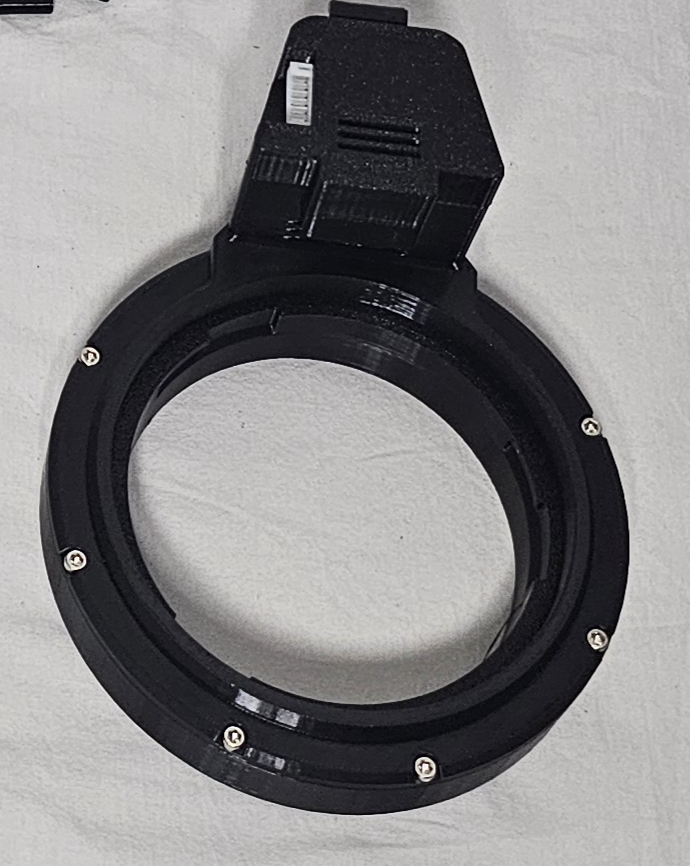
Score: 5 / 5
The Twist Module is, in my opinion, the heart of the FUNSR Mini.
With this module, you can use Fleshlights and, together with the additional Onahole adapter, also Onaholes. That alone already makes it extremely important for my personal use case.
The module itself feels very solid. Build quality is high, everything feels stable, and once attached, it sits securely on the device.
For me, the twist module is absolutely necessary.
Not only because of the twist function itself, but also because it gives me the compatibility I want. Since I mainly use Onaholes with interactive devices, this module is not just a nice bonus for me — it is a core part of the experience.
And of course, the twist function itself is amazing.
It adds a lot to the sensation and makes the FUNSR Mini feel much more interesting than a pure up-and-down stroker. Even if you use a script that does not include a dedicated twist axis, you can enable random twist movement in MultiFunPlayer and still enjoy the extra motion.
That makes the twist module useful almost all the time.
The price difference between the standard version and the twist version is around $50, and in my opinion, that upgrade is absolutely worth it.
As already mentioned in the Noise Levels section, the twist module is also much quieter now compared to the older FUNSR PRO twist setup. FUNSR improved it noticeably, and that makes the twist movement feel more refined and pleasant during use.
Overall, this is a fantastic accessory.
Stable.
Safe.
Useful.
Fun.
And in my opinion, basically necessary.
If you are interested in the FUNSR Mini, I highly recommend getting the twist version.
The twist module turns the Mini into the device it should be.
Open Module


Score: 5 / 5
The Open Module is the option you get if you do not buy the twist version.
This module supports sleeves and Onaholes, but it does not support Fleshlights. So if you want to use Fleshlights, you need the twist version.
The Open Module is also very well built. Like the twist module, it uses the snap-on system, so you simply attach it to the device and it locks into place.
Simple.
Fast.
Stable.
The build quality feels very good again. The module is solid, sturdy, and secure once attached.
Two straps are included, each around 30 cm / 11.8 inches long. I am glad they included these, because proper strapping is important with a device this powerful.
With the Open Module, you only get the standard up-and-down movement. There is no twist here. But for basic use with sleeves and Onaholes, it works very well.
Strapping is easy, safe, and reliable. The module is also large enough to support even bigger Onaholes, which is a big plus. Products that may not fit properly into the twist module can often still work very well in the Open Module.
Once strapped in correctly, Onaholes sit stable and secure.
No wobble.
No slipping.
No unstable feeling.
Overall, this is a very good module and a very important part of the FUNSR Mini package.
No twist, but very reliable — the open module does its job extremely well.
Onahole Adapter
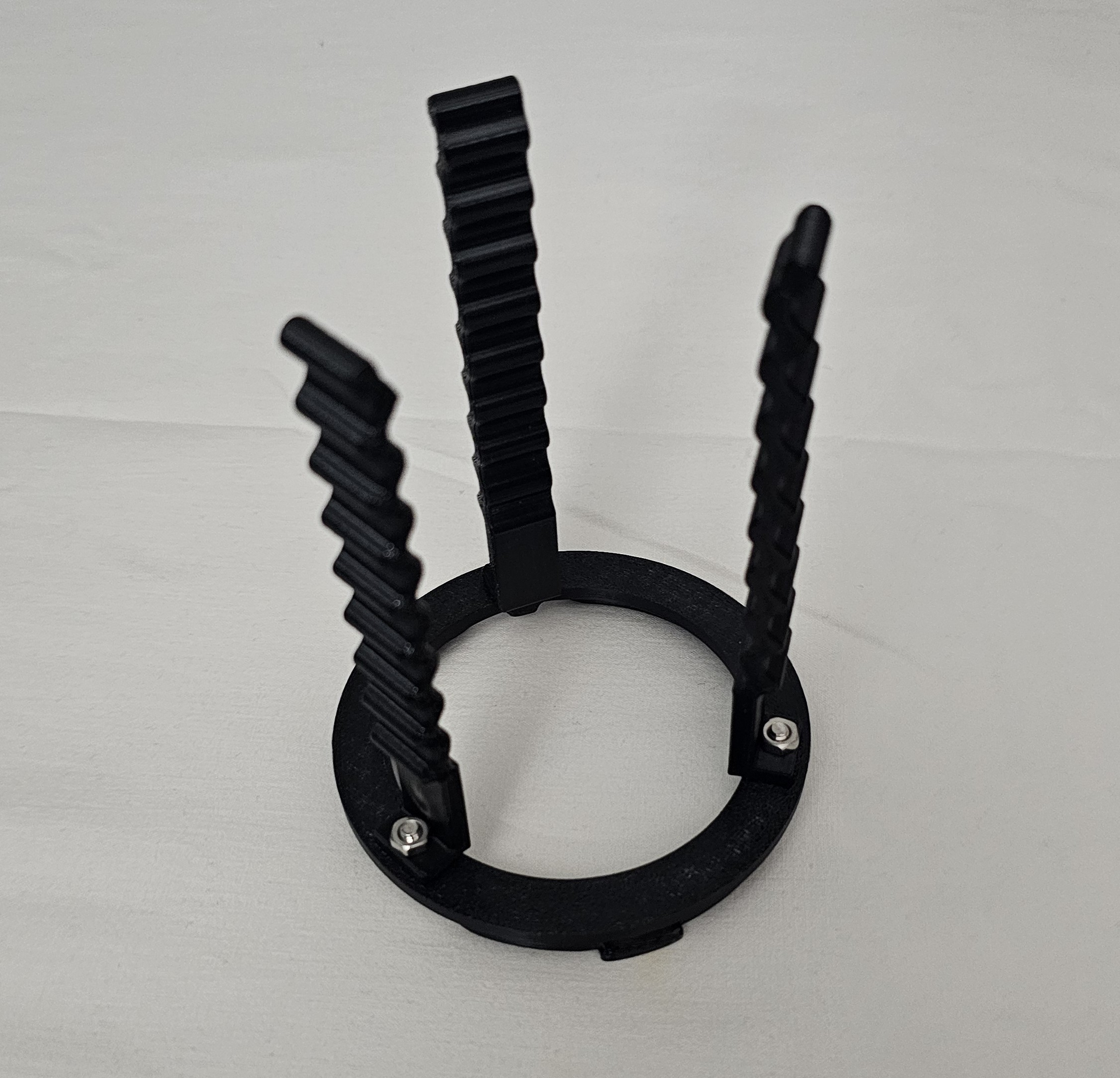
Score: 5 / 5
The Onahole Adapter allows you to use Onaholes together with the twist module.
And that is a very big deal.
Without it, the twist module would mainly be useful for Fleshlights. With the adapter, you can expand into the amazing world of Onaholes — which, for me, is where devices like this become especially fun and versatile.
The adapter works in a very straightforward way.
The rectangular plastic stabilization pieces are screwed onto the adapter. The adapter then snaps into the twist module, and the plastic pieces help stabilize the Onahole during use.
After that, you secure the Onahole with one or two straps, depending on size, shape, and how much support it needs.
This is basically the same concept we already had with the FUNSR PRO.
And it works very well again.
The adapter feels stable, sturdy, and well built. During use, nothing got loose, nothing wobbled, and the twist movement worked perfectly.
As always, proper placement matters.
Make sure the Onahole is not placed too high or too low. It should sit centered and secure, with enough support from the stabilization pieces and straps.
If you take a moment to position everything correctly, the adapter does exactly what it should do.
It makes Onaholes usable with the twist module.
And it does that safely and reliably.
Very good accessory.
Very useful.
Very glad they included it.
The adapter opens the Onahole gate — and that gate is important.
Mount
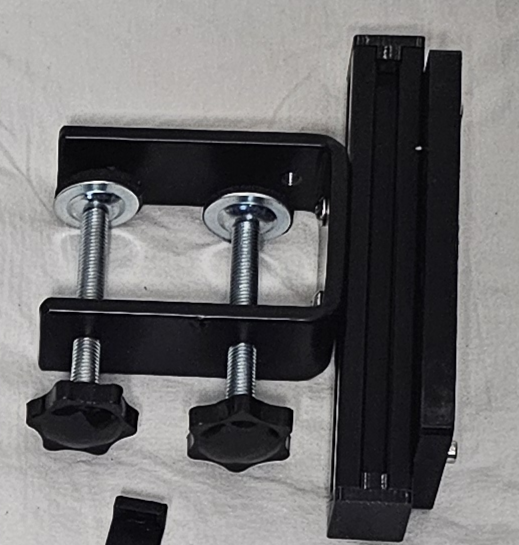
Score: 5 / 5
The mount is essential again.
You cannot — and definitely do not want to — hold the FUNSR Mini by hand during use.
This device needs a stable mounting solution.
Thankfully, FUNSR includes one.
You screw the device onto the mount with the included screws, then screw the mount to your desk or table. Once everything is tightened properly, the setup becomes very stable.
And I mean very stable.
No shifting.
No wobbling.
No strange movement.
No “oh oh” moment.
Everything stays exactly where it should be.
The mount itself is very well built. It feels sturdy and strong enough to handle the power of the FUNSR Mini, which is important because this little cube has much more force than its size suggests.
During my testing, I never experienced any unwanted movement, instability, or anything that made me worry about the mount.
It simply did its job.
And it did it very well.
Including a hands-free mounting solution right out of the box is a big thing. It means you do not have to spend extra money, search for a compatible mount, or build your own setup before using the device properly.
For a device like this, a good mount is not optional.
It is part of the whole experience.
And this one is excellent.
The mount tames the little power cube — and does it confidently.
Accessories Summary
Overall, the accessories for the FUNSR Mini are excellent.
The Twist Module is the clear highlight for me. It adds twist movement, unlocks Fleshlight compatibility, and works with Onaholes when combined with the Onahole adapter. In my opinion, this is the version to get.
The Open Module is also very good. It is stable, easy to use, and especially useful for sleeves and bigger Onaholes that may not fit properly into the twist module.
The Onahole Adapter is extremely important if you want to use Onaholes with the twist module. It is sturdy, reliable, and works very well when everything is positioned and strapped correctly.
The Mount is also excellent. It provides a strong hands-free setup right out of the box and keeps the device stable even during powerful movement.
My recommendation is very clear:
Get the twist version.
The price difference is worth it, the twist function is excellent, and Onahole compatibility becomes much more interesting with it. Even if your scripts do not include a dedicated twist axis, MultiFunPlayer can add random twist movement, which makes the module useful across a lot of content.
For me, the accessories are one of the strongest parts of the FUNSR Mini package.
They are practical, well built, stable, and make the device much more flexible.
Get the twist version — the accessories make the Mini shine.
 13. Support & Updates
Not rated section
Like with all FUNSR devices, the main support happens through their Discord server.
You can join the FUNSR Discord here:
FUNSR Discord
Inside the server, you can get help from both the FUNSR team and the community. This is where you will find answers to setup questions, software questions, troubleshooting, guides, documentation, and general discussion around the devices.
Since the FUNSR team is rather small, they do not have the same kind of formal ticket system that you get with something like the Handy team. So support feels more direct and community-driven instead of being handled through a traditional support portal.
That is not necessarily a bad thing.
In many cases, Discord support can actually be very fast and helpful because other users may already have experience with the same problem.
I personally did not need support during my testing, because everything worked properly. But from what I observed, responses in the Discord server are usually quite fast and helpful.
Just keep in mind that FUNSR is based in China. Depending on your own timezone, answers from the team may come a little later.
Overall, the support looks solid and helpful if you need it.
Small team, active Discord, helpful community — that is the FUNSR support style.
Firmware Updates
Firmware updates follow the same general style as with the FUNSR PRO.
That means firmware updates are done manually and involve a few extra steps.
This is not as convenient as something like the Handy 2 / Handy 2 Pro, where updates can be handled through the app or WiFi. With the Handy, it is usually much more straightforward:
Download update.
Install update.
Done.
With the FUNSR Mini, it is more manual.
However, this is also not something you usually need to worry about all the time. The firmware does not need constant updating during normal use.
If a firmware update becomes necessary, the FUNSR team will let users know and provide a guide on how to do it.
So while the update process is not as polished or beginner-friendly as the Handy ecosystem, it is also not a major issue in daily use.
You set up the device, use it, and unless there is a specific reason to update, you probably do not need to touch the firmware at all.
Manual updates are less convenient, but thankfully not something you deal with often.
Handy 2 Comparison
Compared to the FUNSR Mini, the Handy 2 / Handy 2 Pro has the more polished update and support ecosystem.
The Handy ecosystem is more consumer-friendly in this regard. Updates are easier, app support is more convenient, and there is a more traditional support structure behind it.
FUNSR feels more like a smaller enthusiast-driven project.
Support happens through Discord.
Guides are shared there.
The community helps.
The team answers directly when needed.
This fits the overall FUNSR style quite well.
The FUNSR Mini is not as plug-and-play polished as the Handy 2 Pro, but it gives you a very powerful, local, flexible device in return.
So again, it depends on what kind of user you are.
If you want the most polished support and update experience, the Handy ecosystem is ahead.
If you are comfortable with Discord support, community help, and manual guides when needed, the FUNSR Mini setup is perfectly fine.
Handy is more polished, FUNSR is more community-driven.
Support & Updates Summary
Overall, support and updates for the FUNSR Mini are solid.
The main support hub is the FUNSR Discord server, where you can find the team, the community, guides, documentation, troubleshooting help, and general setup advice.
I did not personally need support during my review, but from what I observed, replies are usually helpful and fairly quick. Just keep the timezone difference in mind, since FUNSR is based in China.
Firmware updates are more manual than with the Handy 2 / Handy 2 Pro and involve extra steps. However, this is not something you usually need to do often. If an update is needed, the FUNSR team should provide the necessary guide.
So this is not the most polished support and update ecosystem on the market, but it works well for the kind of device FUNSR is building.
Community-driven.
Direct.
Helpful.
A little more hands-on.
And that fits the FUNSR Mini quite well.
Not app-polished, but supported where it matters.
 14. Ultimate Comparison Between Handy 2 Pro, FUNSR PRO and FUNSR Mini
 15. TL;DR – Short Summary
 16. Pros & Cons
 17. Tips and Advice
 19. Outro
 20. Updates
 21. Affiliate Links
 22. Other Links
 Sleek, elegant, polished consumer-device design
 Cons
Cons Join me on Patreon



 Onahole Reviews:
 Onahole Review - Gokusai Uterus Onahole
 Onahips & Onatorso Reviews:
 Tantaly Reviews:
 Hardware Reviews:
 Other Reviews:
 Top 5 Guides:



 ! - Scripts / Free Scripts - EroScripts